
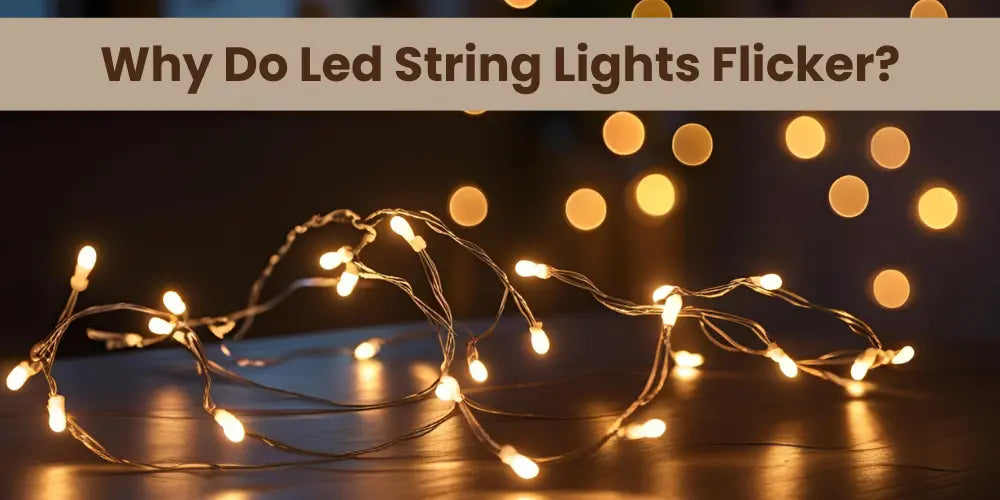
Are your string lights blinking when they shouldn’t? That flickering can be more than just annoying—it can ruin the cozy vibe you’re trying to create.
If you’ve been wondering why your lights keep flashing and how to fix it fast, you’re in the right place. You’ll discover simple, effective ways to stop your string lights from blinking and keep your space glowing just the way you want.
Keep reading, and get ready to enjoy steady, beautiful lights every time.

Credit: www.reddit.com
Common Causes Of Blinking
Blinking string lights can be more than just annoying—they can spoil the cozy atmosphere you’re trying to create. Understanding why your lights flicker is the first step to fixing the problem. Let’s look at some common causes that might be behind those unpredictable blinks.
Loose Bulbs And Connections
Loose bulbs often cause flickering because they don’t maintain a steady connection. Even a slightly loose bulb can disrupt the electrical flow, leading to blinking. Have you ever noticed a single bulb that’s a bit wobbly? Tightening it usually brings the whole string back to life.
Connections between sections of the light string also matter. If plugs or sockets aren’t secure, the power can cut in and out. Check every joint carefully—sometimes a quick push or twist solves the issue.
Faulty Wiring
Wiring problems can sneak up on you, especially if your lights are older or have been used outdoors repeatedly. Damaged or frayed wires cause inconsistent power delivery, which leads to blinking. Look for visible signs like cracks, exposed copper, or burn marks on the wires.
If you spot any damage, replacing that section or the entire string might be safer and more effective. Have you ever felt a slight tingle when handling your lights? That’s a serious warning sign you shouldn’t ignore.
Incompatible Bulbs
Using the wrong type of bulbs together can confuse your string’s electrical system. Mixing LED bulbs with incandescent ones often leads to flickering because they require different voltages and currents. Have you tried swapping bulbs and noticed blinking stop or start?
Stick to bulbs recommended by the manufacturer and avoid mixing types. This little adjustment can save you a lot of frustration.
Power Supply Issues
Sometimes the problem isn’t with the lights themselves but with the power source. Overloaded outlets, faulty extension cords, or voltage fluctuations can cause your string lights to blink. Do you plug your lights into the same outlet as high-power devices like heaters or microwaves?
Try a different outlet or use a surge protector to see if the blinking stops. Ensuring a stable power supply is essential for steady, reliable lighting.
Inspecting Your String Lights
Before you rush to replace your string lights, it’s crucial to carefully inspect them. Many blinking issues come from simple, fixable problems that don’t require buying new lights. Taking a close look at the components can save you time and money.
Checking Bulbs For Damage
Start by examining each bulb. Look for cracks, discoloration, or blackened tips, which often signal a burnt-out bulb. Even one faulty bulb can cause the entire string to blink or flicker.
Remove any suspicious bulbs and replace them with new ones of the same type. If you don’t have spares on hand, try swapping bulbs from a different part of the string to see if that stops the blinking.
Examining The Plug And Socket
The plug and socket are easy to overlook but often cause issues. Check for bent or corroded prongs on the plug, which can disrupt the electrical flow.
Also, inspect the socket where the string connects to the power source. Dirt, moisture, or loose connections here can cause intermittent blinking. Wipe away any debris and make sure the plug fits snugly into the outlet.
Testing The Fuse
Your string lights usually have a small fuse inside the plug. If this fuse is blown, the lights might flicker or blink erratically. Look for a tiny cover on the plug that can be opened with a screwdriver or coin.
Take out the fuse and check if the thin wire inside is broken. If it is, replace it with a fuse of the exact same rating. This simple fix often solves blinking problems without much hassle.
Simple Fixes To Stop Blinking
Blinking string lights can be annoying and spoil the festive mood. Simple fixes often solve the problem quickly. These fixes do not need special tools or skills. Try these easy steps to stop your string lights from blinking.
Tightening Loose Bulbs
Loose bulbs cause flickering or blinking. Check each bulb by gently pushing it into the socket. Make sure it fits snugly without forcing it. A tight bulb maintains a steady electrical connection, stopping the blink. This quick check often restores steady lighting.
Replacing Damaged Bulbs
Damaged bulbs can break the circuit and cause blinking. Look for bulbs with dark spots or broken filaments. Swap out any damaged bulbs with new ones of the same type. Using the correct replacement bulbs keeps the string working smoothly. Keep extras handy for fast fixes.
Resetting The Fuse
Many string lights have a small fuse inside the plug. A blown fuse can cause blinking or no lights at all. Open the fuse compartment carefully and remove the fuse. Replace it with a new fuse of the same rating. Resetting the fuse restores power and stops blinking.
Securing Connections
Loose or dirty connections can cause flickering. Check all plugs and connectors along the string. Unplug and replug each connection to ensure a good fit. Clean connectors if they have dirt or corrosion. Proper connections keep the current steady and lights bright.
Advanced Troubleshooting Tips
When simple fixes don’t stop your string lights from blinking, it’s time to dig deeper. Advanced troubleshooting helps you identify hidden issues that cause flickering or blinking. These tips require a bit more effort but can save you from buying new lights unnecessarily.
Using A Multimeter
A multimeter can be your best friend in diagnosing electrical problems in string lights. It measures voltage, continuity, and resistance, helping you pinpoint where the circuit fails.
Start by setting your multimeter to continuity mode. Touch the probes to different sections of the wiring to check for breaks or shorts. If your multimeter doesn’t beep or show continuity, you’ve found a faulty wire segment that needs repair or replacement.
Replacing Faulty Wiring
Worn-out or damaged wiring often causes blinking. Even a small break or exposed wire can interrupt the current flow, leading to irregular light behavior.
Identify the damaged section by carefully inspecting the wires for cracks or discoloration. Cut out the faulty part and splice in a new wire segment using wire connectors or electrical tape for a secure fix. This hands-on repair can bring your lights back to steady glow without spending a fortune.
Switching To Led Bulbs
If your string lights keep blinking despite repairs, consider switching to LED bulbs. LEDs are more energy-efficient and less prone to flickering because they use a steady current.
LEDs also last longer and generate less heat, which reduces the risk of wiring issues. Have you noticed how LED string lights almost never blink, even when plugged into older outlets? This simple upgrade can end your blinking woes and save energy too.
Preventing Future Blinking
Check the power source and connections to stop string lights from blinking. Replace faulty bulbs or use lights designed for steady glow. Regular maintenance helps keep lights bright and steady.
Preventing future blinking in string lights involves a few key practices. These steps help maintain your lights in top condition. Let’s explore some effective methods.Proper Storage And Handling
Store lights in a cool, dry place. Avoid damp basements or attics. Wrap them loosely to prevent tangling. Use original packaging or a sturdy box. Keep them away from sharp objects. Label the storage box for easy identification.Regular Maintenance
Check lights before and after each use. Look for damaged wires or burnt-out bulbs. Replace faulty bulbs immediately. Clean the lights gently with a dry cloth. Ensure plug connections are secure.Choosing Quality Lights
Invest in lights made by reputable brands. Look for weather-resistant and durable materials. Check for certifications like UL for safety assurance. Choose LED lights for energy efficiency. They last longer and are less prone to blinking issues.
Credit: blog.1000bulbs.com

Credit: www.youtube.com
Frequently Asked Questions
Why Are My String Lights Blinking Randomly?
String lights blink due to a built-in flashing mode or faulty wiring. Check the control box for mode settings. Replace damaged bulbs or wires to fix blinking. Ensuring proper power supply also helps stop random blinking.
How Can I Make String Lights Stay Steady?
To keep lights steady, switch off any flashing mode on the controller. Use a compatible power source and replace faulty bulbs. Avoid mixing old and new bulbs to maintain steady lighting.
Can Faulty Bulbs Cause Blinking String Lights?
Yes, faulty or loose bulbs often cause blinking. Replace or tighten bulbs to fix the issue. Inspect each bulb carefully to ensure all are functioning correctly for stable lighting.
Does The Power Source Affect String Lights Blinking?
An unstable power source can cause blinking. Use a reliable outlet and avoid overloading circuits. Proper voltage ensures consistent lighting without flickering or blinking.
Conclusion
Stopping string lights from blinking can be simple and quick. Check the bulbs and replace any that are loose or broken. Make sure the plug fits tightly into the outlet. Sometimes, a small reset or changing the settings solves the problem.
Keep the lights clean and dry to avoid damage. These easy steps help your lights shine steady and bright. Enjoy your glowing space without flickers or interruptions. Bright, steady lights create a warm and cozy atmosphere for any occasion.



