
Is your LED desk lamp not shining as bright as it used to? Maybe it’s time to change the bulb.
But if you’re unsure how to do it safely and correctly, don’t worry—you’re in the right place. Changing the bulb might seem tricky, but with a few simple steps, you can bring your lamp back to life in no time.
Keep reading, and you’ll learn exactly how to replace your LED desk lamp bulb quickly and easily, so your workspace stays bright and comfortable.
Tools Needed
Changing the bulb of an LED desk lamp requires a few simple tools. Having the right tools makes the task easier and safer. Use tools designed for small electronics and delicate parts. Keep these tools ready before you start the replacement process.
Phillips Head Screwdriver
This screwdriver fits the screws on most LED desk lamps. It helps open the lamp’s casing without damaging it. Choose a small or medium size for better control.
Flat Head Screwdriver
A flat head screwdriver can gently pry open clips or covers. Use it carefully to avoid scratching the lamp. It is useful for lamps with snap-on panels.
Replacement Led Bulb
Always have the correct bulb type for your lamp. Check the lamp’s manual for the exact bulb model. Using the right bulb ensures proper lighting and safety.
Soft Cloth Or Gloves
Wear gloves or use a soft cloth to hold the bulb. This protects the bulb from oils and dirt. Clean handling extends the bulb’s life.
Small Container For Screws
Keep screws safe by placing them in a small container. This prevents loss during the bulb change. Use a bowl or a magnetic tray for convenience.
Safety Precautions
Changing the bulb of your LED desk lamp might seem simple, but safety should always come first. Ignoring precautions can lead to electric shocks, burns, or even damage to your lamp. Taking a few moments to prepare properly can save you from unexpected accidents.
Turn Off And Unplug The Lamp
Always switch off your desk lamp before starting any work. Unplugging it completely is even safer—it cuts off all electrical power. This step protects you from electric shocks and ensures no current flows while you handle the bulb.
Allow The Bulb To Cool Down
LED bulbs might not get as hot as traditional bulbs, but they can still be warm. Touching a hot bulb can cause burns or make you drop it accidentally. Wait at least 10-15 minutes after switching off your lamp before you begin replacing the bulb.
Use Proper Tools And Handle Bulbs With Care
Some bulbs require special tools or gloves to avoid fingerprints or damage. Even though LED bulbs are sturdy, their surfaces can get scratched or cracked if handled roughly. Use a clean cloth or gloves to grip the bulb firmly but gently.
Check For Lamp And Bulb Compatibility
Using the wrong bulb type can cause overheating or electrical problems. Check your lamp’s manual or label to find the correct wattage and size for the replacement bulb. This step helps maintain your lamp’s functionality and longevity.
Work In A Well-lit And Stable Area
Good lighting helps you see the bulb and socket clearly, reducing mistakes. Place your lamp on a flat, stable surface to prevent it from tipping over while you work. Have a small container ready to keep screws or parts safe during the process.
Identifying The Bulb Type
Identifying the bulb type is crucial before replacing it in your LED desk lamp. Check the lamp’s manual or the existing bulb for specifications. This ensures compatibility and prevents damage to your lamp.
Identifying the right bulb type for your LED desk lamp is crucial to ensure both compatibility and optimal performance. Before you even think of changing the bulb, take a moment to understand what type of bulb your lamp uses. This simple step can save you time and frustration.Read The Lamp’s Manual
The manual that came with your lamp is the most straightforward place to check for bulb specifications. If you’ve misplaced it, don’t worry. Many manufacturers offer downloadable versions on their websites.Examine The Current Bulb
Carefully remove the existing bulb and check for any markings or labels. These often include essential details like wattage, voltage, and model number. Make a note of these to ensure you purchase the correct replacement.Check Compatibility With Led Bulbs
Not all desk lamps are compatible with LED bulbs. Confirm that your lamp supports LED technology to avoid any electrical mishaps. If it doesn’t, you might need an adapter or a different type of bulb.Consult Online Resources
If you’re still uncertain, online communities and forums can be invaluable. Many users share their experiences and insights on particular lamp models. It’s a great way to get practical advice from fellow users who have faced the same challenge.Visit A Local Lighting Store
Sometimes, a hands-on approach is best. Bring your old bulb to a local lighting store for assistance. The staff can help you find a compatible replacement and offer tips for installation. Identifying the bulb type might seem like a small step, but it can make a world of difference. Have you ever struggled to find the right bulb? What did you learn from the experience?Removing The Old Bulb
Removing the old bulb from your LED desk lamp is a simple task. It requires care and attention to avoid damage. Follow these steps to safely remove the bulb and prepare for a new one.
Power Off The Lamp
Always turn off the lamp before starting. Unplug it from the power source. This prevents electric shock and protects the lamp’s components.
Accessing The Bulb
Find the bulb cover or shade. It might be a glass or plastic shield. Gently remove it by twisting or lifting, based on the lamp model. Handle the cover carefully to avoid breaking.
Taking Out The Bulb
Hold the bulb firmly but gently. Twist it counterclockwise if it’s a screw type. For push-in bulbs, pull straight out with steady pressure. Avoid forcing the bulb to prevent damage.
Selecting The Right Replacement
Selecting the right replacement bulb is key to keeping your LED desk lamp working well. Choosing the wrong bulb can cause poor lighting or damage the lamp. Focus on the bulb’s size, type, and power to find a perfect match. Also, consider energy use to save money and protect the environment. This guide helps you pick the best replacement bulb for your LED desk lamp.
Matching Bulb Specifications
Check the original bulb’s specifications carefully. Look for the following details:
- Bulb type (e.g., LED, CFL, halogen)
- Wattage or power rating
- Size and shape of the bulb
- Base type (e.g., screw, pin)
- Color temperature (measured in Kelvins)
Use these details to find a bulb that fits and works correctly. Avoid bulbs that are too bright or too dim for your lamp. Matching the color temperature keeps the light comfortable for reading or working.
Choosing Energy-efficient Options
Energy-efficient bulbs save electricity and last longer. LED bulbs are a great choice for desk lamps. They use less power but give bright, clear light. Look for bulbs with the ENERGY STAR label. These bulbs meet strict energy-saving standards. Energy-efficient bulbs reduce heat and lower electricity bills. Pick bulbs with good brightness and low energy use for the best balance.
Credit: www.amazon.com
Installing The New Bulb
Installing the new bulb in your LED desk lamp is a straightforward task, but it requires careful handling to ensure safety and proper function. Taking a moment to prepare yourself and the bulb can save you from potential damage or poor lighting performance. Let’s focus on how to handle the bulb properly and secure it firmly in place.
Handling The Bulb Properly
Before touching the new bulb, make sure your hands are clean and dry. Oils and dirt from your fingers can affect the bulb’s lifespan and brightness.
If possible, use a soft cloth or gloves to hold the bulb. This prevents any smudges or accidental slips that might cause damage.
Think about how often you’ve struggled with slippery bulbs—taking this small precaution can make the whole process smoother and safer.
Securing The Bulb In Place
Once you have the bulb ready, align it carefully with the socket. LED bulbs usually have a specific fitting, so don’t force it if it doesn’t slide in easily.
Turn the bulb gently but firmly until it clicks or fits snugly. Loose bulbs can flicker or fall out, which interrupts your work and might damage the lamp.
After securing, give the bulb a slight wiggle to ensure it’s stable. This quick test can prevent annoying flickers later on.
Testing The Lamp
After replacing the bulb in your LED desk lamp, it’s important to test the lamp to make sure everything works perfectly. Testing helps you catch any issues early, so you don’t waste time or damage the lamp. Let’s look at some key checks to confirm your lamp is ready to brighten your workspace.
Power On Check
First, plug in your lamp and turn it on. Watch closely for any flickering or unusual sounds. If the lamp fails to light up, double-check the bulb installation and power connection.
Sometimes, the bulb may seem properly fitted but isn’t making good contact. Gently twist the bulb again to ensure a snug fit. Have you ever found that a simple twist fixed a problem that seemed complicated at first?
Adjusting Brightness Settings
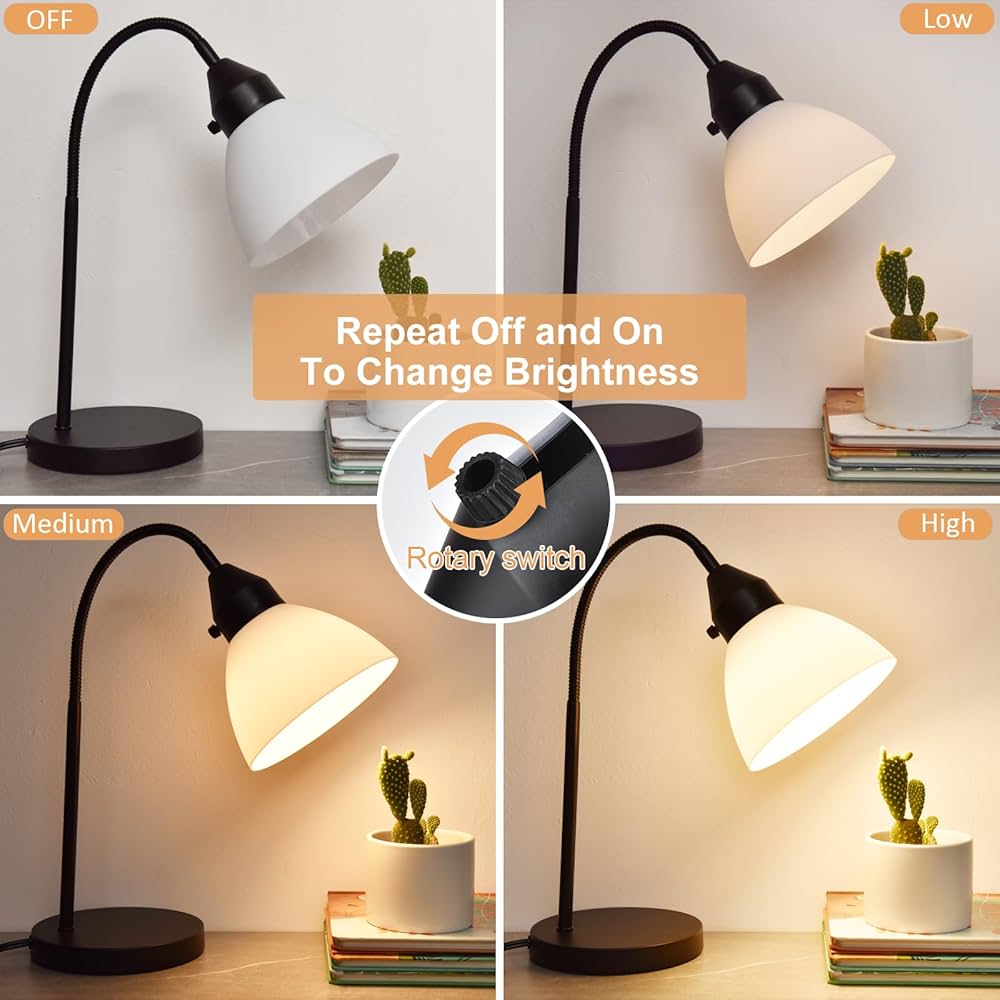
Many LED desk lamps offer adjustable brightness levels. Test each setting to see if the lamp responds smoothly. Flick through the brightness controls to ensure there are no dead spots or unresponsive buttons.
Pay attention to how the light changes—does it dim evenly or jump suddenly? Smooth transitions mean the lamp and bulb are communicating well. This step can save you frustration during late-night reading or detailed work.
Troubleshooting Tips
Troubleshooting your LED desk lamp can save time and effort before replacing parts. Simple checks often fix common problems quickly. Focus on the bulb and connections for most issues.
Bulb Not Lighting
- Check if the lamp is plugged in securely.
- Ensure the power switch is turned on.
- Examine the bulb socket for dirt or corrosion.
- Try gently reseating the bulb to ensure proper contact.
- Test the bulb in another compatible lamp to confirm it works.
Flickering Issues
- Look for loose bulb connections or a poorly seated bulb.
- Inspect the power cord for cuts or damage.
- Replace the bulb if it is old or has visible damage.
- Make sure the lamp is not connected to a dimmer switch.
- Check if the lamp’s internal wiring is intact and secure.
Maintaining Your Led Desk Lamp
Maintaining your LED desk lamp is key to ensuring it lasts longer and performs at its best. Simple care routines can prevent frequent bulb changes and keep your workspace bright and comfortable. Understanding how to maintain the lamp properly can save you time and money in the long run.
Regular Cleaning
Dust and dirt can accumulate on your LED desk lamp, reducing its brightness and efficiency. Wipe the lamp gently with a soft, dry cloth at least once a week to keep it clear. Avoid using harsh chemicals or water directly on the lamp to prevent damage to the electrical parts.
Pay special attention to the bulb and the lamp’s diffuser. A clean diffuser helps spread light evenly, improving your workspace lighting. Have you noticed how much brighter your lamp feels right after cleaning it?
Proper Usage Tips
Using your LED desk lamp correctly can extend its life significantly. Avoid leaving it on for long periods when not needed; instead, switch it off to conserve energy and reduce wear on the bulb. Also, check that the lamp is plugged into a stable power source to prevent electrical issues.
Adjust the lamp’s brightness settings according to your task. Too bright or too dim lighting can strain your eyes and make you replace bulbs sooner. How often do you adjust your lamp’s brightness to match what you’re working on?

Credit: www.amazon.com

Credit: lustria.com
Frequently Asked Questions
How Do I Safely Remove The Led Bulb From My Desk Lamp?
First, unplug the lamp to avoid electric shock. Let the bulb cool down. Gently twist or pull the bulb as per the lamp’s design. Avoid using excessive force to prevent damage.
What Type Of Replacement Bulb Fits Led Desk Lamps?
Check your lamp’s specifications or user manual for bulb type. Most LED desk lamps use integrated bulbs or standard LED bulbs. Ensure the new bulb matches voltage and size for compatibility and safety.
Can I Upgrade To A Brighter Led Bulb In My Desk Lamp?
Yes, you can replace with a brighter bulb if compatible. Verify the lamp’s maximum wattage rating. Using a higher wattage bulb than recommended may cause overheating or damage.
How Often Should I Change The Bulb In An Led Desk Lamp?
LED bulbs last between 15,000 to 50,000 hours. Change the bulb only when it flickers, dims, or stops working. Regular cleaning can extend the bulb’s life and maintain brightness.
Conclusion
Changing the bulb of your LED desk lamp is quick and simple. Just follow the steps carefully, and you will have bright light again. Always turn off the lamp and unplug it before starting. Handle the bulb gently to avoid damage.
With a little care, your desk lamp will work like new. Keep this guide handy for future bulb changes. Bright lighting makes work and study easier and more comfortable. A small task that brings big benefits.



