
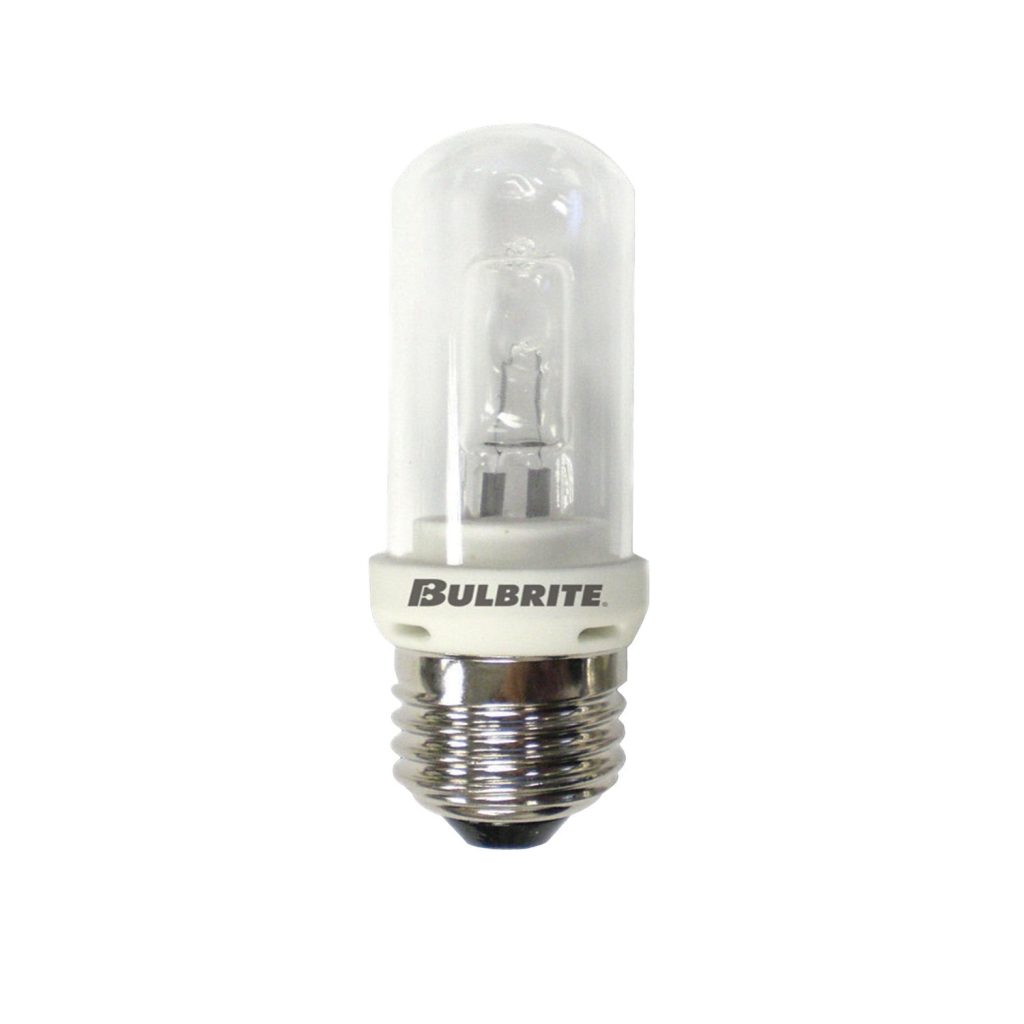
If you have a halogen desk lamp with a 150-watt bulb, you know how bright and efficient it can be. But when it’s time to replace that bulb, you might wonder how to do it safely and easily.
You don’t want to damage your lamp or hurt yourself in the process. You’ll discover simple, step-by-step tips to remove your halogen desk lamp bulb without any hassle. Keep reading to make sure you get it right the first time—and keep your workspace shining bright.

Credit: www.familyhandyman.com
Safety Tips Before Removal
Removing a halogen desk lamp bulb requires care and attention. Safety is the top priority. Taking the right precautions can prevent burns and electrical shocks. Follow these tips to stay safe while changing your 150-watt halogen bulb.
Unplug The Lamp
Always unplug the lamp from the electrical outlet first. This cuts off the power and stops any risk of electric shock. Never remove the bulb while the lamp is still plugged in. Safety starts with turning off the power source.
Allow Bulb To Cool
Halogen bulbs get very hot during use. Let the bulb cool down completely before touching it. Cooling can take 15 to 30 minutes. Handling a hot bulb can cause serious burns. Patience helps avoid injuries.
Wear Protective Gloves
Wear gloves made of thick fabric or leather for protection. Gloves shield your hands from heat and sharp edges. They also prevent oils from your skin from damaging the new bulb. Always use gloves to handle halogen bulbs safely.
Tools Needed
Removing a 150 watt halogen desk lamp bulb requires the right tools. Using proper tools makes the process safe and easy. It protects your hands and the bulb. Below are the essential tools to have before you start.
Soft Cloth Or Gloves
Use a soft cloth or gloves to hold the bulb. Halogen bulbs get very hot and can break easily. Oils from your skin can damage the bulb. A cloth or gloves keep the bulb clean and safe.
Screwdriver (if Required)
Some desk lamps need a screwdriver to open the bulb cover. Check your lamp to see if screws hold the cover. A small flathead or Phillips screwdriver usually works best. Having one ready saves time and effort.
Locating The Bulb
The bulb is usually found inside the lamp’s shade or cover. Gently remove any protective casing to see the halogen bulb clearly. Look for a small, clear glass bulb connected to the lamp’s base.
Locating the bulb in a halogen desk lamp might seem straightforward, but it requires a bit of precision and caution. These powerful light sources are housed in a specific part of the lamp, often designed to prevent accidental contact with the high-temperature bulb. Knowing where to find the bulb is the first step towards a smooth replacement process. Let’s break down the steps to ensure you can do this safely and efficiently.Accessing The Lamp Head
Begin by turning off your lamp and unplugging it from the power source. This is crucial to avoid any electrical hazards. Once the lamp is cool to the touch, locate the lamp head, which is typically at the top of the lamp arm. Adjust the arm to a comfortable angle to clearly see and access the lamp head. This might involve loosening some adjustable knobs or rotating the lamp arm. Ensuring you have a clear view and access will make the subsequent steps easier and safer.Removing The Lamp Cover
Most halogen desk lamps have a cover or shield protecting the bulb. This cover often clips or screws into place, so it’s essential to inspect it to understand its mechanism. Gently remove any screws if necessary, using a screwdriver that fits well to avoid stripping the screws. If the cover uses clips, press or slide them carefully to release it without applying excessive force. Once the cover is removed, you should have a clear view of the bulb. Remember to handle these components gently to prevent damage and keep your workspace safe. Taking the time to understand your lamp’s design can save you from unnecessary frustration. Have you ever had a bulb break because you rushed through the process? Patience here pays off.Removing The Halogen Bulb
Removing the halogen bulb from your 150-watt desk lamp requires a careful approach to avoid damage and ensure safety. Halogen bulbs are sensitive and can be delicate, so handling them with care is essential. Let’s look at how you can do this step-by-step without risking harm to the bulb or yourself.
Grip The Bulb Carefully
Start by making sure the lamp is unplugged and completely cool to touch. Use a clean cloth or wear gloves to protect your hands and the bulb. Hold the base of the bulb firmly but gently to avoid squeezing the glass, which can break easily.
Twist Or Pull Gently
Depending on your lamp model, the bulb may either twist out or pull straight out. Try turning the bulb slowly counterclockwise if it’s a twist type. If it doesn’t turn, try pulling it straight out with steady, gentle force—never use excessive strength.
Avoid Touching The Glass
Oils from your fingers can cause hot spots on the glass, shortening the bulb’s life or causing it to shatter when in use. Always handle the bulb by its base or use a clean cloth. Have you ever noticed streaks or smudges on a bulb after replacing it? That’s why this step is crucial.
Installing A New Bulb
Installing a new 150-watt halogen bulb in your desk lamp might seem straightforward, but it calls for careful handling and precise placement. The right technique ensures the bulb lasts longer and your lamp performs safely. Let’s walk through how to install the new bulb properly.
Handle New Bulb With Care
Halogen bulbs are sensitive to oils and dirt from your fingers, which can cause hot spots and shorten the bulb’s life. Always use a clean cloth or gloves when touching the bulb. Avoid applying pressure to the glass to prevent damage before installation.
Align And Insert Properly
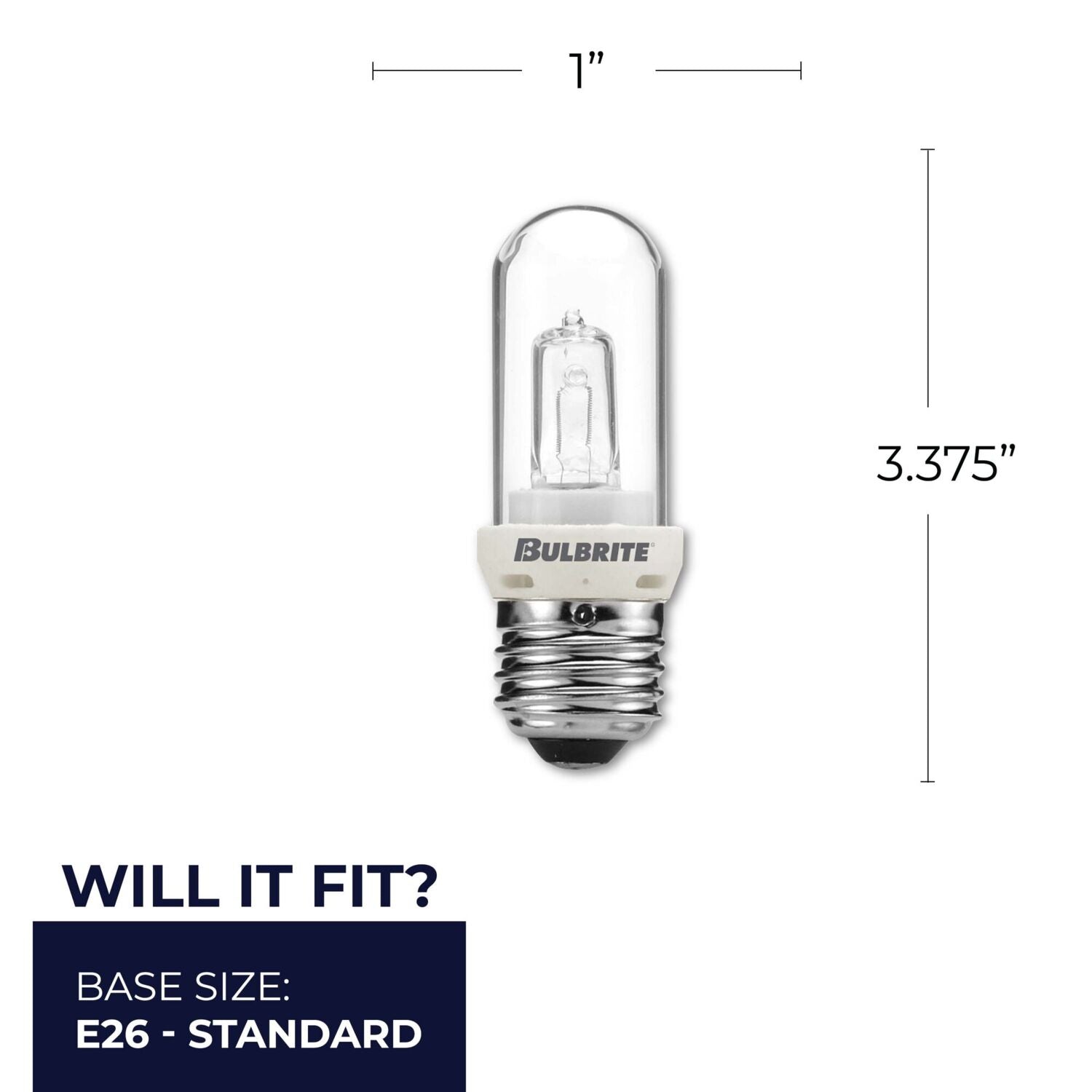
Take a close look at the bulb’s pins and the socket in your lamp. The pins need to fit snugly and align perfectly with the slots. Don’t force the bulb in; gentle wiggling can help it slide into place if aligned correctly.
Secure The Bulb In Place
Once the bulb sits correctly, make sure it is firmly held by the lamp’s clips or housing. Some lamps have a small latch or cover that locks the bulb in place—ensure this is engaged. A loose bulb can flicker or fall out, so double-check before turning your lamp back on.
Credit: bulbrite.com
Testing The Lamp
Testing your halogen desk lamp after replacing the bulb is crucial to ensure everything works safely and efficiently. This step helps you catch any issues early, like faulty wiring or a bad bulb, before you risk further damage or inconvenience. Let’s break down how to properly test your lamp.
Plugging In The Lamp
Start by carefully plugging your lamp into a reliable power outlet. Avoid using extension cords during testing to prevent any power loss or electrical interference. Make sure the plug fits securely and that the socket is switched on, if applicable.
Switching On
Next, turn on the lamp using its switch. Pay attention to any unusual sounds or smells, which might indicate a problem. If the lamp doesn’t turn on immediately, check the bulb seating and power source before trying again.
Checking For Proper Function
Observe the lamp for consistent light output and brightness. Does the bulb glow steadily or flicker? Flickering can mean a loose connection or a defective bulb, so don’t ignore it. Also, touch the lamp’s body carefully; it should not become excessively hot, which could signal an electrical issue.
Troubleshooting Common Issues
Troubleshooting common issues with a 150-watt halogen desk lamp bulb can save time and frustration. Problems like bulbs not lighting, flickering, or fitting incorrectly often have simple fixes. Understanding these issues helps maintain your lamp’s performance and extends bulb life.
Bulb Not Lighting
Check if the lamp is plugged in properly. Confirm the power switch is turned on. Inspect the bulb for any visible damage or blackening. Ensure the bulb is seated firmly in the socket. Try replacing the bulb with a new one to rule out a faulty bulb. Test the lamp in another outlet to verify power supply.
Flickering Light
Flickering often means loose connections or a failing bulb. Gently push the bulb into the socket to secure it. Check the power cord for cuts or damage. Replace the bulb if flickering continues. Clean the bulb’s contacts with a dry cloth to improve connection. Avoid using dimmer switches not compatible with halogen bulbs.
Bulb Not Fitting Correctly
Ensure you use the exact bulb type for your lamp. Check the bulb’s base size and shape before installation. Align the bulb’s pins carefully with the socket holes. Avoid forcing the bulb into place to prevent damage. If the bulb feels loose, inspect the socket for wear or debris. Clean the socket gently to remove dust or corrosion.

Credit: www.amazon.ca
Frequently Asked Questions
How Do I Safely Remove A 150 Watt Halogen Bulb?
First, unplug the lamp and let the bulb cool completely. Use a cloth or gloves to avoid oils on the bulb. Gently grasp the bulb base and pull straight out without twisting.
What Tools Are Needed To Remove A Halogen Desk Lamp Bulb?
Usually, no tools are needed. However, using gloves or a clean cloth helps protect your hands and the bulb. If the bulb is stuck, pliers with a cloth for grip can assist.
How To Avoid Damaging The Lamp While Removing The Bulb?
Always unplug the lamp first and wait for the bulb to cool. Handle the bulb gently by the base, not the glass. Avoid twisting sharply or applying excessive force.
Can I Replace A 150 Watt Halogen Bulb With Led?
Yes, but ensure the LED bulb matches the socket type and wattage equivalent. LED bulbs run cooler and are energy-efficient, making them a good alternative to halogen.
Conclusion
Removing a 150 watt halogen desk lamp bulb is simple with care. Always unplug the lamp first to stay safe. Let the bulb cool down before touching it. Use a cloth or gloves to avoid oils on the bulb. Gently twist or pull the bulb out, depending on the socket type.
Follow these easy steps to change your bulb without trouble. This keeps your lamp working well and your space bright. Taking these small steps makes the job quick and safe.



