
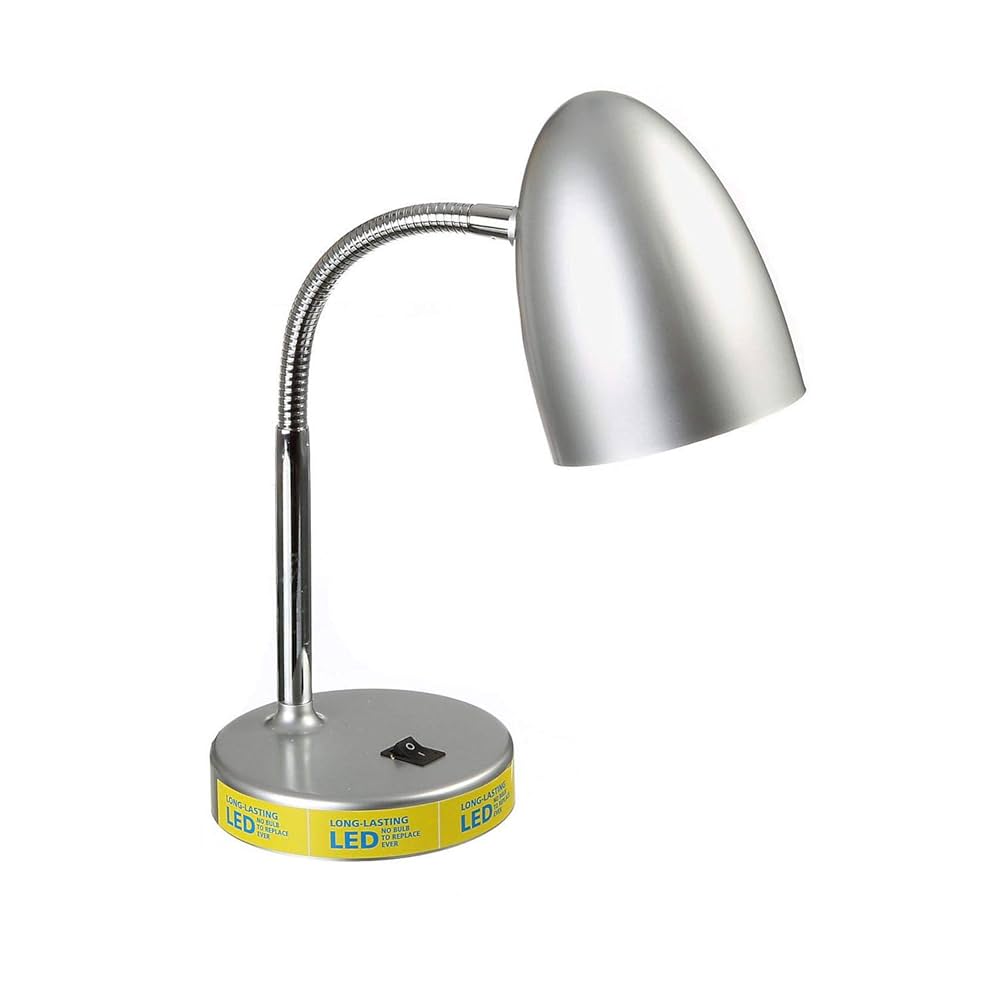
Is your Mainstays LED desk lamp flickering, not turning on, or just not working like it used to? It’s frustrating when your go-to light source stops doing its job, especially when you rely on it for reading, working, or studying.
But before you rush to buy a new one, there’s good news—you might be able to fix it yourself. In this guide, you’ll discover simple, step-by-step tips to troubleshoot and repair your lamp quickly. Keep reading, and you’ll have your desk light shining bright again in no time.

Credit: www.amazon.ca
Common Issues With Mainstays Led Desk Lamps
Mainstays LED desk lamps are popular for their efficiency and affordability. Despite their quality, some common problems can affect their performance. Understanding these issues can help you fix the lamp quickly and save money.
Power And Connection Problems
Power issues often cause the lamp to not turn on. Check if the power cable is plugged in securely. Loose or damaged cords can stop electricity flow. Sometimes, the outlet itself may be faulty. Try plugging the lamp into a different socket.
Connection problems also include faulty USB plugs or adapters. Inspect these parts for signs of wear or damage. Clean any dust or debris from the connectors. This simple step can restore power to your lamp.
Bulb And Led Failures
Mainstays LED lamps use LEDs instead of traditional bulbs. These LEDs can burn out or flicker over time. Flickering usually means the LED is failing or there is a wiring issue. Burned-out LEDs need replacement.
Check for any dark spots or dim areas on the light panel. These signs show LED failure. Replacing the LED panel or the entire lamp may be necessary if the damage is severe.
Switch And Control Malfunctions
The lamp’s switch controls power and brightness. If the lamp does not respond, the switch might be faulty. Dirt or dust inside the switch can cause problems.
Try pressing the switch multiple times or cleaning around it gently. If the switch feels loose or stuck, it might need replacement. Some models have touch controls that can fail due to sensor issues.

Credit: www.amazon.ca
Tools Needed For Repair
Fixing a Mainstays LED desk lamp requires some basic tools. Having the right tools makes the repair process easier and safer. Gather the tools before starting to avoid interruptions.
Basic Screwdrivers
Most desk lamps have screws that hold parts together. A set of screwdrivers with different heads is important. Flathead and Phillips screwdrivers are commonly needed. Choose screwdrivers with comfortable handles for better grip.
Multimeter For Testing
A multimeter helps check electrical parts inside the lamp. It measures voltage, current, and resistance. Use it to find broken wires or faulty LED bulbs. This tool helps pinpoint problems without guesswork.
Replacement Parts
Some parts may need replacement to fix the lamp. Common parts include LED bulbs, power cords, and switches. Purchase parts that match the original specifications. Keep spare parts handy for quick fixes.
Safety Precautions Before Repair
Unplug the desk lamp before starting any repairs to avoid electric shock. Work in a dry area with good lighting to stay safe. Handle parts gently to prevent damage or injury.
Before you jump into fixing your Mainstays LED desk lamp, it’s crucial to prioritize safety. Repairing any electrical device comes with inherent risks, but with the right precautions, you can mitigate potential hazards. Here are some essential safety steps to consider before beginning your repair.Unplugging The Lamp
Before you even think about picking up a tool, make sure the lamp is unplugged from the power source. This might seem obvious, but it’s a step often overlooked in the excitement of getting started. An unplugged lamp is a safe lamp, eliminating the risk of electric shock.Handling Electrical Components
When handling electrical components, always proceed with care. Avoid using metal tools directly on electrical parts, as this could cause a short circuit. Instead, opt for tools with insulated handles to ensure your safety.Work In A Well-lit Area
Ironically, fixing your lamp should be done in a well-lit area. Good lighting helps you see tiny screws and wires more clearly, reducing the chance of errors. Plus, it keeps your workspace safe by minimizing the risk of accidents. Have you ever tried fixing something in dim light only to realize later that you missed a critical step? Ensuring your workspace is well-lit can prevent such oversight, helping you fix your lamp efficiently and safely.Step-by-step Repair Process
Repairing a Mainstays LED desk lamp requires careful attention to detail and patience. The process involves checking each part to find the problem. This step-by-step guide will help you fix the lamp safely and effectively.
Disassembling The Lamp
Unplug the lamp before starting. Use a screwdriver to remove screws on the base and head. Keep all screws in a small container to avoid losing them. Gently separate the lamp parts to expose the inside. Avoid pulling wires or forcing pieces apart.
Inspecting Internal Components
Look closely at the circuit board, wires, and LEDs. Check for broken wires, burnt spots, or loose connections. Note any damaged parts that need replacement. Use a magnifying glass for a better view if needed.
Testing Electrical Connections
Use a multimeter to test for power flow. Check the wires and connections for continuity. Test the power cord and plug for any faults. Ensure the circuit board is receiving power properly.
Replacing Faulty Leds Or Bulbs
Identify the faulty LEDs by checking each light. Remove the damaged LED carefully using a soldering iron. Replace it with a new LED of the same type and rating. Solder the new LED in place and test the lamp again.
Fixing Or Replacing The Switch
Test the switch for proper function using a multimeter. If the switch is faulty, remove it from the lamp. Install a new switch matching the original specifications. Secure it firmly and reconnect the wires.
Reassembling The Lamp
Put all parts back together carefully. Align the pieces and avoid pinching wires. Screw the parts tightly but do not over-tighten. Plug in the lamp and test if it works correctly.
Testing The Lamp After Repair
After you have repaired your Mainstays LED desk lamp, testing it thoroughly is crucial. This step ensures the lamp works as it should and is safe to use. It’s easy to overlook small issues that could cause bigger problems later, so take your time and check everything carefully.
Checking Light Functionality
First, plug in your lamp and turn it on. Observe the light closely. Does it turn on immediately without flickering?
If the lamp flickers or doesn’t light up at all, the issue might still be inside the wiring or the LED module. Try gently adjusting the lamp’s position to see if the light responds. This can help identify loose connections.
Also, test the brightness settings if your lamp has them. Make sure each level changes the light output smoothly without any strange noises or flickers. If everything works well here, your lamp is likely fixed.
Verifying Stability And Safety
Next, check the lamp’s physical stability. Does it stand firm on your desk, or does it wobble? A stable lamp prevents accidents and protects the bulb and wiring from damage.
Feel the lamp’s base and joints to ensure they are tight and secure. If you notice any loose parts, tighten them carefully. Loose components can cause electrical shorts or even make the lamp fall.
Finally, carefully touch the lamp’s surface after it has been on for a while. It should not be excessively hot. If it gets too warm, there might be a problem with the electrical components or ventilation. Your safety depends on this check, so don’t skip it.
Tips To Maintain Your Desk Lamp
Keeping your Mainstays LED desk lamp in good shape helps it last longer. Simple care steps prevent common problems. Follow these tips to maintain your desk lamp and enjoy bright, steady light every day.
Regular Cleaning
Dust and dirt can block light and cause damage. Clean your lamp often to keep it shining well. Use a soft cloth to wipe the lamp’s surface. Avoid harsh chemicals that can harm the finish. Clean the LED bulb gently with a dry cloth. This keeps the light bright and clear.
Avoiding Overheating
LED lamps produce less heat but can still get warm. Keep the lamp in a well-ventilated area. Do not cover it with cloth or paper. Turn off the lamp when not in use. Overheating can shorten the lamp’s life and cause damage.
Proper Handling And Storage
Handle your lamp with care to avoid breaks. Move it gently and avoid dropping or knocking it. When not using, store the lamp in a dry place. Keep it away from moisture and extreme temperatures. Proper storage protects the lamp and keeps it ready to use.
Credit: www.youtube.com
Frequently Asked Questions
How Do I Reset My Mainstays Led Desk Lamp?
To reset, unplug the lamp for 30 seconds, then plug it back in. This can fix minor glitches and restore normal function quickly.
Why Is My Mainstays Led Lamp Flickering?
Flickering usually indicates a loose connection or faulty bulb. Check the power cord and bulb for damage or looseness, then replace if needed.
How Can I Fix A Mainstays Led Lamp That Won’t Turn On?
First, check the power source and ensure the lamp is plugged in firmly. If it still won’t turn on, test the bulb or switch for faults.
What Should I Do If The Lamp’s Brightness Is Uneven?
Uneven brightness may be due to a damaged LED strip or poor power supply. Inspect the lamp for damage and consider replacing defective parts.
Conclusion
Fixing a Mainstays LED desk lamp can save money and time. Start with simple checks like power and connections. Small parts often cause common problems. Patience helps when testing each step carefully. A working lamp brightens your workspace instantly. Keep tools ready for future fixes.
This guide makes the process clear and easy. Your lamp can shine again without much effort. Try these tips to enjoy better lighting soon.



