
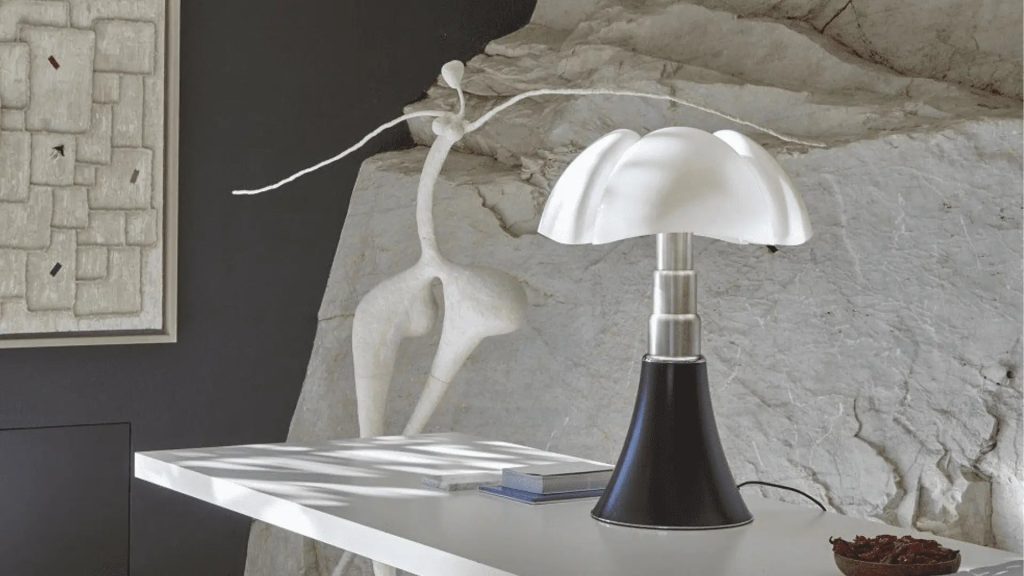
Is your desk lamp flickering or completely dark? Changing the light bulb might seem tricky if you’ve never done it before.
But don’t worry—you can easily fix it yourself in just a few simple steps. Imagine brightening your workspace again without any hassle or extra cost. In this guide, you’ll discover exactly how to change the light bulb in your desk lamp quickly and safely.
Keep reading, and you’ll have your lamp shining like new in no time!
Credit: www.amazon.com
Tools And Materials Needed
Changing the light bulb in a desk lamp needs the right tools and materials. Having these ready makes the job quick and safe. This section explains what you need before starting.
Types Of Light Bulbs
Desk lamps use different bulb types. Common ones include:
- Incandescent bulbs: Traditional, warm light, less energy efficient.
- LED bulbs: Long-lasting, energy-saving, cool to touch.
- Compact fluorescent bulbs (CFL): Use less energy than incandescent but contain small mercury amounts.
- Halogen bulbs: Bright, white light, run hotter than LEDs.
Check your lamp’s bulb type before buying a replacement. Match the wattage and base size exactly.
Safety Gear
Protect yourself while changing the bulb. Use:
- Gloves: Prevent cuts and protect hands from heat.
- Safety glasses: Guard eyes from broken glass or dust.
- Soft cloth or towel: Helps grip the bulb and avoid fingerprints on LEDs.
Unplug the lamp before starting. Wait for the old bulb to cool down to avoid burns.

Credit: www.youtube.com
Preparing Your Desk Lamp
Before you even think about twisting out that old bulb, taking a moment to prepare your desk lamp can save you a lot of hassle. Preparation ensures your safety and makes the process smoother. It’s easy to rush and forget important safety steps, but have you ever wondered how a simple precaution might prevent a shock or a broken bulb?
Unplugging The Lamp
Always unplug your desk lamp before you start. This is the most crucial step to avoid electric shock. Even if the lamp is off, it can still carry electricity, so don’t skip this.
Unplugging also prevents accidental switching on while you’re handling the bulb. It’s a simple action that keeps you safe and your lamp intact.
Clearing The Area
Clear the space around your lamp so you have room to work comfortably. Remove papers, cups, or any clutter that might get in your way or cause spills. A clean workspace helps you focus and reduces the risk of accidents.
Think about your last time changing a bulb—did you bump something or scramble to find a replacement bulb? Having everything organized beforehand makes the process faster and less stressful.
Removing The Old Bulb
Ensure the lamp is unplugged before touching the bulb. Gently twist or pull the old bulb out of its socket. Handle the bulb carefully to avoid breaking it.
Removing the old bulb from a desk lamp might seem daunting. But it’s a straightforward task with the right approach. Proper handling is crucial to avoid damage and ensure safety. Let’s dive into the essential steps needed to remove the bulb effortlessly.Accessing The Bulb
First, unplug the lamp to ensure safety. Inspect the lamp’s design to locate the bulb. Some lamps have a protective cover or shade. Gently remove any covers by unscrewing or lifting them off. This gives you direct access to the bulb.Handling Fragile Bulbs
Light bulbs are fragile and can break easily. Use a gentle touch when handling them. Hold the bulb by its base, not the glass, to avoid fingerprints. If the bulb is stuck, use a cloth for a better grip. Rotate the bulb counterclockwise to loosen it. If broken glass is present, wear gloves for protection. Dispose of broken bulbs properly to avoid harm.
Credit: www.amazon.com
Choosing The Right Replacement Bulb
Choosing the right replacement bulb is essential for your desk lamp’s performance and safety. The wrong bulb can cause flickering, poor lighting, or even damage the lamp. Knowing what to look for saves time and keeps your workspace well-lit.
Checking Wattage And Size
Check the lamp’s label or manual for the recommended wattage. Using a bulb with higher wattage than advised can overheat the lamp. The size of the bulb must fit the lamp socket to ensure proper installation. Avoid bulbs that are too large or too small, as they may not work correctly or stay in place.
Selecting Bulb Type
Desk lamps can use different bulb types. Common types include LED, incandescent, and CFL bulbs. LED bulbs last longer and use less energy. Incandescent bulbs give warm light but consume more power. CFL bulbs are energy-efficient but contain small amounts of mercury, so handle with care. Choose the bulb type that matches your needs and lamp compatibility.
Installing The New Bulb
Installing the new bulb in your desk lamp is simple with the right care. Proper handling ensures the bulb fits securely and works well. Follow these tips to avoid damage and get bright light quickly.
Proper Insertion Techniques
- Hold the bulb by its base, not the glass.
- Align the bulb’s base with the socket carefully.
- Gently push or screw the bulb into the socket.
- Do not force the bulb; it should fit smoothly.
- Make sure the bulb is snug but not overtightened.
Testing The Bulb
After installing, turn on the lamp to check the bulb. The light should come on immediately without flicker.
If the bulb does not light, check if it is seated correctly. Try adjusting the bulb gently or reinstalling it.
Ensure the lamp’s power source is working well. Replace the bulb if it still fails to light after these steps.
Troubleshooting Common Issues
Troubleshooting common issues with your desk lamp can save time and frustration. Simple problems often cause the lamp not to work properly. Understanding these issues helps you fix them quickly. Here are solutions for two frequent problems: the bulb not lighting and flickering light.
Bulb Not Lighting
First, check if the bulb is screwed in tightly. A loose bulb can cause no light at all. Next, confirm the bulb is not burnt out by testing it in another lamp. Inspect the lamp’s power source and ensure it is plugged in properly. Sometimes, the switch may be faulty or stuck. Try turning the switch on and off a few times. If the lamp uses a fuse, check if it needs replacement. Cleaning the socket can also help, as dirt or corrosion blocks the connection.
Flickering Light
Flickering often means a poor connection or a failing bulb. Start by tightening the bulb gently to secure it. Use a different bulb to see if the flicker stops. Check the power cord for any damage or loose plugs. A flickering switch might need replacement. Electrical issues in the wiring can cause flickering and should be checked by a professional. Dust inside the lamp can also disrupt the flow of electricity, so clean the lamp thoroughly.
Maintaining Your Desk Lamp
Maintaining your desk lamp is key to keeping your workspace bright and efficient. A well-kept lamp not only lasts longer but also provides consistent lighting that helps reduce eye strain. Simple care routines can save you time and money while improving your daily work experience.
Regular Cleaning Tips
Dust and grime build-up can dim your lamp’s light and cause it to overheat. Clean your lamp weekly using a soft cloth or microfiber duster to wipe down the lampshade and base. Avoid harsh chemicals; a bit of warm soapy water on a cloth usually works well.
Check the bulb socket for dust or debris that might affect the connection. If you notice stubborn dirt, use a small brush or compressed air to clear it out gently. Keeping your lamp clean ensures it shines brightly and operates safely.
Extending Bulb Life
You can make your light bulbs last longer by handling them carefully and using the right type for your lamp. Avoid touching the bulb’s glass with your fingers, as oils can create hot spots that shorten its lifespan. Instead, use a cloth or wear gloves when changing bulbs.
Consider using LED bulbs—they consume less energy and last significantly longer than traditional incandescent bulbs. Also, turn off your lamp when not in use to prevent unnecessary wear. Have you ever thought about how a small change like this can cut down your electricity bill?
Frequently Asked Questions
How Do I Safely Change A Desk Lamp Bulb?
First, unplug the lamp to avoid electric shock. Wait for the bulb to cool down. Then, gently unscrew the old bulb and replace it with a new one of the correct wattage. Finally, plug in the lamp and test it.
What Type Of Bulb Fits A Desk Lamp?
Most desk lamps use standard E26 or E27 base bulbs. Check your lamp’s label for the recommended wattage and bulb type. Using the correct bulb ensures safety and optimal lighting performance.
Can I Use Led Bulbs In Desk Lamps?
Yes, LED bulbs are energy-efficient and long-lasting. They produce less heat, making them safer for desk lamps. Ensure the LED bulb matches the lamp’s socket type and wattage rating.
How Do I Dispose Of Old Light Bulbs Properly?
Incandescent bulbs can be thrown in regular trash, but LEDs and CFLs require special disposal. Take them to a recycling center or hazardous waste facility to prevent environmental harm.
Conclusion
Changing a light bulb in your desk lamp is simple and safe. Turn off the lamp and unplug it first. Remove the old bulb carefully and use a new one that fits. Screwing in the new bulb gently helps avoid damage.
Test the lamp by turning it on. Now, your workspace has fresh, bright light. Regularly check bulbs to keep your lamp working well. Small steps make a big difference in your room’s lighting. Easy to do, and it saves money too.
Try it yourself and enjoy better light today.



