
Are you tired of fumbling in the dark or worrying about your home’s security? Installing motion sensor lights can be a simple and effective way to brighten up your space while keeping it safe.
Imagine lights that turn on exactly when you need them—no switches, no wasted energy. In this guide, you’ll discover easy steps to install motion sensor lights yourself, even if you’re not a tech expert. Ready to make your home smarter and safer?
Keep reading, and you’ll have your motion sensor lights up and running in no time.

Credit: www.homezoneliving.com
Choosing The Right Motion Sensor Light
Choosing the right motion sensor light is key to ensuring your outdoor or indoor spaces are well-lit, safe, and energy-efficient. The perfect light depends on your specific needs, the area you want to cover, and the type of sensor technology that suits your environment. Let’s break down what you need to know before making a decision.
Types Of Motion Sensor Lights
There are several types of motion sensor lights, each designed for different purposes:
- Floodlights:Provide broad, bright light, ideal for large outdoor areas like backyards or driveways.
- Spotlights:Focus light on a specific area, great for highlighting entrances or pathways.
- Wall-mounted lights:Attach directly to walls and are perfect for porch or garage lighting.
- Solar-powered lights:Use solar panels to charge during the day, reducing energy costs and wiring needs.
Which type matches your space? Think about the size and purpose of the area you want to illuminate.
Factors To Consider
Before buying, pay attention to these important factors:
- Detection range:How far and wide the sensor can detect movement. A larger yard needs a wider range.
- Light sensitivity:Some sensors adjust brightness based on ambient light, saving energy during daylight.
- Power source:Decide between wired, battery-operated, or solar-powered options based on installation convenience.
- Weather resistance:Outdoor lights should have a good IP rating to withstand rain, dust, and extreme temperatures.
- Adjustable settings:Look for lights that let you control sensitivity, duration, and light intensity.
Ask yourself: Do you want a simple install or a feature-rich device? Your answer will guide your choice.
Best Locations For Installation
Where you install your motion sensor light affects how well it works:
- Entry points:Doors and gates benefit from motion lights to deter unwanted visitors.
- Driveways and paths:Illuminate these areas to improve safety and ease of access at night.
- Garages and sheds:Adding sensor lights here helps you find your way without fumbling for switches.
- Backyards and patios:Motion lights can enhance outdoor gatherings and alert you to wildlife or intruders.
Consider the angle and height of installation to avoid false triggers from passing cars or pets. Have you noticed any spots around your home that stay dark and feel unsafe? Those are prime candidates for motion sensor lights.

Credit: www.hardwareresources.com
Gathering Necessary Tools And Materials
Gathering the right tools and materials is the first step to install motion sensor lights. This preparation saves time and avoids frustration. Having everything ready helps the process run smoothly. It also ensures safety and a proper installation.
Below is a list of essential tools and additional supplies needed. These items make the installation easier and more efficient. Check your kit carefully before starting the project.
Essential Tools
- Electric drill with drill bits
- Screwdriver (flathead and Phillips)
- Wire stripper and cutter
- Voltage tester or multimeter
- Measuring tape
- Level tool
- Ladder or step stool
Additional Supplies
- Wire connectors (wire nuts)
- Electrical tape
- Mounting screws and anchors
- Outdoor-rated electrical box (if required)
- Silicone sealant (for weatherproofing)
- Protective gloves
Preparing The Installation Site
Before you dive into the exciting task of installing motion sensor lights, it’s crucial to ensure that your installation site is ready. Preparing the site properly ensures the lights work efficiently and last longer. Let’s break down the essential steps to get your site prepped and perfect.
Selecting The Mounting Spot
Choosing the right spot is key. Your motion sensor light should cover the area you want to illuminate effectively. Consider areas like pathways, driveways, or entry points that need lighting.
Ensure the spot is within range of the motion sensor’s detection capabilities. This means avoiding obstructions like trees or large decorations that might block the sensor. Think about the height too; mounting the light too high or too low can affect its performance.
Checking Power Sources
Before installation, identify where your power will come from. If you’re using a wired motion sensor light, ensure there’s a power source nearby. You might need to run cables or hire an electrician if wiring isn’t present.
For solar-powered options, ensure the spot receives ample sunlight during the day. This guarantees the battery charges fully for nighttime use. Always double-check that your power source is reliable and consistent.
Safety Precautions
Safety should always be your top priority. Before you start, ensure your ladder is sturdy and positioned safely. Wear protective gear, like gloves and goggles, to protect against any potential hazards.
Turn off any power supply to the area where you’ll be working. This prevents any accidental shocks during the installation process. Always have a partner nearby if possible to assist or provide help if needed.
Are you ready to transform your space with effective lighting? Proper preparation is your ticket to success. Addressing these steps ensures your motion sensor lights are set to shine bright and stand the test of time.

Credit: www.youtube.com
Step-by-step Installation Guide
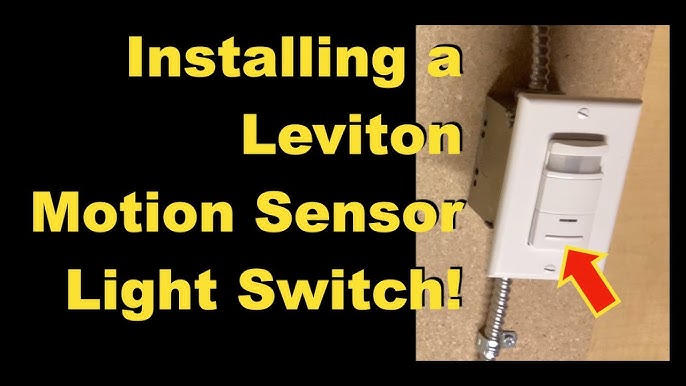
Installing motion sensor lights is a smart way to boost security and save energy. The process is simple and takes little time. Follow this clear guide to set up your sensor lights correctly. This will help you enjoy bright, automatic lighting in your space.
Mounting The Light Fixture
Choose a spot with a clear view of the area to monitor. Use a ladder if needed for higher placements. Mark drill holes using the fixture’s mounting plate. Drill holes carefully and insert wall anchors if needed. Attach the mounting plate securely with screws. Hang the light fixture onto the mounting plate. Adjust the fixture angle to cover the desired area.
Wiring The Sensor Light
Turn off power at the circuit breaker to stay safe. Remove the fixture cover to access wiring points. Connect the black wire from the light to the black supply wire. Connect the white wire from the light to the white supply wire. Attach the green or bare copper wire to the ground wire. Use wire nuts to secure all connections tightly. Wrap electrical tape around the wire nuts for extra safety. Carefully tuck wires into the electrical box and replace the cover.
Testing The Sensor
Restore power at the circuit breaker. Walk in front of the sensor to check if the light turns on. Adjust the sensor sensitivity using the control knobs or switches. Set the light duration time according to your preference. Test the light in different lighting conditions. Make sure the sensor covers the entire desired area. Fine-tune the angle and settings for best performance.
Adjusting Settings For Optimal Performance
Adjusting your motion sensor lights after installation is crucial for getting the best out of their functionality. Proper settings ensure the lights turn on exactly when you need them and stay on for the right amount of time. Without fine-tuning, you might experience lights activating too often or not detecting motion at all.
Sensitivity Adjustment
The sensitivity setting controls how much movement triggers the sensor. If you set it too high, the light may turn on with every small movement, like passing cars or animals. Too low, and it might miss people walking by.
Try walking in front of the sensor at different distances to see when it activates. Adjust the sensitivity gradually until it responds only to the desired range of motion. This helps avoid false triggers and saves energy.
Light Duration Settings
Light duration determines how long the light stays on after detecting motion. You can set it from a few seconds to several minutes depending on your needs.
For example, if the light is for a front porch, a longer duration might be helpful while you unlock the door. In contrast, a short burst might be enough for a pathway where you just need quick illumination.
Experiment with different durations. Ask yourself, how long do you really need the light to stay on to feel safe and comfortable?
Angle And Range Calibration
The angle and range settings affect how wide and far the sensor detects movement. Most sensors allow you to adjust the vertical and horizontal angles.
Position the sensor so it covers the most important areas without overlapping unnecessary zones like busy streets. For instance, pointing the sensor too far down might miss distant motion, while too wide an angle could trigger unwanted activations.
Test different angles by walking through the detection zone and note when the light responds. Fine-tuning this can prevent constant switching on and off, giving you reliable performance exactly where you want it.
Troubleshooting Common Issues
Even the best motion sensor lights can run into issues after installation. Knowing how to troubleshoot common problems saves you time and frustration. Let’s look at some typical challenges and how you can fix them quickly to keep your space well-lit and secure.
Sensor Not Triggering
If your motion sensor light isn’t turning on, first check the sensor’s angle. Sometimes it’s pointed too high or low, missing passing movement. Adjust the sensor to face the area where motion is expected.
Another cause could be the sensor’s range setting. Many models allow you to increase or decrease detection distance—make sure yours covers the right zone. Also, ensure nothing is blocking the sensor’s view, like plants or decorations.
Have you checked the power source? Loose wiring or a dead battery can stop the sensor from activating. Double-check connections and replace batteries if needed.
Light Flickering Or Not Turning On
Flickering lights often point to electrical issues. Confirm the bulb is securely screwed in and compatible with the fixture. Sometimes, using LED bulbs in fixtures not designed for them causes flickering.
Inspect the wiring inside the fixture. Loose or corroded connections can cause inconsistent power flow. If you’re uncomfortable handling wiring, calling an electrician is safer.
Another reason could be voltage fluctuations in your home’s electrical system. Do you notice flickering lights elsewhere? If yes, it might be a broader electrical issue to address.
False Alarms
False triggers can be frustrating and waste energy. Check if the sensor picks up movement from branches, pets, or passing cars. Adjust the sensor’s sensitivity or reposition it away from these sources.
Weather conditions like wind or heavy rain can also cause false alarms. Some sensors include a delay setting—try increasing it to reduce unnecessary activations.
Finally, clean the sensor lens regularly. Dirt, spider webs, or debris can interfere with its ability to detect motion accurately.
Maintaining Your Motion Sensor Lights
Maintaining your motion sensor lights keeps them working well and lasting longer. Simple care and timely checks help avoid problems. Bright, reliable lights ensure safety around your home or property.
Regular Cleaning
Dirt and dust can block the sensor and light. Clean the surface with a soft, dry cloth often. Avoid using harsh chemicals that may damage the lens. Keep the sensor free from spider webs and debris. Clear surroundings improve sensor accuracy and light brightness.
Battery Replacement
Batteries lose power over time. Check them every few months. Replace old batteries with fresh ones to keep lights bright. Use the battery type recommended by the manufacturer. Dispose of old batteries properly to protect the environment.
Seasonal Adjustments
Changes in weather and light affect sensor performance. Adjust the sensor’s sensitivity and timer based on the season. In winter, reduce sensitivity to avoid false triggers from moving leaves or snow. In summer, increase sensitivity to catch more motion in longer daylight. Regular adjustments keep the system responsive all year.
Frequently Asked Questions
How Do I Install Motion Sensor Lights Outdoors?
To install outdoor motion sensor lights, first turn off the power. Mount the sensor near the desired area. Connect wires following the manual. Secure the fixture and test the sensor’s range and sensitivity for optimal performance.
What Tools Are Needed To Install Motion Sensor Lights?
You need a screwdriver, drill, wire strippers, voltage tester, and mounting hardware. These tools help safely connect and secure the motion sensor lights. Always use insulated tools to avoid electrical hazards.
Can I Install Motion Sensor Lights Myself?
Yes, installing motion sensor lights is a simple DIY task. Basic electrical knowledge and safety precautions are essential. Follow the product instructions carefully, and turn off the power before starting the installation.
How Do I Adjust Motion Sensor Light Sensitivity?
Most motion sensor lights have adjustable dials or switches. Turn the sensitivity dial to increase or decrease detection range. Test the sensor after adjustments to ensure it activates at the desired distance.
Conclusion
Installing motion sensor lights can improve your home’s safety and convenience. These lights turn on only when needed, saving energy and money. Follow the steps carefully for a proper and secure setup. Test the sensors to make sure they work well.
A good installation helps avoid false triggers or dark spots. Enjoy the benefits of better lighting without extra effort. Simple tools and clear instructions make the process easy for anyone. Brighten your space smartly and protect your property with motion sensor lights.



