
Are you tired of your motion sensor light turning on at the wrong times? Maybe it’s waking you up at night or draining your energy bill.
Knowing how to turn off a motion sensor light can save you frustration and give you control over your space. You’ll discover simple steps to disable or adjust your motion sensor light quickly. Keep reading to take back control and make your lighting work exactly the way you want.
Locate The Motion Sensor
Locating the motion sensor is the first step to turning off a motion sensor light. The sensor is the device that detects movement and triggers the light to turn on. Finding it helps you understand where to adjust or switch off the light.
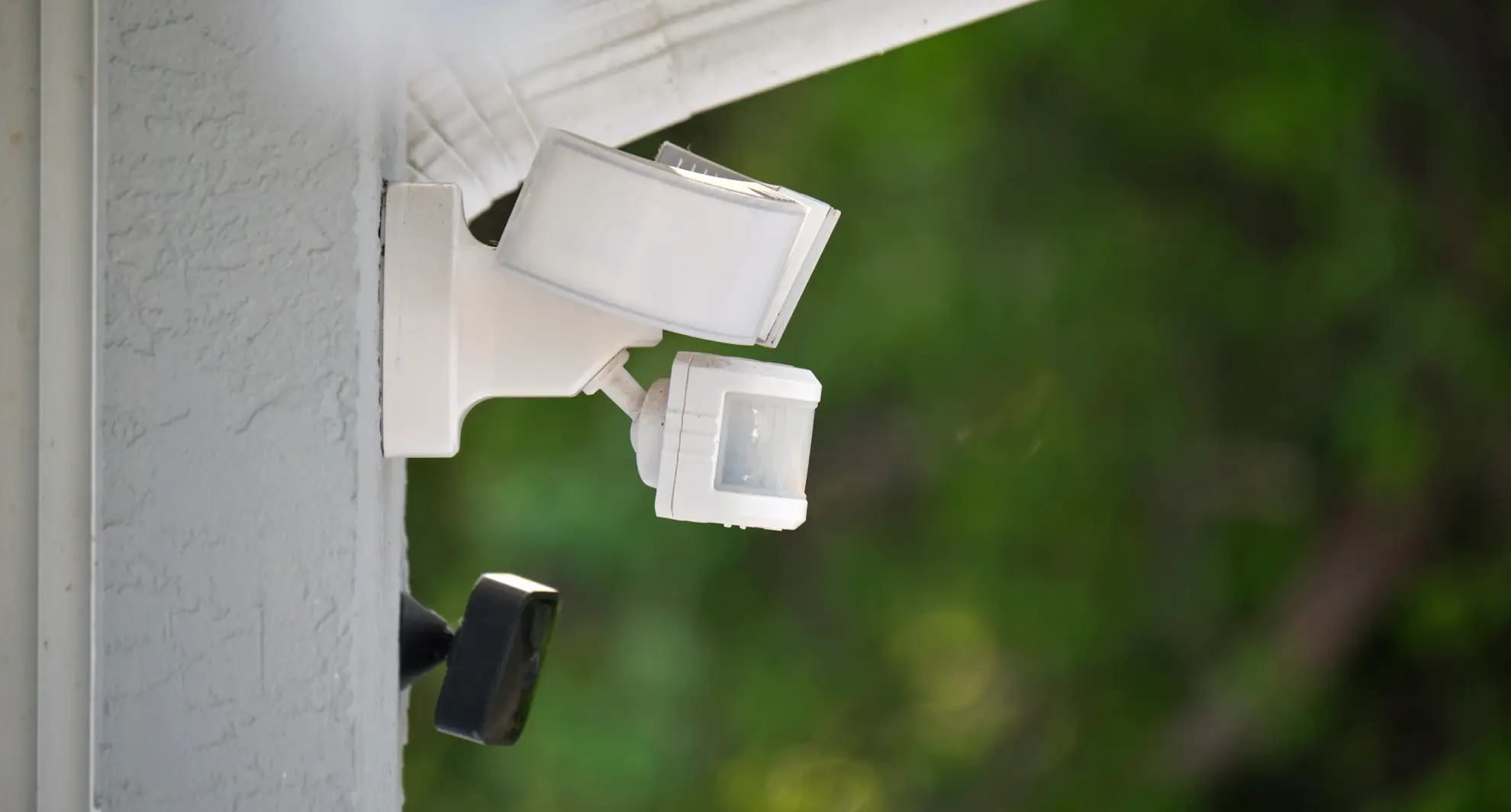
Motion sensors are usually placed near the light fixture. They have a small, dome-shaped or rectangular lens that looks like a camera or glass eye. The sensor can be attached to walls, ceilings, or poles close to the light bulb.
Check Around The Light Fixture
Look closely at the light fixture itself. The sensor is often part of the same unit. It might be below, beside, or above the bulb. This placement allows it to detect movement near the light easily.
Look For A Small Lens Or Window
The sensor has a lens that detects motion. This lens is usually clear or frosted plastic. It may look like a small dome or flat window. Spotting this helps you find the sensor quickly.
Observe The Sensor’s Direction
Motion sensors point toward the area they monitor. Check which way the lens faces. This direction shows where the sensor watches for movement. It helps you understand the sensor’s coverage zone.
Identify Outdoor Versus Indoor Sensors
Outdoor sensors are weatherproof and larger. Indoor sensors are smaller and fit indoor light fixtures. Knowing this helps find the sensor based on the light’s location.
Credit: homekitautomationtips.com
Identify The Control Settings
To turn off a motion sensor light, the first step is to identify its control settings. These settings determine how the light responds to movement and when it turns off. Understanding these controls helps you adjust or disable the sensor without causing damage or confusion.
Sensitivity Adjustment
Most motion sensor lights allow you to adjust the sensitivity of the sensor. This setting controls how much motion is needed to trigger the light.
If your light keeps turning on unnecessarily, lowering the sensitivity might help. On the other hand, increasing sensitivity can make the light respond to smaller movements.
Look for a small dial or switch near the sensor labeled “Sensitivity” or “Range.” Adjust it gently and test the light’s response to find the right balance for your space.
Light Duration Timer
The light duration timer controls how long the light stays on after detecting motion. This setting can often be adjusted to extend or shorten the active time.
If your light remains on longer than you want, reducing the timer can help save energy and reduce unwanted brightness. Conversely, increasing the timer can keep the area well-lit for safety.
Check for a dial or button marked “Time,” “Delay,” or “Duration” on the sensor unit. Experiment with different settings to see what suits your needs best.
Manual Override Switch
Some motion sensor lights include a manual override switch that lets you turn the light off or on regardless of motion. This is useful when you want the light off temporarily or during specific times.
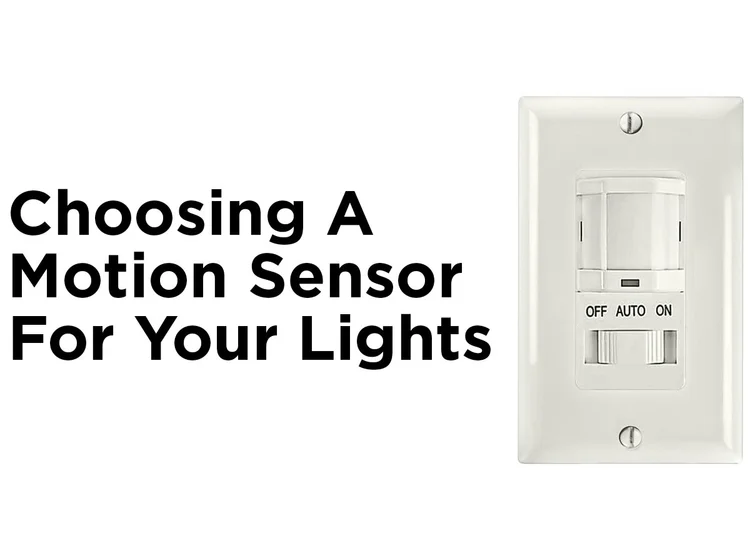
Look for a switch or button labeled “Auto/Off/On” or “Manual Override.” Flipping this switch can disable the sensor function without unplugging or removing the device.
Using this switch gives you full control over the light without changing sensor settings, making it easy to turn off the light when needed.
Turn Off The Motion Sensor Light
Locate the sensor’s control panel or switch to adjust settings. Turning the dial to “off” or disabling the sensor stops the light from activating. Sometimes, unplugging the light fixture also works to turn it off completely.
Turning off a motion sensor light can be a simple task. Motion sensor lights provide convenience and security. Yet, there are times you might want to turn them off. Maybe you need darkness for a backyard party. Or perhaps, the light keeps turning on too frequently. Here are some ways to control these lights effectively.Using The Manual Switch
Find the manual switch connected to the light. It is usually near the light fixture or inside your home. Flip the switch off to disable the motion sensor light. This method cuts power to the light. It stops the sensor from detecting any movement.Adjusting Sensitivity To Minimum
Locate the sensitivity settings on the sensor. Most sensors have a knob or button for this. Turn it to the lowest setting. This reduces the sensor’s ability to detect motion. The light may remain off even with some movement nearby.Disabling The Sensor Via Timer Settings
Check if the sensor has timer settings. Some models let you set how long the light stays on. Adjust the timer to the shortest duration. This minimizes the light’s active time. You can also set it to stay off completely.Alternative Methods To Disable
Sometimes, turning off a motion sensor light requires more than using the switch. Alternative methods help control or disable the light without complex tools. These options offer simple ways to manage the sensor’s activity safely and effectively.
Disconnecting Power Supply
Cutting power is a direct way to stop a motion sensor light. Locate the circuit breaker or fuse connected to the light. Switch off the power to prevent electricity from reaching the sensor. This method ensures the light stays off until power is restored.
Always double-check the light is off before touching any wires. Use a voltage tester for safety. This approach is best for temporary disablement during repairs or upgrades.
Covering The Sensor
Blocking the sensor’s view stops it from detecting motion. Use opaque tape or a small piece of cardboard to cover the sensor lens. This tricks the device into thinking there is no movement nearby.
Covering the sensor is a quick fix without cutting power. It allows the light to stay powered but inactive. Remember to remove the cover to restore normal function later.
Using Smart Home Controls
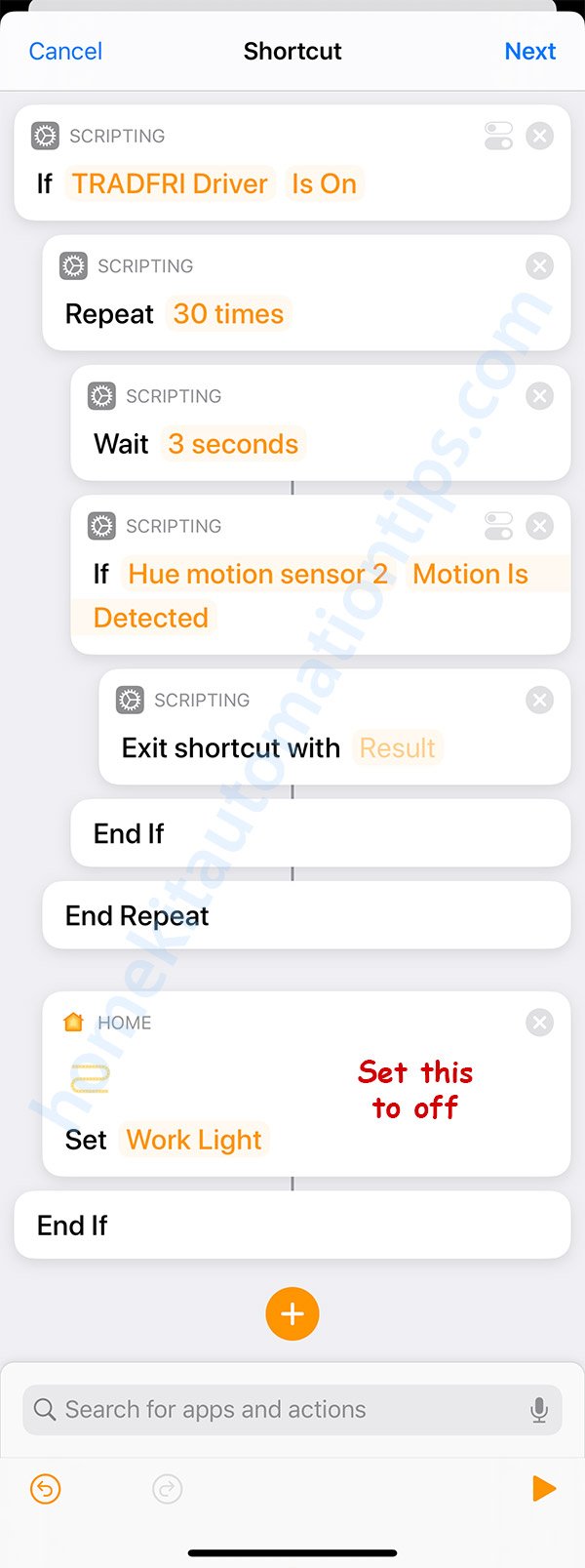
Smart motion sensor lights come with app controls or voice commands. Open the associated app to find options that disable or adjust the sensor. Some allow setting schedules or sensitivity levels.
Smart home systems provide flexible control without physical adjustments. This method works well for those who want remote access or automatic settings. Check your device instructions for specific steps.
Troubleshooting Common Issues
When your motion sensor light doesn’t behave as expected, it can quickly become frustrating. Understanding common issues helps you fix problems without replacing the entire unit. Let’s look at two frequent problems and what you can do to troubleshoot them effectively.
Light Still Activates After Turning Off
If you’ve turned off your motion sensor light but it keeps switching on, it might be due to residual power or settings not saved properly. Sometimes, the sensor has a built-in override or test mode that ignores the off command.
Check if your sensor has a manual override switch or a test mode button. Turning this off can often stop the light from activating unexpectedly. Also, make sure the power cycle is complete by turning off the breaker for a few seconds and then back on.
Another cause could be external factors like movement from pets or shadows triggering the sensor. Have you tried adjusting the sensor’s sensitivity or angle to avoid unwanted activations? Small tweaks here can make a big difference.
Sensor Not Responding To Adjustments
It’s common to tweak the sensor settings and see no change in performance. This usually means the sensor’s controls are either malfunctioning or not properly connected.
First, verify that the sensor’s adjustment knobs or buttons are clean and free of dust. Dirt can block the controls from registering changes. If your sensor uses digital controls, a reset might be necessary—check your user manual for reset instructions.
Sometimes, wiring issues prevent the sensor from responding. If you’re comfortable, inspect the wiring connections to ensure they’re secure. Loose or corroded wires can stop the sensor from receiving your inputs.
Have you noticed your sensor lights working inconsistently in certain weather? Extreme cold or heat can affect sensor sensitivity, so consider environmental factors when troubleshooting.
Credit: mrelectric.com
Safety Tips When Handling Motion Sensor Lights
Handling motion sensor lights might seem straightforward, but safety should always be your top priority. These devices connect to electrical circuits and involve sensors that respond to movement, which means a careless approach can lead to accidents or damage. Taking the right precautions not only protects you but also ensures your motion sensor light works efficiently over time.
Turn Off Power Before You Begin
Always switch off the power at the circuit breaker before you touch any wiring or the motion sensor unit itself. This simple act prevents electric shocks that can cause serious injury. Have you ever underestimated this step? It’s easy to do, but the consequences aren’t worth the risk.
Use Proper Tools And Safety Gear
Equip yourself with insulated tools designed for electrical work. Wearing rubber-soled shoes and protective gloves adds an extra layer of safety. These small steps make a big difference, especially if you’re working outdoors or on a wet surface.
Check The Sensor’s Location Carefully
Before adjusting or turning off your motion sensor light, ensure you understand its placement and what it covers. Avoid blocking the sensor or placing it near heat sources, which can cause false triggers or malfunction. Have you noticed how sunlight or heating vents can make a sensor act strangely?
Follow Manufacturer Instructions Closely
Every motion sensor light has specific guidelines for safe handling and operation. Reading the manual carefully can prevent mistakes that might damage the device or void your warranty. Don’t skip this step, even if you think you know how these lights work.
Test Your Adjustments In A Controlled Way
After turning off or adjusting the sensor light, test it during daylight first. This helps you avoid unexpected bright flashes or outages when it’s dark outside. Have you ever startled yourself or others with sudden light activation? Testing helps you avoid those awkward moments.

Credit: www.avatarcontrols.com
Frequently Asked Questions
How Do I Disable A Motion Sensor Light Temporarily?
To disable a motion sensor light temporarily, switch the sensor to “off” or “test” mode. This stops it from detecting motion without unplugging the unit.
Can I Turn Off A Motion Sensor Light Manually?
Yes, most motion sensor lights have a manual override or switch. Use this to turn the light off without affecting the sensor’s settings.
Why Won’t My Motion Sensor Light Turn Off?
If your motion sensor light won’t turn off, check for sensor sensitivity or timer settings. Adjusting these can fix continuous lighting issues.
How Do I Reset A Motion Sensor Light?
To reset, turn off the power to the light, wait 10 seconds, then turn it back on. This often resolves sensor glitches.
Conclusion
Turning off a motion sensor light is simple and quick. Adjust the settings or switch off the sensor to stop it from turning on. You can also unplug the device if needed. Remember to check the manual for specific instructions.
This helps save energy and avoids light when not wanted. Now, you can control your motion sensor light easily and keep your space just how you like it.



