
Is your motion sensor light staying on all the time, wasting energy and causing frustration? You’re not alone, and the good news is that you don’t need to call a professional just yet.
Fixing this common problem can be simpler than you think. In this guide, you’ll learn easy steps to identify why your motion sensor light won’t turn off and how to get it working properly again. Keep reading, and you’ll save money, reduce energy waste, and enjoy a light that responds exactly when you want it to.

Credit: www.youtube.com
Common Causes Of Motion Sensor Lights Staying On
Motion sensor lights that stay on can waste energy and cause frustration. Understanding the common causes helps fix this issue quickly. Several factors may make the sensor light stay on longer than intended. Identifying these can guide you to the right solution.
Sensor Obstructions
Objects blocking the sensor can cause it to stay on. Leaves, dirt, or spider webs may cover the sensor lens. Pets or small animals moving near the sensor can trigger constant activation. Clear any obstructions to restore proper sensor function.
Incorrect Sensor Settings
Settings on the motion sensor might be wrong. The sensitivity level could be too high, detecting small movements. The timer may be set for a long duration, keeping the light on. Adjust these settings to match your needs and environment.
Electrical Issues
Faulty wiring or loose connections often cause the light to stay on. A damaged sensor or power supply can also lead to problems. Check the wiring and replace any broken parts to ensure the sensor works correctly.
Environmental Factors
Weather conditions like wind or rain can trigger the sensor. Nearby heat sources or bright lights may confuse the sensor. Moving shadows or reflections can also cause false signals. Position the sensor away from these influences for better performance.
Inspecting The Motion Sensor
Inspecting the motion sensor is the first step to fix a light that stays on. Dirt, damage, or wrong placement can cause issues. Taking a close look helps identify the problem.
Cleaning The Sensor Lens
The sensor lens collects dust and grime over time. This dirt blocks the sensor’s view. Use a soft cloth and mild cleaner to wipe the lens gently. Avoid harsh chemicals that can scratch or damage the lens. Clean sensors react better to movement.
Checking For Physical Damage
Look for cracks or breaks on the sensor cover. Damage can cause constant activation or failure. Inspect wires and connections for wear or loose parts. Replace damaged pieces to restore normal function. Safe and intact sensors work properly.
Verifying Sensor Placement
Correct placement affects sensor performance. Sensors too close to heat sources or moving objects trigger false alarms. Avoid pointing the sensor at trees or busy roads. Adjust the angle so it covers the desired area only. Proper placement ensures the light turns on at the right times.
Adjusting Sensor Settings
Adjusting the sensor’s sensitivity can stop the light from staying on constantly. Lower the detection range or shorten the timer to prevent false triggers. Fine-tuning these settings helps the light respond only to real motion.
Adjusting Sensor Settings Is your motion sensor light refusing to turn off, casting its beam long after it should? Adjusting the sensor settings could be the solution you need. Fine-tuning these settings can transform your light from a stubborn beacon into a responsive sentinel. Let’s explore how you can tweak these settings to get the most out of your motion sensor light.Setting The Sensitivity Level
The sensitivity level determines how easily the sensor picks up motion. If your light stays on too long, it might be set to detect even the slightest movement, like a passing breeze or a scurrying animal. Grab a ladder and locate the sensitivity dial on your sensor. Turning it down a notch may solve the problem. Test the light by walking past it at different distances to find the sweet spot for your needs.Configuring The Timer Duration
Adjusting the timer duration controls how long your light stays on after detecting motion. If it’s set too high, the light might illuminate your yard longer than necessary. Look for the timer switch, often labeled with time increments. Start by setting it to a shorter duration, such as 30 seconds, and observe if this resolves the issue. You can always increase the time gradually until you find what suits your outdoor lighting needs.Modifying The Detection Range
The detection range dictates how far the sensor can pick up movement. If your light is staying on, it might be detecting movement from outside your intended area, like passing cars or distant pedestrians. Inspect the range setting on your sensor, usually represented by a sliding scale or a series of notches. Adjust it to a closer range. This way, the light activates only when there’s motion within the desired proximity. These adjustments not only solve the persistent light issue but also save energy and reduce unnecessary illumination. Have you ever experienced a surprising save by simply tweaking your light settings?Addressing Electrical Problems
Electrical problems are often the hidden culprits behind a motion sensor light that refuses to turn off. Before replacing the entire unit, it’s smart to inspect the electrical components closely. Simple fixes in wiring or power supply can save you time and money, and help you understand your home’s electrical system better.
Checking Wiring Connections
Loose or damaged wiring can cause your motion sensor light to stay on continuously. Start by turning off the power at the breaker to avoid shocks. Then, remove the light cover and examine the wiring connections carefully.
Look for frayed wires, loose screws, or connections that have come undone. Tighten any loose connections and replace damaged wires if you spot any. This step often fixes the problem without needing a full replacement.
Testing The Light Bulb
Sometimes, the issue isn’t the sensor but the bulb itself. A faulty or incompatible bulb can confuse the sensor and keep the light on. Try swapping the bulb with a new one that matches the sensor’s recommended specifications.
If the light turns off properly with the new bulb, you’ve found the problem. Avoid using bulbs with incorrect wattage or type, as this can cause further issues.
Resetting The Circuit Breaker
The circuit breaker might be tripping or stuck, causing erratic power flow to your motion sensor light. Find your breaker box and flip the breaker controlling the light off and then back on. This simple reset can restore normal function.
If your breaker frequently trips, it could indicate a deeper electrical issue. In that case, you might need to call a professional electrician to inspect your home’s wiring system.
Managing Environmental Interference
Environmental factors often play a big role in why your motion sensor light might stay on longer than it should. Understanding how your sensor interacts with its surroundings can save you time and frustration. Let’s look at some practical ways to manage these external interferences so your sensor light behaves as expected.
Reducing Heat Sources Near Sensor
Heat sources like vents, air conditioners, or even warm outdoor appliances can confuse your motion sensor. These sensors detect infrared energy, so heat can trick them into thinking there’s constant movement.
Try moving any heat-producing items away from the sensor’s field of view. If that’s not possible, use a physical barrier like a small shield to block heat waves from reaching the sensor. Have you noticed your sensor stays on near a warm exhaust pipe or heater? That’s a clear sign heat interference.
Minimizing Movement From Pets Or Trees
Pets running around or trees swaying in the wind can trigger your motion sensor unnecessarily. You might love your dog, but your sensor doesn’t want to light up every time they pass by.
Adjust the sensor’s angle so it focuses on the areas where human movement is most likely. You can also lower the sensitivity settings to ignore smaller motions. Consider trimming tree branches if they’re constantly moving in front of the sensor—this simple step often stops false triggers.
Shielding From Direct Sunlight
Direct sunlight can cause your motion sensor to malfunction by heating the sensor or creating glare. This often leads to the light staying on longer or turning on without any real movement.
Install a small shade or cover above the sensor to block harsh sunlight during peak hours. Position your sensor so it faces away from the sun if possible. Have you ever noticed your light flickering or staying on during sunny afternoons? That’s sunlight interference at work.

Credit: www.youtube.com
Replacing Or Upgrading The Sensor
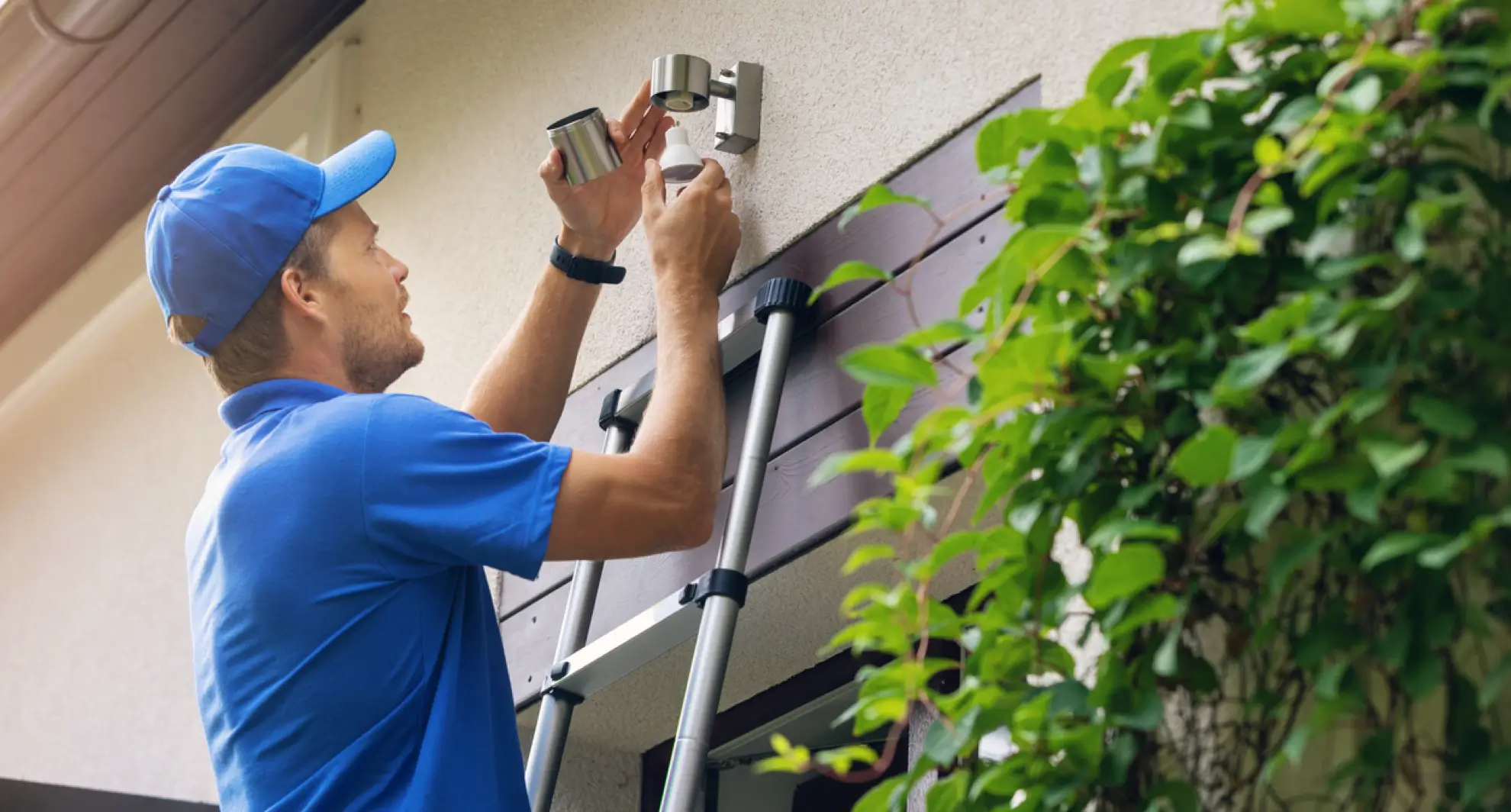
Replacing or upgrading the sensor can solve the problem of a motion sensor light that stays on. Sensors wear out over time or may not match your lighting needs. A new sensor improves performance and saves energy. Choosing the right sensor and installing it correctly is key to fixing the issue fast.
When To Replace The Sensor
Replace the sensor if the light stays on continuously. Flickering or random switching also signals sensor failure. A sensor older than 5 years may lose accuracy. Dirt and damage can cause sensor errors, but cleaning may not always help. Persistent problems mean replacement is the best choice.
Choosing A Compatible Sensor
Select a sensor that fits your light’s model and voltage. Check the sensor’s range to cover your desired area. Sensors come with different sensitivity and time settings. Pick one with adjustable controls for flexibility. Look for weatherproof sensors for outdoor use to ensure durability.
Installation Tips
- Turn off the power before starting installation.
- Remove the old sensor carefully to avoid damage.
- Connect wires according to the sensor’s instructions.
- Secure the sensor firmly to avoid movement.
- Test the sensor by walking in front of it after installation.
- Adjust sensitivity and timer settings for best results.
Credit: mrelectric.com
Frequently Asked Questions
Why Does My Motion Sensor Light Stay On Constantly?
A motion sensor light may stay on due to incorrect sensitivity settings. Dirt or debris on the sensor can also cause issues. Electrical faults or wiring problems might keep the light active. Checking and cleaning the sensor often resolves the problem quickly.
How Can I Reset A Motion Sensor Light?
To reset, turn off the power to the light at the breaker. Wait for about 30 seconds, then turn the power back on. This can recalibrate the sensor and fix minor glitches. If the issue persists, further troubleshooting may be needed.
Can Faulty Wiring Cause Motion Sensor Lights To Stay On?
Yes, faulty wiring can cause continuous light activation. Loose or damaged wires may send constant signals to the sensor. Inspecting and repairing wiring issues ensures proper sensor function and prevents the light from staying on unnecessarily.
What Role Does Sensitivity Adjustment Play In Sensor Lights?
Sensitivity settings control how much movement triggers the light. If sensitivity is too high, small movements or heat changes may keep the light on. Adjusting sensitivity to an appropriate level can prevent false activations and save energy.
Conclusion
Fixing a motion sensor light that stays on is easier than it seems. Check the sensor’s settings first. Clean the sensor lens to remove dirt or bugs. Adjust the light’s sensitivity and timer for better control. Make sure no objects block the sensor’s view.
Replace old or faulty bulbs as needed. These simple steps save energy and avoid constant light. A well-working sensor light keeps your home safe and efficient. Try these tips and enjoy a light that works just right.



