
Is your motion light sensor acting up and leaving you in the dark? You rely on it to keep your home safe and well-lit, but when it stops working properly, it can be frustrating.
The good news is, you don’t have to call a professional right away. With a few simple steps, you can fix your motion light sensor quickly and easily. Keep reading, and you’ll learn exactly how to get your sensor back to working perfectly—no hassle, no stress.

Credit: www.youtube.com
Common Issues With Motion Light Sensors
Motion light sensors make life easier by turning lights on automatically. They save energy and add convenience. Still, these sensors can face problems that stop them from working well. Knowing common issues helps you fix them fast. This section covers frequent problems and their signs.
Sensor Not Detecting Movement
The sensor may miss motion due to dirt or blockage. Dust and spider webs can cover the sensor lens. Sometimes, the sensor angle is wrong, missing moving objects. Low battery power or a faulty sensor also cause this issue.
- Clean the sensor lens gently.
- Adjust the sensor angle toward the desired area.
- Check and replace batteries if needed.
- Test the sensor with a different light.
Light Staying On Constantly
The light may never turn off if the sensor is too sensitive. Bright lights, heat sources, or moving trees can confuse it. Faulty wiring or a broken timer can cause the light to stay on too.
- Reduce sensor sensitivity in the settings.
- Remove nearby heat sources or bright lights.
- Inspect wiring and connections carefully.
- Replace the sensor timer if it is broken.
Light Not Turning On
The sensor might fail to switch on the light. This happens if the bulb is burned out or loose. Power supply issues or broken sensor parts can stop the light from working. Sometimes, the settings prevent activation at certain times.
- Check the bulb and replace it if necessary.
- Ensure the bulb is screwed in tightly.
- Verify the power source and switches.
- Review sensor settings for time restrictions.
Sensor Interference
Other electronic devices can interfere with sensor signals. Nearby wireless devices, security cameras, or flashing lights cause false triggers. Environmental factors like rain or fog may also affect sensor performance.
- Move the sensor away from electronics.
- Shield the sensor from harsh weather if possible.
- Use sensors designed for outdoor conditions.
- Test the sensor during different weather conditions.
Tools And Materials Needed
Before fixing a motion light sensor, gather the right tools and materials. Having everything ready saves time and makes the job easier.
Using proper tools ensures safety and helps you fix the sensor correctly. Basic tools and a few materials are usually enough for most repairs.
Essential Tools For Fixing A Motion Light Sensor
- Screwdriver set (flathead and Phillips)
- Voltage tester or multimeter
- Wire strippers
- Electrical tape
- Pliers
- Ladder or step stool
Materials Needed For Sensor Repair
- Replacement motion sensor (if needed)
- Wire connectors or wire nuts
- Spare bulbs compatible with the light fixture
- Safety gloves
- Instruction manual or wiring diagram
Safety Equipment To Have On Hand
- Insulated gloves to avoid electric shock
- Safety goggles to protect eyes from debris
- Non-slip shoes for stability
Checking The Power Supply
Checking the power supply is crucial for fixing a motion light sensor. Ensure the power source is stable and connections are secure. A faulty power supply can cause the sensor to malfunction or not work at all.
Checking the power supply is a fundamental step in fixing a malfunctioning motion light sensor. Without a reliable power source, even the most advanced sensors will fail to perform. Ensuring that your motion light is receiving adequate power can often resolve issues more effectively than any other troubleshooting method.Inspecting Batteries
Begin by checking if your motion light sensor uses batteries. If so, the first course of action should be to inspect them. Old or depleted batteries can cause erratic sensor performance or even complete failure. Remove the battery cover and examine the batteries for any signs of corrosion or leakage. If they appear worn out, replace them with fresh ones. Use the type recommended in the user manual to ensure compatibility. Are your new batteries not solving the problem? Consider using a battery tester to confirm their charge level. Sometimes, even new batteries might not be fully charged straight out of the package.Verifying Electrical Connections
If your motion light sensor is hardwired, the issue might lie in the electrical connections. A loose or damaged wire can interrupt the power supply, causing the sensor to malfunction. Turn off the power at the circuit breaker for safety before inspecting the wiring. Carefully check the connections to ensure they are secure and free of damage. It’s surprising how often a simple loose wire can be the culprit. If you find any frayed wires, it might be time to consult a professional electrician to avoid potential hazards. Safety should always be a priority when dealing with electrical components. By taking these steps, you can ensure that your motion light sensor has a stable and reliable power source. Have you ever overlooked the power supply in troubleshooting a tech issue, only to find it was the simplest fix? It’s a common scenario, and it serves as a good reminder that sometimes the simplest solution is the most effective.Adjusting Sensor Settings
Adjusting the settings on a motion light sensor helps improve its performance. It allows the sensor to detect motion accurately and control the light effectively. Small changes can reduce false triggers and save energy. Understanding the main settings is key to proper adjustment.
Sensitivity Adjustment
Sensitivity controls how much motion the sensor detects. Higher sensitivity means the sensor reacts to smaller movements. Lower sensitivity helps avoid activation by pets or distant objects. Find the right balance for your space by testing different levels. Adjust the sensitivity dial or switch on the sensor unit.
Timer Settings
The timer setting controls how long the light stays on after motion stops. Shorter times save energy but may turn off too quickly. Longer times keep the light on for convenience. Choose a timer duration that suits your needs, such as 30 seconds or 5 minutes. Adjust this with the timer knob or buttons on the sensor.
Light Level Calibration
This setting determines the light level needed for the sensor to activate. It prevents the light from turning on during daylight. Set the calibration to a low light level for dark areas. Increase it if you want the light off during bright conditions. Use the LUX dial or light sensor adjustment to change this setting.
Cleaning The Sensor Lens
Cleaning the sensor lens is a simple yet often overlooked step that can significantly improve the performance of your motion light sensor. Dust, dirt, and grime can build up over time, blocking the sensor’s ability to detect movement accurately. Taking a few minutes to clean the lens can save you from unnecessary troubleshooting and replacements.
Gathering The Right Cleaning Materials
Start by collecting soft, lint-free cloths, mild soap, and distilled water. Avoid harsh chemicals or abrasive materials that could scratch the sensor lens. A microfiber cloth works best to gently wipe away dirt without leaving fibers behind.
Power Off The Sensor Before Cleaning
Always turn off the power to your motion light sensor before you begin cleaning. This prevents accidental activation or damage to the sensor’s electronic components. If your sensor is hardwired, switch off the breaker or unplug the device.
Cleaning The Lens Gently
Dampen the cloth slightly with a mixture of mild soap and distilled water. Wipe the lens in small, circular motions to remove any debris. Be patient and avoid pressing too hard; the lens is delicate and can crack or scratch easily.
Drying And Inspecting The Lens
After cleaning, use a dry section of your cloth to carefully dry the lens. Check the surface under good lighting to ensure no smudges or streaks remain. Clear visibility through the lens is crucial for accurate motion detection.
Testing The Sensor After Cleaning
Once the lens is clean and dry, restore power and observe the sensor’s response. Does it detect motion more reliably now? If not, consider other factors like sensor alignment or wiring issues, but don’t underestimate how much a clean lens can help.
Credit: mrelectric.com
Repositioning The Sensor
Repositioning the motion light sensor can solve many common issues. Sometimes, the sensor does not detect movement properly because it is not placed in the right spot. Moving it can improve its accuracy and range. This simple fix can help the sensor work better and save energy.
Optimal Placement Tips
Place the sensor at a height of about 6 to 10 feet. This height covers a wide area and catches motion effectively. Aim the sensor toward the main area where movement happens. Avoid pointing it at windows or reflective surfaces. These can cause false triggers.
Position the sensor so it covers entry points, like doors or hallways. Make sure the sensor faces open space without walls blocking its view. Angle the sensor slightly downward to detect people walking below.
Avoiding Obstructions
Keep the sensor clear of objects that block its view. Furniture, plants, or decorations can stop the sensor from seeing motion. Remove or move any obstacles in front of the sensor.
Check for branches or leaves outside that might sway and trigger the sensor. Trim any nearby bushes or trees that interfere. Avoid placing the sensor near heating vents or fans. These can cause false alarms due to heat or air movement.
Replacing Faulty Components
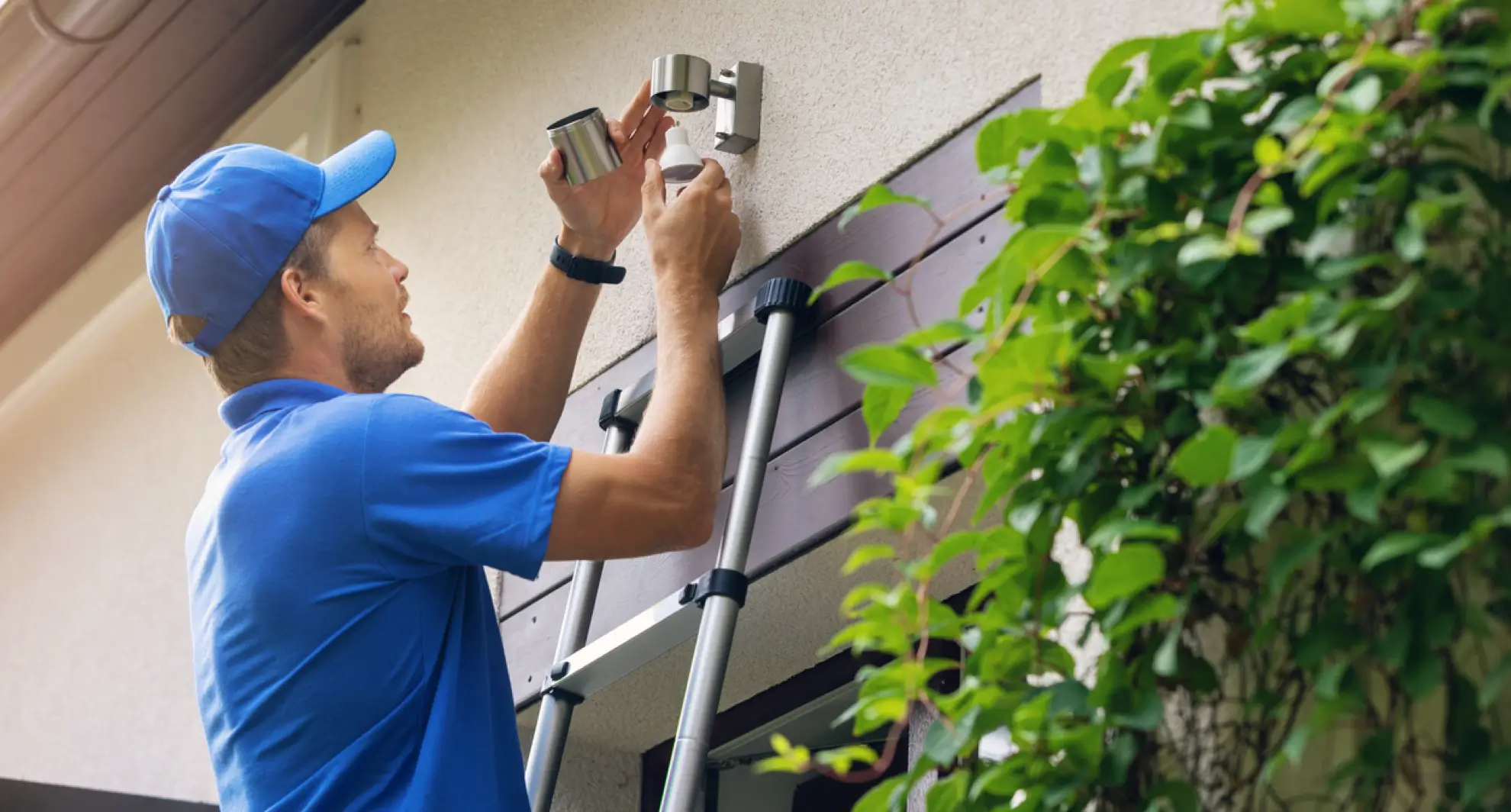
Replacing faulty components is often the key to fixing a motion light sensor. Sensors and bulbs wear out over time. They can cause the light to stop working or behave strangely. Identifying and swapping these parts can restore proper function quickly. This section guides you through the simple process of replacing common faulty parts.
Swapping Out The Sensor
The motion sensor is the core part of the light system. A faulty sensor may not detect movement or turn off at the wrong times. Start by turning off the power to the light fixture. Carefully remove the sensor cover to access the sensor unit. Disconnect the sensor wires and take out the old sensor.
Match the new sensor with the old one. Connect the wires exactly as before. Secure the sensor in place and replace the cover. Turn the power back on. Test the sensor by moving in front of it. The light should respond correctly if the sensor is working well.
Changing The Light Bulb
A burned-out or damaged bulb can make the motion sensor light seem broken. First, switch off the power to avoid shocks. Remove the old bulb gently. Check the bulb type and wattage on the fixture or manual. Use a new bulb that matches these specifications.
Install the new bulb by screwing it in carefully. Restore power and test the light. It should turn on when motion is detected. Changing the bulb is a quick fix that often solves the problem without extra cost.
Testing The Sensor After Repair
Testing the sensor after repair confirms if the motion light works properly. This step ensures your efforts have fixed the issue. It helps avoid future problems and saves time and money.
Start by checking the sensor’s power supply. Make sure the light receives enough power to operate. Then, observe the sensor’s response to movement in its detection area.
Check Sensor Sensitivity
Adjust the sensor’s sensitivity to detect motion accurately. Walk slowly across the sensor’s range. Notice if the light turns on promptly. If it does not, tweak the sensitivity settings.
Verify Detection Range
Test the sensor from different distances. Move closer and farther to find the sensor’s detection limit. The light should activate within the specified range. Mark any spots where it fails to respond.
Test Light Duration
Observe how long the light stays on after detecting motion. Adjust the timer settings if the light turns off too quickly or stays on too long. Ensure the timing matches your needs.
Check For False Triggers
Watch for light activation without motion. False triggers waste energy and reduce sensor reliability. Adjust settings or reposition the sensor to reduce false alarms.
Perform Night And Day Tests
Test the sensor under different lighting conditions. Ensure it activates only when needed, especially at night. Some sensors have daylight sensors to prevent unwanted activation during the day.
Preventive Maintenance Tips
Keeping your motion light sensor in top shape can save you the hassle of unexpected failures and frequent replacements. Preventive maintenance helps you catch small issues before they become big problems. Here are some practical tips to help you maintain your motion light sensor effectively.
Regular Cleaning Of The Sensor Lens
Dirt, dust, and spider webs can block the sensor lens and reduce its sensitivity. Use a soft, dry cloth to gently wipe the lens every few weeks. Avoid harsh chemicals that might damage the sensor’s surface.
Have you noticed your light turning on late or not at all? Dirty lenses are often the culprit. A quick clean can restore proper function immediately.
Check And Adjust Sensor Positioning
Sensor placement affects how well it detects motion. Make sure your sensor points toward the area where movement is expected. If it’s angled too high or low, it might miss activity or trigger unnecessarily.
Try walking through the detection zone yourself. Are there blind spots? Adjust the angle until it covers the desired area without false alarms.
Inspect Wiring And Connections
Loose or corroded wires can disrupt the sensor’s operation. Periodically inspect the connections behind the fixture to ensure they are tight and free from rust. Replace any worn wires immediately.
Have you experienced flickering lights or intermittent function? Loose wiring might be the issue. Securing your connections can stabilize performance.
Test Sensitivity And Timer Settings
Over time, sensor sensitivity and timer durations may drift from their ideal settings. Test your sensor’s response by walking through the detection area and noting how long the light stays on. Adjust the controls to match your needs.
Sometimes, less is more. Reducing sensitivity can prevent false triggers from small animals or moving branches.
Protect The Sensor From Extreme Weather
Exposure to rain, snow, or direct sunlight can degrade sensor components. Use protective covers or install the sensor under eaves to shield it from harsh elements. This simple step extends the sensor’s life and reliability.
Have you checked if your sensor is rated for outdoor use? Using the right equipment for your environment reduces maintenance headaches.

Credit: howlandhammer.com
Frequently Asked Questions
How Do I Reset A Motion Light Sensor?
To reset a motion light sensor, turn off the power first. Wait for 10 seconds, then switch the power back on. This often clears minor glitches and restores normal function without needing replacement.
Why Is My Motion Sensor Light Not Turning On?
Your motion sensor light may not turn on due to dead batteries, faulty wiring, or sensor blockage. Check the power source, clean the sensor lens, and ensure proper installation to fix this issue.
How Can I Test If My Motion Sensor Is Working?
To test, walk in front of the sensor within its detection range. If the light turns on, it works. Adjust sensitivity settings if the sensor misses motion or activates too frequently.
What Causes A Motion Sensor Light To Flicker?
Flickering can be caused by loose wiring, incompatible bulbs, or electrical interference. Ensure bulbs match sensor specifications and check all connections to prevent flickering and improve sensor performance.
Conclusion
Fixing a motion light sensor can save time and money. Check the power first and clean the sensor lens. Adjust the settings to match your needs. Replace batteries or parts if needed. Test the sensor in different lighting conditions. Small steps often solve common problems.
Keep your motion light working well and safe. Simple care helps your home stay bright and secure. Try these tips to fix your sensor quickly.



