
Is your motion sensor light acting up and leaving you in the dark? You rely on it to keep your home safe and your yard well-lit, so a malfunction can be frustrating.
But before you rush to replace it, there’s good news: many common problems with motion sensor lights are easy to fix on your own. In this guide, you’ll discover simple, step-by-step solutions to get your light working perfectly again. Keep reading, and you’ll save time, money, and avoid the hassle of calling a professional.
Your bright, secure space is just a few fixes away.
Common Issues With Motion Sensor Lights
Motion sensor lights add security and convenience to any space. Despite their benefits, these lights can develop common problems. Understanding these issues helps in quick and effective repairs. Below are frequent problems users face with motion sensor lights.
Sensor Not Detecting Movement
Sometimes the sensor fails to detect motion nearby. Dirt or debris on the sensor lens can block detection. Incorrect sensor angle reduces its ability to spot movement. Low battery or power issues also cause detection failure. Check the sensor lens and clean it gently. Adjust the sensor angle for better coverage. Ensure power supply is stable.
Light Not Turning On
The light may stay off even after detecting motion. Loose wiring or faulty connections often cause this. A burnt-out bulb or LED can stop the light from working. Timer or settings might be set incorrectly. Test the bulb and replace if needed. Inspect wiring connections carefully. Reset the timer and check settings.
Flickering Or Intermittent Lighting
Flickering light can annoy and reduce effectiveness. This problem may result from poor electrical connections. A failing light bulb or LED can flicker before going out. Power surges or voltage fluctuations cause unstable lighting. Tighten any loose wires and connections. Replace the bulb with a new one. Use a voltage stabilizer if needed.
False Triggers And Sensitivity Problems
False triggers cause the light to turn on randomly. Sensitivity settings that are too high pick up small movements. Pets, wind, or passing cars often trigger the sensor. Environmental factors like heat or sunlight can cause false alarms. Lower the sensor sensitivity to reduce false triggers. Position the sensor away from busy areas. Shield the sensor from direct sunlight and heat sources.
Basic Tools And Safety Tips
Repairing a motion sensor light requires the right tools and safety measures. Using proper equipment makes the job easier and safer. Following safety rules prevents accidents and damage.
Essential Repair Tools
- Screwdrivers: Both flathead and Phillips for opening covers
- Voltage tester to check if the power is off
- Wire strippers for handling electrical wires
- Electrical tape for securing wire connections
- Multimeter to test electrical components
- Replacement bulbs or sensors, if needed
- Step ladder to reach the light fixture
- Work gloves to protect your hands
Safety Precautions To Follow
- Always turn off the power at the circuit breaker
- Use a voltage tester to confirm no electricity flows
- Wear insulated gloves to avoid electric shocks
- Work in a dry area; avoid wet conditions
- Keep tools organized to prevent accidents
- Do not force parts; handle components gently
- Use a stable ladder and do not overreach
- Have someone nearby in case of emergency
Step-by-step Repair Process
Begin by turning off the power to ensure safety. Check the sensor for dirt or damage and clean it gently. Replace batteries or bulbs if needed, then test the light to confirm it works properly.
Repairing a motion sensor light doesn’t have to be a daunting task. Whether you’re a DIY enthusiast or a complete novice, breaking down the process into manageable steps can simplify the task. Let’s walk through a straightforward guide to get your sensor light back in working order.Checking The Power Supply
Before you dive into complex troubleshooting, ensure the power supply is functioning. Is the light switched on? It sounds simple, but you’d be surprised how often this is overlooked. Check the circuit breaker or fuse box to confirm there’s no tripped switch.Cleaning The Sensor Lens
A dirty sensor lens can impair motion detection. Gently clean the lens with a soft cloth and mild detergent. Ensure it’s free from dust and debris, as even small particles can affect performance.Adjusting Sensor Settings
Motion sensors come with adjustable settings. Locate the sensitivity and range controls. Experiment with different settings to find the optimal detection range for your environment.Replacing The Light Bulb
A burnt-out bulb can give the illusion of a faulty sensor. Confirm the bulb is functional by replacing it with a new one. Choose a bulb that matches the light fixture’s specifications for best results.Testing The Motion Sensor
After adjustments, test the sensor. Walk through the sensor’s range to see if it triggers the light. If it works, you’ve successfully repaired your motion sensor light! By following these steps, you can tackle many common issues with motion sensor lights. Have you ever faced an unexpected challenge while troubleshooting? Share your experiences to help others in the comments below.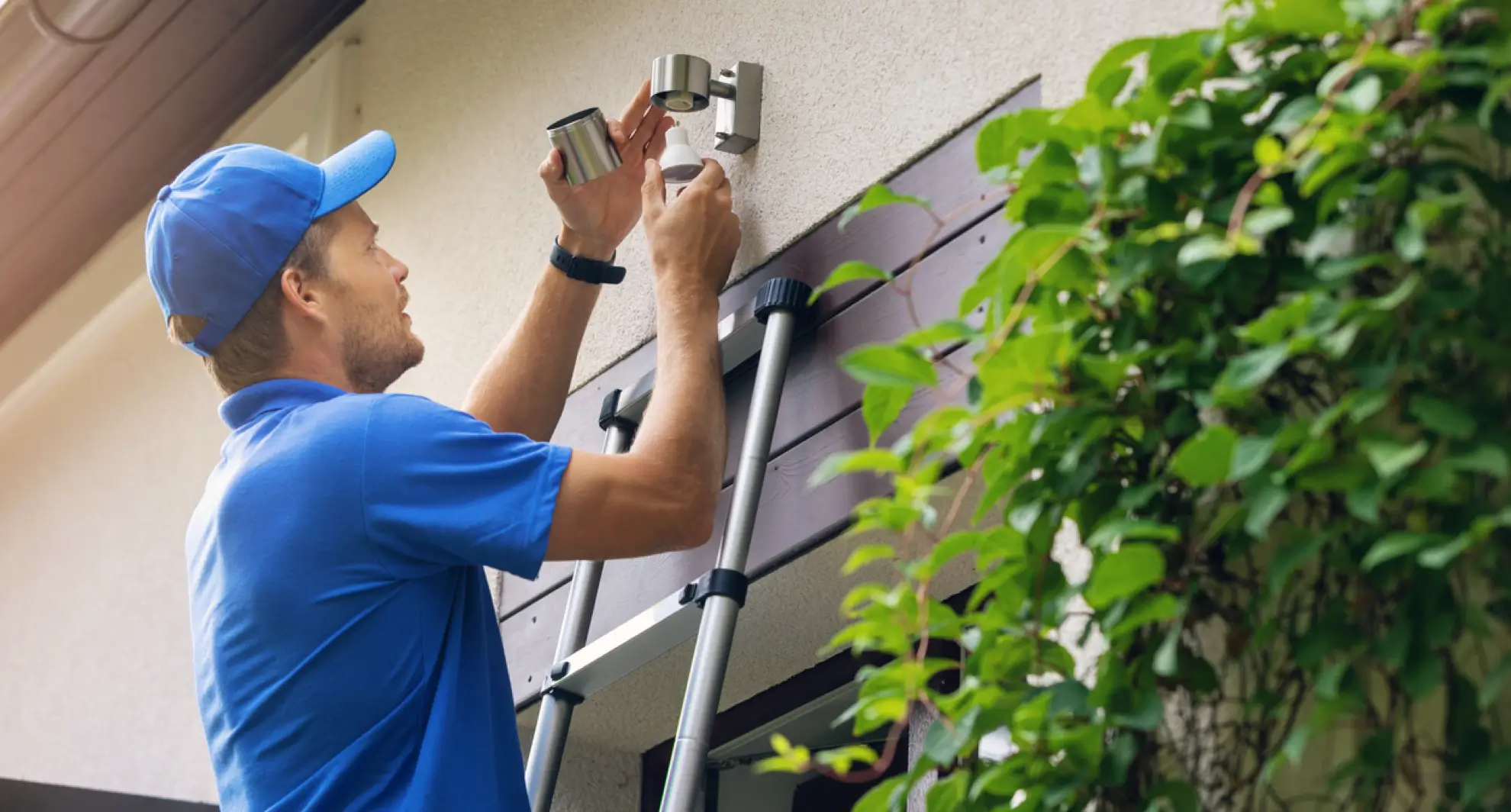
Credit: mrelectric.com
Advanced Fixes For Persistent Problems
Advanced fixes help solve motion sensor light issues that basic steps miss. These solutions require more tools and knowledge. They target problems in wiring, sensor parts, and environmental factors. Taking these steps can restore your light’s proper function and save you money on replacement.
Inspecting And Replacing Wiring
Faulty wiring often causes motion sensor lights to fail. Check wires for breaks, frays, or loose connections. Turn off power before inspecting to avoid shocks. Use a voltage tester to confirm no current flows. Replace damaged wires with the same gauge and type. Secure all connections tightly. Proper wiring ensures stable power and signal flow.
Upgrading The Sensor Module
Older sensor modules may become less sensitive or stop working. Buy a new module that fits your light model. Remove the old sensor carefully by unscrewing or unclipping it. Connect the new sensor module following the manufacturer’s instructions. Test the light to confirm the upgrade works. New modules improve detection range and reaction time.
Dealing With Environmental Interference
Environmental factors can cause false triggers or no response. Check for heat sources like vents or direct sunlight near the sensor. Remove objects blocking the sensor’s view. Avoid placing lights near busy streets or moving trees. Use shields or covers to limit unwanted detection. Adjust the sensor angle to focus only on needed areas.
Maintenance Tips To Extend Lifespan
Maintaining your motion sensor light properly can save you time and money in the long run. Small, regular care helps keep the sensor accurate and the light functioning smoothly. Let’s look at some practical tips that help your light last longer and work better.
Regular Cleaning Schedule
Dirt and dust can block the sensor, making it less sensitive to movement. Wiping the sensor lens with a soft cloth every few weeks keeps it clear and responsive.
Don’t forget to clean the light cover too. Use a gentle cleaner and avoid harsh chemicals that might damage the surface.
Have you noticed your light triggering late or not at all? A simple cleaning might fix that issue right away.
Seasonal Adjustments
Changes in daylight and temperature affect how your motion sensor light works. Adjust the sensitivity and timer settings with the seasons to match your needs.
For example, in winter, the sensor may need higher sensitivity because daylight is shorter and people move differently around your home. In summer, lowering the timer prevents the light from staying on too long.
Try testing the sensor after each adjustment to find the perfect balance. How often do you check your settings?
Preventing Damage From Weather
Motion sensor lights exposed to rain, snow, or extreme heat can wear out faster. Installing a small protective cover or shield can reduce weather impact.
Check the fixture seals to ensure they are intact and water-resistant. If you spot cracks or gaps, reseal or replace parts quickly.
Think about your local weather patterns—does your light need extra protection during storms or heat waves? Taking action early prevents costly repairs later.

Credit: www.youtube.com

Credit: www.youtube.com
Frequently Asked Questions
How Do I Reset A Motion Sensor Light?
To reset a motion sensor light, turn off the power for 30 seconds. Then, switch it back on. This clears any settings or errors. Resetting often resolves sensor glitches and restores normal function quickly.
Why Is My Motion Sensor Light Not Turning On?
Common reasons include dead bulbs, power issues, or blocked sensors. Check the bulb and wiring first. Clean the sensor lens and ensure no objects block the sensor’s view.
How Can I Test A Motion Sensor Light?
Stand within the sensor’s range and move slowly. The light should activate within seconds. Adjust sensor settings if it doesn’t react properly or is too sensitive.
What Tools Are Needed To Repair Motion Sensor Lights?
Basic tools include a screwdriver, voltage tester, and replacement bulbs or sensors. A ladder may be necessary for high fixtures. Safety gear like gloves is recommended during repairs.
Conclusion
Fixing a motion sensor light is easier than you might think. Check the power source and clean the sensor first. Replace batteries or bulbs when needed. Adjust the sensor’s position for better detection. Test your light regularly to keep it working well.
Small fixes save money and improve safety. Keep your outdoor space bright and secure. With a little care, your motion sensor light will last longer. Simple steps make a big difference in your home lighting.



