
Have you ever wondered how long your motion sensor lights stay on after detecting movement? Knowing this can help you save energy, boost your home’s security, and avoid those annoying moments when lights turn off too quickly—or stay on way longer than you need.
You’ll discover exactly what controls the timing, how to adjust it to fit your needs, and why it matters more than you might think. Keep reading to get the simple answers that make your motion sensor lights work smarter for you.
Credit: www.popsci.com
Motion Sensor Light Timers
Motion sensor light timers control how long the lights stay on after detecting movement. These timers help save energy and improve convenience by ensuring lights don’t stay on longer than needed. Understanding how these timers work can help you customize your lighting to fit your daily routines and preferences.
Typical Duration Settings
Most motion sensor lights come with preset timer durations ranging from 10 seconds to 10 minutes. Common default settings often keep lights on for about 30 seconds to 2 minutes after motion stops. This range balances energy savings with enough time to safely navigate an area.
Some lights have fixed timers, while others offer multiple duration options you can select. If you live in a large outdoor space, longer durations might be more practical. For small indoor areas like closets or bathrooms, shorter timers often work best.
Adjustable Timer Features
Many modern motion sensor lights allow you to adjust the timer manually. This flexibility lets you tailor the light’s runtime to your exact needs without wasting electricity. Adjustments are usually made via a dial, switch, or digital interface.
You might want to increase the timer if you often find the lights turning off too quickly. Conversely, if the light stays on longer than necessary, reducing the timer can help lower your energy bills. Have you ever left a room and found the light still shining? Adjusting the timer can fix this annoyance.
Factory Defaults Vs Custom Settings
Factory default timer settings are designed for general use and convenience. However, these defaults may not always match your specific environment or habits. Customizing your timer settings can improve both comfort and energy efficiency.
Changing from factory defaults is usually simple but requires checking your light’s manual or settings panel. After customization, test the light several times to ensure the timer feels right. Would a longer or shorter timer make your space more functional and cost-effective?
Factors Affecting Light Duration
Several factors control how long motion sensor lights stay on after activation. These factors affect the light’s response and duration. Understanding them helps in setting the lights for optimal use.
The sensitivity of the sensor, the surrounding light conditions, and the power source all influence the light’s operation time. Each factor plays a unique role in the performance of motion sensor lights.
Sensor Sensitivity
Sensor sensitivity determines how easily the light detects movement. Higher sensitivity picks up smaller motions, triggering the light more often. Lower sensitivity requires larger movements to activate the light.
Sensitivity settings also affect how long the light remains on. Some sensors keep the light on longer if constant movement is detected. Others turn off quickly after motion stops.
Ambient Light Levels
Ambient light refers to the natural or artificial light around the sensor. Bright surroundings can make the sensor less likely to activate the light. Some motion sensors only work in low light or darkness.
Lights may stay on longer in darker areas to provide adequate illumination. In well-lit areas, the sensor might switch off quickly or not activate at all.
Power Source Impact
The type of power source affects the light duration. Battery-powered lights often have shorter on-times to save energy. Hardwired lights can stay on longer since they have a constant power supply.
Solar-powered lights depend on stored energy and may limit light duration to preserve battery life. Understanding the power source helps set realistic expectations for light duration.
Types Of Motion Sensor Lights
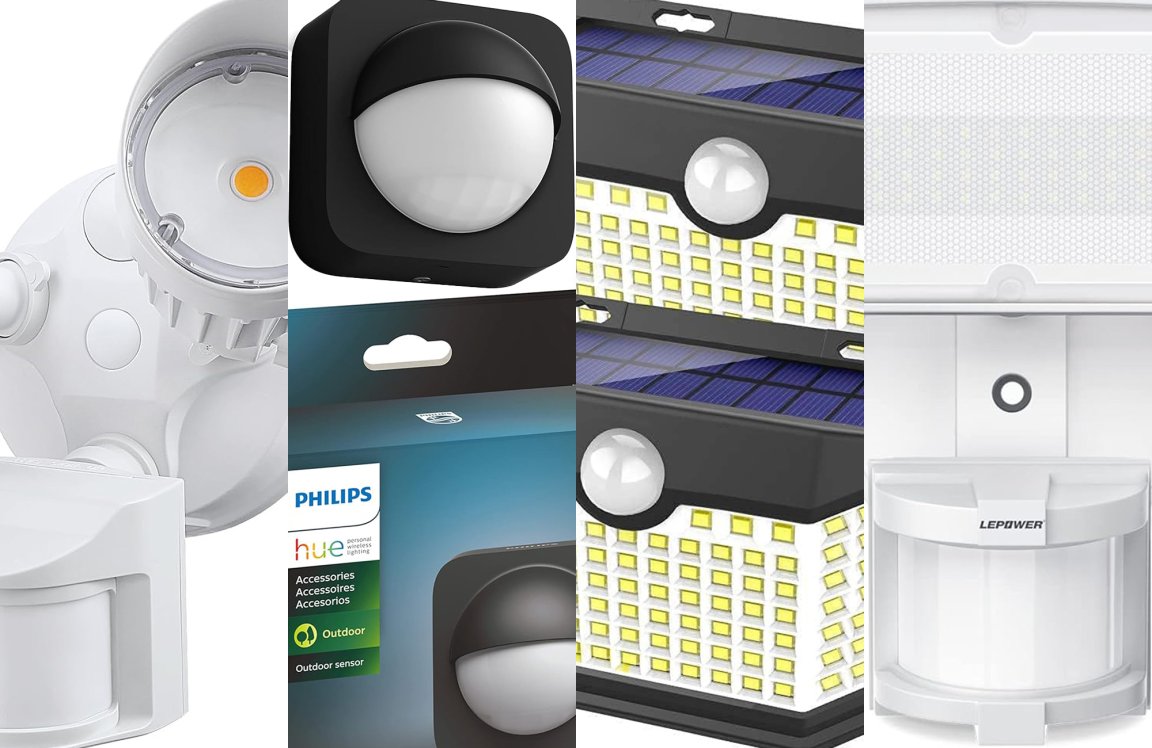
Understanding the types of motion sensor lights is important. Different models serve different purposes and settings. Let’s explore some common types of motion sensor lights available on the market.
Indoor Vs Outdoor Models
Indoor motion sensor lights are ideal for hallways and closets. They offer convenience and safety inside the home. Outdoor models are built to withstand weather. They provide security and visibility outside. Both types have unique features suited to their environment.
Battery-powered Lights
Battery-powered lights offer flexibility in installation. No wiring is needed, making them easy to place anywhere. They are great for areas without electrical outlets. However, batteries need regular checking and replacement. This ensures the lights function properly.
Hardwired Systems
Hardwired systems are permanent solutions. They connect directly to your home’s electrical system. This eliminates the need for battery changes. These systems are reliable for long-term use. They are ideal for outdoor security lighting, ensuring consistent operation.
Credit: blog.1000bulbs.com
Extending Light Activation Time
Extending the activation time of motion sensor lights helps keep areas well-lit longer. This can improve safety and convenience around your home or business. Adjusting how long the lights stay on is often simple and can be done in several ways. These options allow you to customize the light duration to fit your needs perfectly.
Timer Adjustment Tips
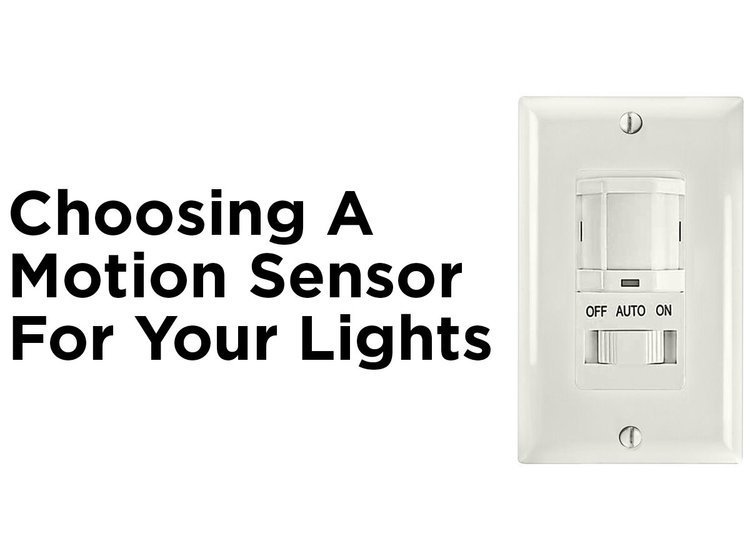
Most motion sensor lights have a built-in timer. This timer controls how long the light stays on after detecting movement. You can usually adjust this timer using a small dial or switch on the device.
- Turn the dial clockwise to increase the light duration.
- Turn it counterclockwise to decrease the time.
- Test different settings to find the best timing.
- Make small changes for precise control.
Setting the timer too long may waste energy. Too short can make the area too dark too soon.
Using External Controls
External controls offer more flexibility for light activation time. These controls can include wall switches, remote controls, or external timers.
- Wall switches let you manually override sensor settings.
- Remote controls allow you to change settings from a distance.
- External timers can set specific hours for lights to stay on.
This method is useful for situations where you want different lighting times at different hours.
Smart Sensor Integration
Smart sensors connect to your home network and offer advanced control. You can adjust light activation time using a smartphone app.
- Set customized schedules for different days and times.
- Control lights remotely from anywhere.
- Receive alerts when motion is detected.
- Integrate with other smart home devices.
Smart integration makes managing light duration easier and more efficient.
Common Issues With Light Duration
Motion sensor lights are designed to turn on and off based on movement, but the duration they stay lit can sometimes cause frustration. You might notice the light turning off before you’re done or staying on much longer than expected. Understanding common issues with light duration helps you adjust settings and improve your experience.
Lights Turning Off Too Quickly
One of the most common complaints is that motion sensor lights shut off too soon. This can happen if the timer is set too short or if the sensor loses track of your movement. Imagine walking slowly to your door, only to have the light go out halfway—annoying and unsafe.
Another reason could be the sensor’s sensitivity being too low, causing it to miss your presence after just a few seconds. Are you sure your light’s angle covers the entire area where you move? Sometimes, small adjustments can make a big difference.
Lights Staying On Too Long
On the flip side, lights sometimes stay on longer than needed, draining energy and reducing bulb life. This usually happens when the timer is set to a maximum duration or the sensor picks up constant movement like swaying trees or passing cars.
Have you noticed your light staying on during the night when there’s clearly no one around? This could also be due to outdated or dirty sensors that misinterpret environmental changes as motion.
Troubleshooting Tips
- Adjust the timer:Set the light duration to a time that fits your typical use, whether it’s 30 seconds or a few minutes.
- Check sensor placement:Make sure the sensor covers the right area and isn’t blocked by objects.
- Increase sensitivity:If the light turns off too quickly, try raising the sensor’s sensitivity to better detect movement.
- Clean the sensor:Dirt and dust can interfere with motion detection, so wipe the sensor regularly.
- Test different settings:Experiment with timer and sensitivity settings during different times of day to find the best balance.
Have you tried these fixes yet? Sometimes a small tweak can solve your motion light’s timing issues, making your space safer and more convenient.
Energy Efficiency Considerations
Energy efficiency plays a big role in how long motion sensor lights stay on. You want to avoid wasting power while keeping your space well-lit when needed. Thinking about energy use helps you save money and reduce your environmental impact.
Balancing Duration And Power Use
Setting the light duration too long can drain more energy than necessary. On the other hand, a very short duration might leave you fumbling in the dark. Finding the right balance means adjusting the timer based on your specific needs, like how often people pass by or the size of the area.
Ask yourself: how long do you really need the light on after motion is detected? Sometimes, 30 seconds is enough. In other cases, a few minutes might make more sense to avoid frequent switching on and off, which can also use extra energy.
Led Vs Traditional Bulbs
LED bulbs use far less energy than traditional incandescent or halogen bulbs. They also last much longer, which saves you money on replacements. Switching your motion sensor lights to LEDs can drastically cut down power consumption without sacrificing brightness.
Think about the quality of light too. LEDs often provide clearer, brighter illumination, which means you can use lower wattage bulbs effectively. This is a simple change that can boost energy efficiency immediately.
Motion Sensor Light Best Practices
- Position sensors to avoid detecting irrelevant motion like passing cars or animals, reducing unnecessary light activation.
- Clean the sensor lens regularly to ensure accurate detection and prevent false triggers.
- Use adjustable settings to fine-tune the sensor’s sensitivity and timer to your environment.
- Combine motion sensors with daylight sensors to keep lights off during the day, saving energy.
Have you noticed your lights turning on at odd times? Tweaking these settings can make a big difference. Smart use of your motion sensor lights means you get safety and convenience without wasting energy.
Credit: mrelectric.com
Frequently Asked Questions
How Long Do Motion Sensor Lights Typically Stay On?
Motion sensor lights usually stay on for 30 seconds to 5 minutes. This duration depends on the model and settings. Some lights allow you to customize the time. Adjusting the timer helps save energy and improves convenience.
Can I Adjust The Time Motion Sensor Lights Stay On?
Yes, most motion sensor lights have adjustable timers. You can set the light to stay on from a few seconds up to several minutes. Check your light’s manual for specific instructions on how to change the duration.
What Factors Affect Motion Sensor Light Duration?
The duration depends on the light’s timer setting, sensitivity, and power source. Environmental factors like temperature and motion frequency also influence how long the light stays on. Proper adjustment ensures optimal energy use and security.
Do Motion Sensor Lights Turn Off Automatically?
Yes, motion sensor lights turn off automatically after no movement is detected. This feature conserves energy and extends bulb life. The automatic shut-off time varies based on the timer setting.
Conclusion
Motion sensor lights usually stay on between 15 seconds and 5 minutes. You can adjust the time based on your needs. This helps save energy and keeps your space safe. Remember, different brands may have different settings. Check the manual or test your light to find the best time.
Using these lights makes your home more secure and convenient. Small changes to the timer can make a big difference. Keep your area well-lit only when needed. Simple, smart lighting works best.



