
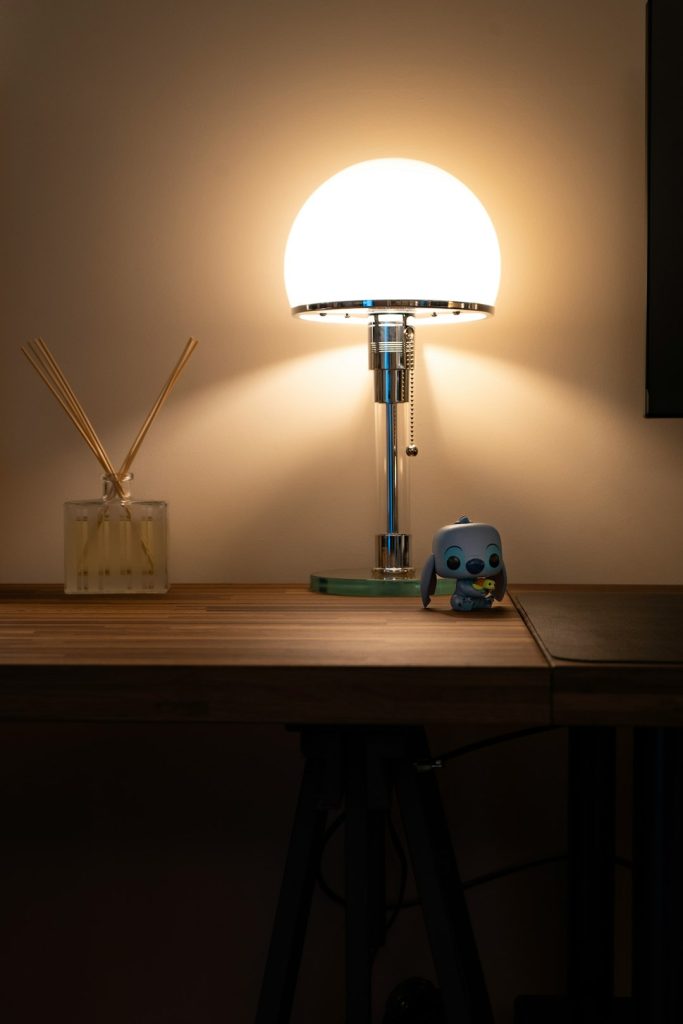
Is your touch desk lamp acting up when you need it most? It’s frustrating when a simple tap doesn’t turn your light on or off.
But before you rush out to buy a new one, there’s good news: you can fix it yourself. In this guide, you’ll discover easy steps to bring your touch lamp back to life. Imagine never having to fumble in the dark again or waste money on replacements.
Keep reading, and you’ll learn simple tricks that save you time, effort, and money—getting your lamp glowing just like new.
Credit: www.temu.com
Common Causes Of Power Failure
Power failure in your touch desk lamp can be frustrating, especially when you rely on it for late-night reading or work. Understanding what causes these failures can save you time and money. Let’s look at the common reasons why your lamp might suddenly stop working and how you can identify them.
Faulty Power Cord
Your lamp’s power cord is the main link between the lamp and electricity. If the cord is frayed, bent sharply, or has visible damage, it might not deliver power properly. Sometimes the cord feels warm or shows exposed wires—these are clear signs it needs replacement.
Try gently wiggling the cord near the plug or where it connects to the lamp. Does the light flicker or turn off? That’s a strong hint the power cord is faulty. You can test this with a multimeter or swap in a compatible replacement cord to see if that fixes the issue.
Damaged Touch Sensor
The touch sensor is the part you tap to switch the lamp on or off. Over time, it can wear out or lose sensitivity. If you tap and nothing happens, or it only works intermittently, the sensor might be damaged.
Sometimes dust or dirt on the sensor surface causes poor contact. Cleaning gently with a soft cloth can help. If cleaning doesn’t work, the sensor may need to be replaced, which is often a small and inexpensive fix.
Loose Internal Connections
Inside your lamp, wires connect the power source, touch sensor, and bulb socket. Over time, these connections can loosen due to movement or handling. A loose wire can interrupt power flow, making the lamp unresponsive.
If you feel comfortable opening the lamp base, check for any disconnected or wobbly wires. Tightening these connections can restore power without needing new parts. Just be sure to unplug the lamp before inspecting internal wiring to stay safe.
Burnt Out Bulb
Sometimes, the problem is as simple as a burnt out bulb. Even if the lamp’s power and sensor work perfectly, a dead bulb means no light. Check if the filament inside the bulb is broken or if the bulb looks darkened.
Replacing the bulb with a new one of the correct type and wattage is an easy fix. It’s surprising how often this straightforward solution is overlooked when troubleshooting a non-working lamp.

Credit: www.amazon.ca
Tools Needed For Repair
Fixing a touch desk lamp requires a few basic tools. Having the right tools makes the repair easier and safer. These tools help you check the lamp’s electrical parts and replace broken components.
Gathering these tools before starting saves time and avoids frustration. Each tool plays a specific role in the repair process.
Screwdrivers
Screwdrivers help open the lamp’s casing. Most lamps use small screws, so a set with different sizes is useful. A flathead and Phillips screwdriver cover most screw types. Using the right screwdriver prevents damage to screws and parts.
Multimeter
A multimeter tests the lamp’s electrical circuits. It measures voltage, current, and resistance. This tool helps find faulty wires or switches. It shows if electricity flows properly through the lamp. Without a multimeter, identifying electrical problems is hard.
Replacement Parts
Replacement parts fix broken or worn-out components. Common parts include switches, bulbs, and touch sensors. Check the lamp’s model to buy compatible parts. Using correct parts ensures the lamp works well after repair.
Insulation Tape
Insulation tape protects electrical connections. It prevents short circuits and electric shocks. Wrap tape around wires after fixing or replacing them. This keeps the lamp safe to use and stops wires from touching each other.
Safety Precautions Before Repair
Before you start fixing your touch desk lamp, taking the right safety precautions is crucial. Handling electrical devices can be risky if you overlook basic steps. Protecting yourself not only prevents accidents but also helps you focus better on the repair.
Unplugging The Lamp
Always unplug your lamp before touching any internal parts. It might seem obvious, but many accidents happen because the device is still connected to power. Double-check the plug and never rely solely on the lamp’s switch to cut power.
Working In A Dry Area
Make sure your workspace is completely dry. Water and electricity do not mix well, and even a small amount of moisture can cause shocks or damage your lamp. If you spilled any liquid nearby, clean it up and wait until the surface is dry before continuing.
Using Insulated Tools
Use tools with insulated handles to protect yourself from electrical shocks. Regular metal tools can conduct electricity, increasing the risk of injury. Having the right tools ready ensures you stay safe and work efficiently.
Step-by-step Repair Process
Repairing a touch desk top lamp can feel daunting, but with a structured approach, you can bring your lamp back to life. By following a systematic repair process, you’ll be able to identify the problem and fix it efficiently. Let’s dive into the detailed steps to get your lamp shining bright again.
Disassembling The Lamp Base
Start by unplugging the lamp to ensure safety. Carefully remove the screws at the bottom of the lamp base using a screwdriver. Once unscrewed, gently lift the base cover to access the internal components.
Inspecting And Testing The Power Cord
Examine the power cord for any visible signs of damage such as fraying or cuts. Use a multimeter to test the continuity of the cord to ensure it’s conducting electricity properly. If there’s any issue, replacing the cord is your best bet to restore functionality.
Checking The Touch Sensor Functionality
Locate the touch sensor, usually a small metallic strip or a separate unit inside the base. Test the sensor by gently tapping it while the lamp is plugged in to see if it responds. If the lamp doesn’t turn on or off, consider replacing the sensor or checking its connections.
Examining Internal Wiring Connections
Inspect the wiring connections inside the lamp for any loose or disconnected wires. Tighten any loose connections and ensure all wires are securely attached to their respective terminals. This step often resolves issues related to inconsistent lamp operation.
Replacing The Bulb And Components
Check the bulb to see if it’s burned out or damaged. Replace it with a new one that matches the lamp’s specifications. Additionally, if any other components appear worn out or faulty, replacing them can help restore the lamp to its original condition.
Have you ever considered how a small repair can lead to a big sense of accomplishment? Tackling this project might just light up more than your room!
Testing The Lamp After Repair
Testing the lamp after repair is crucial to ensure it works properly. It confirms the fix and avoids future issues. Take your time to check every function carefully. This step helps guarantee safety and reliability for daily use.
Reassembling The Lamp
Put all parts back carefully in their correct places. Tighten screws without forcing them. Make sure wires are not pinched or loose. The lamp should look like it did before the repair. Avoid leaving any parts out or misplaced.
Plugging In And Powering On
Connect the lamp to a power outlet. Use a working socket to avoid confusion. Turn on the lamp using the main switch if it has one. Watch for any unusual sounds or smells. These could signal a wiring problem or a faulty component.
Verifying Touch Sensor Response
Lightly touch the lamp’s sensor area to test it. The lamp should turn on or off immediately. Try multiple taps to check consistency. If it doesn’t respond, check connections again. A responsive sensor means your repair was successful.

Credit: www.amazon.com.au
Tips To Prevent Future Issues
Preventing future issues with your touch desk lamp is easier than fixing it after a breakdown. Small habits can extend the life of your lamp and keep it functioning smoothly. Let’s look at practical ways to avoid common problems before they start.
Regular Cleaning
Dust and dirt can interfere with the lamp’s touch sensor. Clean your lamp regularly using a soft, dry cloth to remove buildup. Avoid harsh chemicals that might damage the surface or internal parts.
Have you noticed your lamp acting up after a long dusty day? Keeping it clean not only improves its look but also maintains its sensitivity and performance.
Avoiding Overloading
Check the wattage of the bulb you use and don’t exceed the lamp’s recommended limit. Using a bulb with too high wattage can cause overheating and damage the lamp’s electronics.
Think about how often you upgrade bulbs without checking the specs. Sticking to the right wattage saves you money and hassle in the long run.
Proper Handling And Storage
Handle your touch lamp gently, especially when moving or adjusting it. Rough handling can loosen internal connections or damage the touch sensor.
If you store the lamp during moves or seasons, wrap it carefully in bubble wrap or soft cloth. Proper storage prevents physical damage that might cause malfunctions later.
Frequently Asked Questions
How Do I Reset A Touch Desk Lamp?
To reset a touch desk lamp, unplug it first. Wait 30 seconds, then plug it back in. Touch the base several times to recalibrate the sensor.
Why Is My Touch Lamp Not Turning On?
Your touch lamp might have a faulty sensor or a blown bulb. Check the bulb and replace it if necessary. Also, ensure the lamp is properly plugged in.
Can I Fix A Flickering Touch Desk Lamp?
Yes, flickering often results from a loose bulb or poor connection. Tighten the bulb and check the power cord for damages. Replace parts if needed for a stable light.
How To Clean A Touch Desk Lamp Safely?
Unplug the lamp before cleaning. Use a soft, dry cloth to wipe the lamp. Avoid water or liquid cleaners on electrical parts to prevent damage.
Conclusion
Fixing a touch desk lamp can save money and reduce waste. Start by checking the power source and connections. Clean the lamp’s base and sensor for better response. Replace any faulty parts carefully. Small steps often solve common problems. With patience, your lamp will work like new again.
Keep these tips handy for future issues. This simple guide makes repairs easy for everyone. Don’t give up—your lamp can shine bright once more.



