
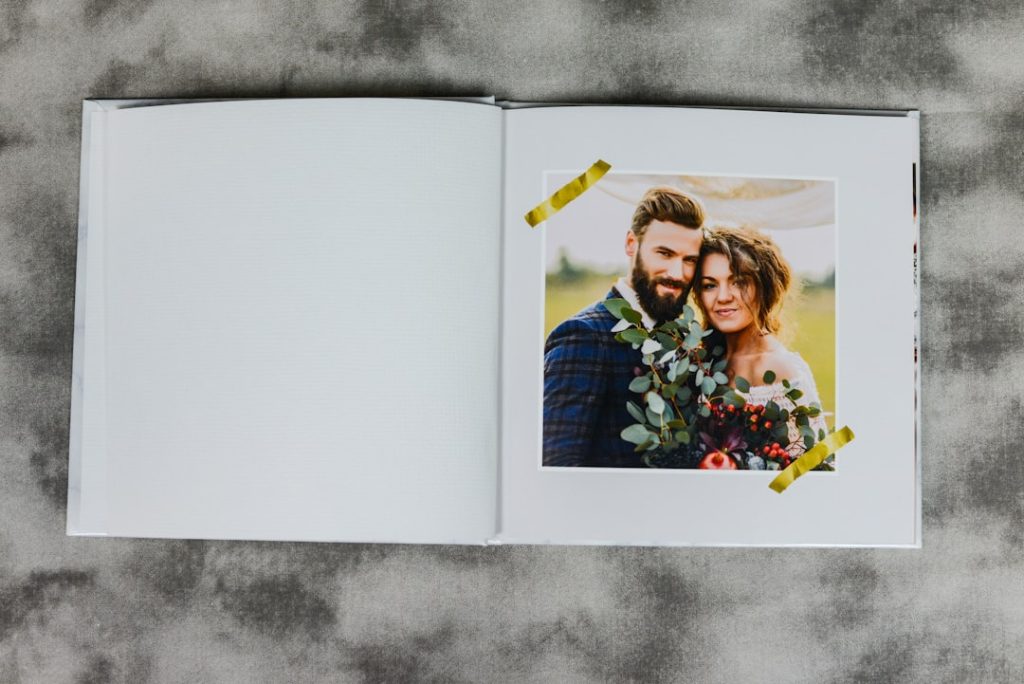
Did you get the photos printed? Think about those special moments captured on your phone or camera.
They hold memories, emotions, and stories that deserve more than just sitting in a digital album. When was the last time you held a physical photo in your hands? Printing your photos can bring your memories to life in a way screens never will.
You’ll discover why printing your photos matters and how it can change the way you experience your most treasured moments. Keep reading—you’ll want to see what you’ve been missing.
Credit: x.com
Choosing The Right Paper
Choosing the right paper affects how your photos look and last. Glossy paper brings vibrant colors, while matte offers a soft finish. Consider the photo’s purpose to pick the best option.
Choosing the right paper for printing photos makes a big difference. The paper you select affects the look and feel of your photos. It can enhance colors, details, and longevity. Let’s explore the options available.Glossy Vs Matte Finish
Glossy paper offers vibrant colors and sharp details. It adds a shiny, professional look to your photos. Ideal for portraits and landscapes. Matte finish, by contrast, provides a more muted tone. It reduces glare and fingerprints. Perfect for black-and-white photos or art prints. Each finish serves a different purpose.Paper Weight And Texture
Paper weight influences the durability of your prints. Heavier paper gives a sturdy feel. Lighter paper is more flexible. Texture adds a unique touch. Smooth paper is sleek and modern. Textured paper offers a tactile experience. Choose based on the effect you desire.Archival Quality Options
Archival paper ensures long-lasting prints. It resists fading and discoloration. Made from acid-free materials. Ideal for preserving precious memories. Consider this option for family albums or important events. Archival quality keeps your prints looking fresh.Optimizing Image Quality
Optimizing image quality ensures your printed photos look sharp and vibrant. It requires attention to details like resolution, color, and editing. Each factor affects the final print result.
Resolution And Dpi Settings
Resolution is the number of pixels in an image. Higher resolution means more detail and clarity. DPI stands for dots per inch and controls print sharpness. A DPI of 300 is ideal for photo printing. Lower DPI can cause blurry or pixelated prints. Check your image resolution before printing. Resize images carefully to keep quality high.
Color Calibration Tips
Colors on screen may differ from printed colors. Calibrate your monitor to match printer output. Use calibration tools or software for accuracy. Adjust brightness, contrast, and color balance. Print a test photo to see how colors appear. Make small tweaks until colors look natural in print.
Editing For Print
Edit photos to enhance their print quality. Crop images to focus on the subject. Remove blemishes or distractions using simple tools. Increase sharpness slightly to improve details. Avoid over-editing; it can degrade quality. Save files in formats like TIFF or high-quality JPEG for printing.
Selecting The Best Printer
Choosing the right printer can make a huge difference in how your photos turn out. It’s not just about having a machine that prints; it’s about getting vibrant colors, sharp details, and prints that last. Let’s break down the key points to consider so you can pick a printer that fits your photo printing needs perfectly.
Inkjet Vs Laser Printers
Inkjet printers are often the first choice for photo printing. They handle color gradients and subtle details better, giving you richer and more accurate images.
Laser printers, on the other hand, are faster and cost-effective for text-heavy documents but usually don’t match the color depth of inkjets. If you prioritize photo quality over speed, an inkjet is likely your best bet.
Have you noticed how some photos look dull or washed out when printed? That’s usually due to the type of printer and ink used.
Printer Brands To Consider
Certain brands have built strong reputations for photo printing quality and reliability. Canon and Epson often lead the pack for photographers who want sharp, colorful prints.
HP also offers solid options, especially for those balancing photo printing with everyday document needs.
- Canon:Known for excellent color accuracy and wide color gamut.
- Epson:Offers printers with multiple ink cartridges for detailed color control.
- HP:Great for a mix of photo and general use with user-friendly interfaces.
Think about what features matter most to you — is it color fidelity, ease of use, or speed? Your choice may vary depending on these priorities.
Maintenance And Ink Choices
Maintaining your printer can be a pain if you’re not prepared. Regular cleaning and using the right type of ink help prevent clogs and color issues.
Inkjet printers usually require specialized photo inks that can be pricey but deliver superior results. Some printers use dye-based ink for vibrant colors, while others use pigment-based ink for longer-lasting prints.
Consider the cost of replacement cartridges and how easy it is to find them. Would you prefer a printer with refillable ink tanks to save money over time? These factors affect both your wallet and print quality in the long run.

Credit: m.youtube.com
Preparing Files For Printing
Preparing files for printing ensures your photos look their best on paper. This step involves choosing the right file type, adjusting the size, and setting proper margins. Taking time here prevents common printing issues like blurry images or cut-off edges. Clear files produce sharp, vibrant prints that capture every detail.
File Formats That Work Best
Select a file format that keeps image quality high. JPEG is common and widely accepted but compresses data, which can reduce quality slightly. TIFF and PNG keep images sharp without compression loss, ideal for professional prints. Save your files in the highest resolution possible to avoid pixelation.
Cropping And Sizing
Crop photos to fit the print dimensions exactly. Avoid stretching images, which causes distortion. Use photo editing software to set the correct size in inches or centimeters. Match the resolution to at least 300 dots per inch (DPI) for clear details. Proper sizing ensures your photo prints without unexpected borders or cuts.
Bleed And Margins
Include bleed areas to prevent white edges after trimming. A bleed extends the image slightly beyond the final cut size. Set margins inside the image to keep important parts safe from being cut off. Printers usually require at least 0.125 inches (3 mm) of bleed and margins. Check printer guidelines to prepare files correctly.
Using Professional Printing Services
Using professional printing services elevates your photos beyond digital screens. Printed photos hold memories in a tangible form. They can decorate spaces and create personal gifts. Choosing the right service impacts print quality and satisfaction. Understanding different options helps you pick the best fit for your needs.
Online Vs Local Shops
Online printing services offer convenience and a wide range of products. You upload photos and receive prints at home. Local shops provide personal service and quick pickup. They allow you to see samples and discuss options face-to-face. Both have strengths depending on your priorities.
- Online shops: easy ordering, wide choices, home delivery
- Local shops: immediate help, hands-on proofing, faster turnaround
Cost Vs Quality Tradeoffs
Price often affects print quality. Lower-cost prints may use cheaper paper or inks. Higher quality prints last longer and show colors better. Balance budget with your photo’s purpose. Special occasions might deserve premium prints. Everyday snapshots can be fine with basic options.
| Cost | Quality | Best For |
|---|---|---|
| Low | Basic | Casual prints, quick sharing |
| Medium | Good | Family albums, gifts |
| High | Excellent | Wall art, professional portfolios |
Custom Options And Finishes
Professional printers offer many ways to customize prints. You can choose paper types like matte, glossy, or textured. Special finishes include UV coating and metallic sheens. Custom sizes fit unique frames or albums. Borders and color corrections enhance the final look.
- Paper types: matte, glossy, luster, fine art
- Finishes: UV coating, metallic, pearl
- Sizes: standard, square, panoramic, custom cut
- Extras: borders, mounting, lamination

Credit: www.snapfish.com
Storing And Displaying Prints
Storing and displaying your printed photos is just as important as capturing the perfect shot. Proper care ensures your memories stay vivid and last for years. How you protect and showcase your prints can also turn them into beautiful decor pieces that reflect your personality.
Protecting Prints From Damage
Photos can easily get damaged by sunlight, moisture, and dust. Keep your prints away from direct sunlight to avoid fading. Store them in acid-free albums or boxes to prevent yellowing and deterioration.
Handling prints with clean, dry hands or cotton gloves reduces the risk of fingerprints and smudges. Consider using protective sleeves made of polyester or polyethylene for extra safety. Have you checked if your storage materials are photo-safe?
Framing Tips
Choosing the right frame can enhance the look of your prints dramatically. Use UV-protective glass or acrylic to shield your photos from harmful light. Make sure the frame has a backing that prevents dust and moisture from getting inside.
Matting your prints not only adds a professional touch but also stops the photo from sticking to the glass. Pick a mat color that complements the photo without overpowering it. Think about the room’s style and color scheme when selecting frames.
Creative Display Ideas
Why limit your photos to just walls? Try hanging a string of prints with clips for a casual, rotating gallery. Use a corkboard or magnetic board to create an interactive photo display you can update anytime.
Arrange prints in a collage or grid pattern for a modern look. You can also place framed photos on shelves mixed with books and plants to add warmth to your space. What unique way will you choose to bring your favorite moments to life?
Frequently Asked Questions
Why Should I Print Photos Instead Of Keeping Digital Copies?
Printed photos create tangible memories, easier to share and display. They protect against digital loss or corruption. Physical prints add sentimental value and enhance home decor. Printing photos also encourages preserving special moments in a more personal, lasting way.
What Are The Best Ways To Print High-quality Photos?
Use professional photo labs or online printing services for best results. Choose the right paper type like glossy or matte. Ensure image resolution is at least 300 DPI. Avoid printing from low-quality files to maintain sharpness and color accuracy.
How Can I Organize Printed Photos Effectively?
Sort photos by date, event, or theme. Use labeled albums, photo boxes, or scrapbooks for easy access. Digital backup of scanned prints is recommended. Organizing preserves memories and makes sharing simpler and more enjoyable.
Are Printed Photos More Durable Than Digital Ones?
Printed photos last decades if stored properly, away from light and moisture. Digital files risk corruption, accidental deletion, or outdated formats. Physical prints offer a reliable backup and a nostalgic connection to memories.
Conclusion
Printed photos keep memories alive beyond digital screens. Holding a photo brings back feelings fast. Photos on your walls or albums tell your story well. They make moments real and easy to share with others. Don’t let special times stay only on your phone.
Printing photos adds a personal touch to your space. It also helps you enjoy memories without needing Wi-Fi or devices. Take a moment to print your favorite pictures today. Keep your memories close, clear, and ready to smile at anytime.



