
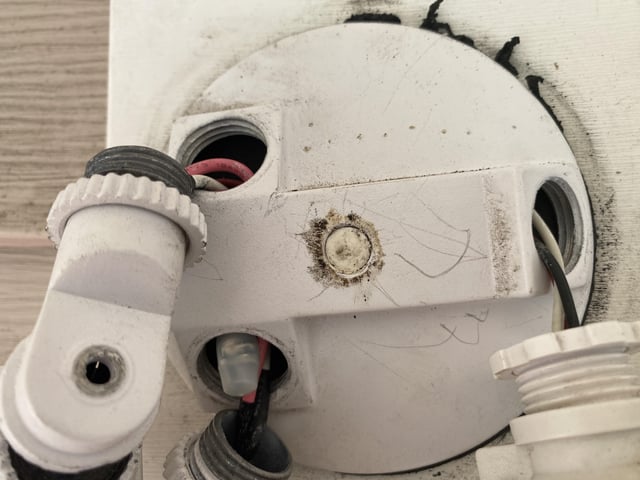
Are your motion sensor lights turning on at the wrong times? Maybe they’re lighting up your yard when you don’t want them to, or draining your energy with constant flickering.
If you’re looking for a simple way to take control and deactivate these lights, you’re in the right place. You’ll discover easy steps to switch off your motion sensor lights quickly and safely. Keep reading, and you’ll learn how to stop unwanted lighting and save energy without any hassle.
Types Of Motion Sensor Lights
Motion sensor lights come in various types, each working in a unique way. Knowing the type helps to deactivate them correctly. The main types include infrared sensors, microwave sensors, and dual-technology sensors. Each type has its strengths and works best in different settings.
Infrared Sensors
Infrared sensors detect body heat and movement. They sense changes in infrared radiation around the light. These sensors are common in outdoor lights and security systems. They activate lights when a warm object moves nearby.
Microwave Sensors
Microwave sensors send out microwave signals and detect movement by changes in the reflected waves. They cover a wider area than infrared sensors. These sensors can detect motion through walls or objects. They are very sensitive and react to small movements.
Dual-technology Sensors
Dual-technology sensors use both infrared and microwave detection. They reduce false alarms by requiring both sensors to detect motion. This makes them more reliable and accurate. These sensors are ideal for places with many moving objects, like trees or cars.

Credit: www.reddit.com
Reasons To Deactivate Motion Lights
Motion sensor lights offer convenience and security. Yet, there are times to turn them off. Understanding why helps manage their use better. Deactivating these lights can solve common issues and improve your environment.
Preventing False Alarms
Motion lights can trigger without real threats. Pets, passing cars, or even wind can cause false alarms. Constant activation may annoy neighbors and waste your time. Turning off the sensor stops these unwanted light flashes. It keeps your home peaceful and reduces distractions.
Saving Energy
Motion sensors save energy by lighting only when needed. Still, they can use power unnecessarily if triggered often. Deactivating them during low-risk times cuts energy use. This lowers your electricity bills and helps the environment. It’s a simple way to be more energy wise.
Avoiding Light Pollution
Bright lights at night affect wildlife and people’s sleep. Motion sensor lights can add to this problem if left on too much. Turning them off reduces glare and sky brightness. It helps keep natural darkness and supports healthy ecosystems. Light control makes your neighborhood more comfortable.
Basic Steps To Turn Off Motion Sensors
Turning off motion sensor lights can be simple once you understand the key areas to focus on. Whether you want to save energy, avoid unwanted triggers, or just prefer manual control, knowing the basic steps helps you take charge quickly. Let’s break down how to deactivate these sensors by focusing on where to find them, how to use the power controls, and adjusting sensitivity settings.
Locating The Sensor
First, find the motion sensor on your light fixture. Sensors usually look like small, round domes or rectangular boxes attached near the light. Sometimes, they can be hidden behind a plastic cover or integrated into the main light housing.
Take a moment to inspect the area around your light carefully. Have you ever missed the sensor because it blended into the fixture? Once you spot it, you’re one step closer to turning it off.
Using The On/off Switch
Many motion sensor lights come with a simple on/off switch that controls the sensor’s activation. This switch might be on the fixture itself or inside the control panel on the wall.
Try toggling the switch to the “off” position to disable the sensor. If you want the light to stay on continuously without sensing motion, this switch is often the quickest solution.
Adjusting The Sensitivity Settings
If your goal is to reduce false triggers rather than turning the sensor off completely, adjusting the sensitivity can help. Most motion sensors feature a dial or buttons to control how much movement activates the light.
Lowering the sensitivity means only bigger or closer movements will turn the light on. Have you noticed your light flickering at night because of passing cars or animals? Tweaking sensitivity settings might stop that without losing all motion detection.
Credit: homekitautomationtips.com
Advanced Methods To Disable Motion Activation
Adjusting the sensor’s sensitivity or changing its detection range can stop motion activation. Covering the sensor with tape or repositioning the light also helps deactivate motion sensor lights effectively.
Deactivating motion sensor lights can be a game-changer for those who find them more of a nuisance than a convenience. Whether it’s the constant flicker distracting your evening relaxation or the unwanted illumination of a garden party, learning advanced methods to disable motion activation can put you back in control. Let’s dive into some practical ways to manage these sensors effectively.Covering The Sensor Lens
Sometimes, the simplest solution is the most effective. By covering the sensor lens, you can prevent it from detecting motion altogether. Use a piece of electrical tape or a small cloth to obstruct the lens. Make sure it’s secure but easily removable in case you need to reactivate it. This method is quick and doesn’t require any technical expertise. Just ensure you don’t damage the sensor in the process.Disconnecting The Sensor Wiring
Feeling adventurous? Disconnecting the sensor wiring is a more permanent solution. Locate the wiring connected to the motion sensor, often found behind a panel or within the light fixture. Carefully unscrew the panel and identify the sensor wires, usually distinct in color or labeled. Once identified, disconnect them with caution. This method requires some basic understanding of electrical systems, so proceed carefully or consult a professional if unsure.Using Timers Or Smart Controls
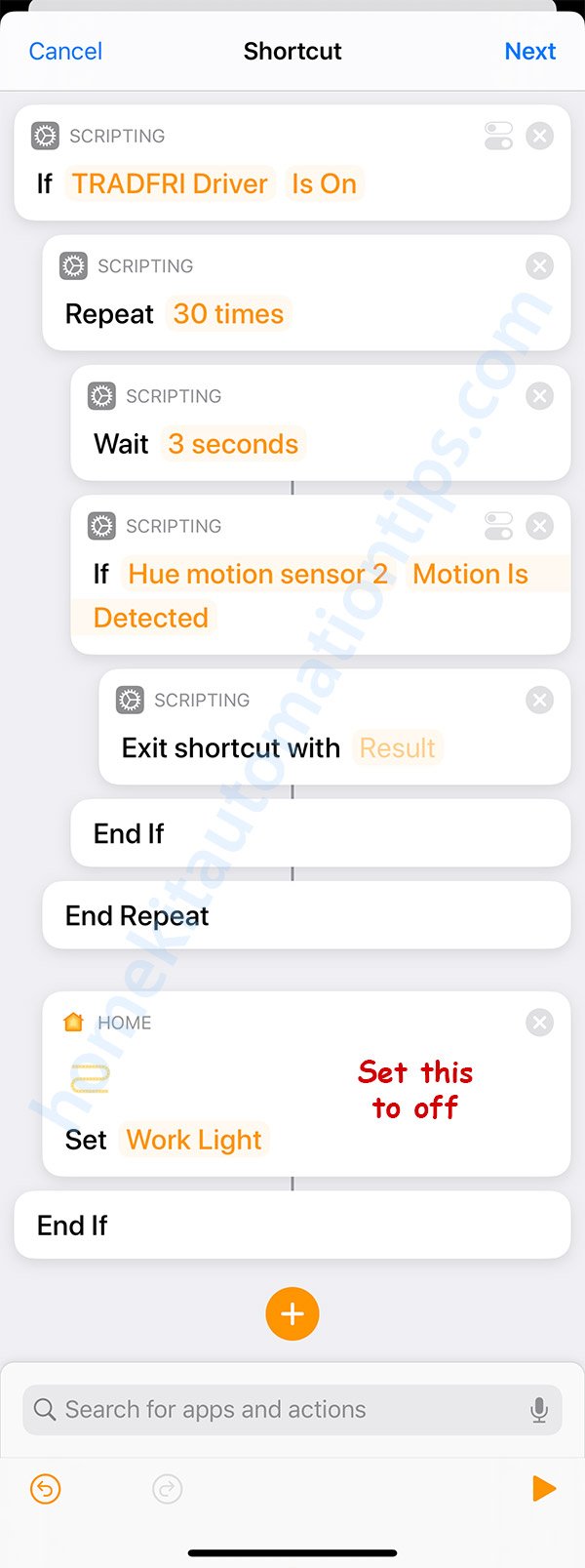
Incorporating technology can add convenience and flexibility. Smart controls or timers allow you to manage when the lights are active without disabling them entirely. Install a smart switch compatible with your light fixture, allowing you to schedule activation times via a smartphone app. Alternatively, a basic timer can be set to deactivate the motion sensor during hours when it’s unnecessary. This approach not only solves the issue but also adds an element of automation to your home lighting system.Safety Tips When Handling Motion Lights
Handling motion sensor lights requires care. These devices connect to electricity and move parts. Safety measures protect you from shocks and damage. Follow key tips to stay safe while adjusting or deactivating these lights.
Power Off Before Adjustment
Always turn off the power before touching the light. Switch off the circuit breaker or unplug the device. Confirm there is no electricity flowing to avoid shocks. Never work on motion lights while they are powered on.
Using Proper Tools
Use the right tools to avoid injury or damage. Insulated screwdrivers and pliers protect against electric shocks. Avoid using metal tools without insulation. Handle the light gently to prevent breaking sensitive parts.
Consulting Professionals
Call an electrician if unsure about the process. Professionals have experience and proper equipment. They ensure the work is safe and correct. Avoid risks by asking for expert help when needed.
Troubleshooting Common Issues
Troubleshooting common issues with motion sensor lights can save you time and frustration. These lights are designed to be simple, but sometimes they don’t behave as expected. Understanding the reasons behind common problems helps you fix them quickly and avoid unnecessary replacements.
Sensor Not Responding
If your motion sensor light doesn’t react when you walk by, first check the power source. Is the light plugged in properly or is the battery charged? Sometimes the sensor lens gets dirty or covered by debris, which blocks detection.
Try cleaning the sensor with a soft cloth. Also, consider if the sensor angle is right—adjusting it slightly can make a big difference. Have you noticed any recent changes around the sensor’s field of view? Even new furniture or plants can interfere.
Light Staying On Constantly
When the light never turns off, it could mean the sensor is picking up constant motion or heat. Pets moving around or nearby heaters can trigger the light nonstop. Another cause is incorrect sensitivity settings; the sensor might be set too high.
Lower the sensitivity and observe if the light behaves better. Also, check if the timer settings are appropriate. Sometimes a reset to factory settings clears glitches that cause this problem.
Interference From Other Devices
Electronic devices nearby can confuse motion sensors. Wireless routers, cordless phones, or security cameras sometimes emit signals that interfere with your light’s sensor. Have you placed your motion sensor too close to such devices?
Try relocating either the sensor or the interfering device to create some distance. If moving them isn’t possible, shielding the sensor with a small barrier might help. Noticing when the light acts up can also reveal the source of interference.

Credit: www.amazon.ca
Frequently Asked Questions
How Do I Turn Off Motion Sensor Lights Temporarily?
To turn off motion sensor lights temporarily, locate the sensor’s switch or control panel. Use the manual override or disable option to stop activation. This allows you to keep the lights off while maintaining sensor functionality for later use.
Can I Deactivate Motion Sensor Lights Permanently?
Yes, you can permanently deactivate motion sensor lights by switching off the sensor or disconnecting the power source. Some models allow you to remove or cover the sensor to stop detection. Always follow manufacturer instructions to avoid damage or safety issues.
Why Won’t My Motion Sensor Light Turn Off?
A motion sensor light may not turn off due to sensor sensitivity settings, faulty wiring, or environmental factors like heat or sunlight. Adjust sensor settings or check for obstructions. If problems persist, consult a professional electrician for repairs.
How Do I Adjust Motion Sensor Light Sensitivity?
Adjust the sensitivity by using the sensor’s dial or control panel. Lower sensitivity reduces false triggers from small animals or distant movement. Follow the user manual for precise adjustments tailored to your environment.
Conclusion
Deactivating motion sensor lights is simple and quick. You only need to adjust the settings or switch off the power. This helps save energy and avoid unwanted light activation. Remember to read your light’s manual for specific steps. Doing this can improve your home’s comfort and security.
Try these tips to control your motion sensor lights easily.



