
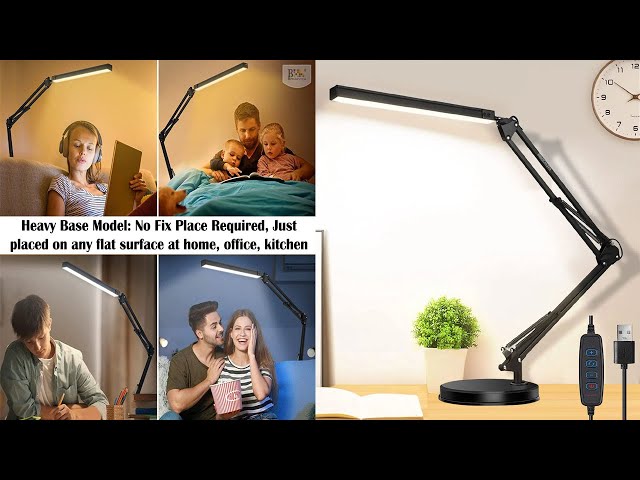
Is your articulated desk lamp wobbling, flickering, or just not working right? You rely on that lamp every day to light up your workspace, so when it breaks, it can be really frustrating.
But don’t rush to buy a new one just yet. Fixing your desk lamp might be easier than you think. In this guide, you’ll discover simple steps to bring your lamp back to life—saving you time, money, and hassle. Keep reading to find out how you can get your light shining bright again.
Common Issues With Articulated Desk Lamps
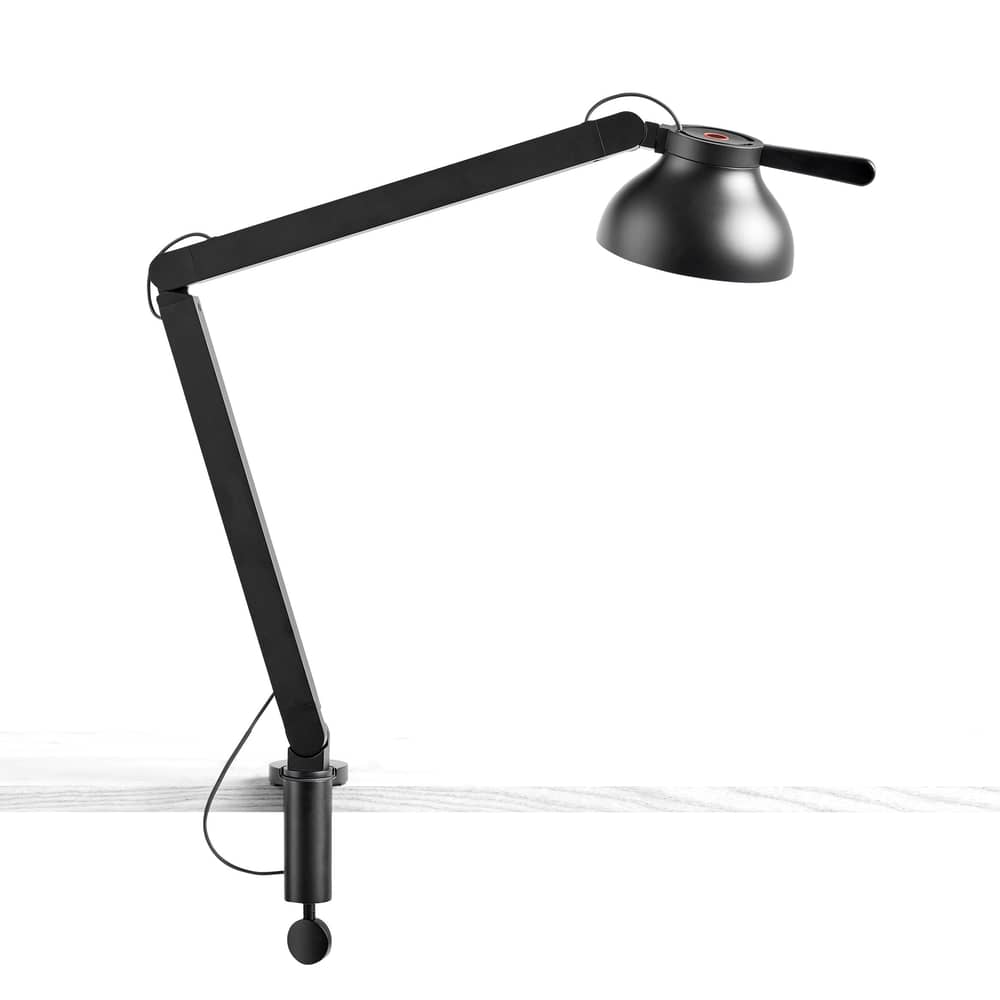
Articulated desk lamps offer great flexibility and focused lighting. They often face a few common issues that affect their performance and usability. Knowing these problems helps in quick repairs and better maintenance. This section covers the main troubles found in articulated desk lamps.
Loose Joints And Arms
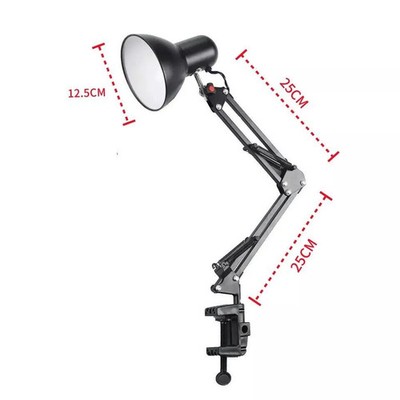
Loose joints cause the lamp to droop or not hold position. Over time, screws and bolts can wear out or loosen. This reduces stability and makes adjusting the lamp difficult. Tightening screws or replacing worn parts can restore proper function. Check all joints regularly to keep the lamp steady.
Electrical Problems
Electrical issues can stop the lamp from turning on or cause flickering. Faulty wiring or a broken switch often leads to this. Worn-out cords pose safety risks and need replacement. Testing with a multimeter helps find electrical faults. Repair or replace damaged parts to ensure safe operation.
Bulb And Socket Issues
A burnt-out bulb is a common reason a lamp won’t light. The socket may also fail to connect properly with the bulb. Corrosion or dirt inside the socket can block electrical contact. Cleaning or changing the socket and using compatible bulbs solves these problems. Always handle bulbs carefully to avoid damage.
Credit: www.madeindesign.co.uk
Tools Needed For Repairs
Before you start fixing your articulated desk lamp, gathering the right tools can make the process smoother and less frustrating. Having everything at hand helps you stay focused and avoid unnecessary trips to the hardware store. It also ensures you can tackle both mechanical and electrical issues confidently.
Basic Hand Tools
You’ll need a few simple hand tools to handle the screws, bolts, and joints typical of articulated desk lamps. A set of screwdrivers, both flathead and Phillips, is essential since lamp components often use different screw types.
- Adjustable wrench:Helps tighten or loosen nuts on joints and bases.
- Pliers:Useful for gripping small parts or bending metal pieces gently.
- Allen keys (hex keys):Some lamps use hex screws that require these tools.
- Utility knife:Handy for stripping wires or trimming insulation.
These tools help you dismantle and reassemble the lamp without damaging delicate parts. Do you have a multi-tool lying around? It might already include most of these essentials.
Electrical Repair Supplies
Fixing the wiring or electrical connections inside your desk lamp calls for some specific supplies. Even if you’re not an electrician, having these items ready will keep your repair safe and reliable.
- Wire strippers:Designed to strip insulation cleanly without cutting the wire strands.
- Electrical tape:Provides insulation and secures wire connections.
- Soldering iron and solder:Optional but useful for making strong, permanent electrical joins.
- Replacement bulbs and sockets:Sometimes the problem is as simple as a burnt-out bulb or faulty socket.
- Multimeter:Helps you check if power is reaching the lamp and if wires are connected properly.
Have you ever tried fixing something electrical without a multimeter? It’s like navigating in the dark. Investing in one can save you time and give you peace of mind.
Fixing Loose Joints And Arms
Loose joints and arms can make your articulated desk lamp a frustrating tool rather than a helpful one. If you find yourself constantly adjusting it only for it to droop or fail to hold position, it’s time to take action. Fixing these issues doesn’t require a toolbox full of expert tools, just a bit of patience and the right steps.
Tightening Screws And Bolts
Check the screws and bolts first. They are often the culprits when parts of the lamp become loose. Use a screwdriver or an Allen wrench, depending on the type of fasteners your lamp uses.
- Locate all the joints and connections. Usually, these are at the base, mid-arm, and lamp head.
- Tighten each screw and bolt. Make sure not to over-tighten as this might strip the threads or damage the lamp parts.
Feel the difference immediately. Your lamp should hold its position better. If it still feels unstable, consider the next steps.
Replacing Worn Out Parts
Inspect the parts closely. Over time, plastic washers or rubber rings can wear out. These are important for maintaining friction in joints.
- Identify any worn parts that might need replacing. You can often find replacements at hardware stores or online.
- Swap out the old parts for new ones. Ensure they fit snugly to provide the necessary resistance.
This small change can drastically improve your lamp’s stability. Notice how it stays in place with minimal effort.
Lubricating Moving Components
Friction can cause components to wear out faster. Lubricating these parts can extend their life and improve movement.
- Apply a small amount of lubricant to moving parts. Silicone spray or light machine oil works well.
- Move the lamp back and forth to distribute the lubricant evenly. Wipe away any excess to prevent dust accumulation.
Feel how smoothly the lamp moves now. Imagine the ease of adjusting it to your preferred angle without a struggle.
By taking these simple steps, you can breathe new life into your articulated desk lamp. Why let a loose lamp be a distraction? Take a moment to fix it, and enjoy the light exactly where you need it.

Credit: www.amazon.com.au
Resolving Electrical Issues
Electrical issues are a common reason why an articulated desk lamp might stop working. Fixing these problems often requires a careful look at the lamp’s power source and internal wiring. Understanding how to spot and repair these faults can save you money and keep your lamp shining bright.
Checking The Power Cord And Plug
Start by examining the power cord and plug closely. Look for visible damage like cuts, frays, or exposed wires. Sometimes, a simple bend or twist can cause the cord to lose connection internally.
Try plugging the lamp into a different outlet to rule out socket problems. If the plug feels loose or the lamp flickers, the plug itself might need replacement. Remember, a damaged power cord can be dangerous, so don’t ignore signs of wear.
Inspecting And Replacing Switches
The switch controls power flow, and a faulty one can make your lamp unresponsive. Test the switch by toggling it on and off several times; a consistent response is a good sign. If the lamp doesn’t turn on or off properly, the switch might be the culprit.
Replacing the switch is usually straightforward. You’ll need to open the lamp base carefully, disconnect the old switch, and attach a new one with matching specifications. A smooth click when switching is what you want to hear after replacement.
Testing And Repairing Wiring
Wiring inside the lamp can wear out or become loose over time. Use a multimeter to test for continuity in the wires and connections. If you find a break or weak spot, you can strip back the wire insulation and re-solder or reconnect it securely.
Pay special attention to joints near moving parts, as these areas are prone to stress and damage. Fixing wiring issues might seem tricky at first, but taking your time and double-checking your work can bring your lamp back to life.
Replacing Bulbs And Sockets
Replacing bulbs and sockets in your articulated desk lamp is often the quickest way to restore its full function. A burnt-out bulb or a faulty socket can leave your workspace in the dark, but fixing these parts is usually straightforward. Let’s look at how to choose the right bulb, remove and install it safely, and handle socket repairs or replacements effectively.
Choosing The Right Bulb
Not every bulb fits every lamp. Check the lamp’s label or manual for the recommended bulb type and wattage. Using the wrong bulb can cause overheating or damage the lamp’s wiring.
Consider the light quality you want. LEDs offer energy efficiency and long life, while incandescent bulbs provide warm light but consume more power. Have you thought about whether you prefer a soft, warm glow or a bright, daylight effect for your workspace?
Removing And Installing Bulbs
Before you start, always unplug the lamp to avoid electric shock. Let the bulb cool down if it was recently on—hot bulbs can burn your fingers. Gently twist or pull the bulb out, depending on the socket type.
When installing the new bulb, avoid touching the glass with your fingers. Oils from your skin can shorten the bulb’s life. Use a clean cloth or gloves for a better grip and cleaner handling.
Repairing Or Replacing Sockets
If your lamp flickers or doesn’t light up after changing the bulb, the socket could be the issue. Inspect the socket for signs of damage like corrosion or loose connections. A multimeter can help you check if the socket is delivering power correctly.
Replacing a socket requires some basic wiring skills. Disconnect the lamp from power, carefully remove the old socket, and attach the new one following the wiring colors. If wiring seems confusing, don’t hesitate to ask for professional help—safety is key.
Safety Tips During Repairs
Repairing your articulated desk lamp can be satisfying, but safety must come first. Ignoring basic precautions can lead to electric shocks or damage to your lamp. Knowing how to protect yourself during repairs helps you work confidently and avoid costly mistakes.
Unplugging Before Starting
Always unplug your lamp before you touch any part of it. Even if the lamp seems off, electricity can still flow through the wiring. Unplugging cuts power completely, reducing the risk of electric shock.
Have you ever rushed to fix something and forgot this simple step? Taking that extra moment to disconnect power saves you from potential harm and frustration later on.
Using Proper Protective Gear
Wear gloves to protect your hands from sharp edges and possible electric shocks. Safety glasses are also a good idea to shield your eyes from dust or small debris. These simple items create a barrier between you and unexpected hazards.
If you don’t have specialized gloves, clean, dry rubber gloves can help insulate against electricity. Think of your protective gear as your first line of defense—not an option, but a necessity.
Handling Electrical Components Safely
Handle wires and electrical parts carefully, avoiding any force that could damage insulation or connectors. Use insulated tools designed for electrical work to minimize risk. Never touch exposed wires with bare hands.
Check for damaged wires before you start; frayed or cracked insulation can cause shorts or shocks. Ask yourself: Is this component safe to touch? If you hesitate, it’s better to replace or consult a professional.
Maintenance Tips To Prevent Future Issues
Keeping your articulated desk lamp in top shape can save you from unexpected breakdowns and costly repairs. Simple maintenance routines can extend its lifespan and keep it working smoothly. Let’s look at some practical tips to help you avoid future issues and keep your lamp shining bright.
Regular Cleaning
Dust and dirt can build up on your lamp’s joints and electrical parts, causing it to function poorly. Wipe the lamp regularly with a soft, dry cloth to remove dust. Avoid using harsh chemicals that might damage the finish or electrical components.
Don’t forget to clean the lampshade and bulb area gently. Dust here can reduce light output and cause overheating. When was the last time you gave your lamp a quick wipe-down?
Periodic Tightening Of Joints
The joints in your articulated lamp can loosen over time, making it difficult to keep the lamp in position. Check each joint every few weeks and tighten any loose screws or bolts. This simple step ensures your lamp stays stable and adjustable.
Using the right screwdriver or Allen key helps avoid stripping screws. Have you noticed your lamp drooping or not holding position as well as before? Tightening those joints might be all it needs.
Routine Electrical Checks
Electrical issues can be dangerous and cause your lamp to stop working. Regularly inspect the power cord for cracks, frays, or exposed wires. If you spot any damage, replace the cord immediately to prevent electrical hazards.
Also, test the switch and bulb socket for signs of wear or poor connection. Is your lamp flickering or turning off unexpectedly? These could be clues that some electrical parts need attention.
Credit: www.ebay.com
Frequently Asked Questions
How Do I Fix A Loose Joint On An Articulated Desk Lamp?
To fix a loose joint, tighten the screws or bolts carefully. Use pliers or a screwdriver to secure the joint firmly. If parts are worn out, replace them to restore stability and smooth movement of the lamp arm.
Why Is My Articulated Desk Lamp Flickering?
Flickering often indicates a loose bulb or faulty wiring. Check the bulb and ensure it’s screwed in properly. Inspect the cord and switch for damage. Replacing the bulb or repairing wiring usually solves flickering issues.
How Can I Replace The Bulb In An Articulated Desk Lamp?
First, unplug the lamp for safety. Unscrew the lamp shade or cover. Remove the old bulb gently and insert a new one with the correct wattage. Reassemble the cover and test the lamp.
What Tools Are Needed To Repair An Articulated Desk Lamp?
Basic tools include a screwdriver, pliers, replacement bulbs, and electrical tape. You might also need a multimeter to check electrical connections. Having these tools ready ensures quick and effective repairs.
Conclusion
Fixing an articulated desk lamp can save time and money. Start by checking the power source and bulbs. Tighten loose joints carefully to restore movement. Replace broken parts with the right tools. Test the lamp after each step to ensure it works.
Small fixes often make a big difference. Keep your lamp steady and bright for better work or study. Regular care helps the lamp last longer. Now, you can enjoy your lamp’s light without trouble. Simple steps, clear results.



