
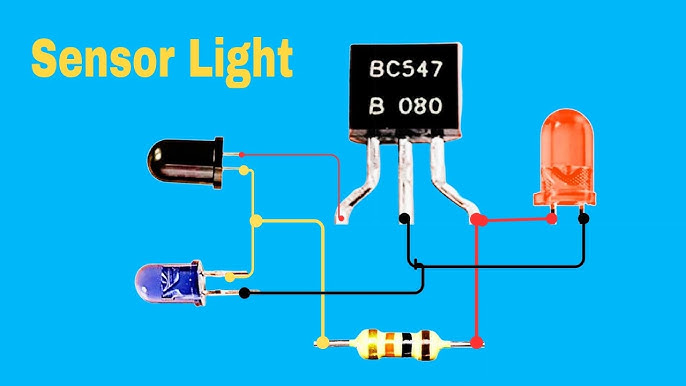
Are you tired of fumbling for the light switch in the dark? Installing a light motion sensor can change that instantly.
Imagine your lights turning on automatically the moment you enter a room—no more wasted energy, no more hassle. In this guide, you’ll learn exactly how to install a light motion sensor quickly and safely, even if you’re not a tech expert.
Keep reading, and you’ll have your home smarter and more convenient in no time.

Credit: www.youtube.com
Choosing The Right Sensor
Choosing the right motion sensor is a crucial first step before you install a light motion sensor. The sensor you pick affects how well your lighting works and how much energy you save. Understanding the different types, features, and compatibility options helps you make a smart choice that fits your needs perfectly.
Types Of Motion Sensors
There are a few common types of motion sensors you can choose from, each working differently to detect movement.
- Passive Infrared (PIR) Sensors:These detect heat emitted by people or animals. They are reliable indoors and in low-light conditions.
- Ultrasonic Sensors:These send out sound waves and measure the reflection to sense motion. They work well in complex spaces but might react to moving objects like curtains.
- Microwave Sensors:These emit microwave pulses and detect movement from the reflected waves. They cover larger areas but can sometimes trigger false alarms through walls.
- Dual-Technology Sensors:These combine two types, such as PIR and microwave, to reduce false triggers and increase accuracy.
Which sensor type suits your space best? Think about the environment and how sensitive you want the detection to be.
Sensor Features To Consider
Look for features that enhance convenience and effectiveness. Adjustable sensitivity is important so you can control how much motion triggers the light.
Time delay settings allow you to decide how long the light stays on after detecting motion. Some sensors include daylight sensors that prevent lights from turning on during the day, saving energy.
Also, consider the sensor’s detection range and angle. A wider range covers more space but may increase false triggers. Have you checked if the sensor can be angled or positioned to focus on specific areas?
Compatibility With Your Lighting
Not all motion sensors work with every type of light bulb or fixture. Check the voltage and wattage ratings to ensure they match your lighting setup.
Some sensors are designed specifically for LED, CFL, or incandescent bulbs. Using the wrong type can cause flickering or reduce the sensor’s lifespan.
Also, consider whether your lights are indoor or outdoor. Outdoor sensors need to be weatherproof to handle rain, dust, and temperature changes.
Have you thought about how your sensor’s power source integrates with your existing wiring? Some sensors work with batteries, while others require direct wiring.
Gathering Tools And Materials
Before installing a light motion sensor, gather all needed tools and materials. Having everything ready saves time and avoids interruptions. It also ensures a smooth and safe installation process.
Prepare your workspace by collecting all items. Check the sensor’s package for specific parts. Use the right tools to avoid damage and secure fittings properly.
Essential Tools List
- Phillips and flathead screwdrivers
- Drill with drill bits
- Wire strippers and cutters
- Voltage tester or multimeter
- Measuring tape
- Electrical tape
- Wire nuts or connectors
- Level tool
Safety Gear Recommendations
- Insulated gloves to prevent electric shock
- Safety glasses to protect your eyes
- Dust mask if drilling into walls
- Closed-toe shoes for foot safety
- Work clothes that cover arms and legs
Preparing The Installation Site
Choose a dry, clean spot free from obstructions for the sensor. Ensure the area has easy access to power and good visibility. Clear away dirt and debris to secure proper sensor function.
Preparing the installation site for a light motion sensor is crucial. A well-prepared site ensures optimal performance and longevity. This guide helps you choose the best location and set up correctly.Selecting The Ideal Location
Choose a spot where the sensor covers maximum area. Avoid placing it near trees or objects that sway. This prevents false triggers. Check that the location is within the sensor’s range.Checking Power Sources
Ensure a nearby power source for the sensor. If using solar-powered sensors, check for direct sunlight. This ensures they charge properly. For wired sensors, verify the reach of the wiring.Ensuring Proper Height And Angle
Mount the sensor at the right height. Typically, 6 to 10 feet from the ground. Angle it downward to cover the desired area. This increases its ability to detect movement accurately.
Credit: www.homezoneliving.com
Wiring The Sensor
Wiring the light motion sensor is a crucial step for proper function. It involves handling electrical wires carefully and making secure connections. Follow the instructions to ensure safety and efficiency.
Turning Off Power Safely
Before starting, switch off the power at the main circuit breaker. Use a voltage tester to confirm no electricity flows to the wires. This step prevents electric shocks and accidents.
Never skip turning off the power. Safety is the top priority during wiring tasks.
Connecting Wires Correctly
Identify the sensor wires: usually live, neutral, and ground. Match each wire with the corresponding one in your home’s wiring.
- Connect the live wire from the sensor to the live wire in the circuit.
- Attach the neutral sensor wire to the circuit’s neutral wire.
- Link the ground wire from the sensor to the grounding wire in the circuit.
Use wire nuts or connectors made for electrical wiring. Twist wires together firmly before securing the nuts.
Securing The Connections
After wiring, tuck the wires neatly into the electrical box. Avoid pinching or bending wires sharply.
Double-check all wire nuts are tight and secure. Loose connections can cause flickering or failure.
Use electrical tape around wire nuts for extra safety. Close the sensor’s cover properly to protect the wiring.
Mounting The Sensor
Mounting the light motion sensor correctly is crucial for it to work effectively. The position and stability of the sensor directly affect its detection range and reliability. Taking time to mount it right can save you from frequent adjustments and missed detections later on.
Using Mounting Brackets
Most motion sensors come with mounting brackets designed to make installation easier. These brackets allow you to adjust the sensor angle precisely, so it covers the intended area without blind spots.
Before attaching the bracket, test different sensor positions by holding it in place. This helps you find the optimal height and angle for detecting movement without triggering false alarms from pets or passing cars.
- Choose a bracket that matches your sensor model for a snug fit.
- Use a level to ensure the bracket is straight on walls or ceilings.
- Mark screw holes clearly before drilling to avoid mistakes.
Securing The Sensor Firmly
Once the bracket is fixed, attach the sensor firmly to avoid any wobbling. Even small movements can affect its sensitivity and cause inconsistent triggering.
Use the screws provided with your sensor or brackets, and double-check that they are tight. If you’re mounting on a rough surface, consider using wall anchors for extra support.
Have you noticed your sensor giving false readings after a windy day or a heavy door slam? Securing it firmly prevents these issues and keeps your sensor working smoothly over time.
Testing And Adjusting Settings
Testing and adjusting your light motion sensor ensures it works correctly and meets your needs. Proper setup helps avoid false triggers and saves energy. This stage lets you fine-tune the sensor’s performance for your space.
Powering On And Initial Test
Start by turning on the power to the sensor. Watch for indicator lights or sounds showing it is active. Walk in front of the sensor to check if the light turns on. Make sure the sensor detects motion within its basic range.
Adjusting Sensitivity And Range
Use the sensor’s controls to set how far it can detect movement. Increase sensitivity to catch small motions or lower it to avoid false alarms. Test the sensor by moving slowly or quickly in the detection area. Adjust until it responds as needed without turning on too often.
Setting Light Duration And Timers
Set how long the light stays on after detecting motion. Choose a shorter time to save power or longer if you need more light. Some sensors allow setting different times for day and night. Use these settings to customize the light’s behavior for your routine.
Troubleshooting Common Issues
Troubleshooting common issues with light motion sensors helps keep them working properly. Problems often arise from simple causes. Identifying these problems quickly saves time and effort. This guide covers frequent issues and fixes to get your sensor running smoothly again.
Sensor Not Detecting Motion
Check the sensor’s position. It should face the area with movement. Avoid obstacles like furniture or plants blocking its view. Clean the sensor lens gently to remove dust or dirt. Verify the sensor’s detection range matches the space size. Adjust sensitivity settings to a higher level if available. Ensure the sensor has power and is properly connected.
Light Staying On Continuously
Inspect the timer settings controlling how long the light stays on. Reduce the time if it is too long. Confirm the sensor is not too close to heat sources or bright lights. These can cause the sensor to stay active. Test the sensor at night or in low light. Replace the sensor if it remains on despite adjustments.
False Alarms And How To Fix Them
False alarms occur due to moving objects like trees or pets. Change the sensor angle to avoid detecting unwanted movement. Lower the sensitivity to prevent minor motions from triggering the light. Check for electrical interference from nearby devices. Use a shield or cover to limit the sensor’s field. Regular maintenance and cleaning reduce false triggers.

Credit: www.youtube.com
Maintenance Tips
Keeping your light motion sensor in top shape ensures it responds accurately and lasts longer. Maintenance isn’t just about fixing problems—it’s about preventing them before they start. Let’s look at some practical tips to help you keep your sensor working smoothly all year round.
Regular Cleaning
Dirt, dust, and spider webs can block the sensor’s lens and reduce its effectiveness. Use a soft cloth or a gentle brush to clean the sensor surface every few weeks. Avoid harsh chemicals; warm water and mild soap usually do the trick.
Have you noticed your light turning on late or not at all? Cleaning the lens might be the simple fix you need.
Seasonal Adjustments
Changes in daylight and weather can affect how your sensor detects motion. During winter, when daylight is shorter, you might want to adjust the sensitivity or timer settings. Summer’s longer days and different sun angles might require recalibration as well.
Check the sensor settings as seasons change to avoid unexpected light behavior that could waste energy or leave areas dark when you need them most.
Replacing Components When Needed
Even the best sensors wear out over time. Watch for signs like flickering lights, inconsistent triggering, or no response at all. Replace batteries regularly if your model uses them, and consult the manufacturer’s guide for swapping out faulty parts.
Don’t wait until the sensor fails completely. A quick replacement can save you time and keep your space safe and well-lit.
Frequently Asked Questions
What Tools Do I Need To Install A Light Motion Sensor?
You need a screwdriver, wire stripper, voltage tester, and electrical tape. Safety gloves and a ladder may also help. Ensure the power is off before starting installation to avoid electrical hazards.
How Do I Connect Wires For The Motion Sensor?
Match the sensor wires with your home’s wiring: typically black to live, white to neutral, and red to the load. Use wire nuts to secure connections and wrap with electrical tape for safety.
Where Is The Best Place To Install A Motion Sensor Light?
Install the sensor 6-10 feet above ground, facing the area needing coverage. Avoid direct sunlight or heat sources to prevent false triggers. Ensure the sensor’s detection zone covers entry points or high-traffic areas.
How Can I Adjust The Sensitivity Of The Motion Sensor?
Most sensors have a sensitivity dial or switch. Turn it to increase or decrease detection range. Test adjustments by walking within the sensor’s field to ensure optimal performance without false alarms.
Conclusion
Installing a light motion sensor can save energy and improve security. Follow each step carefully for the best results. Test the sensor after installation to ensure it works well. Adjust the settings to fit your space and needs. Regular checks help keep the sensor running smoothly.
Enjoy the convenience of hands-free lighting in your home. This simple upgrade makes a big difference every day.



