
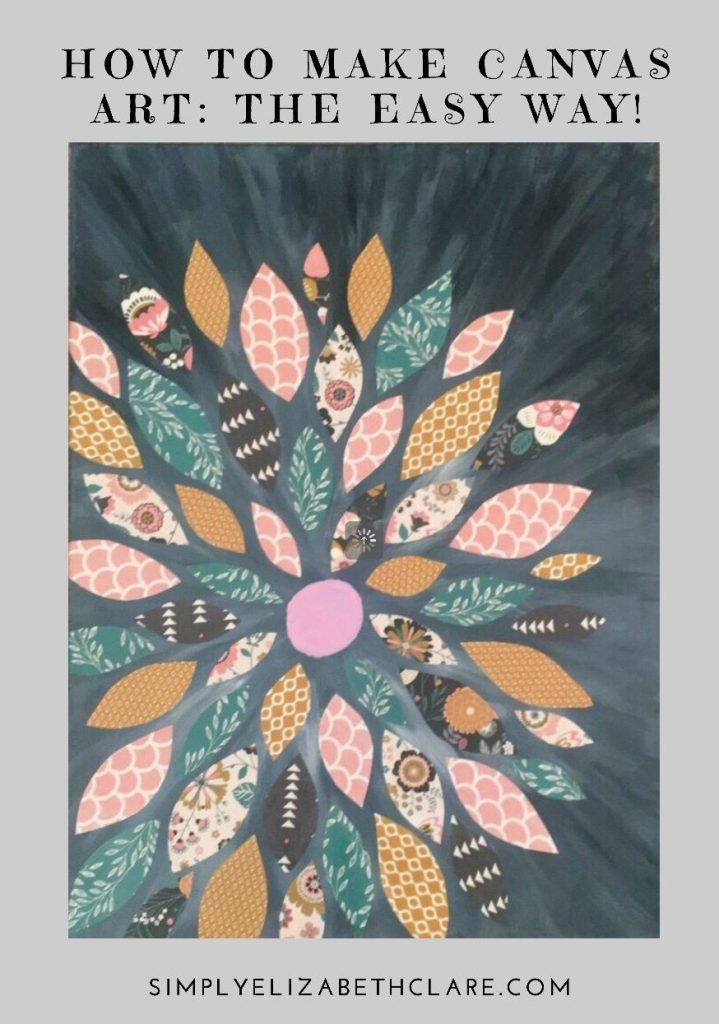
Want to create a stunning poster on canvas but don’t know where to start? You’re in the right place.
Making a poster on canvas is easier than you think, and it can add a personal touch to your space or event. Imagine turning your favorite photo or design into a beautiful piece of art that lasts. You’ll discover simple, step-by-step tips to make your own canvas poster quickly and with confidence.
Keep reading, and by the end, you’ll have the know-how to create something truly impressive.
Choosing The Right Canvas Size
Selecting the perfect canvas size is vital for poster creation. It ensures clarity and attractiveness. A well-chosen size enhances the visual impact and communicates the message effectively.
Choosing the right canvas size is crucial in poster design. It influences the overall impact and visual appeal. A well-chosen size ensures your message stands out effectively.Understanding Standard Canvas Sizes
Standard sizes are common for a reason. They fit typical display areas. Popular sizes include 11×17 inches and 18×24 inches. These are great for events or advertisements. Always consider where the poster will be displayed.Custom Sizes For Unique Projects
Custom sizes offer flexibility. They allow you to tailor the poster to specific needs. This is useful for unique spaces or specific design elements. Measure your display area carefully. Ensure the canvas size complements the location.Factors Influencing Canvas Size Choice
Several factors affect size choice. Consider the distance from which the poster will be viewed. Larger sizes suit distant viewing. Smaller sizes work for close-up displays. Think about the content and its visual hierarchy too.Impact Of Canvas Size On Design Elements
The canvas size directly impacts design elements. Larger canvases allow more detailed graphics. Smaller canvases require concise messaging. Balance text, images, and whitespace for optimal readability. Each element should enhance the poster’s purpose.Practical Tips For Selecting Canvas Size
Consider the poster’s purpose. Is it informative or decorative? Match the size to its goal. Check printing options and costs. Larger sizes might be more expensive. Test different sizes digitally before finalizing. This helps visualize the end result.Selecting A Catchy Design Theme
Choosing a catchy design theme sets the tone for your poster on canvas. It grabs attention and communicates your message clearly. A good theme connects with your audience at first glance. Keep the theme simple but memorable.
Focus on colors, shapes, and styles that match your purpose. Think about the mood you want to create. Bright colors bring energy. Soft tones feel calm. Bold fonts show strength. Curvy lines add a playful touch.
Selecting Colors That Pop
Pick colors that stand out but do not clash. Use a color wheel to find matching or contrasting shades. Limit your palette to three or four colors for balance. Bright colors attract eyes, while muted tones suit serious topics.
Choosing Fonts For Readability
Use clear fonts that are easy to read from a distance. Avoid fancy or overly decorative fonts. Mix one bold font for headings with a simple font for details. Make sure the size fits the space well.
Incorporating Visual Elements
Add images or icons that support your message. Use simple graphics instead of busy pictures. Shapes and lines can guide the viewer’s eye. Keep visual elements aligned and balanced.
Matching Theme To Audience
Think about who will see your poster. Choose a style they will like and understand. For kids, use fun and bright designs. For business, keep it professional and clean. Tailoring the theme helps your poster connect better.
Gathering Essential Materials
Before you start creating your poster on canvas, gathering the right materials is crucial. The quality and type of supplies you choose will directly affect the final look and durability of your poster. Knowing exactly what you need helps avoid last-minute trips to the store and keeps your creative flow uninterrupted.
Choosing The Right Canvas
The canvas is the foundation of your poster. Pick a size that fits your intended space and purpose. If you want a vibrant and detailed poster, opt for a smooth, primed canvas that holds paint or markers well.
Think about texture too—do you prefer a rougher feel that adds character, or a sleek surface for clean lines? I once tried using a rough canvas and found it hard to get sharp details, so I switched to a smoother one for better control.
Gathering Painting And Drawing Supplies
Decide what medium you’ll use: acrylic paints, markers, or colored pencils. Acrylics dry fast and are great for bold colors, while markers offer precision for text and fine details. Colored pencils work well for subtle shading but might not be as vibrant.
Make sure to have brushes or applicators that match your medium. A mix of brush sizes helps—you’ll want a fine brush for details and a larger one for background fills.
Essential Tools And Accessories
Besides canvas and colors, gather tools like rulers, stencils, and masking tape. These help keep your design neat and aligned. Masking tape, for example, can create clean edges or protect areas you don’t want to paint.
Don’t forget a palette for mixing colors and a cup of water for cleaning brushes. Having everything within reach makes your work smoother and more enjoyable.
Selecting The Right Workspace
Your workspace impacts how well you can focus and manage your materials. Choose a well-lit, ventilated area with enough room to spread out your supplies. I find natural light boosts my color perception and keeps me energized while working.
Consider protective coverings for your table and floor. It keeps cleanup easy and prevents accidental damage to your furniture.
Sketching Your Poster Layout
Sketching your poster layout is the foundation of a powerful design. It helps you organize your ideas visually and prevents last-minute confusion. A well-planned sketch guides your creativity and saves time when you start painting on the canvas.
Understanding The Purpose Of Your Poster
Ask yourself what message you want your poster to deliver. Is it meant to inform, advertise, or inspire? Knowing the goal will shape your layout choices and decide where text and images should go.
Before sketching, pick the canvas size that fits your purpose. Larger canvases allow for more detail but require more space. Smaller ones are easier to handle but limit the amount of information you can include.
Creating A Rough Outline
Start with light pencil lines to block out where key elements will sit. Draw boxes for images, spaces for titles, and areas for text. This rough draft helps you see if your ideas fit well together.
Balancing Text And Images
Think about how much space your text needs compared to visuals. Too much text can overwhelm, while too many images might distract from the message. Aim for a clear hierarchy to guide the viewer’s eye smoothly.
Adding Visual Flow
Use arrows or lines to indicate how you want people to move through the poster. A good flow keeps viewers engaged and ensures they see everything in the right order. Have you ever ignored a poster because it felt confusing? Avoid that by planning flow carefully.
Refining Your Sketch
After the first draft, step back and review your layout. Does it communicate the message clearly? Make adjustments by moving elements around or resizing them until it feels balanced and effective.
Applying Base Colors
Applying base colors is an important part of making a poster on canvas. It sets the tone and mood for the entire design. Choosing the right colors helps your images and text stand out clearly. It creates a balanced and attractive background that supports your message.
Start with broad, even strokes to cover large areas quickly. This creates a smooth foundation for details later. Use colors that match your poster’s theme and style. Soft, neutral colors work well for calm designs. Bright, bold colors add energy and grab attention.
Choosing The Right Base Color
Select colors that fit your poster’s purpose. Consider the emotions the colors evoke. Blue feels calm and trustworthy. Red conveys excitement and urgency. Green suggests nature and growth. Pick a shade that complements your main images or text.
Preparing Your Canvas
Make sure your canvas surface is clean and dry. Use a primer if needed to improve paint adhesion. A white or light primer helps colors stay vibrant. Let the primer dry completely before adding base colors.
Applying Paint Evenly
Use a large brush or roller for quick, even coverage. Paint in one direction to avoid streaks. Thin layers dry faster and prevent clumps. Wait for the first layer to dry before adding more paint. Smooth, uniform coverage creates a professional look.
Blending Base Colors
Mix two or more colors to create gradients or subtle changes. Blend colors while the paint is still wet for smooth transitions. Use a clean brush or sponge to soften edges. This technique adds depth and interest to the background.
Credit: www.adobe.com
Adding Text And Graphics
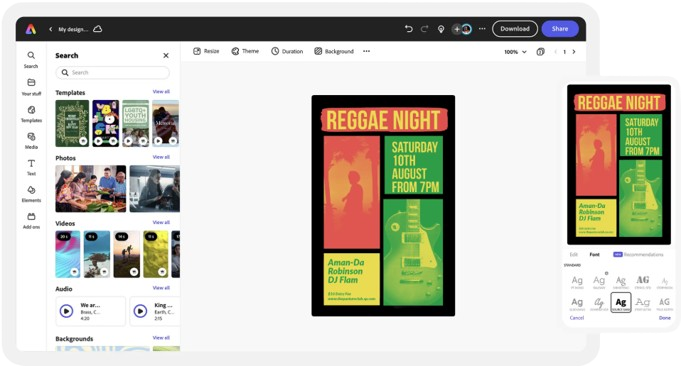
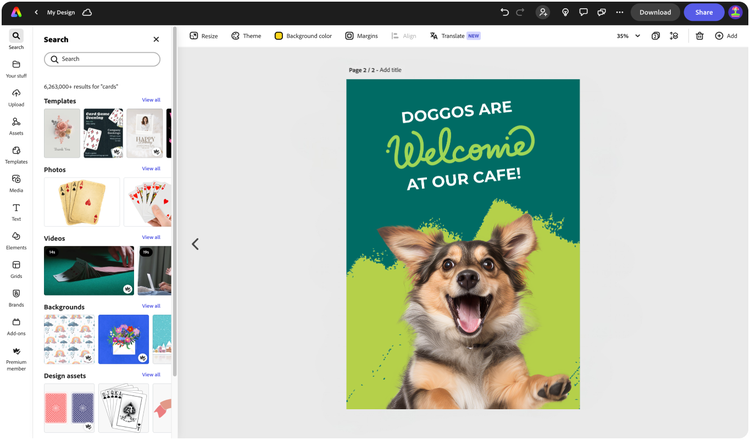
Adding text and graphics to your poster on Canva gives it personality and clarity. Text helps communicate your message clearly. Graphics make the design eye-catching and interesting.
Both elements work together to create a balanced and attractive poster. Keep the layout simple. Choose fonts and images that fit your poster’s purpose. Make sure the text is easy to read and the graphics support your message.
Choosing The Right Fonts
Select fonts that match your poster’s mood. Use bold fonts for titles and simple fonts for body text. Avoid using too many different fonts. Two or three font styles are enough.
Make sure the font size is big enough. The title should be the largest. Subheadings and details can be smaller but still clear.
Placing Text Effectively
Position text where it catches attention. Center titles at the top or middle. Keep body text aligned for easy reading. Leave enough space around text to avoid clutter.
Use text boxes to move text freely. Adjust spacing between lines and letters for better look. Avoid placing text over busy backgrounds.
Adding Graphics And Images
Choose graphics that support your message. Use Canva’s library for icons, shapes, and photos. Upload your own images for a personal touch.
Resize graphics to keep balance. Don’t let images overpower text. Use frames or filters to blend graphics with the design.
Combining Text And Graphics
Mix text and graphics to create harmony. Place graphics near related text for context. Use contrasting colors for text and background.
Try layering text over transparent shapes to improve readability. Arrange elements to guide the viewer’s eye through the poster.
Using Stencils And Tools
Using stencils and tools can transform your canvas poster from basic to bold with precision and flair. They help you create clean lines, shapes, and patterns that might be tricky to do freehand. Whether you’re a beginner or have some experience, these aids make your creative process smoother and more enjoyable.
Choosing The Right Stencils For Your Design
Pick stencils that match your poster’s theme and size. Larger stencils work well for backgrounds or big shapes, while smaller ones add detailed touches. Don’t hesitate to combine multiple stencils for a layered effect that adds depth to your artwork.
Think about the material of the stencil too. Plastic stencils are durable and easy to clean, while cardboard ones are cheaper but less reusable. If you want a custom look, try making your own stencil from acetate sheets—this gives you full control over your design.
Essential Tools To Use Alongside Stencils
Brushes and sponges are your best friends when working with stencils. Use a stencil brush with stiff bristles for controlled dabbing, which prevents paint from bleeding under the edges. Sponges offer a softer, textured finish that can bring interesting effects to your poster.
Masking tape is another tool to keep close. It secures your stencil in place, avoiding shifts that could blur your design. A craft knife is handy if you want to modify or cut new stencils, giving you even more flexibility.
Tips For Perfect Application And Cleanup
Apply paint in thin layers to avoid drips and smudges. Dab gently and build up the color gradually rather than applying too much at once. After finishing, clean your stencils immediately with warm soapy water to keep them reusable for your next project.
Have you ever tried lifting a stencil too soon and ended up with a messy edge? Waiting until the paint is just dry to the touch can save you from that frustration. Practice patience—it’s a small step that makes a big difference in your poster’s polish.
Incorporating Visual Effects
Adding visual effects to your canvas poster can transform a simple design into a captivating piece of art. These effects draw attention, highlight key elements, and create a mood that resonates with your message. Let’s look at how you can use them effectively without overwhelming your design.
Using Shadows And Highlights To Add Depth
Shadows and highlights give your poster a three-dimensional feel. Adding a subtle drop shadow behind text or images can make them stand out from the background. Similarly, highlights can emphasize important parts and guide the viewer’s eye.
Think about the last poster you saw that caught your attention—was it flat or did it have some depth? Experiment with shadow angles and opacity to find the perfect balance that enhances readability without creating clutter.
Playing With Color Overlays
Color overlays can unify your design and set the overall tone. Using semi-transparent layers of color can soften harsh images or add a tint that matches your theme. You don’t need complex tools; even simple color blocks with adjusted transparency can work wonders.
Try layering different colors and adjusting their opacity. Which combinations evoke the mood you want? This approach also helps in making text more legible when placed over busy backgrounds.
Adding Texture For A Tactile Feel
Textures create a sense of touch and make your poster feel more alive. Adding a canvas, paper, or fabric texture can give your digital poster an organic look. You can find free texture images online or create your own by photographing real materials.
Apply textures sparingly to avoid distraction. Use blending modes like “multiply” or “overlay” to integrate textures smoothly. How could a subtle texture change the emotion your poster communicates?
Incorporating Motion Blur And Glows
Motion blur adds a dynamic effect that suggests movement, while glows can make elements pop. Use motion blur on backgrounds or accents to create energy without losing clarity. Glows work well around text or icons to increase visibility.
Be cautious not to overuse these effects—they should support your message, not overpower it. Have you tried these effects on a canvas poster before? What impact did they have on your design?
Finishing Touches And Details
Adding finishing touches and focusing on details can transform your canvas poster from ordinary to eye-catching. These final steps highlight your creativity and ensure your design looks polished. Small adjustments often make a big difference in how your poster communicates its message.
Adjusting Color Balance And Contrast
Colors can look different on canvas compared to a screen. Take a moment to tweak brightness, contrast, and saturation to ensure your poster pops without overwhelming the viewer.
If your colors feel too dull or too harsh, subtle changes can improve readability and appeal. Try softening bright areas or deepening shadows to add dimension.
Adding Textures And Layers
Textures add depth and interest to your poster. You can use brush strokes, fabric patterns, or even subtle grunge effects to make your design feel tactile.
Experiment with layering elements—like placing text over a semi-transparent shape—to guide the eye. What textures resonate with your message?
Fine-tuning Typography
Typography isn’t just about choosing fonts; it’s about placement, size, and spacing. Make sure your text is easy to read from a distance and complements your imagery.
Play with line height and letter spacing to enhance clarity. Ask yourself if the font style matches the tone of your poster.
Inspecting For Imperfections
Zoom in to find any small errors like pixelation, alignment issues, or unintended overlaps. These details can undermine the professionalism of your work.
Take a break and come back with fresh eyes—often you catch mistakes after stepping away.
Choosing The Right Finish
The final surface of your canvas affects both the look and feel. Matte finishes reduce glare, while glossy finishes make colors more vibrant.
Consider where your poster will hang. Is it in bright light or a cozy room? Your finish choice can enhance its presence.
Credit: www.adobe.com
Sealing And Preserving Your Poster
Sealing and preserving your poster on canvas protects it from damage and fading. It keeps colors bright and ensures the poster lasts longer. A good sealant guards against moisture, dust, and scratches. It also enhances the overall look by adding a smooth or glossy finish.
Choosing the right sealant depends on the type of paint or ink used on your poster. Some sealants offer UV protection to prevent sun damage. Applying the sealant carefully avoids bubbles and uneven layers. Proper drying time is essential for the best results.
Choosing The Right Sealant For Canvas Posters
Select a sealant compatible with your poster materials. Water-based sealants dry quickly and have low odor. Acrylic sealants provide strong protection and a clear finish. Matte sealants keep a natural look without shine. Glossy sealants make colors pop with a shiny surface.
How To Apply Sealant Evenly
- Work in a well-ventilated area to avoid fumes.
- Use a clean, soft brush or spray for smooth coverage.
- Apply thin, light coats to prevent drips and bubbles.
- Let each coat dry fully before adding another.
- Avoid touching the surface until completely dry.
Tips For Long-term Preservation
- Store your poster away from direct sunlight.
- Keep it in a dry, cool place to avoid moisture damage.
- Use UV-protective glass or acrylic if framing.
- Clean gently with a soft, dry cloth to remove dust.
- Reapply sealant every few years to maintain protection.
Tips For Displaying Your Canvas Poster
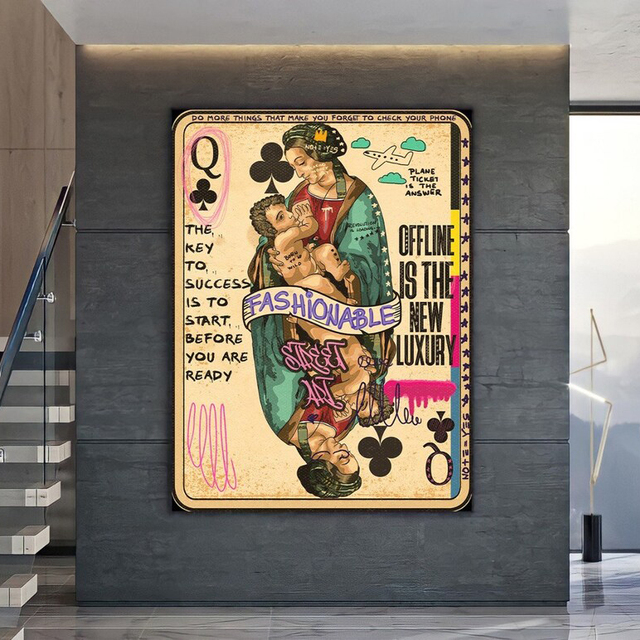
Displaying your canvas poster correctly enhances its visual appeal and impact. Proper placement and presentation make your artwork stand out. It also protects the canvas from damage and wear. Below are practical tips to help you showcase your canvas poster beautifully.
Choose The Right Location
Select a spot with good lighting but avoid direct sunlight. Sunlight can fade colors over time. Keep the poster away from moisture and heat sources. Walls with neutral colors often highlight your poster best.
Use Proper Hanging Hardware
Secure your canvas with sturdy hooks or nails. Use picture hangers designed for canvas frames. Avoid string or tape, which can cause the poster to fall. Check that the hardware can hold the poster’s weight safely.
Consider The Height And Angle
Hang the poster at eye level for easy viewing. Adjust the angle slightly if the light creates glare. Make sure the entire poster is visible without obstruction. This improves the overall viewing experience.
Frame Or Leave Unframed
Frames can add a polished look and protect edges. Choose a frame that complements the poster’s style and color. Leaving it unframed offers a modern, minimalist feel. Decide based on your room’s decor and personal taste.
Maintain Cleanliness And Care
- Dust the poster regularly with a soft cloth.
- Keep it away from smoke and strong odors.
- Handle the canvas by its edges to avoid fingerprints.
- Inspect the poster periodically for any signs of damage.
Credit: www.accio.com
Frequently Asked Questions
What Materials Do I Need To Make A Poster On Canvas?
You need a blank canvas, acrylic paints or markers, brushes, stencils, and a pencil. Optional tools include a ruler and painter’s tape.
How Do I Design A Poster On Canvas Step-by-step?
Start by sketching your design lightly with a pencil. Then, paint the background, add details, and let it dry completely.
Can I Use Digital Tools To Plan My Canvas Poster?
Yes, digital design software helps you plan layouts and color schemes before painting on canvas. It ensures accuracy and creativity.
How Long Does It Take To Complete A Canvas Poster?
Completion time varies by complexity. Simple designs may take a few hours, while detailed posters can take several days to dry and finish.
Conclusion
Creating a poster on canvas is simple and fun. You just need the right tools and a clear idea. Choose your design, pick colors, and start painting or printing. Take your time and enjoy the process. Your handmade poster can add charm to any space.
Try different styles to find what suits you best. Keep practicing to improve your skills. A unique canvas poster makes a great gift too. Start today and see your creativity come alive.



