
Is your desk lamp flickering and driving you crazy? That annoying blinking light can make it hard to focus, strain your eyes, and even spoil your mood.
You don’t have to live with this constant distraction. You’ll discover simple, effective ways to stop your desk lamp from flickering once and for all. Keep reading—you’ll be surprised how easy it is to fix, and how much better your workspace will feel without that annoying flicker.
Common Causes Of Flickering
Flickering desk lamps can be more than just annoying—they might signal an underlying problem that affects your workspace comfort and safety. Understanding the common causes of flickering helps you pinpoint the issue quickly and take the right action. Let’s break down the usual suspects behind that irritating flicker.
Loose Bulb Connections
One of the simplest reasons your desk lamp flickers is a loose bulb connection. Over time, the bulb might not sit firmly in its socket, causing intermittent contact.
Have you ever noticed your lamp flickering when you accidentally nudge it? That’s often a sign the bulb isn’t tightened properly. Try turning off the lamp, waiting for the bulb to cool, and then gently twisting it to ensure a snug fit.
Faulty Power Source
Your lamp’s power source could be unstable, leading to flickering. This could come from a loose plug, a damaged outlet, or even fluctuations in your home’s electrical system.
Ask yourself: does the flickering happen only when other devices are on? If yes, the issue might be with your electrical circuit rather than the lamp itself. Testing your lamp in a different outlet can help isolate the problem.
Incompatible Bulbs
Using the wrong type of bulb can also cause flickering. Some lamps require specific wattage or bulb types, like LED, CFL, or incandescent.
I once replaced a flickering incandescent bulb with an LED and saw the problem disappear. Check your lamp’s manual or socket labeling to make sure you’re using the right bulb. Mixing incompatible bulbs with dimmer switches often causes flicker too.
Damaged Wiring
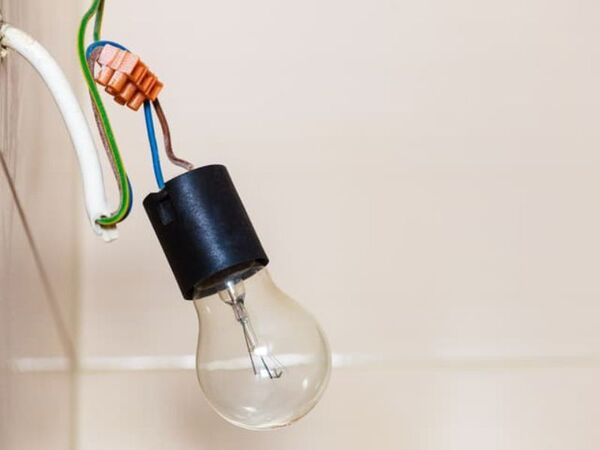
Old or damaged wiring inside your lamp can create flicker and even pose safety risks. Frayed cords or loose internal connections disrupt the flow of electricity.
If your lamp flickers regardless of the bulb or outlet, inspect the cord carefully for visible damage. Consider having a professional check the internal wiring if you suspect this is the cause. Ignoring damaged wiring can lead to bigger electrical problems down the road.

Credit: www.amazon.ca
Quick Fixes To Try
Desk lamp flickering can be annoying and distracting. Quick fixes often solve the problem without extra tools or costs. Try these simple steps to stop flickering fast.
Tighten The Bulb
A loose bulb often causes flickering. Turn off the lamp and wait for the bulb to cool. Twist the bulb gently but firmly to ensure it fits well. Check if the flickering stops after tightening.
Check The Power Outlet
Unstable power from the outlet may cause flickers. Plug the lamp into a different outlet to test. Look for signs of damage or loose connections in the outlet. Use a reliable power source to avoid flickering.
Replace The Bulb
Old or faulty bulbs flicker frequently. Swap the bulb with a new one of the same type and wattage. LED bulbs last longer and flicker less than incandescent bulbs. Observe if the new bulb works smoothly without flickering.
Inspect The Cord
Damaged cords can interrupt power flow, causing flickers. Examine the lamp cord for cuts, bends, or frays. Avoid using lamps with damaged cords to prevent hazards. Replace the cord or lamp if damage is visible.
When To Replace Parts
Knowing when to replace parts in your desk lamp can stop flickering quickly. Some components wear out over time. Replacing them keeps your lamp safe and bright. Watch for clear signs of damage. Acting fast saves you from bigger problems later.
Signs Of A Bad Switch
- The lamp flickers when you move the switch.
- Switch feels loose or does not click firmly.
- Light turns off and on without touching the switch.
- Switch makes a buzzing or crackling sound.
These signs show the switch may be failing. Replacing the switch often stops flickering instantly.
Damaged Lamp Socket
- The bulb does not fit tightly in the socket.
- Socket looks burnt or has dark marks.
- The lamp flickers only with certain bulbs.
- Socket wiggles or feels loose when touched.
A damaged socket can cause poor contact and flickering. Replace it to restore steady light.
Worn Out Wiring
- The cord feels frayed or cracked.
- Wires inside the lamp look exposed or broken.
- The lamp flickers when you move the cord.
- There is a burning smell near the lamp.
Old wiring is a fire risk and causes flickering. Replace worn wiring to ensure safety and steady light.

Credit: www.familyhandyman.com
Preventing Future Flickering
Preventing future flickering in your desk lamp helps keep your workspace bright and steady. Flickering can disrupt concentration and strain your eyes. Taking simple steps can stop flickering before it starts. These easy habits protect your lamp and improve its lifespan.
Use Compatible Bulbs
Choose bulbs that match your lamp’s specifications. Check the wattage and type recommended by the manufacturer. Using the wrong bulb can cause flickering or damage. LED bulbs often work well for desk lamps. They use less energy and last longer. Make sure the bulb base fits securely in the socket. Loose connections can cause flickering too.
Avoid Overloading Outlets
Plugging many devices into one outlet can cause power issues. Overloaded outlets may lead to flickering lights. Use a power strip with built-in surge protection. This helps manage the power flow safely. Keep heavy appliances away from your desk lamp’s outlet. A stable power supply keeps your lamp steady and bright.
Regular Maintenance Tips
Clean your lamp regularly to remove dust and dirt. Dust can build up on the bulb and socket, causing poor contact. Check the lamp’s cord and plug for any damage. Replace or repair frayed wires immediately. Tighten loose parts to ensure a solid connection. Regular checks help catch problems early and keep flickering away.
When To Seek Professional Help
Persistent flickering or signs of electrical damage call for expert help. Choosing a professional ensures safety and proper repair when basic fixes fail.
When your desk lamp starts flickering, it can be a minor annoyance or a sign of a deeper issue. While some problems can be solved with a quick fix, others might require professional intervention. Knowing when to call in the experts can save you time, money, and ensure your safety.Electrical Issues Beyond Repair
Sometimes, the flickering isn’t just about a loose bulb or a faulty switch. It could indicate wiring problems or other electrical issues that you can’t fix on your own. If you’ve tried basic troubleshooting without success, it’s time to consider that the underlying electrical components might be compromised. Older lamps, for instance, may have wiring that has degraded over time. If you suspect this could be the case, don’t attempt a DIY fix. Instead, seek a professional who can assess the situation accurately and provide a solution.Safety Concerns
A flickering lamp can be more than just an inconvenience. It might pose safety risks such as short circuits or even fire hazards. If you smell burning or notice sparks, these are red flags that shouldn’t be ignored. Your safety is paramount. If you’re unsure about the severity of the flickering, err on the side of caution and contact a professional. They have the tools and expertise to ensure that your lamp is safe to use.Finding A Reliable Electrician
When the decision is made to call in a professional, finding a reliable electrician is crucial. Look for someone with good reviews and proper certifications. Ask friends or family for recommendations to ensure you’re getting someone trustworthy. Remember, a skilled electrician can offer more than just a fix. They can provide insights into preventing future issues and maintaining your lamp’s longevity. Investing a little time in finding the right expert can make all the difference.
Credit: www.nytimes.com
Frequently Asked Questions
Why Is My Desk Lamp Flickering Constantly?
Flickering usually means a loose bulb, faulty wiring, or a power issue. Check the bulb’s connection and replace if needed. Also, inspect the power source and switch for faults. Fixing these common problems stops flickering and ensures steady light.
How Can I Fix Flickering Desk Lamp Bulbs?
Turn off the lamp first. Tighten the bulb gently to secure it. If flickering continues, replace the bulb with a new one. Using the correct wattage bulb also prevents flicker. Ensure the lamp socket is clean and free from damage.
Can Voltage Fluctuations Cause Desk Lamp Flickering?
Yes, unstable voltage can cause flickering lights. Use a voltage stabilizer or surge protector to safeguard your lamp. If your home wiring is old or faulty, consult an electrician to fix voltage issues and avoid flickering.
Does Using Led Bulbs Reduce Desk Lamp Flickering?
LED bulbs are more stable and energy-efficient, reducing flicker risk. They handle voltage changes better than incandescent bulbs. Switching to high-quality LED bulbs can improve light consistency and extend lamp life.
Conclusion
Fixing a flickering desk lamp is easier than it seems. Check the bulb and wiring first. Tighten loose parts and replace old bulbs. Use the right bulb type and wattage. Clean the lamp to avoid dust issues. Simple steps can stop flickering fast.
A steady light helps you work or read better. Keep your lamp in good shape for long use. Don’t ignore flickering—it can cause eye strain. Follow these tips to enjoy bright, stable light every day.



