
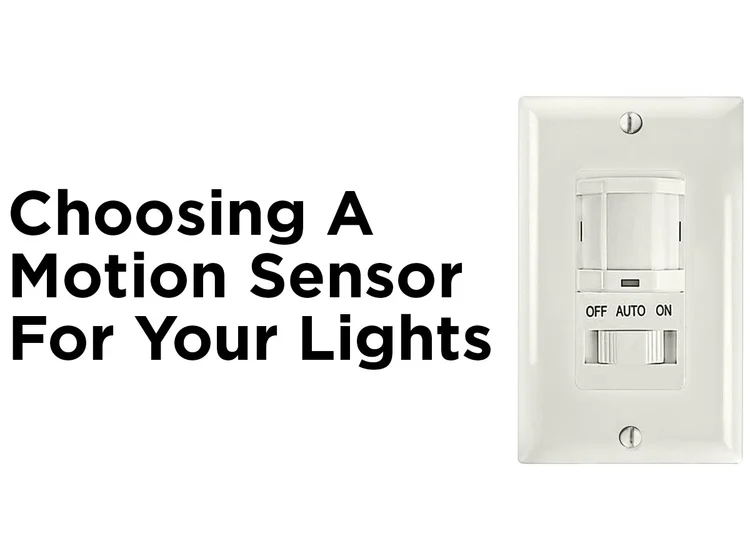
Have you ever been frustrated by a motion sensor light that just won’t turn off? Maybe you don’t have an easy-to-reach switch, or the sensor keeps triggering at the worst times.
If you’re looking for simple ways to take control and turn off that light without a switch, you’re in the right place. You’ll discover clear, practical steps to silence that motion sensor light quickly and easily. Keep reading, and you’ll learn how to regain control over your lighting without any hassle.

Credit: www.reddit.com
Check The Sensor Settings
Checking the sensor settings is a key move when you want to turn off a motion sensor light without using a switch. The sensor controls how and when the light activates, so adjusting these settings can give you control over the light’s behavior. It’s a straightforward process once you know where to find the controls and what to change.
Locate The Adjustment Dials
Most motion sensor lights have small dials or knobs on the sensor unit itself. These are usually tucked behind a plastic cover or located on the side. Look closely for labels like Sensitivity, Timer, or LUX.
Sometimes, these dials are tiny and easy to miss. Take a flashlight and inspect your sensor from different angles to spot them. Have you checked your sensor casing thoroughly? You might be surprised at how accessible the controls are.
Modify Sensitivity And Timer
The sensitivity dial controls how much movement triggers the light. Turning it down means the sensor ignores small or distant movements, which can help keep the light off when you don’t want it on. If you’re dealing with constant false triggers, lowering sensitivity is often the best fix.
The timer dial adjusts how long the light stays on after detecting movement. Setting it to the shortest time possible can effectively reduce how long the light stays lit. This is useful when you want the light to come on only briefly or not at all during certain hours.
Try adjusting these dials little by little and test the results. It’s about finding the right balance that fits your needs. Have you ever thought about how tiny tweaks can save energy and avoid unnecessary light pollution?
Use The Power Source
Using the power source is a direct way to turn off a motion sensor light without a switch. This method cuts the electricity supply to the light. It is simple and effective. It helps in situations where the sensor or switch is not accessible. The power source can be controlled either by unplugging the light or switching off the circuit breaker.
Unplug The Light
Unplugging the motion sensor light is the easiest way to stop it from working. Find the plug connected to the power outlet. Pull the plug out gently to disconnect the light from electricity. This method works well for lights with a plug instead of hardwiring. It is quick and does not require any tools. Make sure your hands are dry before unplugging to avoid electric shock.
Switch Off The Circuit Breaker
Switching off the circuit breaker cuts power to the entire area where the light is installed. Locate the breaker box in your home. Find the breaker that controls the motion sensor light. Flip the switch to the off position. This stops electricity flow to the light and turns it off safely. Use this method if the light is hardwired and cannot be unplugged. Always be cautious while handling the breaker box.
Cover Or Block The Sensor
Covering or blocking the sensor stops it from detecting motion and turning on the light. Use tape or a piece of cloth to block the sensor’s view. This simple action can prevent the light from activating without using a switch.
Covering or blocking a motion sensor can effectively turn off the light. This is a practical approach when there’s no switch available. By interfering with the sensor’s ability to detect motion, you can keep the light off as needed. Below are simple methods to achieve this.Apply Tape Or Sticker
Use black tape or a dark sticker to cover the sensor. This obstructs the sensor’s view, preventing it from detecting movement. Be sure the tape or sticker fully covers the sensor lens. This will ensure it doesn’t detect any motion. Ensure the tape or sticker is easily removable. This allows you to restore the sensor to its original function when required.Position An Object To Obstruct
Place a solid object in front of the sensor. This can be a box, piece of cardboard, or any similar item. The object should be large enough to block the sensor completely. Ensure the object remains stable and doesn’t fall. This will keep the sensor blocked effectively, keeping the light turned off.Disconnect The Wiring
Disconnecting the wiring is a direct way to turn off a motion sensor light without a switch. This process stops the light from receiving power. It requires care and safety to avoid electric shocks or damage. Follow clear steps to ensure the task is safe and effective.
Turn Off Main Power
Begin by shutting off the main power supply to the light. Locate the circuit breaker that controls the light’s electrical circuit. Flip the breaker to the “off” position. This action cuts the electricity flow to the light fixture. Use a voltage tester to confirm no power is running through the wires before proceeding.
Safely Remove Connections
After ensuring power is off, remove the light fixture or access the wiring box. Identify the wires connecting the motion sensor light. Carefully disconnect each wire by unscrewing wire nuts or loosening terminal screws. Keep wires separated to prevent accidental contact. Use electrical tape to cover exposed wire ends for safety. Check that no wires touch each other before restoring power.
Utilize Smart Home Devices
Smart home devices offer an easy way to control motion sensor lights without a physical switch. These devices connect to your home Wi-Fi and let you manage lights remotely. Using smart technology brings convenience and flexibility. It also helps save energy by turning off lights when not needed.
Install Smart Plugs
Smart plugs are simple devices that fit into your existing outlets. You plug your motion sensor light into the smart plug. This setup lets you cut power to the light without using a switch. Smart plugs often work with voice assistants too. This means you can turn the light off by speaking commands.
Most smart plugs come with easy setup instructions. They connect to your phone through a dedicated app. Some models support scheduling, so you can set times for lights to turn off automatically.
Control Via Mobile Apps
Mobile apps give you full control of your smart devices. After connecting your smart plug, open the app on your phone. You can turn the motion sensor light on or off from anywhere. No need to reach for switches or wires.
Apps often show the current status of your light. You can also create custom schedules or timers. This feature ensures lights turn off during the day or when no one is home. Mobile control makes managing lights effortless and quick.

Credit: howlandhammer.com
Replace Or Modify The Sensor
If your motion sensor light doesn’t have a switch, replacing or modifying the sensor can be a smart move. This approach gives you more control over the light without relying solely on motion detection. You can adjust the setup to fit your lifestyle and avoid unnecessary power use.
Switch To A Manual Light
One straightforward option is to replace the motion sensor with a manual light fixture. This means the light will operate like any regular lamp with a switch you can turn on or off at will.
Doing this usually involves removing the sensor unit and installing a standard light socket and switch. It’s a simple upgrade if you’re comfortable with basic electrical work or can hire a professional. Imagine not having to worry about the light turning on unexpectedly when you’re just stepping outside briefly.
Install A Switch Adapter
If replacing the sensor feels too drastic, consider adding a switch adapter designed for motion sensor lights. This device allows you to override the sensor by turning the light on or off manually.
Switch adapters are easy to install and fit between the light fixture and power source. They often come with a small toggle or push button switch, giving you the flexibility to control the light whenever you want. Have you ever wished for a quick way to disable the sensor without rewiring? This might be your answer.

Credit: www.stillorganelectricalservices.ie
Frequently Asked Questions
How Can I Disable A Motion Sensor Light Without A Switch?
You can turn off a motion sensor light by adjusting its sensitivity or using the control panel. Some models have a daylight sensor to disable it during the day. Unplugging the light or disconnecting the power source is another option if accessible.
Can I Cover The Sensor To Stop The Light From Activating?
Yes, covering the motion sensor with opaque tape or material can block detection. This prevents the sensor from sensing movement, effectively turning off the light. Ensure the cover is secure and does not damage the sensor for a temporary solution.
What Settings Can I Adjust To Control The Sensor Light?
Most motion sensor lights have settings for sensitivity, duration, and daylight detection. Lowering sensitivity reduces false triggers. Shortening the light-on time limits activation duration. Adjusting daylight sensors keeps the light off during bright conditions, saving energy.
Is It Safe To Disconnect The Motion Sensor Light Manually?
It is safe if done correctly by turning off the power at the breaker first. Avoid direct contact with live wires. If unsure, consult a professional electrician to prevent electrical hazards or damage to the device.
Conclusion
Turning off a motion sensor light without a switch is simple. You can adjust the sensor’s settings or block its view. Another option is to disconnect the power carefully. Each method works well depending on your situation. Always stay safe when handling electrical devices.
Now you know how to control your motion sensor light easily. No need to struggle or call a professional every time. Try these tips to save energy and avoid unwanted light. Keep your home comfortable and secure with smart choices.



