
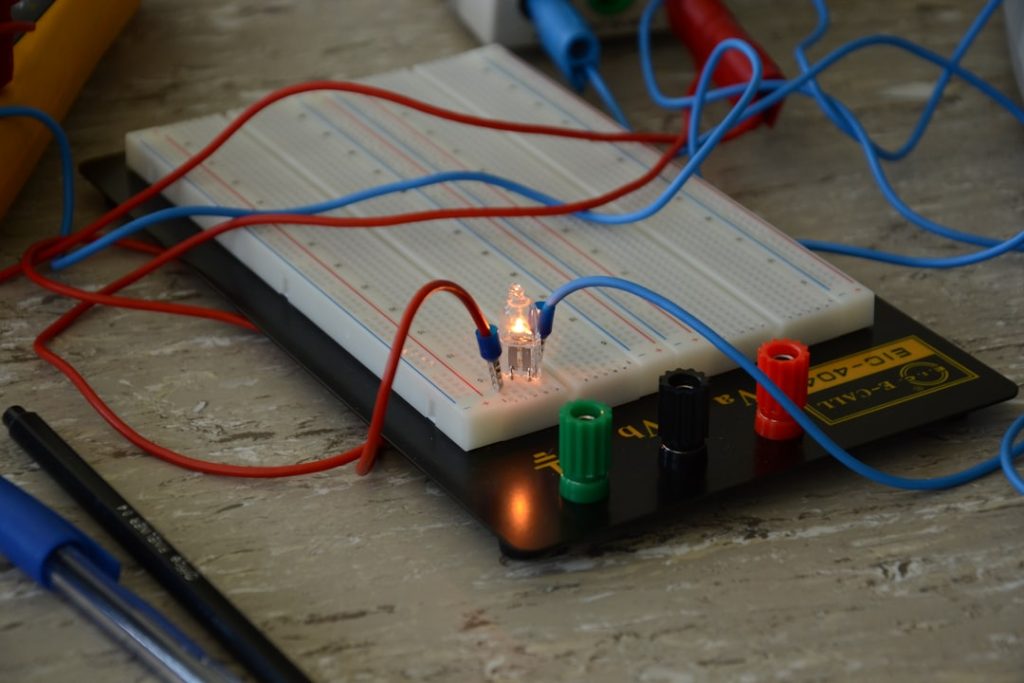
Are you looking to add a smart touch to your home lighting? Wiring a motion sensor to a light can make your space safer, more energy-efficient, and incredibly convenient.
Imagine never having to fumble for a switch in the dark again. In this guide, you’ll discover simple, step-by-step instructions to get your motion sensor working perfectly with your light. By the end, you’ll feel confident handling the wiring yourself—even if you’ve never done it before.
Keep reading, and transform the way your home lights up!

Credit: www.youtube.com
Choosing The Right Motion Sensor
Choosing the right motion sensor is key for a smooth wiring process. The correct sensor ensures your light works efficiently and lasts longer. Picking a sensor that suits your needs saves time and effort.
Types Of Motion Sensors
Different motion sensors detect movement in unique ways. Passive Infrared (PIR) sensors sense heat from people or animals. Ultrasonic sensors use sound waves to spot motion. Microwave sensors send out waves that bounce back when they hit movement. Each type fits different environments and purposes.
Sensor Compatibility With Lights
Not all sensors work with every light type. Check if the sensor supports LED, incandescent, or fluorescent bulbs. Some sensors only handle certain wattages. Confirm the sensor matches your light’s power to avoid damage or malfunction.
Power Requirements
Motion sensors need the right power supply to function well. Some run on batteries, while others connect to your home’s wiring. Battery-powered sensors are easy to install but need regular replacements. Wired sensors offer steady power but may need more setup work.

Credit: www.youtube.com
Tools And Materials Needed
Before wiring a motion sensor to a light, gathering the right tools and materials is crucial. Having everything at hand not only speeds up the process but also ensures safety and accuracy. Let’s break down what you’ll need to get the job done smoothly.
Essential Tools
- Wire Strippers:These help you remove insulation from wires cleanly without damaging the metal inside.
- Screwdrivers:Both flat-head and Phillips screwdrivers are necessary for securing connections and mounting the sensor.
- Voltage Tester:This tool confirms that the power is off before you start working, preventing electrical shocks.
- Drill:Useful for mounting the motion sensor or light fixture if holes are needed.
- Electrical Tape:To safely wrap and insulate wire connections.
- Pliers:Handy for twisting wires together and bending them as needed.
Safety Equipment
Your safety should never be an afterthought. Protecting yourself ensures the project ends well.
- Insulated Gloves:These protect your hands from accidental shocks and sharp edges.
- Safety Glasses:Prevent debris or wire strands from injuring your eyes during installation.
- Non-Conductive Ladder:If you need to reach high places, use a ladder that won’t conduct electricity to avoid hazards.
Required Electrical Components
Having the right parts is just as important as the tools. Without them, the wiring won’t work.
- Motion Sensor:Choose one compatible with your light fixture and power supply.
- Light Fixture:This can be an outdoor floodlight, porch light, or any lamp you want automated.
- Wire:Typically, 14 or 12-gauge electrical wire depending on your circuit’s amperage.
- Wire Nuts:These secure wire connections and keep them insulated.
- Electrical Box:If mounting inside a wall or ceiling, this houses the connections safely.
- Circuit Breaker or Fuse:To protect your circuit from overloads.
Do you have all these tools and materials ready? Missing even one can cause delays or risk your safety. Gathering everything beforehand helps you stay focused and confident while wiring your motion sensor to the light.
Preparing For Installation
Gather all tools and materials before starting the wiring process. Turn off the power to ensure safety during installation. Clear the work area to make wiring easier and faster.
Preparing for installation is crucial when wiring a motion sensor to a light. A proper setup ensures safety and efficiency. You’ll need to follow a few important steps to set the stage for a successful installation.Turning Off Power Safely
Begin by switching off the power to the area where you’ll work. Locate your home’s main electrical panel. Flip the appropriate circuit breaker to the “off” position. This step is vital to prevent electric shock. Use a voltage tester to confirm the power is off. A tester ensures there’s no electricity flowing in the wires. Safety should always come first.Locating Wiring And Switches
Identify the existing light switch and wiring location. This will guide your installation process. Look for the switch connected to the light fixture you plan to modify. Take note of any visible wires. Check the wiring layout to ensure compatibility with the motion sensor. Understanding the current setup helps avoid mistakes.Reading Manufacturer Instructions
Thoroughly read the manufacturer’s instructions for your motion sensor. These instructions provide specific details unique to your sensor model. They offer valuable insights into installation nuances. Make sure you have all the tools listed in the guide. Gather any additional components required for installation. Following these steps ensures a smoother and safer installation process.
Credit: www.youtube.com
Wiring The Motion Sensor
Wiring a motion sensor correctly ensures your light works smoothly and saves energy. This process needs careful attention to the wires and connections. Following clear steps helps avoid mistakes and keeps everything safe.
Identifying Sensor Wires
Motion sensors usually have three wires. These are:
- Black wire:This is the live or power wire.
- White wire:This is the neutral wire.
- Red or blue wire:This is the load wire that connects to the light.
Check the sensor’s manual for wire colors. Confirm each wire’s function before starting.
Connecting To Power Source
Turn off the main power before working on wires. Connect the black wire from the sensor to the live wire in the electrical box. Connect the white wire from the sensor to the neutral wire in the box. Use wire nuts to secure connections tightly. Ensure no bare wire is exposed to avoid shorts.
Wiring To The Light Fixture
Connect the sensor’s load wire (red or blue) to the light fixture’s live wire. The light’s neutral wire should connect to the neutral wire in the electrical box. Double-check all connections for tightness. After wiring, restore power and test the sensor by moving in front of it.
Testing The Setup
Testing your motion sensor setup is a crucial phase that ensures everything works safely and efficiently. It’s the moment where your wiring efforts turn into real-world functionality. Proper testing helps catch any issues early, saving you time and hassle later.
Restoring Power
Before testing, make sure to restore power to the circuit by switching the breaker back on. If you’re unsure about the location of your breaker, take a moment to label it for future convenience. Turning the power back on should activate your motion sensor and the connected light.
Once power is restored, observe the light closely. Does it turn on when motion is detected? If not, double-check your wiring connections and the power source.
Adjusting Sensor Settings
Most motion sensors come with adjustable settings for sensitivity, time delay, and detection range. These controls let you customize how the sensor reacts to movement and how long the light stays on.
Try walking in front of the sensor to see how it responds. If the light stays on too long or not long enough, tweak the time delay. If it doesn’t detect you at the desired distance, adjust the sensitivity or angle.
Troubleshooting Common Issues
Sometimes the light won’t turn on, flickers, or stays on continuously. These problems can often be traced back to wiring errors, sensor placement, or faulty components.
- Check that all wire connections are secure and correctly matched: live to live, neutral to neutral, and ground to ground.
- Make sure the sensor isn’t facing direct sunlight or heat sources, which can trigger false detections.
- If the light flickers, test with a different bulb or sensor to isolate the issue.
Have you ever found a small wiring mistake that caused hours of frustration? Taking time to test thoroughly can prevent that headache.
Tips For Optimal Performance
Ensuring your motion sensor light works well depends on smart setup and upkeep. Small changes can boost its accuracy and lifespan. Focus on where you place the sensor, how to stop false triggers, and regular maintenance.
Sensor Placement
Position the sensor where it covers the most area. Aim it towards common walkways or entry points. Avoid placing it near heat sources like vents or direct sunlight. Mount it at a height between 6 to 10 feet for best detection.
Avoiding False Triggers
Keep the sensor away from moving branches, flags, or busy roads. Use settings to adjust sensitivity if too many false alarms happen. Check that pets or small animals don’t cause unwanted activation. Shield the sensor from strong wind or rain gusts.
Maintenance And Care
Clean the sensor lens regularly with a soft cloth. Remove dust or spider webs that block detection. Test the light function monthly to catch problems early. Replace batteries on time if your sensor uses them. Secure all wiring to prevent wear and tear.
Frequently Asked Questions
How Do I Connect A Motion Sensor To A Light?
To connect a motion sensor to a light, turn off the power first. Then, wire the sensor’s live, neutral, and ground wires to the corresponding wires in the light fixture. Finally, secure connections and test the sensor for proper operation.
What Tools Are Needed For Wiring A Motion Sensor Light?
You need a screwdriver, wire stripper, voltage tester, electrical tape, and wire nuts. These tools help safely connect the sensor wires to the light and ensure secure and proper installation.
Can I Install A Motion Sensor Light Myself?
Yes, with basic electrical knowledge and safety precautions, you can install a motion sensor light yourself. Always turn off power and follow the wiring instructions carefully to avoid electrical hazards.
How Do I Test If The Motion Sensor Light Is Working?
After wiring, restore power and move within the sensor’s range. The light should turn on automatically. Adjust the sensor settings if the light doesn’t activate correctly.
Conclusion
Wiring a motion sensor to a light can save energy and add convenience. Following clear steps makes the task easier and safer. Always turn off power before starting any wiring work. Take your time to connect wires correctly and check all connections.
Test the sensor after installation to ensure it works well. A properly wired sensor light improves security and lighting efficiency. Simple tools and basic knowledge help you complete the job confidently. Now, you can enjoy automatic lighting without extra effort or cost.



