
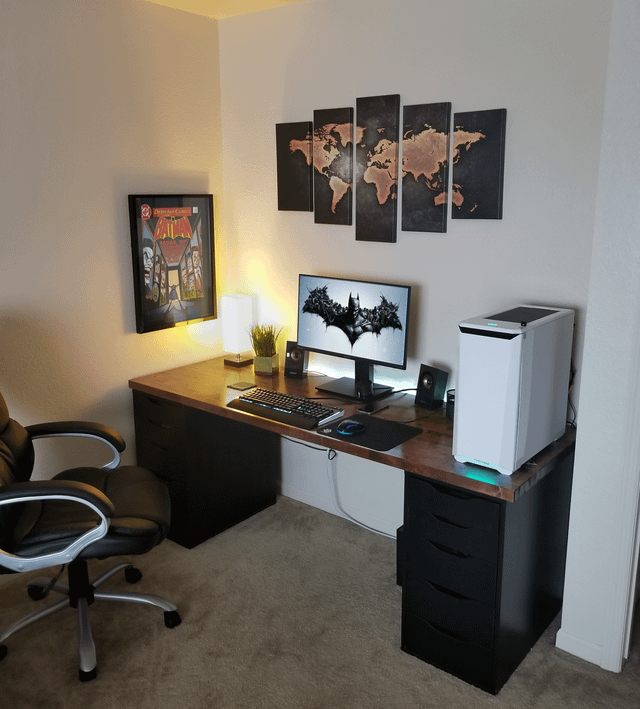
Struggling to find the perfect spot for your lamp when you have two monitors on your desk? You’re not alone.
Lighting can make or break your workspace comfort and productivity. Placing your lamp in the right place can reduce eye strain, eliminate screen glare, and keep your desk looking neat. You’ll discover simple, effective ways to position your lamp so your dual-monitor setup feels balanced and easy on your eyes.
Keep reading—your workspace transformation starts here.
Choosing The Right Desk Lamp
Choosing the right desk lamp is essential when you have two monitors on your desk. The right lamp not only illuminates your workspace but also reduces eye strain and enhances your productivity. Let’s look at the key factors that can help you pick the perfect desk lamp for your setup.
Types Of Desk Lamps
Desk lamps come in various styles. You can choose from traditional lamps with a fixed base, clamp lamps that attach to the desk edge, or flexible gooseneck lamps that allow easy repositioning.
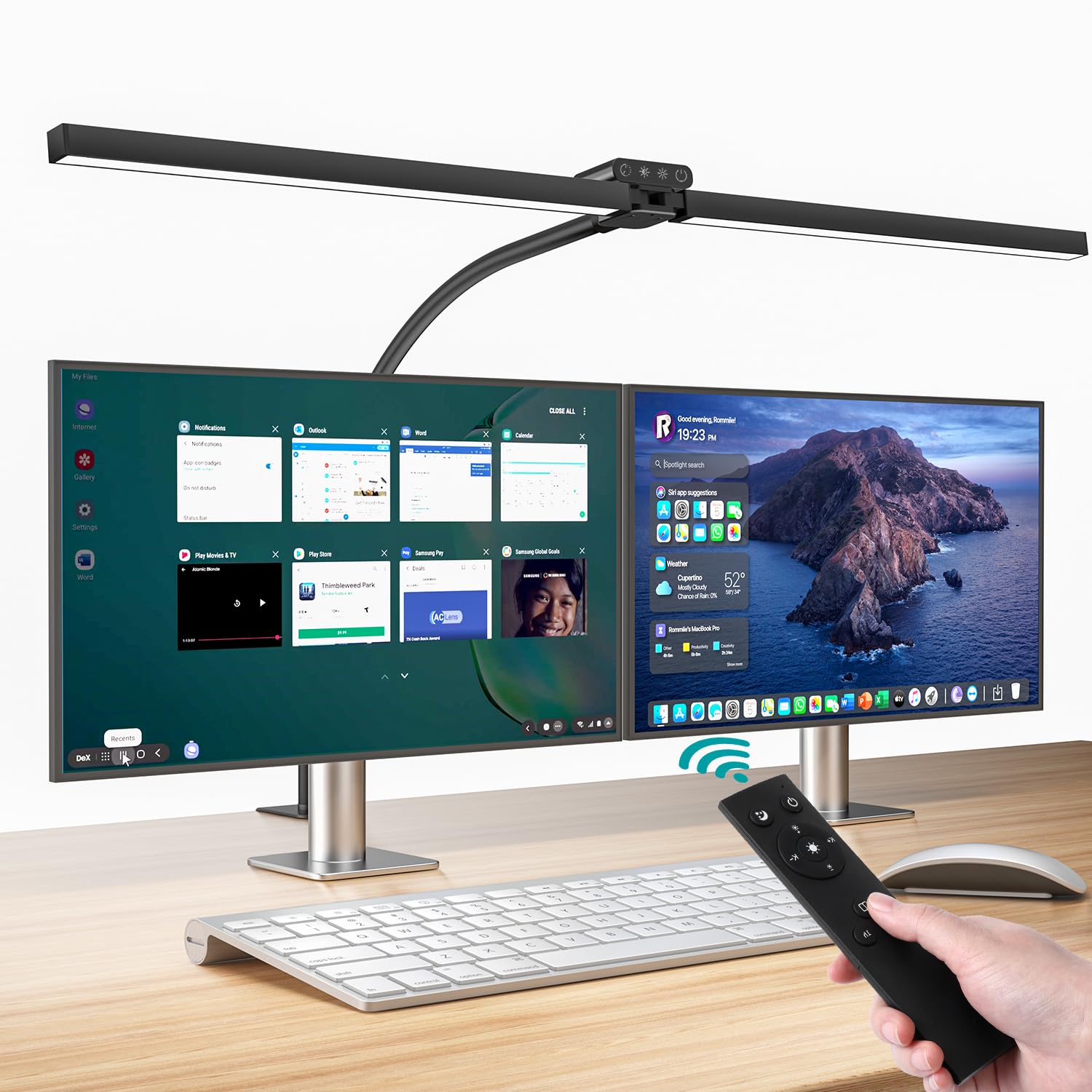
Clamp lamps are ideal if you want to save desk space. Meanwhile, gooseneck lamps offer more control over the direction of light, which is helpful when you need to avoid screen glare.
Brightness And Color Temperature
Brightness is not just about how much light you get but how comfortable it is for your eyes. Lamps with adjustable brightness let you customize the light depending on the time of day or task.
Color temperature affects how the light feels—cool white light (4000K–5000K) can keep you alert, while warm light (2700K–3000K) is easier on the eyes in the evening. Finding a lamp with adjustable color temperature can make a big difference.
Adjustable Features To Consider
Look for lamps with adjustable arms and heads. This flexibility helps you position the light where it’s most needed without creating shadows on your monitors.
Some lamps also come with dimmers or touch controls, which make it easy to fine-tune the lighting quickly. Think about how you work and which adjustments will fit your daily routine best.

Credit: www.amazon.ca
Assessing Your Desk Setup
Before deciding where to place your desk lamp, take a close look at your entire desk setup. Understanding how your monitors are arranged and how your desk space is organized will help you find the best lighting position. Proper assessment can reduce glare, prevent eye strain, and improve your overall comfort.
Monitor Placement And Orientation
Your two monitors likely take up a significant portion of your desk. Are they side-by-side, angled inward, or stacked? The way they face affects how light hits your screens and workspace.
If your monitors are angled towards you, placing a lamp directly behind one might cause unwanted reflections. Try positioning the lamp to the side or above, where it lights your desk without shining on the screens. Consider also whether your monitors have glossy or matte finishes, as glossy screens reflect more light and require careful lamp placement.
Desk Size And Layout
Think about how much room you have on your desk. A larger desk offers more flexibility for lamp placement, but a smaller surface might limit your options.
Are your monitors close to the edge or pushed back? Is there a dedicated writing or reading area on your desk? These factors influence where the lamp can fit without crowding your workspace. If your desk has shelves or compartments, you might place a lamp on one side or use an adjustable arm to save space.
Identifying Shadow Zones
Shadows can cause discomfort and make tasks harder. Spend some time observing where shadows fall during your typical work hours.
Do your hands or keyboard get dim lighting because of monitor placement? A lamp placed opposite your dominant hand often prevents shadows while you type or write. Try moving the lamp around and notice where shadows disappear and where they worsen. This simple test will guide you toward the ideal lamp position.
Ideal Lamp Placement Strategies
Finding the perfect spot for a lamp on your desk with two monitors can dramatically enhance your workspace. Proper lamp placement not only improves your productivity but also protects your eyes from unnecessary strain. Let’s explore some practical strategies to ensure your desk is both functional and comfortable.
Placing Lamps To Minimize Glare
Glare can be a significant distraction, especially when working with multiple screens. Position your lamp so that its light doesn’t directly hit the screens. Consider placing the lamp slightly behind or to the side of the monitors to reduce glare.
Try using a lamp with an adjustable arm. This allows you to direct the light away from the screens, focusing it instead on your working area or keyboard.
Balancing Light Between Monitors
Maintaining an even light distribution between your monitors is key for a balanced workspace. Position your lamp centrally between the monitors, ensuring that neither screen is overly bright or dim.
A desk lamp with a wide light spread can help in achieving this balance. If one screen appears brighter, adjust the lamp angle to ensure equal lighting.
Positioning For Comfortable Eye Strain
Your eyes will thank you for reducing strain with smart lamp placement. The lamp should provide enough light to see clearly without causing discomfort. Position it so the light shines directly onto your work area, not into your eyes.
Adjust the lamp height as needed. A lamp positioned too high or low can lead to unnecessary eye strain, so find a height that feels comfortable for prolonged use.
Have you tried rethinking your lamp placement recently? A few simple adjustments might transform your work environment.
Credit: www.amazon.ca
Lighting Techniques For Dual Monitors
Setting up lighting for a desk with two monitors can be a bit tricky. You want to avoid glare on the screens while ensuring your workspace is bright enough to reduce eye strain. The right lighting techniques can make your dual-monitor setup comfortable and efficient.
Using Multiple Light Sources
Relying on just one lamp won’t cut it for a dual-monitor setup. Multiple light sources help balance brightness across your desk and reduce harsh shadows. Try combining an overhead light with a desk lamp positioned to the side, so the light spreads evenly without reflecting off your screens.
Have you noticed how a single light can create annoying screen glare? Adding a second or third source gives you control over light angles and intensity, making your workspace more pleasant.
Task Lighting Vs Ambient Lighting
Task lighting focuses on your immediate work area, while ambient lighting fills the whole room. For dual monitors, task lighting should be adjustable and directed away from the screens. A lamp with a flexible arm works well here, letting you shine light exactly where you need it.
Ambient lighting helps reduce contrast between your bright screens and the darker surroundings. Without it, your eyes work harder to adjust, causing fatigue. Consider soft ceiling lights or wall sconces that provide gentle, even light throughout the room.
Incorporating Bias Lighting
Bias lighting is a subtle backlight placed behind your monitors. It helps reduce eye strain by balancing the brightness between your screen and the surrounding area. Installing LED strips behind each monitor creates a gentle glow that lessens harsh contrasts and improves focus.
Think about your last long work session—did your eyes feel tired or strained? Adding bias lighting might be the simple fix you need to keep your eyes comfortable during extended computer use.
Common Mistakes To Avoid
Choosing the right spot for a lamp on a desk with two monitors can be tricky. Many make simple mistakes that cause glare, shadows, or strain. Avoiding these errors helps create a comfortable and productive workspace.
Placing Lamps Behind Monitors
Putting a lamp directly behind your monitors causes unwanted glare. The light bounces off the screen, making it hard to see. This placement also creates strong shadows on your desk. It reduces visibility and tires your eyes quickly.
Overhead Harsh Lighting
Bright overhead lamps can be too strong. They create sharp reflections on your screens. This harsh light makes it difficult to focus. It also causes headaches and eye fatigue over time.
Ignoring Adjustable Lamp Features
Many desk lamps have adjustable brightness and direction. Ignoring these features limits your lighting options. Adjustable lamps let you control light angle and strength. This helps avoid glare and shadows, improving comfort.
Enhancing Workspace Aesthetics
Creating an inviting and functional workspace goes beyond just placing your monitors and lamp. The way you position your desk lamp can dramatically boost your room’s vibe and motivate you to work better. A well-chosen lamp not only lights up your tasks but also adds personality and style to your setup.
Lamp Styles That Complement Setup
Choosing a lamp style that matches your dual monitor setup can make your desk look cohesive and polished. Sleek, minimalist lamps with adjustable arms offer flexibility and don’t clutter your space. If you prefer something with character, consider a vintage or industrial-style lamp that adds texture and warmth without overpowering your modern tech.
Think about the color and material too. A matte black or metallic lamp can blend well with most monitor frames, creating a seamless look. Have you ever noticed how a pop of color from a lamp can brighten your mood without distracting your focus?
Cable Management Tips
Visible cables can ruin the clean, stylish look you want. Use cable clips or under-desk trays to keep wires from tangling and spilling across your workspace. Velcro straps are a simple solution to group cables neatly and prevent them from pulling or getting damaged.
Try routing cables behind your monitors or along the desk’s edges to keep them out of sight. How much more productive would you feel with a clutter-free desk that lets your eyes relax?
Integrating Smart Lighting Solutions
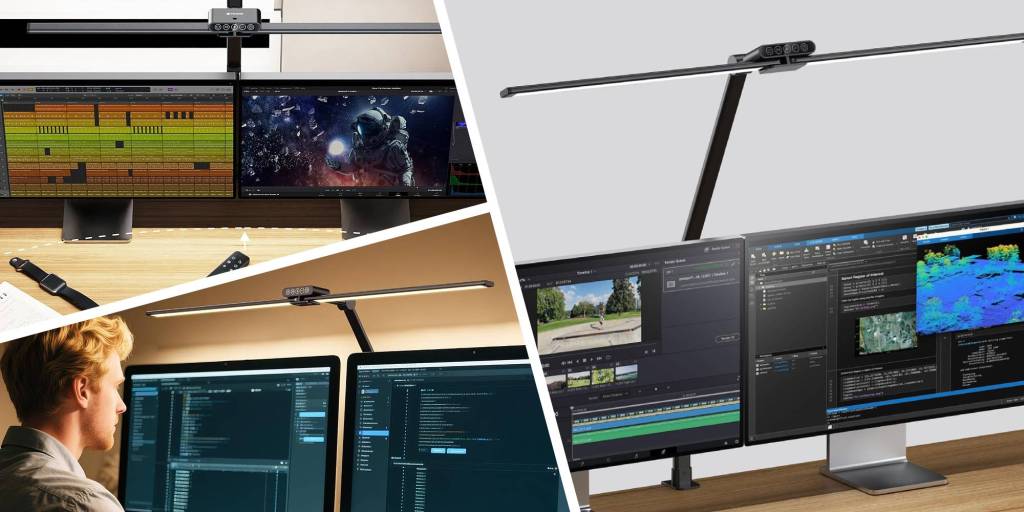
Smart lamps offer more than just illumination; they adapt to your schedule and mood. You can adjust brightness or color temperature with a simple voice command or app, reducing eye strain during long hours in front of your screens.
Some smart lamps sync with your computer’s activity, providing cooler light for focus and warmer light for breaks. Imagine a lamp that changes automatically to help you stay alert or wind down—how would that change your daily workflow?
Credit: 9to5toys.com
Frequently Asked Questions
Where Is The Best Lamp Position For Dual Monitors?
Place the lamp to the side of your desk, avoiding glare on screens. Position it so light spreads evenly without reflections. This setup reduces eye strain and enhances visibility for both monitors and workspace.
How Can I Avoid Screen Glare From Desk Lamps?
Use lamps with adjustable arms and shades to direct light away from screens. Choose lamps with soft, diffused lighting or dimmable features. Positioning the lamp beside or behind your monitors helps minimize glare effectively.
Should The Lamp Be On The Left Or Right Side?
Place the lamp on the side opposite your dominant hand to reduce shadows. This placement helps prevent hand shadows while typing or writing. Adjust according to your desk layout and monitor angles for optimal lighting.
What Type Of Lamp Works Best With Two Monitors?
Opt for an LED desk lamp with adjustable brightness and color temperature. Such lamps provide clear, flicker-free light that reduces eye fatigue. Adjustable features allow you to customize lighting based on ambient conditions and task needs.
Conclusion
Placing a lamp correctly on a desk with two monitors helps reduce eye strain. Choose a spot that lights your work without creating screen glare. Side placement often works best, giving even light across your desk. Adjust the lamp’s brightness to match your needs throughout the day.
A well-lit workspace keeps you focused and comfortable. Try different positions to see what feels right for you. Good lighting makes long hours at your desk easier. Small changes can improve your work environment a lot.



