
Are you wondering how many Govee lights you can connect at once to create the perfect atmosphere? Whether you’re setting up a cozy room or a big party space, knowing the limits can help you avoid frustration and get the best lighting experience.
You’ll discover the exact number of Govee lights you can link together, plus tips to make your setup smooth and hassle-free. Keep reading to unlock the full potential of your Govee lighting system!

Credit: us.govee.com
Govee Light Types
Govee offers a wide range of lighting options to fit different needs and spaces. Understanding the types of Govee lights available can help you decide how many and which ones to connect for your perfect setup. Each type has unique features and connection limits, so knowing these details will guide you in creating a seamless lighting experience.
Led Strips
LED strips are among the most popular Govee lights. They are flexible and easy to install, making them ideal for accent lighting under cabinets, behind TVs, or along shelves.
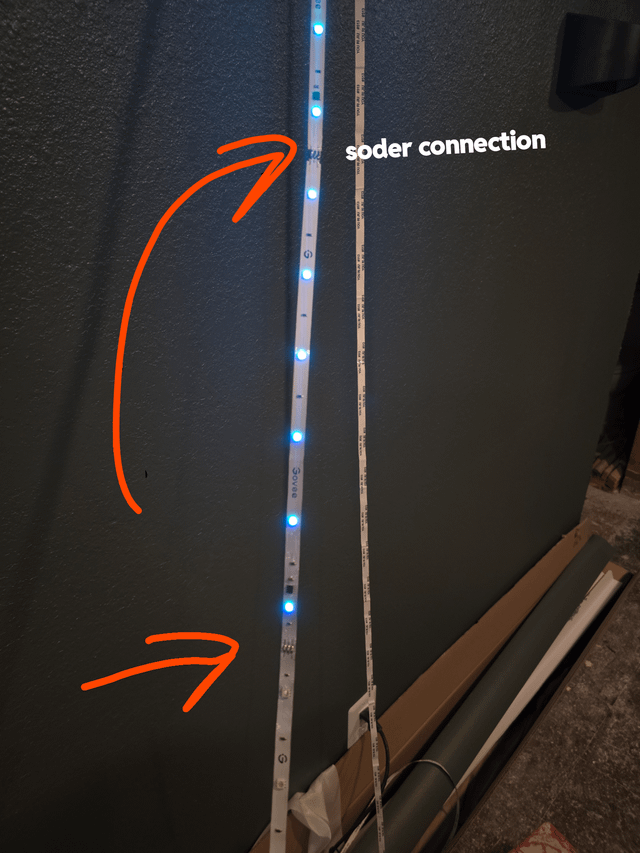
You can connect multiple LED strips in a series, but Govee usually recommends not exceeding a certain length to avoid dimming or connectivity issues. Have you ever tried linking too many strips together and noticed a drop in brightness?
Smart Bulbs
Smart bulbs from Govee fit standard light sockets and offer full color control through the app. They are perfect for rooms where you want to change the mood with a simple voice command or tap.
Each smart bulb connects individually to your Wi-Fi or hub, so there isn’t a strict limit on how many you can control at once. However, your home network’s capacity might influence performance if you add too many bulbs.
Light Bars
Light bars provide directional lighting and are great for highlighting artwork, bookshelves, or gaming setups. They come in different lengths and brightness levels.
You can link a few light bars together, but connecting too many can cause lag or syncing problems. Have you noticed how syncing multiple light bars can sometimes require a reset?
Outdoor Lights
Govee’s outdoor lights are built to withstand weather while offering vibrant colors and brightness. They are excellent for patios, gardens, or pathways.
Because of their design, outdoor lights typically connect individually or in small groups. This helps maintain stable connections despite environmental factors like rain or wind.
Connection Limits
Understanding the connection limits of Govee lights is important for a smooth setup. Knowing how many lights can join your system helps avoid issues. Different connection types and apps have specific capacities. This section explains these limits clearly.
App Connection Capacity
The Govee app allows users to connect multiple lights. It can support up to 40 devices at once. This includes different types of Govee lights. Managing many lights in one app is easy. The app helps control brightness, colors, and effects for each device.
Wifi Vs Bluetooth
WiFi and Bluetooth connections differ in range and capacity. WiFi supports more lights and works over longer distances. Bluetooth connections usually limit the number of devices to around 8. Bluetooth is better for small setups near one phone. WiFi suits larger spaces and more complex light arrangements.
Syncing Multiple Devices
Syncing multiple Govee lights creates a unified lighting effect. Lights connected via the app can be grouped for syncing. Groups can include up to 20 lights. Syncing ensures colors and patterns change at the same time. This feature works best with WiFi-connected devices. It enhances the overall ambiance of any room.
Setup Tips
Setting up your Govee lights can be a breeze with the right tips. Understanding how to connect multiple lights ensures a seamless experience. Let’s explore some effective setup tips for your Govee lights.
Optimizing Signal Strength
Position your Govee lights within a 30-foot range of the router. Avoid placing them near metal objects or thick walls. Use a Wi-Fi extender if needed. This helps maintain a strong connection.
Power Source Considerations
Ensure each light has a reliable power source. Use a power strip with surge protection. This prevents outages and extends the life of your lights. Make sure the power source is accessible.
Firmware Updates
Keep your Govee lights updated for optimal performance. Check the app for new firmware versions. Update regularly to enjoy the latest features. This also fixes any bugs in the system.

Credit: www.amazon.ca
Troubleshooting
Troubleshooting Govee lights helps keep your setup running smoothly. Small issues can stop lights from connecting or working properly. Quick fixes often solve most problems without much hassle. Below are key steps to identify and fix common problems with your Govee lights.
Common Connectivity Issues
Govee lights may lose connection due to weak Wi-Fi signals. Too many devices on one network can cause interference. App glitches might prevent lights from syncing correctly. Sometimes, outdated firmware leads to connection drops. Check that your phone and lights are on the same network.
Resetting Devices
Resetting Govee lights clears errors and restores default settings. Power off the lights for a few seconds. Hold the reset button or follow the specific reset steps in the manual. After reset, reconnect lights through the Govee app. This often fixes stubborn connection problems quickly.
Improving Stability
Place lights closer to your Wi-Fi router for better signal. Reduce the number of devices connected to your network. Keep the Govee app updated to avoid bugs. Use a 2.4 GHz network, as many Govee lights do not support 5 GHz. Regularly check for firmware updates in the app to keep lights stable.
Advanced Uses
Advanced uses of Govee lights open up a world of customization and control that goes beyond basic illumination. These features let you tailor your lighting experience to fit your lifestyle and mood perfectly. Whether you want synchronized lighting across multiple rooms or seamless integration with your smart home, Govee lights have you covered.
Grouping Lights
You can connect multiple Govee lights into groups, allowing you to control them all at once. This is especially useful if you have lights in different rooms or zones. Imagine dimming your entire living room lighting with a single tap or changing colors across all your lights simultaneously.
Grouping lights also saves time. Instead of adjusting each light individually, you create a group in the app and manage them as one. Have you tried grouping your lights to see how much simpler your control becomes?
Scenes And Effects
Govee offers a wide range of preset scenes and dynamic effects that transform your space instantly. You can select from moods like “Romantic,” “Party,” or “Relax,” which change color patterns and brightness to suit the atmosphere.
Even better, you can customize your own scenes using the app’s color wheel and effect settings. This means you can design a lighting vibe that matches your unique taste or a special occasion. What kind of scene would make your space feel more alive or cozy?
Integrations With Smart Home Systems
Govee lights work with popular smart home platforms such as Alexa, Google Assistant, and Apple HomeKit. This allows you to control your lights using voice commands or routines that include other devices like thermostats or security cameras.
For example, you can set your lights to turn on automatically when you arrive home or dim when you start watching a movie. Linking your lights with other smart devices creates a smoother, hands-free experience. Have you explored how your Govee lights can enhance your smart home setup?
Future Updates
The future of Govee lights looks promising, especially when considering how many devices you can connect seamlessly. Updates from Govee are expected to improve connectivity and user experience, making your lighting setup even more versatile and fun. Staying informed about these updates can help you plan your smart home lighting better.
Expected Improvements
Govee is likely to enhance its app and hardware capabilities to support a larger number of lights connected at once. This means you might soon control dozens of lights without lag or connection drops. Improved synchronization features could also allow for smoother, more dynamic lighting effects across all your devices.
Imagine setting up a whole-home lighting scene where every light responds instantly to your commands. This level of control would make hosting gatherings or creating ambiance much easier. How many lights do you wish you could control together right now?
New Product Releases
Govee frequently launches new products with better tech, which usually support more connections and advanced features. Upcoming releases might include light strips, bulbs, and outdoor lights designed to work flawlessly in larger groups. These products could expand your options for decorating and lighting your space creatively.
Keeping an eye on new Govee releases can help you decide when to upgrade or add to your current setup. Would you prioritize adding more lights or upgrading to the latest technology for better control?

Credit: www.amazon.ca
Frequently Asked Questions
How Many Govee Lights Can Connect Simultaneously?
You can connect up to 20 Govee lights at once using the Govee Home app. This allows synchronized control and effects across all lights.
Can Govee Lights Work With Multiple Devices?
Yes, Govee lights can be controlled by multiple devices. Just ensure each device is linked to the same Govee account for seamless operation.
What Limits The Number Of Govee Lights Connected?
The main limits are the app’s maximum connection capacity and Bluetooth or Wi-Fi range. Exceeding these may cause connection issues or lag.
Does Connecting Many Govee Lights Affect Performance?
Connecting many lights may slightly affect response time but generally won’t reduce performance. Ensure a strong Wi-Fi or Bluetooth signal for best results.
Conclusion
You can connect many Govee lights, but there are limits. Each app or controller supports a certain number. Adding too many may cause connection issues or lag. Plan your setup carefully to avoid problems. Keep your lights organized and check compatibility.
This helps your space look bright and neat. Enjoy creating a colorful and cozy atmosphere easily. Remember, quality matters more than quantity for best results.



