
Is your motion sensor light staying on all the time, even when there’s no movement? This can be frustrating and waste electricity.
But don’t worry—you don’t have to call a technician right away. You can fix it yourself with a few simple steps. You’ll learn exactly why your motion sensor light acts this way and how to make it work properly again.
Keep reading, and you’ll save time, energy, and money by solving the problem quickly.
Common Causes Of Motion Sensor Lights Staying On
Motion sensor lights that stay on can be frustrating and waste energy. Understanding the common causes helps you pinpoint the problem quickly. Let’s look at what might be keeping your light from turning off as it should.
Sensor Obstruction
Sometimes, dirt, leaves, or spider webs cover the sensor lens. This blockage tricks the sensor into thinking there’s constant movement. Have you checked if the sensor is clean or if something is blocking its view?
Incorrect Sensitivity Settings
Your sensor might be set too sensitive or not sensitive enough. High sensitivity causes the light to stay on even with minor movements like small animals or swaying branches. Try adjusting the sensitivity to match the area where the light is installed.
Faulty Wiring
Loose or damaged wiring can cause the sensor to malfunction and keep the light on. Wiring problems often happen after storms or during installation errors. Inspect the wiring connections carefully or consult an electrician if you notice any wear or poor connections.
Power Supply Issues
Fluctuations in power or a weak power supply can confuse the sensor’s electronics. This can cause the light to remain on or flicker. Check if other devices on the same circuit behave oddly, or if your light’s power source is stable.
Environmental Factors
Bright lights nearby, extreme weather, or heat sources can interfere with the sensor’s operation. For instance, strong sunlight hitting the sensor or heat from HVAC units might trigger it incorrectly. Think about what’s around your sensor and if any environmental factor might affect it.

Credit: www.amazon.com
Tools And Materials Needed
Before you start fixing a motion sensor light that won’t turn off, gathering the right tools and materials can save you time and frustration. Having everything at hand keeps you focused and prevents interruptions. Here’s what you’ll need to get the job done efficiently and safely.
Basic Tools
- Screwdrivers:Both flathead and Phillips screwdrivers are essential for opening the light fixture and accessing internal components.
- Voltage Tester:This helps you check if the power is off before touching any wires, protecting you from electrical shocks.
- Pliers:Needle-nose or regular pliers help with gripping and twisting wires during repairs.
- Wire Strippers:These are useful if you need to strip insulation off wires to make a clean connection.
- Flashlight or Headlamp:Working in dim outdoor areas is much easier with extra light.
Replacement Parts
- New Motion Sensor Module:If the sensor itself is faulty, replacing it with a compatible unit is often necessary.
- Light Bulbs:Sometimes a bad bulb causes issues. Keep the exact type your fixture uses on hand.
- Wiring Connectors:Wire nuts or push-in connectors make rewiring safer and more secure.
- Electrical Tape:Use this for added insulation after wiring connections.
Safety Equipment
- Insulated Gloves:Protect your hands from electrical shocks and sharp edges.
- Safety Glasses:Prevent dust or debris from getting into your eyes while working.
- Non-Conductive Ladder:If your light is mounted high, a sturdy ladder with non-slip feet and non-conductive material reduces risk.
Have you ever started a repair only to realize you’re missing a critical tool? Preparing in advance not only speeds up your fix but keeps you safe. What tools do you find indispensable when handling electrical repairs around your home?
Step-by-step Troubleshooting Guide
Motion sensor lights can sometimes stay on, causing frustration. Understanding how to fix this issue can save time and effort. This step-by-step troubleshooting guide offers clear solutions. Follow these steps to get your light working correctly.
Inspect The Sensor Lens
First, check the sensor lens for dirt or damage. Clean it gently with a soft cloth. A dirty lens can cause the sensor to malfunction. If the lens is damaged, consider replacing it.
Adjust Sensitivity And Timer Settings
Look at the sensitivity settings. Adjust them to a medium level. This prevents the sensor from being triggered by small movements. Check the timer settings too. Ensure the light turns off after the desired time.
Check For Wiring Problems
Turn off the power before checking the wiring. Loose or damaged wires can cause the light to stay on. Tighten any loose connections. If a wire is damaged, it may need replacing.
Test The Power Source
Ensure the power source is stable. A fluctuating power supply can affect the light. Use a multimeter to check voltage levels. If the voltage is unstable, consult an electrician.
Reset The Motion Sensor
Resetting the sensor can solve many issues. Turn off the power for a few minutes. Then, turn it back on. This resets the sensor, helping it function properly.

Credit: www.amazon.com
Diy Fixes For Common Issues
Fixing a motion sensor light that stays on doesn’t always require a professional. Many common issues can be resolved with simple DIY techniques. These fixes help you save time and money while restoring your light’s proper function quickly.
Cleaning The Sensor
Dirt, dust, and spider webs can block the sensor’s view and cause the light to stay on. Gently wipe the sensor lens with a soft cloth dampened with water or mild soap. Avoid harsh chemicals that might damage the sensor’s surface.
Regular cleaning helps keep your sensor responsive. Have you checked your sensor for buildup lately? Sometimes a quick clean is all it takes to solve the issue.
Repositioning The Sensor
The sensor might be picking up movement from unintended areas, like a busy street or a waving tree branch. Adjusting the sensor angle or position can help it detect only the areas you want. Try pointing it away from sources of constant motion.
Think about what triggers your light. Could changing the sensor’s direction reduce false alarms? Small adjustments often make a big difference.
Replacing Faulty Components
Worn-out parts like the sensor itself, the light bulb, or wiring can cause the light to remain on. Inspect the components for visible damage or corrosion. If you find a faulty piece, replacing it with compatible parts can restore proper operation.
Have you noticed flickering or inconsistent light behavior? That might signal a failing component. Swapping out the bad part can fix the problem without replacing the whole fixture.
Upgrading The Sensor
Older sensors may lack modern features that prevent lights from staying on unnecessarily. Upgrading to a newer sensor with adjustable sensitivity and timer settings gives you more control. Many newer models also offer energy-saving modes and better motion detection.
Is your sensor outdated compared to current technology? Investing in an upgraded sensor can reduce frustrations and lower your electricity bill over time.
When To Call A Professional
Knowing when to call a professional can save you time, money, and potential hazards when your motion sensor light stays on. Some issues might seem simple but can hide bigger electrical problems. Recognizing the signs that go beyond basic troubleshooting helps you avoid frustration and keep your home safe.
Complex Electrical Problems
If your motion sensor light keeps staying on despite resetting or adjusting the settings, there could be wiring issues or faulty connections behind the scenes. Electrical problems like shorts or damaged circuits require expert knowledge to diagnose and fix safely.
Attempting to fix these without proper tools or experience might worsen the problem or cause electrical shock. Have you ever tried fixing a switch only to find your entire circuit breaker trips? That’s a clear sign it’s time to get professional help.
Persistent Sensor Malfunctions
Sometimes the sensor itself is defective or incompatible with your lighting system. If you’ve replaced batteries, cleaned the sensor, and checked settings but the light still stays on, the sensor may need replacement by an expert.
Professionals can test the sensor’s sensitivity and alignment with specialized equipment, ensuring it works correctly with your environment. Don’t waste money buying new parts without knowing if they’ll solve the issue—let a pro pinpoint the cause.
Safety Concerns
Electricity is not something to take lightly. If you notice sparks, burning smells, or flickering lights along with the sensor staying on, stop what you’re doing immediately. These signs indicate dangerous electrical faults that require urgent professional attention.
Handling electrical repairs without proper training can put you at risk of fire or injury. Your safety and that of your family should always come first. Are you confident you can manage these risks on your own?
Preventive Tips To Avoid Future Problems
Keeping your motion sensor light working smoothly means more than just fixing it when it breaks. Preventive care can save you time, money, and frustration down the road. How often do you think about the upkeep of your outdoor lights until they stop working properly?
Regular Maintenance
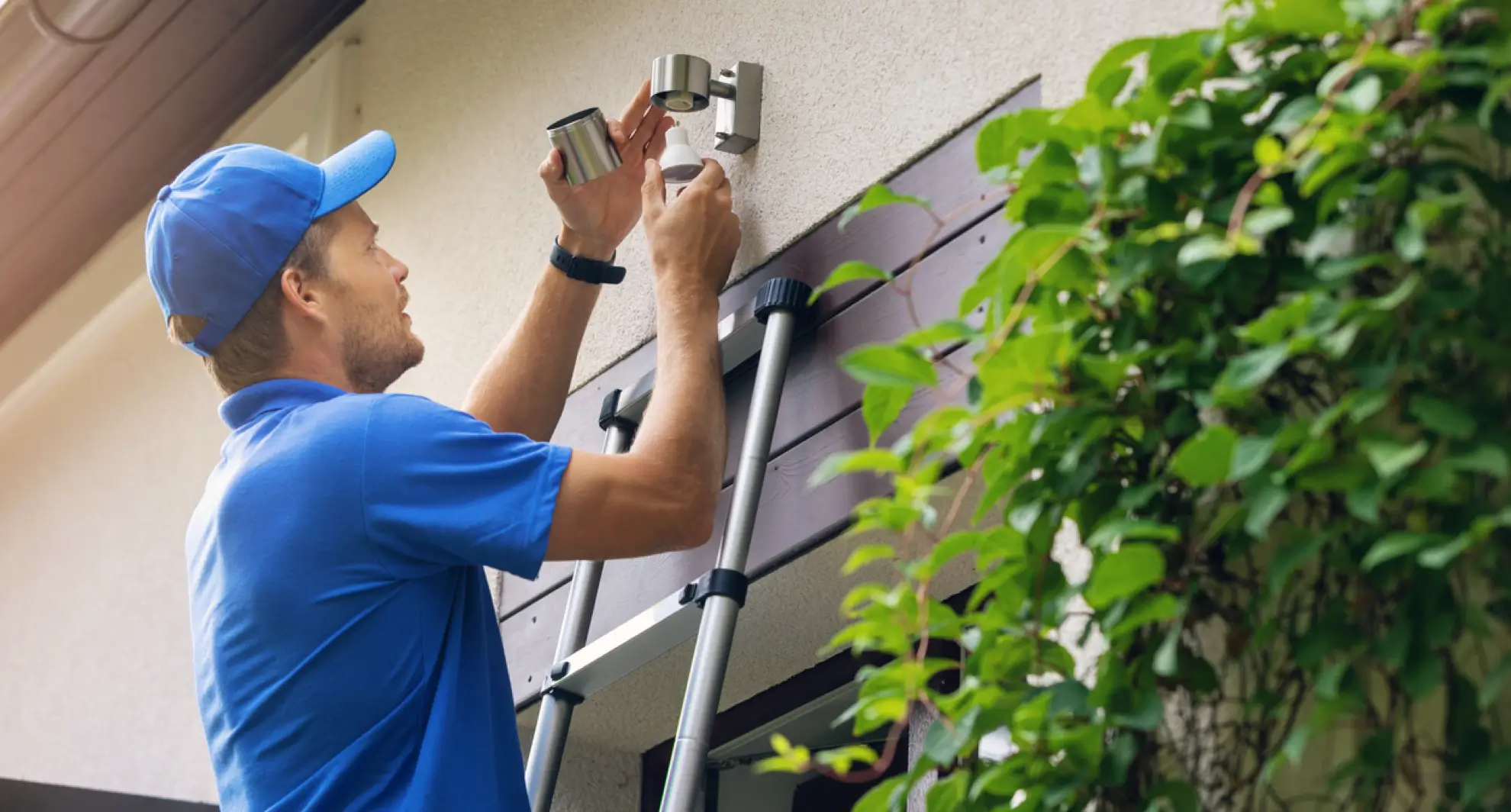
Check your motion sensor light regularly to catch small issues before they become big problems. Clean the sensor lens gently with a soft cloth to remove dust or spider webs that can block its view. Inspect the wiring and connections for signs of wear or corrosion, especially after storms or harsh weather.
Replacing batteries or bulbs on schedule can also prevent unexpected failures. Set a reminder every few months to give your sensor light a quick once-over. This simple habit helped me avoid replacing an entire unit just because a loose wire went unnoticed.
Proper Sensor Placement
Where you place your motion sensor light matters a lot. Avoid pointing it toward busy streets or areas with constant movement like trees swaying in the wind. These can cause the light to stay on unnecessarily, wasting energy and shortening its lifespan.
Think about what you want the sensor to detect. Position it so that it covers the main entry points or pathways without picking up irrelevant motion. Have you noticed if your sensor activates at odd times? Adjusting its angle can often fix that problem quickly.
Using Quality Components
Investing in good-quality parts makes a noticeable difference in how long your motion sensor light lasts. Cheap sensors might save money upfront but can lead to more frequent replacements or malfunctions. Choose brands known for durability and reliable performance.
Also, use weather-resistant fixtures and secure mounting hardware to protect your light from damage. This approach saved me from replacing sensors multiple times after heavy rains. What quality standards do you check before buying outdoor lighting?
Credit: mrelectric.com
Frequently Asked Questions
Why Does My Motion Sensor Light Stay On Constantly?
A motion sensor light stays on if the sensor is dirty, misaligned, or faulty. Check for dirt, adjust the angle, and test sensitivity settings. Replace the sensor if it remains on despite these fixes.
How Can I Reset A Motion Sensor Light?
To reset, turn off power to the light for 10 seconds. Then, restore power and allow the sensor to recalibrate. This often resolves sensor glitches causing it to stay on.
Can Weather Affect Motion Sensor Light Performance?
Yes, extreme weather like rain, snow, or fog can trigger false motion detection. Keep the sensor clean and shielded. Adjust sensitivity to reduce false triggers in bad weather.
What Causes Motion Sensor Light To Malfunction Indoors?
Indoor malfunctions often result from reflective surfaces or pets triggering the sensor. Adjust sensor angle and sensitivity. Remove reflective objects near the sensor to avoid constant activation.
Conclusion
Fixing a motion sensor light that stays on can be simple. Check the sensor settings first. Clean the sensor to remove dirt or spider webs. Adjust the sensitivity to avoid false triggers. Inspect the wiring for any loose connections. Replace old or faulty parts if needed.
Test the light after each step. Small changes often solve the problem quickly. Keep your outdoor lights working well and save energy. A properly working sensor light makes your home safer and more comfortable.



