
Is your motion sensor light acting up? Maybe it’s not turning on when it should or staying on too long.
You’re not alone—these little glitches can be frustrating. But before you think about replacing the whole thing, there’s a simple fix you might be missing: resetting it. You’ll discover easy steps to reset your motion sensor light quickly. By the end, you’ll have your light working perfectly again, saving you time and money.
Keep reading, and take control of your lighting today!
Tools Needed
Resetting a motion sensor light requires a few simple tools. Having the right tools makes the process smooth and safe. These tools help you access the sensor and adjust settings or replace parts if needed.
Most tools are common and easy to find. Keep them ready before starting the reset. This saves time and avoids interruptions.
Basic Screwdriver Set
A screwdriver is essential for opening the sensor cover. Both flathead and Phillips screwdrivers may be needed. Choose a size that fits the screws on your light fixture.
Replacement Batteries
Some motion sensor lights use batteries. Fresh batteries help if the light isn’t working. Check the type and size before buying replacements.
Step Ladder Or Stool
A ladder or stool helps reach lights installed high on walls or ceilings. Use a stable, safe ladder to avoid accidents. Make sure it is tall enough to reach the sensor easily.
Cleaning Cloth
Dust and dirt can block the sensor’s view. Use a soft cloth to clean the sensor lens. This can improve the light’s performance after reset.
Voltage Tester
A voltage tester checks if power is off before touching wires. This is important for safety. Never work on electrical parts without confirming power is off.
Locate The Motion Sensor
Locating the motion sensor is the first step in resetting a motion sensor light. The sensor detects movement and triggers the light to turn on. Without finding the sensor, resetting the light is impossible.
Most motion sensors are attached to the light fixture or nearby walls. They are small, round, or square devices with a lens that looks like a grid or dome. The sensor usually faces the area where movement should be detected.
Check Near The Light Fixture
Start by examining the light fixture itself. The motion sensor often sits on the front or bottom of the fixture. It blends with the design but stands out because of the lens covering it.
Look For A Small Dome Or Lens
The sensor has a distinct lens. It looks like a small dome or a grid made of plastic. This part senses heat and movement from people or animals nearby.
Inspect Walls Around The Light
Sometimes, the sensor is not on the fixture but on the wall close to it. Check for small boxes or panels with lenses. These are often connected to the light to detect motion in wider areas.
Identify Sensor Controls
Locate any buttons, dials, or switches near the sensor. These controls adjust sensitivity, time, or light levels. Finding these helps during the reset process.
Power Off The Light
Resetting a motion sensor light often involves turning off the power for a few minutes. This pause helps clear the sensor’s memory and lets it start fresh. After power is restored, the light should respond correctly to movement again.
Resetting a motion sensor light is a straightforward task. The first step involves powering off the light. This action helps in resetting the light’s internal system. It allows the system to clear any temporary glitches or errors. Let’s delve into the process with clear steps.Turn Off The Circuit Breaker
Locate your home’s circuit breaker panel. Find the switch that controls the motion sensor light. Turn off the switch to cut power.Wait For A Few Minutes
Keep the power off for about 5 to 10 minutes. This break ensures the system resets fully.Turn The Power Back On
Return to the circuit breaker panel. Flip the switch to restore power. Your motion sensor light should now be reset.Observe The Light
Check if the light functions properly after the reset. Ensure it responds to motion as expected. If not, consider other troubleshooting steps.
Credit: www.amazon.com
Resetting The Sensor
Resetting the sensor on your motion sensor light can solve many common issues such as false triggers or unresponsiveness. It helps the device recalibrate and adapt to its surroundings. Let’s look at some straightforward ways to reset your sensor effectively.
Manual Reset Method
Some motion sensor lights allow you to reset the sensor manually by adjusting the sensitivity settings. Locate the sensitivity dial or switch, usually found on the sensor housing.
Turn the dial all the way down, then back up to the desired level. This simple action can clear minor glitches and help the sensor detect motion more accurately.
Have you noticed your light turning on too often at night? Tweaking the sensitivity might stop those unwanted activations.
Using The Reset Button
Many modern motion sensor lights include a dedicated reset button for quick resets. This button is often small and recessed, requiring a pin or paperclip to press.
Press and hold the reset button for about 10 seconds until the light blinks or turns off briefly. This signals that the sensor has been reset to factory settings.
After resetting, you’ll need to reconfigure your settings, but this can clear persistent errors that manual adjustments can’t fix.
Power Cycle Reset
Turning the power off and on again is a basic yet effective way to reset your motion sensor light. Switch off the circuit breaker or unplug the unit for at least 30 seconds.
This pause allows the internal electronics to fully discharge and reboot. When you restore power, the sensor often recalibrates itself automatically.
Have you tried this simple reset trick before calling a technician? It works surprisingly well more often than you might expect.
Adjusting Sensor Settings
Adjusting the sensor settings on your motion sensor light can make a big difference in how well it performs. Fine-tuning these settings ensures the light activates exactly when you want it to and stays on for the right amount of time. Let’s break down the key adjustments you can make to get the best results from your sensor.
Sensitivity Adjustment
The sensitivity setting controls how much movement the sensor detects before it triggers the light. If your light keeps turning on at random times, the sensitivity might be too high. Lowering it can prevent false alarms from small animals or distant motion.
On the other hand, if the light doesn’t turn on when you expect it to, try increasing the sensitivity. Some models have a dial or switch labeled “sensitivity,” while others use buttons on the control panel. Don’t hesitate to test different levels at night to find the perfect balance for your space.
Timer Settings
The timer setting determines how long your light stays on after detecting motion. This feature is useful if you want the light to turn off quickly to save energy or stay on longer for safety reasons.
Adjust the timer by turning the dial or pressing the timer button. You might want a shorter duration for a small walkway but a longer one for a driveway or backyard. Experiment with timing to match your lifestyle and security needs.
Light Level Settings
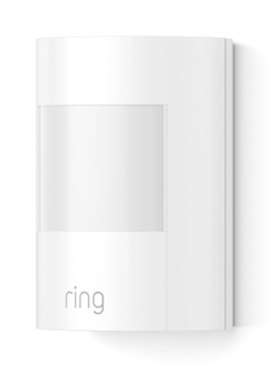
The light level setting lets you decide when the motion sensor activates based on ambient light. This means you can set the sensor to only work at night or during low light conditions.
If your sensor light turns on during the day, adjusting this setting can prevent that. Look for a dial or button marked “LUX” or “light level.” Setting it to a lower level means the light triggers only when it’s dark enough, saving electricity and extending the bulb’s life.
Credit: ring.com
Testing The Motion Sensor
Testing the motion sensor is a crucial step after resetting your motion sensor light. It helps confirm the sensor detects movement correctly. Proper testing ensures your light works as expected and avoids false triggers or missed detections.
Start by turning off all nearby lights to create a clear environment. This helps the sensor focus on your movements without interference. Stand in front of the sensor and move slowly to check its range and sensitivity.
Check Sensor Sensitivity
Adjust the sensitivity setting on your motion sensor light. Move at different speeds and distances to see if the light responds. If the light does not turn on, increase the sensitivity level.
Test Detection Range
Walk across the sensor’s detection zone to verify its coverage area. Make sure the sensor detects motion within the desired range. Adjust the angle of the sensor if some areas are not covered well.
Observe Light Response Time
Note how quickly the light turns on after detecting motion. A fast response time indicates the sensor works properly. If there is a delay, check the settings or reset the sensor again.
Evaluate Day And Night Performance
Test the motion sensor during different lighting conditions. It should work well in low light or darkness and stay off during the day. Adjust the light sensor setting to improve performance in various environments.
Troubleshooting Common Issues
Troubleshooting common issues with motion sensor lights can save you time and frustration. These devices are usually straightforward, but small glitches can affect their performance. Understanding the typical problems helps you fix them quickly without calling a professional.
Sensor Not Detecting Motion
If your motion sensor light isn’t responding to movement, first check if the sensor lens is clean. Dust or spider webs can block the sensor’s view, causing it to miss motion.
Also, consider the sensor’s placement. Is it facing an area with too much sunlight or obstructions like plants or furniture? These factors can interfere with detection. Try adjusting the angle or moving objects out of the sensor’s path.
Have you ever noticed how some lights work perfectly indoors but fail outside? This could be due to temperature sensitivity. Some sensors perform poorly in extreme heat or cold, so verify if your sensor is rated for outdoor use.
Light Stays On Constantly
If the light never switches off, the sensor might be stuck in “always on” mode. Check the settings for the timer or sensitivity and adjust them to see if that helps.
Another cause could be electrical issues such as faulty wiring or a short circuit. Inspect the wiring carefully or turn off power and test the sensor with a multimeter if you’re comfortable doing so.
Sometimes, nearby heat sources like HVAC vents or reflective surfaces can confuse the sensor, making it think there’s constant motion. Try relocating the sensor or shielding it from such influences.
Sensor Flickering
Flickering lights often indicate loose connections. Make sure all wires are securely connected and terminals are tight.
Faulty bulbs can also cause flickering. Replace the bulb with a new one that matches the sensor’s specifications to rule this out.
Electrical interference from devices like radios or Wi-Fi routers can sometimes disrupt sensor operation. Moving these devices away from the sensor might solve the problem.
Credit: mrelectric.com
Maintaining Your Motion Sensor Light
Maintaining your motion sensor light helps it work well for a long time. Dirt and dust can block the sensor and stop it from detecting motion correctly. Regular care keeps the light bright and responsive. It also prevents false triggers or no response at all.
Cleaning The Sensor
Clean the sensor gently using a soft cloth. Avoid harsh chemicals that can damage the lens. Use a mild soap solution if needed. Dry the sensor fully after cleaning. Dirt, spider webs, and dust reduce the sensor’s sensitivity. Wipe it regularly to keep the motion sensor clear.
Regular Inspections
Check the motion sensor light often for damage or wear. Look at the sensor, wiring, and light fixture. Make sure the sensor is not blocked by plants or objects. Test the light to ensure it turns on and off properly. Replace batteries or bulbs as needed to keep the light working well.
Frequently Asked Questions
How Do You Reset A Motion Sensor Light Manually?
To reset a motion sensor light manually, turn off the power. Wait 10 seconds, then turn it back on. This refreshes the sensor and clears any glitches.
Why Is My Motion Sensor Light Not Resetting?
Your motion sensor light may not reset due to faulty wiring or a damaged sensor. Check connections or replace the sensor if needed.
How Long Does It Take To Reset Motion Sensor Light?
Resetting a motion sensor light usually takes less than a minute. Power cycling the device often restores normal operation immediately.
Can I Reset A Motion Sensor Light Without Tools?
Yes, you can reset most motion sensor lights without tools by switching the power off and on. Some models have a reset button too.
Conclusion
Resetting a motion sensor light is simple and quick. Start by turning off the power to the light. Then, adjust the settings or press the reset button. Wait a few seconds before turning the power back on. This helps clear any errors and sets the sensor to work correctly.
Regular resets keep the light working well and save energy. Now, your motion sensor light should respond better to movement. Try these steps anytime the light acts up. Easy fixes like this can save you time and frustration.



