
Are you tired of your motion sensor light turning off too quickly or not staying on when you need it? You’re not alone.
Keeping your motion sensor light on exactly when you want it can make your home safer and more convenient. You’ll discover simple, effective tips to adjust your motion sensor light so it stays on longer and works just the way you need.
Keep reading—you’re just a few easy steps away from lighting up your space exactly how you want.
Choosing The Right Motion Sensor Light
Choosing the right motion sensor light is key to keeping it on when you need it. Different lights work better for different spaces and purposes. Consider the type, features, and power source before buying. This helps ensure continuous illumination and saves energy.
Types Of Motion Sensor Lights
Motion sensor lights come in various types. Wall-mounted lights are common for outdoor security. Floodlights cover large areas with bright light. Solar-powered lights charge during the day and light up at night. Compact models fit small spaces or indoor use. Select a type that fits your space and lighting needs.
Features For Continuous Illumination
Look for lights with adjustable settings for longer illumination. Some have a timer to keep the light on for minutes or hours. Others include a manual override switch to turn the sensor off. Sensitivity controls help prevent false triggers from small animals. Choose features that allow you to control how long the light stays on.
Power Sources And Battery Life
Motion sensor lights run on different power sources. Hardwired lights connect to your home’s electrical system. Battery-powered lights offer easy installation and portability. Solar lights use sunlight to charge but depend on weather. Consider battery life and replacement costs. Pick a power source that fits your convenience and budget.
Adjusting Sensor Settings
Adjusting the sensor settings on your motion sensor light can make a huge difference in how effectively it stays on when you need it. Getting these settings right helps you avoid the frustration of a light that turns off too soon or doesn’t respond to movement as expected. Let’s look at the key adjustments you can make to keep your motion sensor light on longer and more reliably.
Sensitivity Controls
Sensitivity controls determine how much motion the sensor detects before turning the light on. If your light keeps turning off quickly, it might be because the sensitivity is set too low. Increasing sensitivity allows the sensor to pick up smaller movements, which can keep the light on longer as you move around.
Be cautious not to set it too high, though, or you might trigger the light with passing cars or animals. Try adjusting the sensitivity gradually and test it during different times of the day to find the perfect balance for your space.
Timer Duration Settings
The timer duration controls how long the light stays on after detecting motion. If your light turns off before you’re finished using the area, simply increase the timer setting. Some models allow you to set the timer anywhere from a few seconds to several minutes.
Think about your typical use: Do you usually just walk past the light, or do you spend time nearby? Setting the timer to match your habits can prevent the light from shutting off too soon, making your space safer and more comfortable.
Light Level Adjustments
Light level adjustments decide when the sensor should activate based on ambient light. You might want your motion sensor light to only come on at night or in low-light conditions. Adjusting this setting ensures the light doesn’t turn on unnecessarily during the day, saving energy.
Experiment with the light threshold to see how it affects your sensor’s performance. Have you noticed your light turning on during twilight or cloudy days? Fine-tuning this setting can help tailor the light’s behavior to your exact needs.
Using Manual Override Options
Manual override options let you keep motion sensor lights on continuously. Simply switch the light to manual mode to prevent automatic shutoff. This helps maintain steady lighting when needed.
Keeping a motion sensor light on can be useful in many situations. Sometimes, you want continuous light for security or extended activities. Manual override options provide a simple solution. They allow you to control the light without waiting for it to turn off automatically.Switches And Remote Controls
Switches offer a straightforward way to keep the light on. Many motion sensor lights come with a switch feature. Flipping the switch can bypass the sensor. This keeps the light on until you switch it back. Remote controls offer similar convenience. They allow you to control the light from a distance. This is useful for outdoor lights or lights in hard-to-reach places.Smartphone App Integration
Smartphone apps provide a modern approach. Many lights now connect to apps via Wi-Fi or Bluetooth. Apps let you override the sensor with a tap. Adjust settings or schedule lights to stay on longer. This gives you control, even when you are not home. Apps can also send notifications and updates. This ensures your lights operate as needed.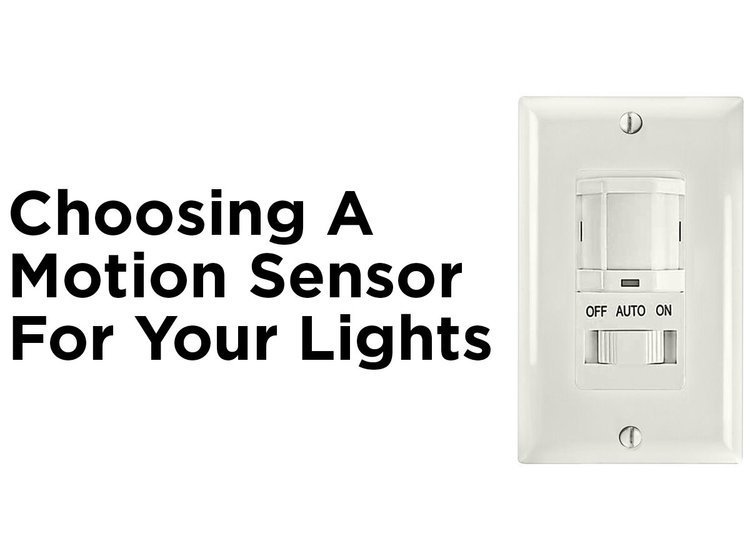
Credit: blog.1000bulbs.com
Installing Additional Lighting Components
Installing additional lighting components can help keep a motion sensor light on for longer or all the time. It improves visibility and adds flexibility to your lighting setup. You can mix different lighting types to fit your needs.
Using extra lights lets you control when and how the area is lit. This is useful for safety, convenience, or saving energy. Choose the right components to match your space and goals.
Adding Constant-on Lights
Constant-on lights stay lit regardless of motion. They provide steady illumination alongside your motion sensor light. This setup ensures light is always available.
Use LED bulbs or fixtures that work well with your sensor. Connect constant-on lights to the same power source but separate switch. This way, you can turn them on or off anytime.
Constant-on lights help in places where you need light all night. They reduce the chance of dark spots when no motion is detected.
Combining With Timers Or Photocells
Timers and photocells add smart control to your lights. Timers let you set specific hours for lights to stay on. Photocells turn lights on at dusk and off at dawn.
Pairing these with motion sensor lights offers more control and energy savings. Lights can stay on during key times without manual effort.
Install timers or photocells on the same circuit as your sensor light. This combination keeps your outdoor areas lit when needed. It also avoids leaving lights on unnecessarily during the day.
Maintenance Tips For Optimal Performance
Proper maintenance keeps your motion sensor light working well for a long time. Dirt, worn parts, and loose connections reduce its effectiveness. Regular checks and simple fixes help maintain brightness and sensor accuracy.
Cleaning Sensors And Lights
Dust and grime block the sensor and light. Clean with a soft, dry cloth often. Avoid harsh chemicals that can damage surfaces. Make sure the lens is clear for good motion detection.
Replacing Batteries And Bulbs
Old batteries lose power and bulbs dim over time. Replace batteries every six months or as needed. Use the correct bulb type and wattage for your light. This keeps the light bright and reliable.
Checking Wiring And Connections
Loose or damaged wires cause flickering or failure. Inspect all wiring carefully. Tighten any loose connections. Replace damaged wires to avoid short circuits or outages.

Credit: manuals.plus
Troubleshooting Common Issues
Troubleshooting your motion sensor light can save you time and frustration. Often, a few simple adjustments can fix common problems that keep your light from working as expected. Let’s look at some typical issues and how you can solve them to keep your motion sensor light on when you need it.
Sensor Not Detecting Movement
If your motion sensor light isn’t detecting movement, start by checking the sensor’s angle. Sometimes the sensor is pointed too high or low, missing the area where motion occurs.
Make sure nothing is blocking the sensor’s view. Leaves, dirt, or even spider webs can interfere with detection. Cleaning the sensor lens gently with a soft cloth can improve sensitivity.
Also, consider the sensor’s range settings. If your sensor has adjustable sensitivity, increase it slightly to detect smaller or more distant movements. Have you noticed the light working better when you walk closer? That’s a sign you might need to tweak the range.
Light Turning Off Prematurely
Is your light shutting off before you want it to? This usually happens because the timer is set too short. Adjust the timer setting to keep the light on longer after detecting motion.
Some models have separate settings for dusk-to-dawn and motion timeouts. Double-check both to avoid early shutoff during nighttime.
Another tip: walk through the sensor’s coverage area to test if the light stays on as long as you expect. If it turns off too quickly, increasing the timer delay usually fixes the issue.
Interference And Environmental Factors
Environmental factors can confuse motion sensors. Wind blowing branches, passing cars, or even insects near the sensor can trigger false alarms or cause the light to behave erratically.
Try relocating the sensor away from busy roads or moving objects. If that’s not possible, adding physical barriers like a shield can help reduce false triggers.
Temperature changes also affect sensor performance. In very hot or cold climates, the sensor might struggle to differentiate between background heat and actual movement. Have you noticed your light acting up during extreme weather? That’s a clue to check environmental impacts.

Credit: www.amazon.com
Frequently Asked Questions
How Can I Keep My Motion Sensor Light On Continuously?
To keep a motion sensor light on continuously, adjust the settings to manual or override mode. Some models have a switch to disable motion detection and keep the light on.
Why Does My Motion Sensor Light Turn Off Too Quickly?
Your motion sensor light might have a short timer setting. Increase the timer duration in the sensor’s settings for longer illumination.
Can I Disable Motion Detection On My Sensor Light?
Yes, many motion sensor lights allow disabling motion detection through a manual switch or remote control. Check your light’s user manual for instructions.
How Do I Extend The Motion Sensor Light’s On Time?
Extend the on time by adjusting the timer or sensitivity settings. This allows the light to stay on longer after detecting motion.
Conclusion
Keeping a motion sensor light on is simple with the right steps. Adjust the settings to extend the light’s active time. Check the power source to avoid interruptions. Clean the sensor to keep it working well. These small actions help your light stay on when needed.
Stay safe and save energy with smart use. Try these tips and enjoy better outdoor lighting.



