
Are your motion sensor lights acting up or not turning on as they should? You’re not alone.
When these lights don’t work properly, it can be frustrating and even affect your home’s safety. The good news is, resetting your motion sensor lights is often a simple fix that you can do yourself. You’ll discover easy, step-by-step instructions to get your lights back to perfect working order.
Keep reading, and you’ll save time, avoid costly repairs, and restore the security and convenience your motion sensor lights are meant to provide.
Common Reasons For Resetting
Resetting motion sensor lights is often necessary because they don’t always work perfectly on their own. Various factors can cause them to behave unpredictably or stop responding altogether. Understanding the common reasons behind these issues helps you fix the problem quickly and avoid frustration.
Power Interruptions
Power outages or sudden surges can disrupt your motion sensor lights. Even a brief interruption might cause the sensors to lose their settings or freeze. Have you ever noticed your lights acting strangely right after a storm? That’s usually a sign that a reset is needed to restore normal function.
To prevent this, consider using surge protectors or installing a backup power source. This keeps your system stable and reduces the need for frequent resets.
Sensor Malfunctions
Motion sensors are sensitive electronic devices prone to glitches. Dirt, dust, or insects blocking the sensor’s view can cause it to misread movements. Sometimes, the sensor’s internal components wear out or get misaligned, leading to inconsistent performance.
If your lights turn on and off randomly or fail to detect motion, try cleaning the sensor first. If that doesn’t help, a reset can recalibrate the system and fix minor malfunctions without replacing parts immediately.
Environmental Changes
Changes in your environment can confuse motion sensors. New landscaping, added outdoor furniture, or even seasonal shifts in sunlight and temperature can affect sensor sensitivity. Have you rearranged your porch or trimmed bushes near the sensor? These changes might be why your lights aren’t working as expected.
Resetting the sensor allows it to adjust to the new surroundings and detect motion accurately again. You might also need to reposition the sensor to get the best coverage after any environmental change.
Tools Needed For Reset
Resetting motion sensor lights requires a few simple tools. Having the right equipment helps you work safely and efficiently. Gather all tools before starting the reset process to avoid interruptions. This section lists essential tools and safety gear needed to reset motion sensor lights effectively.
Basic Tools
- Screwdriver (flathead and Phillips) for opening the light cover
- Ladder or step stool to reach the light fixture
- Multimeter to check electrical connections if needed
- Replacement batteries, if your sensor uses them
- Wire stripper for handling wires safely
Safety Equipment
- Insulated gloves to protect from electric shock
- Safety glasses to protect eyes from debris
- Non-slip shoes for stable footing on ladders
- Flashlight for better visibility in low light areas
Step-by-step Reset Process
Resetting motion sensor lights can solve many issues. Sometimes, lights stay on or off without reason. A reset can fix these problems. Follow this step-by-step guide to restore your lights to normal function.
Turning Off The Power
First, switch off the power to the light. Use the circuit breaker or main switch. This prevents electrical accidents. Wait for about 30 seconds. This helps reset the internal circuits.
Locating The Reset Button
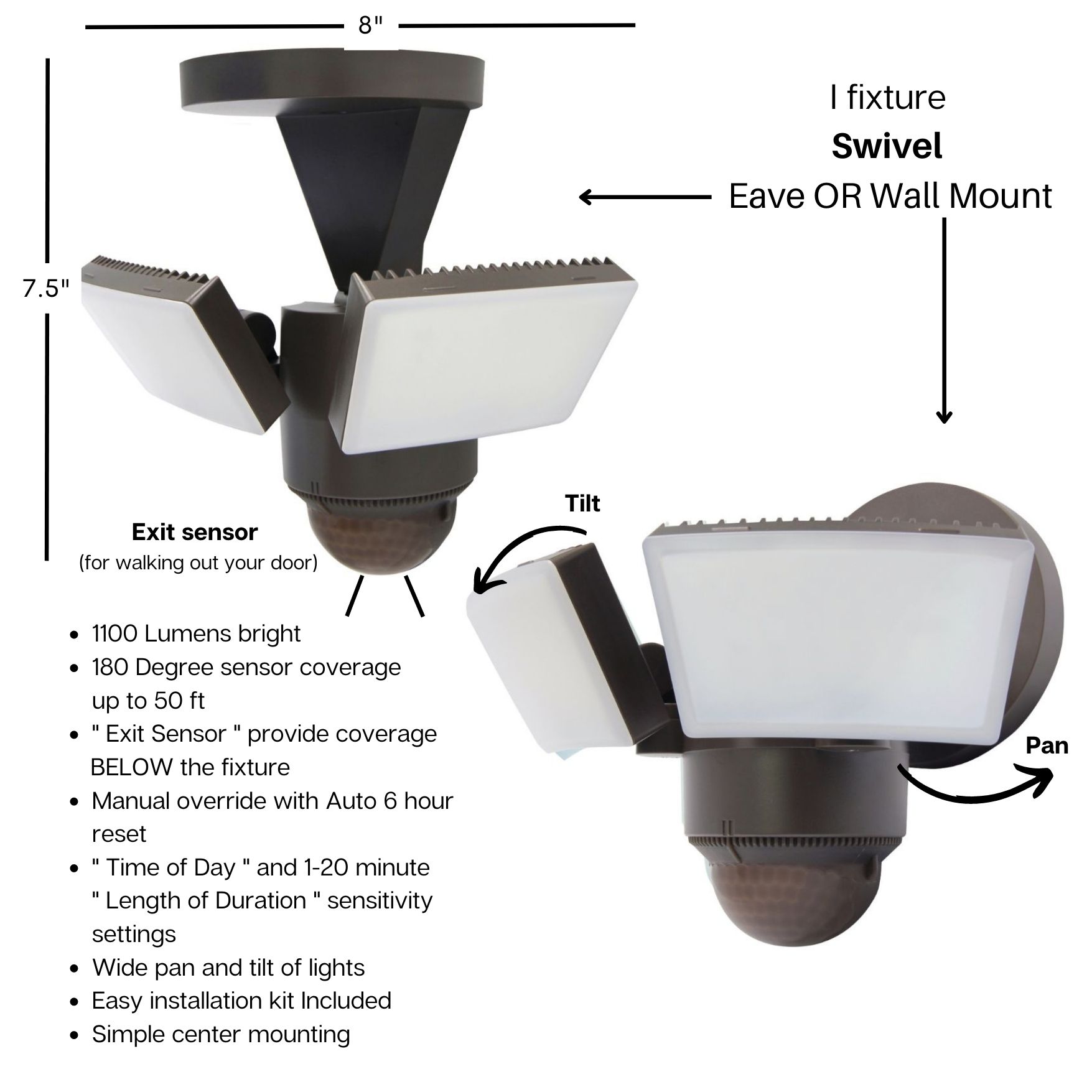
Next, find the reset button on the sensor. It is often near the base or on the side. If unsure, check the manual. Some models have a small, recessed button. Use a pointed tool to press it.
Performing The Reset
Press and hold the reset button for 5 seconds. Release it and wait. This clears any previous settings. Ensure you press firmly but gently. Avoid damaging the button.
Restoring Power And Testing
Finally, restore power to the light. Turn the circuit breaker or switch back on. Observe the light’s behavior. It may flash or blink briefly. Walk in front of the sensor to test it. Check if it activates correctly. If issues persist, consult a professional.
Credit: www.walmart.com
Adjusting Sensor Settings
Adjusting the sensor settings on your motion sensor lights can make a huge difference in how effectively they work. Small tweaks can help avoid constant false triggers or make sure your lights stay on long enough for you to feel safe and comfortable. Understanding these settings puts you in control of your lighting environment.
Sensitivity Controls
Sensitivity controls determine how easily your motion sensor detects movement. If set too high, your lights may turn on from passing cars or small animals, which can be annoying and waste energy.
Try lowering the sensitivity if you notice frequent, unwanted activations. On the other hand, increase sensitivity if your sensor misses people walking nearby. Adjust this gradually and test by walking through the detection area to find the sweet spot.
Light Duration
Light duration controls how long the light stays on after detecting motion. If the light turns off too quickly, you might find yourself stumbling in the dark. Set it too long, and you waste electricity when no one is around.
Think about your typical use. Do you need the light to stay on for a few seconds or several minutes? Adjust the timer to match your routine and comfort level, then observe how it performs during different times of the day.
Detection Range
Detection range is the distance your sensor can “see” motion. A wide range covers more area but may trigger unnecessarily, while a narrow range reduces false alarms but might miss some movements.
To change this, locate the range adjustment dial or switch on your sensor. Experiment with different distances by walking at various points within your yard or driveway. This hands-on approach helps you pinpoint the exact range needed for your space.
Troubleshooting Persistent Issues
Persistent issues with motion sensor lights can be frustrating, especially when they don’t respond after resetting. Before considering a replacement, it’s worth troubleshooting some common problems that often go unnoticed. These simple checks can save you time and money while restoring your lights to perfect working order.
Checking Wiring Connections
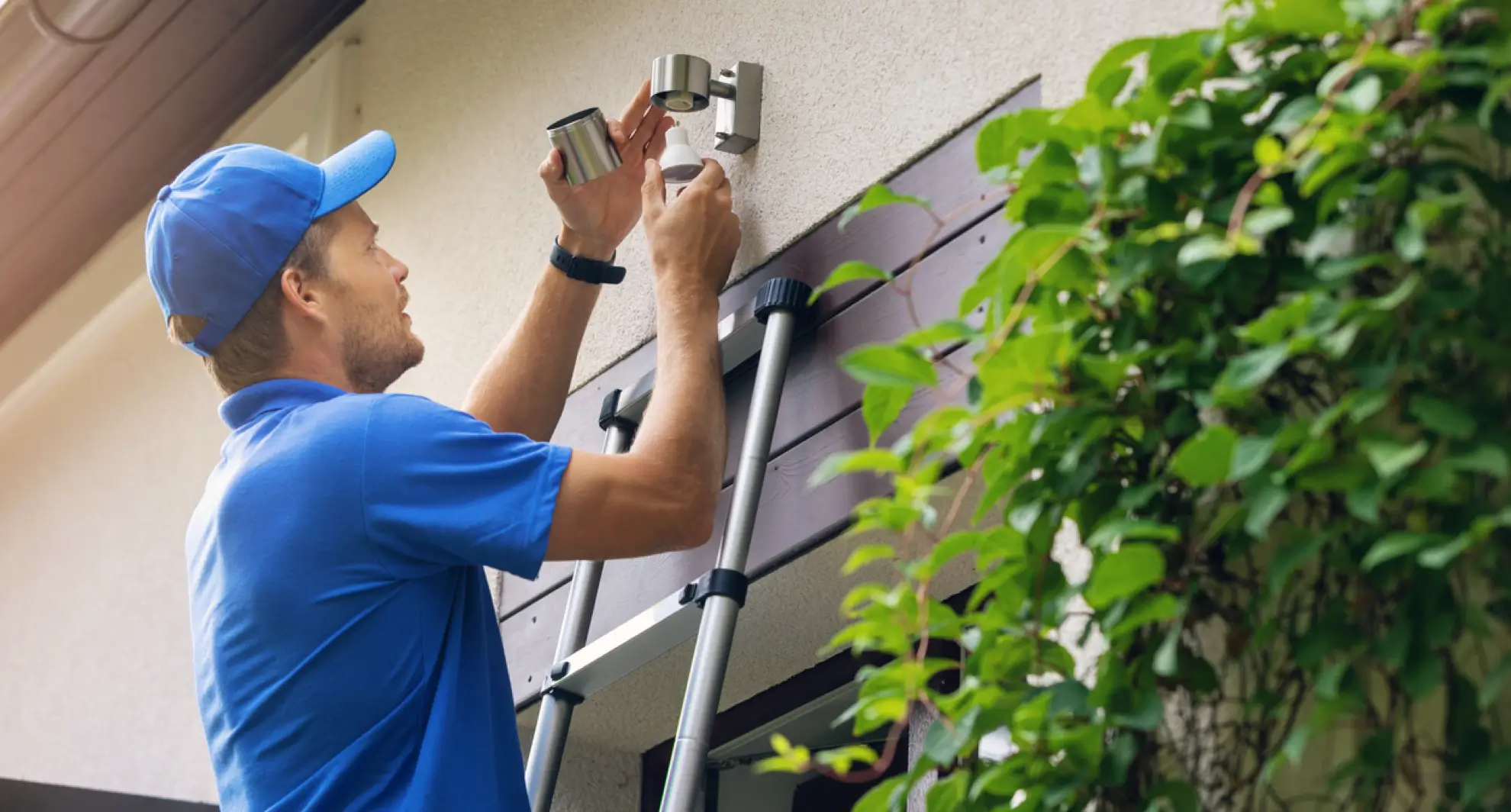
Loose or faulty wiring is a common culprit behind motion sensor malfunctions. Carefully inspect the connections inside the fixture and at the power source to ensure everything is secure and free from corrosion.
Look for wires that are frayed, disconnected, or improperly joined. Even a slight wiggle can cause the sensor to fail intermittently. Have you ever found a loose wire that instantly fixed the problem?
Replacing Batteries
If your motion sensor light uses batteries, don’t overlook them as a potential source of trouble. Weak or dead batteries can cause the sensor to behave erratically or stop working altogether.
Try swapping in fresh batteries, making sure they’re installed with the correct polarity. It’s surprising how often fresh batteries resolve issues that seemed more complicated at first glance.
Consulting The Manual
Your motion sensor light’s manual is a valuable resource that often contains troubleshooting tips specific to your model. It might include reset procedures or sensor sensitivity adjustments that aren’t obvious.
Check for error codes or indicator light patterns described in the manual. Have you ever discovered a simple reset sequence or setting tweak that changed everything just by reading the instructions?
Credit: mrelectric.com
Preventive Tips For Smooth Operation
Keeping motion sensor lights working well needs some care. Simple actions can stop problems and keep lights reacting fast. Following a few tips can help the sensors last longer and work better.
Regular Maintenance
Check sensor lights often for dust and dirt. Use a soft cloth to clean lenses and covers. Dirt can block the sensor and stop it from seeing movement. Replace old or weak batteries to keep power steady. Test the lights after cleaning to confirm they work right.
Avoiding Obstructions
Keep plants, furniture, and other objects away from the sensor’s view. Obstructions can block motion detection and cause false triggers. Make sure the sensor has a clear view of the area it needs to cover. Trim tree branches or bushes that might move in front of the sensor.
Weatherproofing
Protect motion sensor lights from rain, snow, and extreme heat. Use covers or install lights under eaves to shield them. Check seals and housing for cracks or openings. Water or moisture inside the sensor can cause damage or poor performance. Replace damaged parts quickly to avoid bigger issues.

Credit: www.amazon.com
Frequently Asked Questions
How Do I Reset Motion Sensor Lights Quickly?
To reset motion sensor lights, turn off the power supply first. Wait for 30 seconds, then turn it back on. This resets the sensor and clears any previous settings or malfunctions.
Why Won’t My Motion Sensor Light Reset?
Your motion sensor light may not reset if there’s a wiring issue or a faulty sensor. Check connections and replace batteries if needed. If problems persist, consult the manufacturer’s guide or a professional electrician.
Can Resetting Motion Sensor Lights Improve Performance?
Yes, resetting motion sensor lights can fix glitches and improve sensitivity. It recalibrates the sensor, ensuring it detects motion accurately and functions efficiently for better security and energy savings.
How Often Should I Reset Motion Sensor Lights?
Reset your motion sensor lights every 6 to 12 months or when they act up. Regular resets help maintain optimal performance and extend the lifespan of the sensor light.
Conclusion
Resetting motion sensor lights can solve many common problems. It helps improve their performance and saves energy. Follow the simple steps carefully to avoid mistakes. Test the lights after resetting to ensure they work well. Regular checks keep your lights reliable and safe.
Taking time to reset your sensors keeps your home well-lit. A small effort can make a big difference in lighting quality. Keep your motion sensor lights working smoothly all year round.



