
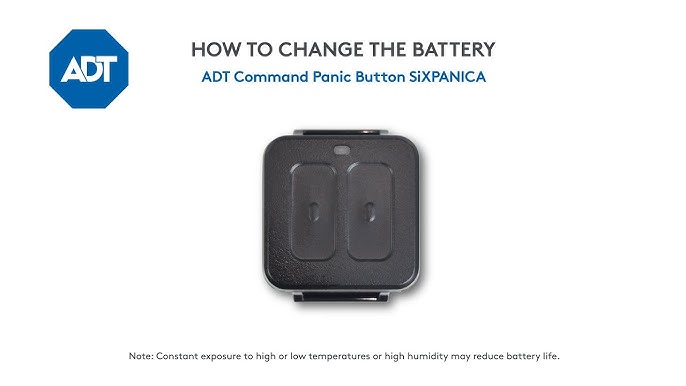
Is your ADT motion sensor acting up or showing low battery alerts? Knowing how to change your ADT motion sensor battery quickly can save you from security gaps and annoying alerts.
You don’t need to call a technician or wait for help—this simple task is something you can do yourself in just a few minutes. Keep reading, and you’ll learn easy, step-by-step instructions to replace your battery and keep your home protected without any hassle.
Don’t let a dead battery leave your security system vulnerable—take control now!
Tools Needed
Changing the battery in your ADT motion sensor requires a few basic tools. Having the right tools helps make the process quick and easy. It also prevents damage to your sensor or battery compartment.
Gather all necessary tools before starting the replacement. This preparation saves time and avoids frustration. Most tools needed are common and easy to find at home or a local store.
Replacement Battery
Use the correct battery type for your ADT motion sensor. Check your sensor’s manual for the exact model. Most sensors use CR123A or AA batteries. Using the wrong battery can cause sensor malfunction.
Small Flathead Screwdriver
A small flathead screwdriver helps open the sensor’s battery compartment. It is also useful to gently pry open clips without breaking them. Choose a screwdriver that fits well to avoid slipping.
Soft Cloth Or Gloves
Wear gloves or use a soft cloth to handle the new battery. This keeps oils and dirt off the battery. Clean hands can reduce battery life or cause corrosion.
Optional: Small Phillips Screwdriver
Some ADT sensors may have screws securing the battery cover. A small Phillips screwdriver is needed to remove these screws. Check your sensor to see if this tool is necessary.

Credit: www.youtube.com
Locating The Sensor
Finding the ADT motion sensor is the first task before changing its battery. These sensors are usually mounted in places that cover wide areas. They detect movement to protect your home effectively.
Knowing where the sensor is located helps you handle it carefully. Sensors often blend in with walls or corners, making them hard to spot. Take your time to find the exact spot.
Check Near Entry Points
Motion sensors are commonly installed near doors and windows. These spots help detect intruders early. Look around main entrances and large windows on both floors.
Look At Corners And High Places
Most sensors are placed high on walls or in room corners. This position gives a wide view of the space. Scan corners about 6 to 8 feet from the floor.
Identify The Sensor Design
ADT motion sensors have a small, rectangular shape. They usually have a clear or frosted lens. The sensor may be white or beige, matching the wall color.
Use Your Adt App Or Manual
The ADT app or manual shows the exact sensor locations. It can help you find the sensor faster. Check the app’s device list or the system’s setup guide.
Mark The Sensor Spot
Once found, mark the sensor location lightly with a pencil. This step avoids confusion during battery replacement. It also helps if you need to call for help later.
Removing The Sensor Cover
Removing the sensor cover is the first step in changing the ADT motion sensor battery. Gently press the sides and pull the cover off to access the battery compartment.
Changing the battery in your ADT motion sensor can seem daunting, but with a little patience and the right approach, it can be straightforward. The first step in this process involves removing the sensor cover. This is a critical step as it gives you access to the battery compartment. It’s important to handle the sensor with care to avoid any damage. Before you can remove the cover, you need to locate the sensor. ADT motion sensors are often mounted at a height to cover a wide area. Look for a small, white device usually installed in the corners of rooms or near entry points.Gathering Your Tools
Once you’ve located the sensor, gather the necessary tools. Typically, you will need a small flathead screwdriver. Having the right tool ensures you can easily and safely remove the cover without causing scratches or damage.Removing The Cover
To remove the sensor cover, gently insert the flathead screwdriver into the indentation or seam on the side of the sensor. Carefully twist or pry the cover open. If the cover doesn’t come off easily, check for any screws that might be holding it in place.Being Gentle And Patient
While removing the cover, patience is key. Avoid applying excessive force. You don’t want to crack the plastic or disrupt the sensor’s positioning. Have you ever noticed how things break when you rush? Take your time, and the cover will come off smoothly.Checking For Clips
Some ADT sensors have clips that need to be pressed to release the cover. Check the sides for any such clips and gently press them while pulling the cover. It’s a bit like solving a small puzzle; finding the right piece opens up the whole picture.Inspecting Inside The Sensor
With the cover off, take a moment to inspect the inside. You’ll find the battery compartment and possibly some dust. This is a good time to clean any dust that may have accumulated, ensuring your sensor continues to function optimally. Removing the sensor cover is a simple yet crucial step in changing the battery. By following these steps, you ensure a smooth process without damaging your sensor. Now, are you ready to tackle the battery replacement?Taking Out The Old Battery
Taking out the old battery from your ADT motion sensor is a simple task. It ensures your security system works without interruption. Before replacing the battery, you must safely remove the old one. This step protects the device and prepares it for a fresh power source.
Handle the sensor carefully to avoid damage. The battery compartment is small and easy to access. Follow these clear instructions to remove the old battery without trouble.
Locate The Battery Compartment
Find the battery compartment on the back or side of the motion sensor. It usually has a small cover or latch. Look for a tab or screw securing the cover. This part keeps the battery safe inside.
Open The Battery Cover
Use your fingers or a small tool to open the cover. Gently press or slide the latch to unlock it. Avoid using too much force. The cover should come off smoothly.
Remove The Old Battery
Take note of the battery’s orientation before removal. The positive (+) and negative (-) ends must be clear. Carefully pull out the battery using your fingers. Avoid touching other parts inside the sensor.
Dispose Of The Battery Properly
Do not throw old batteries in the trash. They contain harmful chemicals that can damage the environment. Find a local recycling center or battery drop-off point. This step keeps your home safe and eco-friendly.
Choosing The Right Replacement Battery
Choosing the right replacement battery for your ADT motion sensor is key to keeping your system working well. The correct battery ensures long-lasting performance and reliable alerts. Picking the wrong battery may cause frequent replacements or sensor failure.
Consider the battery type, voltage, and size. These factors must match the sensor’s requirements exactly. Using batteries that do not fit or have wrong voltage can damage the sensor or reduce its lifespan.
Understanding Battery Types For Adt Motion Sensors
Most ADT motion sensors use lithium or alkaline batteries. Lithium batteries last longer and work better in cold temperatures. Alkaline batteries are cheaper but may need frequent changes.
Check the sensor manual to confirm the recommended battery type. Using the suggested type helps the sensor perform at its best.
Checking Battery Voltage And Size
Battery voltage must match the sensor’s specifications. Common voltages include 3V and 9V. Too high or low voltage can cause sensor errors.
Battery size is also important. Common sizes are CR123A, AA, or AAA. The battery must fit securely in the sensor battery compartment.
Buying Genuine Or Compatible Replacement Batteries
Choose batteries from trusted brands or those approved by ADT. Genuine batteries reduce the risk of leaks or poor performance.
Compatible batteries from reputable sellers can work well but check reviews. Avoid very cheap batteries as they may fail quickly.
Storing Spare Batteries Properly
Store extra batteries in a cool, dry place. Avoid heat and moisture, which can damage batteries.
Keep batteries in their original packaging until use to prevent discharge. This keeps them fresh and ready for your sensor.
Installing The New Battery
Installing the new battery in your ADT motion sensor is a simple process. It restores the sensor’s power and ensures it works correctly. Follow these steps carefully to avoid damage and keep your system secure.
Open The Sensor Cover
Find the small latch or screw on the sensor casing. Gently press or unscrew it to open the cover. Avoid using too much force to prevent breaking the plastic.
Remove The Old Battery
Take out the old battery carefully. Note the battery’s orientation before removal. This helps when placing the new one.
Insert The New Battery
Place the new battery in the same position as the old one. Match the positive (+) and negative (–) ends correctly. A wrong placement can cause the sensor to malfunction.
Close The Sensor Cover
Snap or screw the cover back onto the sensor. Make sure it fits tightly to protect the battery and internal parts. A loose cover can affect sensor performance.
Test The Motion Sensor
Turn on your security system and check if the sensor works. Walk in front of it to trigger the motion detection. Confirm the sensor responds properly before finishing.
Reassembling The Sensor
After replacing the battery, it is time to reassemble the ADT motion sensor. This step is important to ensure the sensor works properly. Careful reassembly prevents damage and keeps the sensor sealed against dust and moisture. Follow these simple instructions to put everything back together securely.
Aligning The Sensor Components
Start by aligning the sensor cover with the base. Make sure the battery sits correctly inside its compartment. Check that no wires are pinched or out of place. Proper alignment helps the sensor function well and avoid errors.
Securing The Cover
Gently press the cover onto the base until it snaps into place. Avoid forcing it to prevent cracks or breaks. Listen for a click sound that confirms the cover is secured. If your model uses screws, tighten them evenly without over-tightening.
After assembly, test the sensor to confirm it works. Move in front of the sensor to trigger it. Check the control panel for a signal or alert. This quick test ensures the sensor is ready to protect your home.

Credit: www.youtube.com
Testing The Sensor
Testing your ADT motion sensor after changing the battery is crucial to ensure it works correctly. A sensor that isn’t functioning properly can leave your home vulnerable or cause unnecessary alarms. Let’s look at how you can test the sensor effectively.
Checking The Sensor’s Led Indicator
Most ADT motion sensors have an LED light that signals their status. After inserting the new battery, watch for the LED to blink when motion is detected.
If the LED doesn’t light up, the battery might not be installed correctly, or the sensor could have another issue. Try moving in front of the sensor to trigger it and confirm whether the light responds.
Using Your Adt Control Panel To Test
Your ADT control panel can help verify if the sensor is communicating properly. Arm your system in “Stay” mode and walk in the sensor’s detection area.
If the panel registers movement and triggers an alert, your sensor is working. If not, double-check the sensor’s placement and battery installation.
Testing Sensor Range And Sensitivity
Walk at different distances and speeds in front of the sensor to test its range. This helps you understand how sensitive the device is and whether it covers the intended area.
- Walk slowly and then quickly across the detection zone.
- Check if the sensor picks up movement at the far edges.
- Adjust the sensor’s angle or position if necessary.
Have you ever thought about how sensor sensitivity affects false alarms? Proper testing helps you balance security and convenience.
Battery Maintenance Tips
Keeping your ADT motion sensor battery in good condition helps the system work well. Proper battery care extends its life and prevents sudden power loss. Follow easy tips to maintain your battery and keep your home safe.
Store Batteries In A Cool, Dry Place
Heat and moisture reduce battery life quickly. Keep spare batteries in a cool, dry area. Avoid places like bathrooms or near heaters.
Use Batteries Before Expiry Date
Batteries lose power over time, even if unused. Check the expiration date on the package. Use batteries before that date to ensure strong performance.
Clean Battery Contacts Regularly
Dust or corrosion on contacts affects battery connection. Wipe the sensor’s battery contacts with a dry cloth. This keeps the power flow steady and reliable.
Replace Batteries With The Same Type
Always use the battery type recommended by ADT. Different batteries may not fit well or work correctly. This can cause sensor errors or damage.
Remove Batteries During Long Periods Of Inactivity
If the sensor will not be used for a long time, remove the batteries. This prevents battery leakage and protects the device.

Credit: www.youtube.com
Frequently Asked Questions
How Do I Open An Adt Motion Sensor?
To open an ADT motion sensor, locate the latch or screws on the device. Use a screwdriver if needed. Gently pry open the sensor casing to access the battery compartment. Always handle the sensor carefully to avoid damage.
What Type Of Battery Does Adt Motion Sensor Use?
ADT motion sensors commonly use CR123A or CR2 lithium batteries. Check your sensor model for exact battery type. Using the correct battery ensures optimal performance and longer sensor life. Always use fresh, high-quality batteries for best results.
How Often Should I Replace Adt Motion Sensor Batteries?
Replace ADT motion sensor batteries every 1 to 2 years. Battery life depends on usage, sensor type, and environment. Low battery alerts on your control panel indicate it’s time for replacement. Regular checks help maintain sensor reliability and security.
Can I Replace Adt Motion Sensor Battery Myself?
Yes, you can replace the ADT motion sensor battery yourself. Follow manufacturer instructions carefully to avoid damage. Ensure the sensor is powered off before replacing the battery. Proper replacement keeps your security system functioning smoothly.
Conclusion
Changing your ADT motion sensor battery is simple and quick. Always use the right battery type for best results. Keep your sensors working well to protect your home. Regular checks help avoid surprises later. Stay safe by replacing batteries as needed.
This small task keeps your security system strong. Take action now to ensure your peace of mind. Easy steps, better safety.



