
Are you tired of your motion sensor light turning off too quickly? Imagine having a light that stays on just long enough to keep you safe and comfortable without constant flickering.
You’re not alone—many people struggle with motion sensor lights that don’t meet their needs. You’ll discover simple, effective ways to make your motion sensor light stay on exactly how you want it. Keep reading, and you’ll learn easy tips that can save you time and frustration while improving your home’s lighting.
Common Reasons Motion Sensor Lights Turn Off
Motion sensor lights are designed to turn on when they detect movement and turn off after a set time. But sometimes, they switch off too quickly or fail to stay on as long as you want. Understanding the common reasons why motion sensor lights turn off can help you fix the issue and get the lighting performance you expect.
Sensor Sensitivity Issues
If your motion sensor light turns off too soon, the sensor’s sensitivity might be set too low. Low sensitivity means the light detects only large or close movements, ignoring smaller or distant ones. Try increasing the sensitivity to catch more motion and keep the light on longer.
On the other hand, if sensitivity is too high, the light may flicker off and on due to small movements like leaves or pets. Finding the right balance is key. Have you adjusted the sensitivity on your sensor before? It often makes a big difference.
Incorrect Timer Settings
Many motion sensor lights have adjustable timers that control how long the light stays on after detecting motion. Sometimes, the timer is set to a very short period, causing the light to turn off quickly. Check the timer settings and extend the duration to suit your needs.
Be aware that different brands use different ways to adjust the timer. Some use a dial, others a digital interface. If you’re unsure, look up your model’s manual or try experimenting to find the right time span.
Power Supply Problems
Intermittent power supply or weak batteries can cause your motion sensor light to turn off unexpectedly. If your light runs on batteries, check if they need replacement or recharging. For wired lights, loose connections or faulty wiring can disrupt power flow.
Have you noticed flickering or dimming before the light switches off? This often signals power issues. Ensuring a stable and reliable power source is essential for consistent operation.
Environmental Factors
External conditions can affect how your motion sensor light performs. Bright sunlight can blind the sensor during the day, preventing it from activating properly at night. Similarly, heavy rain or fog can interfere with motion detection.
Objects like trees, walls, or parked cars might block the sensor’s view, causing it to miss movement. Position your sensor carefully, and consider trimming plants or relocating obstacles to improve detection. How well is your sensor’s line of sight?
Adjusting Sensor Sensitivity
Adjusting the sensor sensitivity helps control how long the motion sensor light stays on. Sensitivity determines how much movement triggers the light. Setting it right avoids the light turning off too soon or staying on unnecessarily. This adjustment can make the light respond better to your needs and save energy.
Locating The Sensitivity Dial
The sensitivity dial is usually on the back or side of the sensor. Look for a small knob or screw marked with terms like “sensitivity” or “range.” It may be behind a protective cover or near other settings like time and brightness. Use a flashlight if needed to see the dial clearly.
Setting Optimal Sensitivity Levels
Turn the dial slowly to adjust the sensitivity. Higher sensitivity means the sensor detects smaller movements at longer distances. Lower sensitivity requires bigger or closer movements to trigger the light.
- Start with a medium setting.
- Test by walking in front of the sensor.
- Adjust up if the light turns off too fast.
- Adjust down if the light stays on too long or triggers falsely.
Find a balance that keeps the light on when needed without wasting power. Small adjustments can make a big difference in performance.
Modifying Timer Settings
Adjusting the timer settings on a motion sensor light controls how long the light stays on after detecting movement. Increasing the timer duration keeps the light illuminated longer, providing extended visibility and safety. Simple changes in the settings can make the light stay on for minutes instead of seconds.
Modifying the timer settings on a motion sensor light can extend its duration. This allows the light to stay on longer, providing better illumination and security. Here’s a simple guide to help you adjust the timer settings on your motion sensor light.Understanding Timer Controls
Most motion sensor lights have adjustable timer controls. These controls determine how long the light stays on after motion is detected. Usually, a small dial or switch is located on the light fixture. This control lets you set the duration from a few seconds to several minutes. Read the manual to find the timer control on your light. If you don’t have the manual, look for a small dial or switch. It’s often labeled with time intervals.Extending Light Duration
To extend the light duration, adjust the timer control. Turn the dial to increase the time setting. If your light uses a switch, select a longer duration option. After adjusting, test the light to see if it stays on longer. Walk in front of the sensor to trigger the light. Wait to ensure the light stays on for the new duration. If the light does not stay on as desired, adjust the settings again. Small changes might be needed for the best results.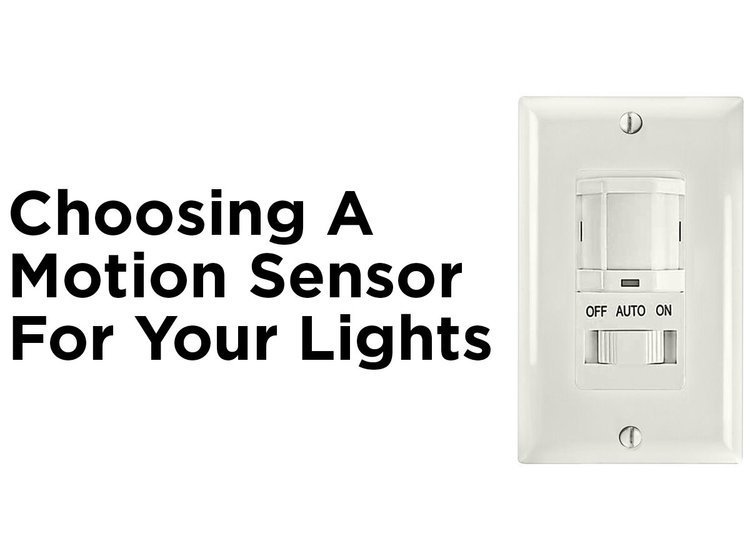
Credit: blog.1000bulbs.com
Checking Power And Wiring
Before you adjust any settings on your motion sensor light, it’s crucial to check the power supply and wiring. Faulty connections or inconsistent power can cause the light to turn off prematurely. Ensuring everything is wired correctly and receiving proper voltage helps you fix the issue faster and avoid unnecessary replacements.
Inspecting Connections
Start by turning off the power to your motion sensor light at the breaker to avoid electric shock. Open the light’s housing and carefully examine all the wire connections.
- Look for loose wires or exposed copper that might be causing a short circuit.
- Check if the wire nuts are twisted tightly and if any wires appear corroded or damaged.
- Ensure the sensor’s wiring matches the manufacturer’s diagram exactly.
Sometimes, simply tightening a loose connection can solve the problem and keep your light on as needed. Have you ever found a loose wire causing unexpected issues?
Testing Voltage And Current
Next, use a multimeter to measure the voltage and current flowing through the sensor and light fixture. This step confirms whether your motion sensor is getting enough power.
- Set the multimeter to the appropriate AC voltage setting.
- Test the voltage at the sensor terminals and compare it with your device’s requirements (usually 120V or 240V depending on your setup).
- If the voltage is too low or fluctuates, the problem could be with your home’s wiring or the breaker.
Testing current can also reveal if the sensor or bulb is drawing too much or too little power, which might cause premature shutoff. Is your multimeter a regular tool in your home maintenance kit?
Managing Environmental Influences
Managing environmental influences is key to keeping your motion sensor light on exactly when you need it. External factors like objects in the sensor’s path or unexpected movements can cause the light to turn off prematurely or flicker on and off. Understanding how to control these influences helps you get consistent, reliable lighting without constant adjustments.
Avoiding Obstructions
Obstructions can block the sensor’s view, causing it to miss movement or turn off too soon. Make sure nothing is placed directly in front of the sensor, such as plants, decorations, or furniture. Even small branches swaying in the wind can interfere with the sensor’s detection.
Try positioning the sensor higher or at a slight angle to get a clear, unobstructed view. Have you checked if your sensor’s beam covers the entire area you want lit? Adjusting placement often solves many on-off issues without extra equipment.
Reducing False Triggers
False triggers happen when the sensor detects movement that shouldn’t activate the light, like passing cars, pets, or shadows. These false activations can drain your light’s power and make it less reliable.
To minimize false triggers, aim the sensor away from busy streets or areas with frequent animal activity. You can also adjust the sensor sensitivity settings—lowering sensitivity helps avoid unnecessary activations but still catches real movement.
Have you noticed if your sensor reacts to heat sources like air vents or sunlight reflections? Shielding the sensor from these can prevent unnecessary switching and keep your light steady when you need it most.

Credit: howlandhammer.com
Using External Controls To Keep Light On
Using external controls to keep a motion sensor light on offers greater flexibility. It allows you to override the sensor’s automatic off function. This way, the light stays on as long as you want. External controls can be simple manual switches or advanced smart home devices. Both options improve convenience and control.
Adding A Manual Switch
A manual switch lets you control the light directly. You can install a switch in series or parallel with the sensor. Flipping the switch keeps the light on regardless of motion. This is useful for times when constant lighting is needed. The switch installation is usually straightforward and cost-effective.
Manual switches offer:
- Easy on/off control
- No need for complex programming
- Works during power outages if wired properly
Integrating Smart Home Devices
Smart home devices add advanced control to motion sensor lights. They connect via Wi-Fi or Bluetooth to your home network. You can use apps or voice commands to keep the light on. Smart devices can also schedule the light or adjust brightness. This integration suits users wanting automation and remote control.
Benefits include:
- Control from anywhere using a smartphone
- Custom schedules and timers
- Voice control with assistants like Alexa or Google
Replacing Or Upgrading Your Motion Sensor Light
Replacing or upgrading your motion sensor light can be the key to making it stay on longer or work more reliably. Sometimes, the existing sensor just doesn’t meet your needs, and swapping it out gives you better control. You don’t have to settle for a light that turns off too quickly or misses movement.
Choosing Lights With Adjustable Settings
Look for motion sensor lights that let you adjust how long the light stays on after detecting motion. This feature puts you in control, so you can set the light to stay on for a few seconds or several minutes. Adjustable sensitivity is another useful setting—it helps prevent the light from turning off too soon or from being triggered by small movements like pets.
Many models offer different brightness levels as well. This means you can choose a light that’s bright enough for your space without wasting energy. Have you noticed how some lights turn off just when you need them most? Adjustable settings are the fix.
Benefits Of Advanced Motion Sensors
Advanced motion sensors use technology like infrared or microwave detection, which can cover a wider area and detect motion more accurately. This means fewer false triggers and more consistent lighting. Some sensors even include daylight detection to avoid turning on when there’s enough natural light.
Upgrading to these sensors can improve your home’s security and convenience. Imagine never having to fumble in the dark because your light stays on exactly as long as you need it. Are you ready to make your motion sensor light smarter?

Credit: www.hardwareresources.com
Frequently Asked Questions
How Can I Keep My Motion Sensor Light On Longer?
Adjust the sensor’s time delay setting to extend how long the light stays on. Most models allow easy customization.
Why Does My Motion Sensor Light Turn Off Too Quickly?
The timer setting might be too short, or the sensor could be faulty. Check and adjust the timer.
Can I Disable Motion Detection To Keep Light Always On?
Yes, some lights have a manual override or “always on” mode you can enable for continuous light.
What Affects The Motion Sensor Light’s Sensitivity?
Obstructions, weather, and distance impact sensor detection. Adjust sensitivity settings or reposition the sensor for better results.
Conclusion
Making a motion sensor light stay on is simple with the right steps. Adjust the timer settings to keep the light on longer. Check the sensor’s sensitivity to detect movement easily. Ensure the light has a constant power supply. These tips help you keep your area well-lit and safe.
Try these ideas today and enjoy better lighting control.



