
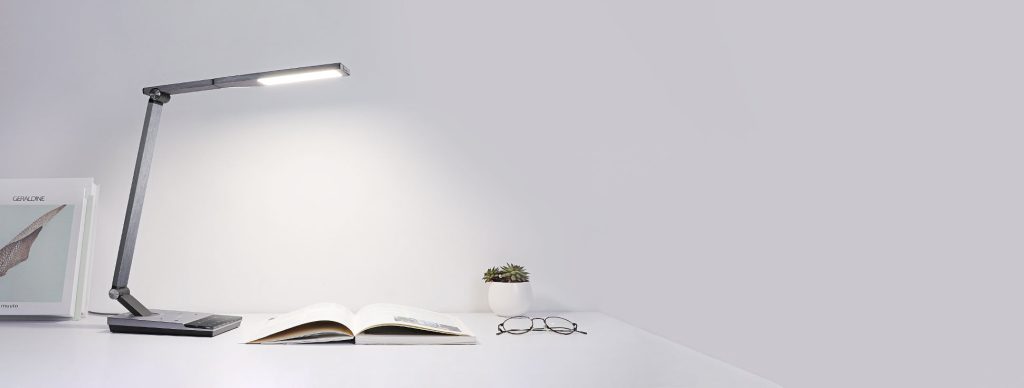
Are you ready to make your Taotronic desk lamp smarter and easier to control? Connecting your desk lamp to Alexa means you can turn it on or off, adjust brightness, and set schedules—all with just your voice.
Imagine how convenient it will be to create the perfect lighting without lifting a finger. In this guide, you’ll discover simple steps to link your Taotronic lamp to Alexa quickly and easily. Keep reading, and you’ll be enjoying hands-free lighting in no time!
Taotronic Desk Lamp Features
The Taotronic Desk Lamp stands out not just for its sleek design but also for its thoughtful features that enhance your daily routine. This lamp offers more than just light; it brings convenience and customization right to your workspace or bedside. Understanding its features helps you make the most of what it offers and see how it fits into your smart home setup.
Smart Capabilities
The Taotronic Desk Lamp is equipped with smart technology that lets you control brightness and color temperature easily. You can adjust these settings to match your mood or task, whether you’re reading, working, or relaxing.
One feature I found especially useful is the memory function, which remembers your preferred lighting settings. This means you don’t have to reset it every time you turn it on. Have you ever wished your lamp just “got” your lighting needs without extra hassle? This lamp does exactly that.
Another smart aspect is the timer setting. You can set the lamp to turn off automatically, which is perfect if you tend to forget switching it off before bed.
Compatibility With Alexa
Connecting the Taotronic Desk Lamp to Alexa opens up hands-free control. With voice commands, you can turn the lamp on or off, dim it, or change the light color without touching a button.
This compatibility means your lamp integrates smoothly into your existing smart home system. You can include it in routines, like having the light turn on when you say “Alexa, good morning,” or dimming it during your evening wind-down.
Setting up Alexa control is straightforward, but have you thought about how much easier your daily tasks become when your lighting responds to your voice? It’s not just a gadget; it’s a helper that adapts to your lifestyle.

Credit: www.taotronics.com
Preparing Your Lamp And Alexa
Getting your TaoTronics desk lamp ready to work with Alexa is the first step toward hands-free lighting control. Before you dive into linking devices, ensuring both your lamp and Alexa are properly prepared will save you time and frustration. Let’s look at the key actions to power on and reset your lamp, then set up your Alexa device correctly for a smooth connection.
Powering On And Resetting
Start by plugging in your TaoTronics desk lamp and turning it on using the power button. If this is your first time setting it up, the lamp should be ready to connect. However, if you’ve used it before or face connection issues, resetting the lamp is a smart move.
To reset, press and hold the power button for about 5 to 7 seconds until the lamp’s indicator light flashes. This signals it has entered pairing mode. Have you noticed how resetting often clears hidden glitches? It’s a quick fix that can prevent bigger headaches later.
Setting Up Alexa Device
Next, ensure your Alexa device is powered on and connected to your home Wi-Fi network. Use the Alexa app on your smartphone to confirm the device is online and ready for new connections.
In the app, check that your device’s software is up to date—outdated firmware can block new connections. Don’t overlook this simple check; it’s a common cause of setup failures. Once your Alexa device is prepped, you’re ready to pair it with your TaoTronics lamp seamlessly.
Connecting Taotronic Lamp To Alexa
Connecting your Taotronic desk lamp to Alexa allows easy voice control. Simply link the lamp through the Alexa app and follow the pairing instructions. Once connected, you can turn the lamp on or off using voice commands.
Connecting your Taotronic Desk Lamp to Alexa can transform the way you light up your space. Imagine controlling your lamp with just your voice. It’s not only a convenience but also an upgrade to your smart home ecosystem. This guide will walk you through the steps to seamlessly connect your Taotronic Desk Lamp to Alexa.Enabling The Taotronic Skill
First, ensure your Alexa app is up to date. Navigate to the ‘Skills & Games’ section in the app. Search for the Taotronic skill and tap ‘Enable’. This will allow Alexa to communicate with your lamp.Linking Accounts
Once the skill is enabled, you’ll need to link your Taotronic account. You’ll be prompted to enter your Taotronic login details. This step is crucial as it ensures your lamp is recognized by Alexa.Discovering Devices
Finally, it’s time for Alexa to discover your Taotronic lamp. In the Alexa app, select ‘Devices’ and then ‘Add Device’. Follow the on-screen instructions, and soon your lamp will be part of your Alexa-controlled devices. Isn’t it amazing how a few simple steps can enhance your everyday life? With your Taotronic Desk Lamp now connected to Alexa, you can enjoy the ease of controlling your lighting with just your voice. What would you use this newfound convenience for?
Credit: www.taotronics.com
Controlling The Lamp With Alexa
Controlling the Taotronic Desk Lamp with Alexa makes managing your lighting easy and hands-free. You can switch the lamp on or off, change brightness levels, and adjust the color temperature using simple voice commands. Alexa adds convenience and custom control to your daily routine.
Voice Commands For Power And Brightness
Start by using clear voice commands to turn the lamp on or off. Say, “Alexa, turn on the desk lamp” or “Alexa, turn off the desk lamp.” Adjust brightness by saying, “Alexa, set the desk lamp brightness to 50%” or “Alexa, brighten the desk lamp.” Alexa understands these commands and adjusts the lamp instantly.
Adjusting Color Temperature
Change the light color temperature for different moods or tasks. Use commands like, “Alexa, set the desk lamp to warm white” or “Alexa, change the desk lamp to cool white.” This feature helps create a cozy or focused atmosphere with ease.
Creating Routines
Routines automate your lamp’s settings at specific times or events. Use the Alexa app to create routines such as:
- Turning the lamp on at sunset
- Lowering brightness before bedtime
- Switching to warm light in the evening
Routines give you hands-free control tailored to your lifestyle.
Troubleshooting Common Issues
Troubleshooting common issues helps keep your Taotronic desk lamp connected to Alexa. Problems can occur during setup or daily use. Identifying the cause speeds up the fix.
Check your Wi-Fi signal. Ensure the lamp and Alexa device are on the same network. Keep the lamp close to your router during setup.
Connection Failures
Connection problems happen if the Wi-Fi is weak or unstable. The lamp may not join the network. Restart the router and the lamp.
Verify the Wi-Fi password is correct. Use a 2.4 GHz network, as many smart lamps do not support 5 GHz. Restart the Alexa app and try again.
Skill Unavailability
The Taotronic skill might be missing or not enabled in your Alexa app. Without it, Alexa can’t control the lamp.
- Open the Alexa app
- Go to Skills & Games
- Search for “Taotronic”
- Enable the skill and link your account
Check for regional restrictions. Some skills are not available in all countries. Change your Alexa app region if needed.
Device Not Responding
Alexa may fail to respond due to software glitches or network issues. Restart both the lamp and Alexa device.
Make sure the lamp firmware is up to date. Update it through the Taotronic app if available.
Try voice commands clearly and slowly. Confirm the lamp’s name matches the one in the Alexa app.

Credit: www.taotronics.com
Tips For Optimizing Your Setup
Optimizing your Taotronic Desk Lamp setup with Alexa can make a significant difference in your daily experience. Small adjustments and proactive maintenance ensure your smart lamp responds quickly and works flawlessly. Let’s dive into some practical tips that can help you get the most out of your connection.
Firmware Updates
Keeping your Taotronic Desk Lamp’s firmware up to date is crucial. Updates often fix bugs, improve performance, and add new features that enhance compatibility with Alexa. Check the manufacturer’s app or website regularly to download and install the latest firmware.
Have you ever noticed your smart devices acting sluggish or not responding as expected? Most of the time, outdated firmware is the culprit. Staying current helps you avoid these issues and keeps your setup running smoothly.
Placement For Best Connectivity
Where you place your Taotronic Desk Lamp affects its connection quality with Alexa. Avoid putting the lamp too far from your Wi-Fi router or Alexa device to prevent lag or disconnections. Walls, metal objects, and electronic devices can interfere with the signal, so keep the lamp in an open area.
Try positioning the lamp within 15 feet of your Alexa device and router for the best results. If you notice delays or unresponsiveness, experiment with different spots. Sometimes, even moving the lamp a few inches can improve performance dramatically.
Using Alexa App Features
The Alexa app offers powerful tools to customize how your Taotronic Desk Lamp works. Use routines to automate your lamp’s behavior based on time, voice commands, or other smart devices. For example, you can set the lamp to turn on gradually in the morning to wake you up gently.
Explore the app’s device groups to control multiple smart gadgets together. This makes managing your smart home easier and more intuitive. Have you tried creating a “Reading” group that adjusts your lamp and other lights with a single command?
Frequently Asked Questions
How Do I Connect Taotronic Desk Lamp To Alexa?
First, plug in and power on your Taotronic lamp. Open the Alexa app, go to Devices, and tap Add Device. Select “Light” and choose Taotronic. Follow prompts to connect via Wi-Fi. Once connected, Alexa can control your lamp with voice commands.
What Alexa Commands Work With Taotronic Desk Lamp?
You can say commands like “Alexa, turn on the Taotronic lamp,” or “Alexa, dim the desk lamp to 50%. ” Alexa supports on/off, brightness adjustment, and sometimes color changes if your lamp model supports it.
Do I Need A Taotronic App For Alexa Setup?
Yes, download the Taotronic smart app first. Create an account and connect your lamp to Wi-Fi there. Then link the Taotronic skill in the Alexa app for seamless voice control integration.
Can Alexa Control Multiple Taotronic Lamps At Once?
Yes, you can group multiple Taotronic lamps in the Alexa app. Use group commands like “Alexa, turn off all desk lamps” to control them simultaneously for convenience.
Conclusion
Connecting your Taotronic desk lamp to Alexa makes life easier. You control the light with simple voice commands. No need to get up or find the switch. Just say what you want. The setup is quick and does not require special skills.
Once connected, enjoy hands-free lighting anytime. Smart home tech works best when it is simple. Give it a try and see how it fits your daily routine. Small steps bring big comfort.



