
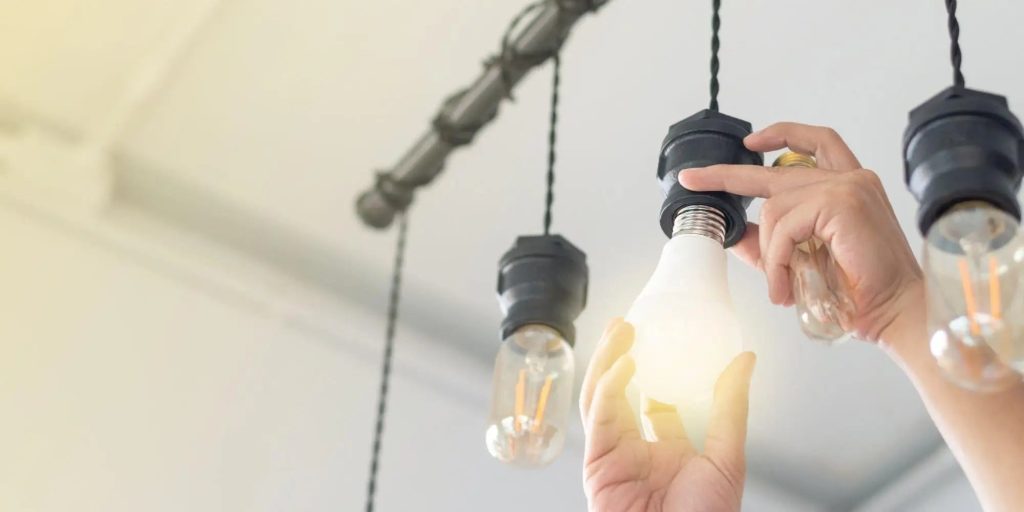
Is your halogen desk lamp flickering or dim? It might be time to replace the bulb.
But don’t worry—changing a halogen bulb is easier than you think. In this guide, you’ll learn simple steps to swap out your old bulb safely and quickly. By the end, your desk lamp will shine bright again, helping you focus better and work comfortably.
Keep reading to discover how to bring your lamp back to life without any hassle.

Credit: www.familyhandyman.com
Tools And Materials Needed
Before you replace a halogen desk lamp bulb, gather all the right tools and materials. Having everything at hand saves time and prevents frustration. It also ensures you handle the bulb safely, avoiding damage or injury.
Essential Replacement Bulb
Start with the correct halogen bulb that matches your lamp’s specifications. Check the wattage, size, and base type printed on the old bulb or in the lamp’s manual. Using the wrong bulb can cause poor performance or even damage your lamp.
Protective Gloves
Halogen bulbs get extremely hot and are sensitive to oils from your skin. Wearing gloves protects your hands and prevents the bulb from breaking prematurely. If you don’t have gloves, a clean cloth can work as a barrier.
Screwdriver Or Tool For Lamp Access
Some desk lamps require a screwdriver to open the bulb compartment. Identify whether your lamp uses screws or clips. Having the correct screwdriver ready avoids unnecessary fumbling and potential scratches.
Soft Cloth Or Cleaning Wipes
Use a soft cloth to clean the lamp housing and the new bulb before installation. Dust or fingerprints can reduce the bulb’s lifespan. A quick wipe ensures your lamp shines bright and lasts longer.
- Turn off and unplug the lamp before starting.
- Allow the bulb to cool completely.
- Work in a well-lit, stable area to avoid accidents.
Have you ever tried replacing a bulb without gloves or the right tools? It’s a small step that makes a big difference in both safety and success.
Safety Precautions
Handling a halogen desk lamp bulb requires careful attention to safety. These bulbs can get extremely hot and contain sensitive components that may cause injury or damage if not treated properly.
Before you begin the replacement process, taking some safety steps can save you from unexpected accidents. Have you ever felt the sting of a hot bulb or struggled with fragile glass? Let’s make sure you avoid those common pitfalls.
Turn Off And Unplug The Lamp
Always switch off the lamp and unplug it from the power source. This simple action cuts the risk of electric shock.
Even if the bulb looks cool, unplugging ensures no current is running through the lamp when you touch it.
Allow The Bulb To Cool Completely
Halogen bulbs retain heat long after they are turned off. Wait at least 10-15 minutes before touching the bulb.
Trying to replace a bulb while it’s still warm can cause burns or breakage, making the process unsafe and more expensive.
Use Gloves Or A Cloth To Handle The Bulb
Your skin oils can damage halogen bulbs, reducing their lifespan or causing them to shatter.
Wear clean gloves or use a soft cloth to hold the bulb. This protects both you and the bulb during replacement.
Work In A Well-lit, Stable Area
Make sure your workspace is bright and free from clutter. A stable surface prevents accidental drops or bumps.
Good lighting helps you see the lamp’s components clearly, reducing mistakes and frustration.
Inspect The New Bulb Before Installation
Check the replacement bulb for cracks or defects. A damaged bulb can malfunction or pose a hazard.
Take a moment to compare the new bulb with the old one to confirm size and wattage match.
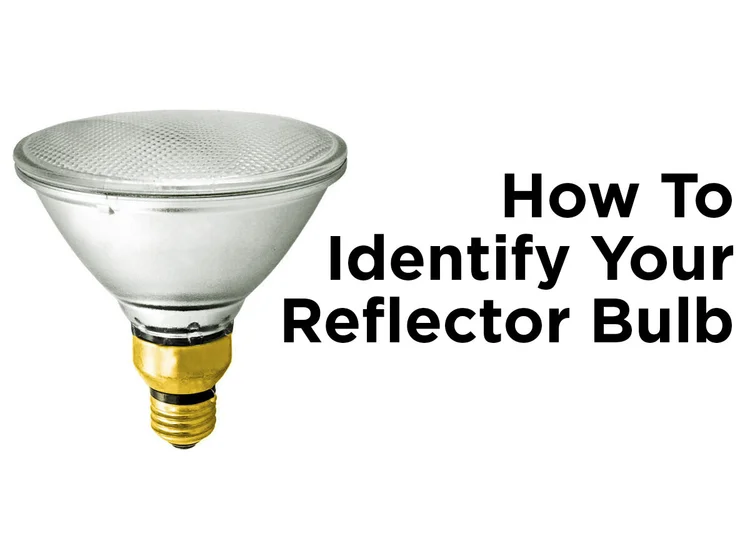
Identifying The Right Bulb
Choose a bulb that matches your desk lamp’s size and wattage. Check the lamp’s label or manual for the exact type needed. Using the correct bulb ensures safe and proper lighting.
Replacing a halogen desk lamp bulb can seem like a daunting task, but knowing how to identify the right bulb makes all the difference. Imagine the frustration of buying a bulb only to find it doesn’t fit or isn’t bright enough. To save time and ensure success, understanding the specifics of what you’re looking for is key. Let’s dive into how you can identify the perfect replacement bulb for your lamp.Check The Current Bulb Specifications
Start by examining your current bulb. Look for any markings or labels that indicate wattage, voltage, and size. These details are usually printed on the base or the side of the bulb. It’s crucial to match these specifications to avoid electrical issues or damage to your lamp.Understand The Bulb Types
Halogen bulbs come in various shapes and sizes. Common types include G4, G8, or GU10, each with distinct pin configurations. Ensure you compare the base of the existing bulb with the new one to find a perfect match. If you’re unsure, taking the bulb to a local hardware store can help identify the exact type.Consider The Bulb’s Brightness
Beyond just fitting, the brightness of the bulb impacts the ambiance and functionality of your space. Halogen bulbs are known for their bright, white light. Check the lumen output of the old bulb and choose a replacement that matches your lighting needs. A workspace might need brighter light, whereas a reading nook could do with something softer.Ensure Compatibility With Your Lamp
Not all bulbs are compatible with all lamps. Some lamps have specific requirements for heat dissipation and energy consumption. Double-check your lamp’s manual or manufacturer’s website for any special instructions regarding bulb replacements. This ensures you maintain the longevity of both the bulb and the lamp itself.Think About Energy Efficiency
While halogen bulbs are less energy-efficient compared to LEDs, there are newer versions that offer better energy consumption. If sustainability is important to you, look for eco-friendly halogen options. They might cost a bit more upfront but can save on energy bills in the long run. Identifying the right bulb doesn’t just save you time and hassle—it ensures your space is perfectly lit for whatever you need. So, next time you’re at the store, armed with these tips, you’ll feel confident in choosing the right bulb for your desk lamp. Have you checked your bulb’s specifications lately? It might be time for an upgrade!Removing The Old Bulb
Removing the old bulb from a halogen desk lamp is the first step in the replacement process. It requires care and attention to avoid damage to the lamp or injury to yourself. Follow these simple steps to safely take out the old bulb and prepare for the new one.
Turning Off And Unplugging The Lamp
Always turn off the lamp before starting. Switch off the power button to stop electricity flow. Unplug the lamp from the wall socket to ensure full safety. This prevents any chance of electric shock during the bulb removal.
Accessing The Bulb
Locate the lamp’s bulb cover or shade. Gently remove the cover by twisting or lifting it, depending on the design. This reveals the halogen bulb inside. Make sure you have enough light to see clearly while working.
Handling The Bulb Safely
Halogen bulbs get very hot during use. Wait for the bulb to cool down completely before touching it. Use a soft cloth or gloves to hold the bulb. Avoid touching the glass with bare fingers to prevent oils from causing damage.
Installing The New Bulb
Installing the new bulb in your halogen desk lamp is a straightforward task, but it requires care to ensure the bulb works properly and lasts longer. Handling the bulb correctly and fitting it securely will help you avoid damage and potential safety issues. Let’s dive into how to insert and secure your new halogen bulb with confidence.
Inserting The Bulb Correctly
Before touching the new bulb, make sure your hands are clean or wear gloves. Oils from your skin can shorten the bulb’s lifespan by causing hot spots. Hold the bulb by its base, not the glass, to avoid smudges or damage.
Look closely at the lamp socket and the bulb’s pins. Align the pins carefully with the holes in the socket. Don’t force the bulb; it should slide in gently and fit snugly. If it doesn’t, check the alignment again—forcing it can break the pins or socket.
Securing The Bulb In Place
Once the bulb is properly inserted, ensure it stays firmly in place. Some lamps have small clips or a spring mechanism to hold the bulb securely. If your lamp has these, gently push or snap the bulb in until you feel it lock.
Double-check by lightly wiggling the bulb; it should not move or feel loose. A loose bulb can flicker or even fall out, which can be dangerous. If your lamp uses a cover or shade, replace it carefully to avoid disturbing the bulb’s position.
Credit: blog.1000bulbs.com
Testing The New Bulb
Testing the new bulb after replacement is crucial to ensure your halogen desk lamp works perfectly. A quick test can save you time and frustration later. It helps confirm that the bulb is properly installed and fully functional.
Check The Power Connection
First, make sure your lamp is plugged in securely. Loose connections often cause the bulb not to light up. Try plugging the lamp into a different outlet to rule out power issues.
Turn On The Lamp Carefully
Switch on the lamp gently to avoid damaging the new bulb. If it doesn’t light immediately, don’t keep toggling the switch rapidly. Give it a moment to warm up, as halogen bulbs sometimes take a few seconds to glow.
Inspect The Bulb’s Brightness And Color
Look closely at the light the bulb emits. It should be bright and clear without flickering or dim spots. If the light seems weak or uneven, the bulb might be faulty or not seated correctly.
Listen For Unusual Sounds
Pay attention to any buzzing or crackling noises. These sounds can indicate electrical issues or a loose bulb connection. If you hear anything unusual, turn off the lamp immediately and double-check the bulb installation.
Test The Lamp’s Stability And Heat
After the bulb has been on for a few minutes, feel the lamp base and bulb casing carefully. Halogen bulbs get hot, but the lamp should not overheat or feel unstable. Excess heat might mean a wrong wattage bulb or poor ventilation.
What If The Bulb Doesn’t Light?
- Double-check the bulb type matches your lamp’s specifications.
- Ensure the bulb is correctly and firmly placed in the socket.
- Look for any damage to the lamp’s wiring or socket.
Have you ever installed a bulb only to find out it was faulty? Testing right away can save you the hassle of repeated replacements.
Tips For Extending Bulb Life
Extending the life of your halogen desk lamp bulb not only saves you money but also reduces the hassle of frequent replacements. Small changes in how you use and maintain your lamp can make a big difference. Let’s dive into some practical tips that can help your bulb last longer and keep your workspace well-lit.
Keep Your Lamp Clean And Dust-free
Dirt and dust buildup can cause your bulb to overheat, cutting its lifespan short. Regularly wipe the lamp and bulb with a soft, dry cloth. Avoid using water or cleaners directly on the bulb as moisture can damage it.
Avoid Frequent On-off Cycling
Turning your desk lamp on and off repeatedly stresses the bulb filament. Try to keep the lamp on for longer periods instead of switching it on and off frequently. This reduces wear and tear, helping the bulb last much longer.
Use The Correct Wattage Bulb
Using a bulb with a wattage higher than your lamp’s rating can cause overheating and early failure. Always check the lamp’s label for recommended wattage and stick to it. This ensures safe operation and extends bulb life.
Ensure Proper Ventilation Around The Lamp
Halogen bulbs generate heat, so your lamp needs good airflow to stay cool. Avoid placing your desk lamp in enclosed spaces or near heat sources. Proper ventilation prevents overheating and preserves the bulb.
Handle Bulbs With Care During Replacement
Touching the glass of a halogen bulb with your fingers leaves oil residue that creates hot spots and shortens bulb life. Use a clean cloth or gloves when installing a new bulb. This small step can prevent premature bulb failure.

Credit: www.youtube.com
Frequently Asked Questions
How Do I Safely Remove A Halogen Desk Lamp Bulb?
First, unplug the lamp and let the bulb cool completely. Use a cloth or gloves to avoid oils on the bulb. Gently twist or pull the bulb out, depending on its fitting type. Handle carefully to prevent breakage.
What Type Of Bulb Replaces A Halogen Desk Lamp Bulb?
Use a bulb with the exact wattage and base type specified by the lamp manufacturer. Halogen bulbs typically have G4 or GU10 bases. Check the lamp’s label or manual for accurate replacement details.
Can I Use Led Bulbs Instead Of Halogen Bulbs?
Yes, LED bulbs can replace halogen bulbs if the base and size match. LEDs consume less energy and emit less heat. Ensure the LED bulb is dimmable if your lamp has a dimmer switch.
How Do I Dispose Of A Halogen Bulb Properly?
Halogen bulbs should be disposed of in regular household waste unless local rules require special recycling. Avoid breaking bulbs, as they contain halogen gas. Check your local waste guidelines for safe disposal practices.
Conclusion
Replacing a halogen desk lamp bulb is simple and quick. Always turn off the lamp and unplug it first. Handle the bulb carefully to avoid burns or damage. Using the right bulb ensures your lamp works well. Now, your desk lamp is ready to light up again.
Keep these steps in mind for easy bulb changes in the future. Bright, clear light is just a bulb away.



