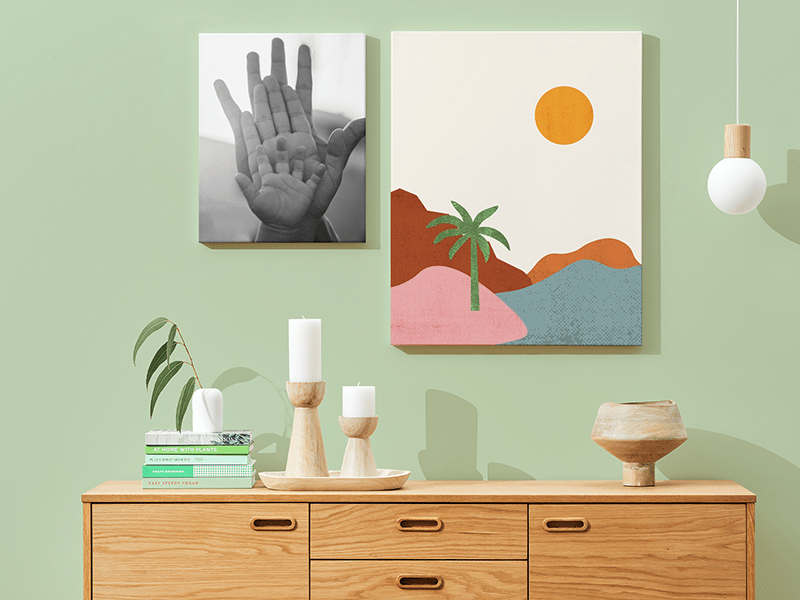
Are you wondering if you can order prints directly from Canva? If you’ve created a stunning design and want to see it come to life on paper, this question is probably on your mind.
Imagine skipping the hassle of downloading files and finding a local printer. What if you could get high-quality prints delivered right to your door with just a few clicks? Keep reading to discover how Canva makes printing easy and what options you have to bring your designs off the screen and into your hands.
Credit: www.canva.com
Ordering Prints On Canva
Canva offers an easy way to order prints directly from your designs. Choose your design, select print options, and get your prints delivered. This service saves time and ensures quality results.
Ordering Prints on Canva Ordering prints on Canva is a seamless experience that brings your digital designs into the real world with just a few clicks. Whether you’re looking to create business cards, posters, or invitations, Canva offers a wide range of print products that can be delivered straight to your door. The convenience of designing and ordering prints from the same platform saves time and ensures consistency across your projects.Available Print Products
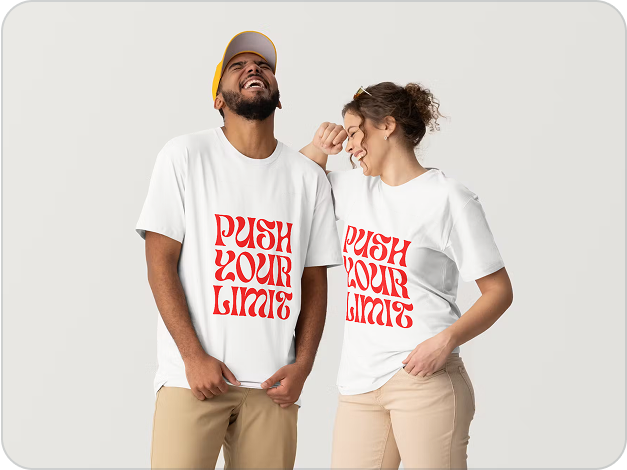
Canva provides an impressive array of print products to suit various needs. From standard items like business cards, flyers, and brochures to more specialized options such as posters, photo books, and canvas prints, there’s something for every project. You can even explore unique offerings like stickers and T-shirts, making Canva a one-stop-shop for all your printing needs.Design Preparation Tips
To ensure your designs print perfectly, it’s essential to prepare them correctly. Always use high-resolution images and check the dimensions to match the print product you choose. Canva’s design tools offer templates specifically sized for each print product, which can be a lifesaver in avoiding cropping issues or low-quality prints. Proofread your text carefully, as once printed, errors cannot be corrected. Additionally, use Canva’s margin and bleed guidelines to prevent any important elements from being cut off during the printing process.Supported File Formats
Canva supports a variety of file formats that cater to different printing needs. While designing, you can easily download your work in formats like PDF, JPG, and PNG. For most print products, PDFs are recommended due to their high quality and compatibility with printing processes. If you’re using external files in your design, ensure they are in a supported format to avoid any compatibility issues. This attention to detail can make a significant difference in the final print quality, ensuring your designs are both vibrant and professional.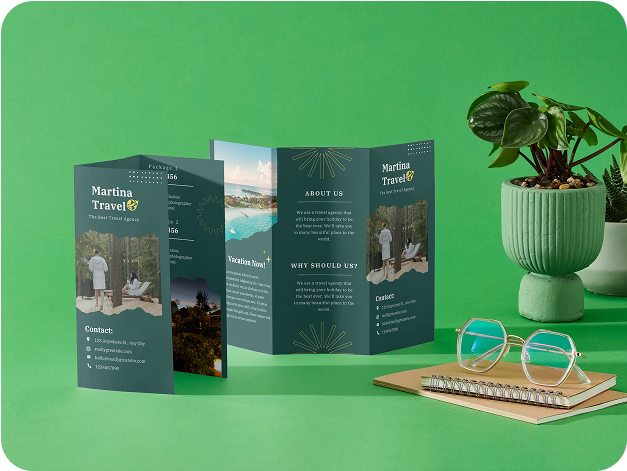
Credit: www.canva.com
Step-by-step Ordering Process
Ordering prints from Canva is simple and fast. Follow the steps below to get your design printed and delivered to your door. Each step guides you through the process clearly.
Selecting Your Design
Start by opening your Canva account. Choose the design you want to print from your saved projects. You can also create a new design if needed. Make sure the design is complete and ready for printing.
Choosing Print Options
Next, click on the print button on the top right. Select the type of print product you want, like posters, flyers, or business cards. Pick the size, paper quality, and finish that suits your needs. Canva shows prices for each option clearly.
Reviewing And Finalizing Order
Check your design preview carefully. Confirm the print details such as quantity and delivery address. Look for any mistakes or changes needed. Once satisfied, proceed to payment. Canva will send a confirmation email after you place the order.
Pricing And Delivery
Understanding the pricing and delivery options is key before ordering prints from Canva. Knowing the costs and shipping details helps avoid surprises. Canva offers clear pricing and various delivery methods for your convenience.
Cost Breakdown
Print costs depend on the size and type of print chosen. Standard options include posters, flyers, and cards.
- Small prints start at around $1.50 each.
- Medium prints can cost about $3 to $5 each.
- Larger prints or premium materials may be $10 or more.
Bulk orders often receive discounts, reducing the price per print. Additional costs may include taxes and optional extras like glossy finishes.
Shipping Methods
Canva offers several shipping options to fit different needs. Standard shipping is the most common choice.
- Standard shipping delivers to most locations.
- Express shipping speeds up delivery but costs more.
- Some regions may offer local courier services.
Shipping fees vary based on the method and destination. Free shipping promotions may apply during special sales.
Estimated Delivery Times
Delivery times depend on the shipping method selected and your location.
- Standard shipping usually takes 5 to 10 business days.
- Express shipping can deliver within 2 to 4 business days.
- Remote areas might experience longer wait times.
Processing time for prints is typically 1 to 3 days before shipping. Tracking information is available to monitor your order’s progress.
Quality And Materials
Choosing the right quality and materials for your Canva prints matters a lot. It affects how your design looks and feels. Canva offers several options to match different needs. From paper types to color and durability, each detail shapes the final product.
Paper Types And Finishes
Canva provides a variety of paper types. These include standard matte and glossy finishes. Matte paper offers a smooth, non-reflective surface. Glossy paper shines with a bright, reflective finish. You can also find textured options for a premium feel. Each paper type changes how colors and details appear.
- Matte: Soft, no glare, great for text-heavy prints
- Glossy: Bright, sharp colors, ideal for photos
- Textured: Adds depth and a tactile feel
Color Accuracy
Canva uses professional printers to keep colors true. Your digital design’s colors closely match the printed version. The system adjusts colors to avoid dull or faded prints. This helps your images and text stay vibrant. Color accuracy is important for branding and professional projects.
Durability Of Prints
Prints from Canva are designed to last. The paper and ink resist fading over time. Glossy finishes protect colors from light damage. Matte papers reduce fingerprints and smudges. These prints hold up well in normal indoor conditions. They remain sharp and clear for a long time.
Common Issues And Solutions
Ordering prints from Canva is simple, but some users face common problems. Understanding these issues helps solve them quickly. Here are some typical concerns and ways to fix them.
Print Quality Concerns
Prints may look blurry or colors may not match your screen. This happens if the file resolution is too low. Canva recommends using high-quality images for best results.
To improve print quality:
- Choose the “PDF Print” option for your file download.
- Ensure images have at least 300 DPI (dots per inch).
- Avoid stretching small images to larger sizes.
- Use CMYK color mode if available for more accurate colors.
Order Delays
Print orders may take longer than expected. Production and shipping times can vary based on location and demand. During busy times, delays happen more often.
To reduce delays:
- Place orders well before your needed date.
- Check Canva’s estimated delivery times before ordering.
- Track your order through the confirmation email.
Cancellation And Refunds
Sometimes you may want to cancel an order or request a refund. Canva’s policy allows cancellations only before the print process starts.
Here’s what to do:
- Contact Canva support quickly if you want to cancel.
- Provide your order number and reason for cancellation.
- Refunds may take several days to process.
- Check Canva’s refund policy for detailed terms.

Credit: www.canva.com
Alternatives To Canva Printing
Choosing alternatives to Canva printing offers more control and flexibility. You can decide how and where your designs get printed. This freedom helps you find the best prices and print quality for your needs.
Downloading And Printing Locally
Download your design directly from Canva as a high-resolution file. Save it in PDF, PNG, or JPG format. Take the file to a local print shop or use your home printer. Local printing lets you check proofs and control materials. It works well for quick prints and small projects.
Using Third-party Print Services
Upload your Canva design to third-party print websites. These services offer many print options like posters, flyers, and business cards. They often provide shipping to your home or office. Many third-party printers offer competitive prices and fast delivery. Check reviews to ensure good print quality.
Comparing Costs And Quality
Costs vary between Canva printing, local shops, and third-party services. Local prints may cost more but offer personal service. Third-party services often have discounts for bulk orders. Quality depends on paper, ink, and printer type. Request samples or proofs to compare print results before buying.
Frequently Asked Questions
Can You Order Physical Prints Directly From Canva?
Yes, Canva allows you to order physical prints of your designs. You can choose paper quality, size, and finishes. Canva handles printing and ships the products to your address, making it convenient for users.
What Print Products Does Canva Offer For Orders?
Canva offers prints like posters, flyers, business cards, invitations, and photo books. Each product has customizable options to suit your design needs. This variety supports both personal and professional printing projects.
How Long Does Canva Take To Deliver Printed Orders?
Print delivery times vary by location and product type. Typically, it takes 3-7 business days for printing and shipping. Canva provides tracking details so you can monitor your order status easily.
Is Canva’s Print Quality Good For Professional Use?
Yes, Canva uses high-quality printers and materials. Their prints have vibrant colors and sharp details. Many users trust Canva prints for marketing materials and personal projects.
Conclusion
Canva lets you create and order prints with ease. You can choose sizes, paper types, and finishes. The process is simple and fast. Your designs come out clear and colorful. This service suits personal and small business needs well. Try Canva printing for your next project.
It saves time and keeps quality high. Printing from Canva makes design and print work easy.