
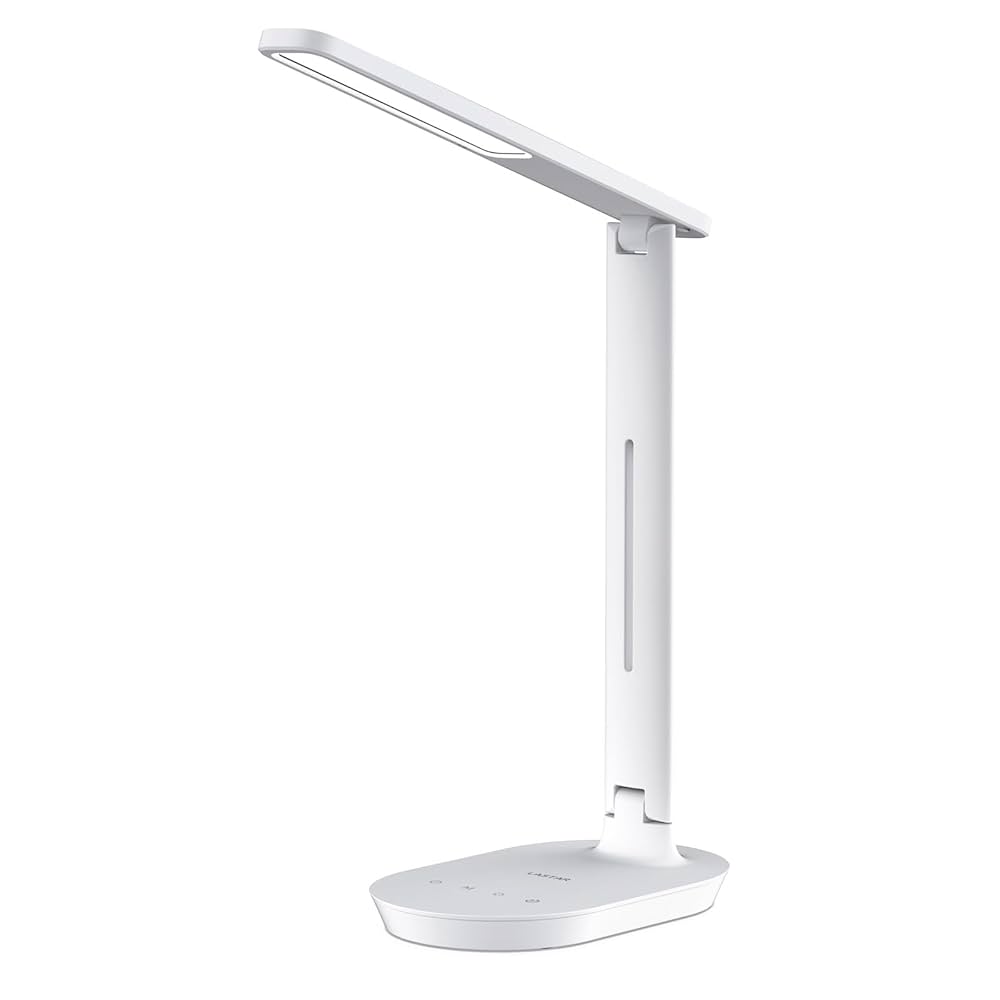
Are you tired of your desk cluttered with chargers and tangled cables? Imagine having a desk lamp that not only lights up your workspace but also charges your devices at the same time.
Sounds convenient, right? If you’ve been wondering, “Are there any desk lamps with built-in USB ports? ” you’re in the right place. This simple addition can change how you work, study, or create, making your desk neater and your day smoother.
Keep reading to discover the best options and how they can make your life easier.
Benefits Of Desk Lamps With Usb Ports
Desk lamps with built-in USB ports offer more than just light. They combine illumination and charging in one device. This adds great value to any workspace or bedroom. These lamps simplify your setup and keep your devices powered up. Here are some key benefits that make them a smart choice.
Convenience And Accessibility
USB ports on desk lamps let you charge devices right at your desk. No need to find a wall outlet or use extra adapters. Your phone, tablet, or other gadgets stay close and easy to reach. This reduces clutter and keeps your work area organized. You can charge while working or relaxing without interruption.
Space-saving Design
Combining a lamp and USB charger saves space on your desk. It replaces the need for extra chargers or power strips. This is perfect for small rooms or tight spaces. A single device handles lighting and charging efficiently. Your desk looks neat and has more room for other items.
Charging Multiple Devices
Many desk lamps come with more than one USB port. This allows charging of multiple devices simultaneously. You can power your phone and tablet at the same time. It is ideal for those who use several gadgets daily. It also reduces the hassle of swapping chargers constantly.

Credit: www.lampsplus.com
Key Features To Look For
Choosing a desk lamp with built-in USB ports means checking for practical features. These features enhance convenience and usability. Focus on aspects that improve your workspace and device charging.
Usb Port Types And Speeds
USB ports vary in type and speed. Most lamps offer USB-A ports, common for many devices. Some include USB-C ports for faster charging and newer gadgets.
Check the power output of each port. Ports with 2.4A or higher charge devices quicker. Multiple ports allow charging more than one device at once.
Lighting Options And Brightness
Good lamps offer adjustable brightness levels. This feature helps reduce eye strain during reading or working. Some lamps come with color temperature settings.
Warm light suits relaxing tasks. Cool light improves focus and visibility. Choose a lamp with both options for flexible use.
Adjustability And Ergonomics
The lamp should be easy to move and position. Look for adjustable arms, heads, or necks. This flexibility directs light where needed most.
Ergonomic design supports comfortable use. A stable base prevents tipping. Compact designs save desk space.
Power Source And Energy Efficiency
Desk lamps may use plugs, USB power, or rechargeable batteries. USB-powered lamps connect directly to computers or adapters. Rechargeable lamps offer cordless convenience.
Energy-efficient LED bulbs save electricity and last longer. Look for lamps with low power consumption to reduce bills.
Top Desk Lamps With Built-in Usb Ports
Desk lamps with built-in USB ports offer convenience and efficiency. They save space, reduce clutter, and keep devices charged. Whether at home or in the office, these lamps blend function and style. Here are some top choices to consider for various needs.
Best Overall Lamp
The TaoTronics LED Desk Lamp stands out as a top choice. It features a sleek design and multiple brightness levels. The built-in USB port ensures easy device charging. The energy-efficient LED lights provide a bright, yet gentle illumination. Perfect for reading or working for long hours.
Best Budget Option
The LEPOWER Metal Desk Lamp offers great value for money. It’s affordable yet functional. The USB port is a handy feature for charging gadgets. This lamp has a flexible neck, allowing easy angle adjustments. A solid choice for those on a tight budget.
Best For Office Use
The BenQ e-Reading Desk Lamp is ideal for office settings. It boasts a unique curved design and wide illumination. The USB port is convenient for charging phones or tablets. Its adjustable arm and brightness settings cater to diverse lighting needs. A professional choice for office environments.
Best For Students
The Globe Electric Swing-Arm Desk Lamp suits students perfectly. It combines classic design with modern functionality. The USB port is perfect for charging essential devices. The swing-arm feature provides versatility for studying. A practical and stylish addition to any study desk.
Tips For Choosing The Right Lamp
Choosing the right desk lamp with built-in USB ports can improve your workspace. It helps keep your desk tidy and your devices charged. Focus on practical features that fit your daily routine and workspace needs.
Assessing Your Needs
Think about how you will use the lamp. Will it be for reading, writing, or working on a computer? Choose a lamp with adjustable brightness to reduce eye strain. Consider if you need color temperature options for different tasks.
Considering Desk Space
Measure your desk before buying a lamp. Pick a lamp that fits without crowding your workspace. Compact lamps save space and still provide good lighting. Some models have flexible arms to direct light exactly where you want it.
Checking Compatibility With Devices
Check the USB port type and power output. Make sure the lamp can charge your phone, tablet, or other gadgets. Some lamps offer multiple USB ports for charging more than one device at a time. Verify the voltage and current match your devices’ needs to avoid slow charging.
Maintenance And Care
Keeping your desk lamp with built-in USB ports in top shape ensures it lasts longer and works efficiently. Regular maintenance helps you avoid unexpected breakdowns and keeps your workspace neat. Let’s look at some practical tips on how to care for your lamp and its USB ports.
Cleaning The Lamp And Usb Ports
Dust and grime can build up on your lamp and inside the USB ports, causing poor performance or even damage. Use a soft, dry cloth to wipe the lamp’s surface regularly. Avoid harsh chemicals that might damage the lamp’s finish.
For USB ports, gently blow out dust or use a soft brush to clear debris. Never insert sharp objects into the ports as this can cause permanent damage. Keeping these ports clean ensures your devices charge smoothly every time.
Ensuring Safe Usage
Check your lamp’s cord and USB cables regularly for signs of wear or fraying. Damaged cords can be a fire hazard and should be replaced immediately. Avoid overloading the USB ports by plugging in too many devices at once.
Position your lamp where it won’t easily tip over or get knocked around. If your lamp gets hot during use, give it breaks to cool down. This simple step can prevent overheating and extend its lifespan.
Troubleshooting Common Issues
If your USB ports stop charging devices, first test with different cables and devices to isolate the problem. Sometimes the issue lies with the cable, not the lamp. Check if the lamp’s power source is stable and properly connected.
Reset your lamp by unplugging it for a few minutes, then plug it back in. If problems persist, consult the manufacturer’s manual for troubleshooting tips or warranty support. Don’t ignore small glitches—they can lead to bigger problems later.

Credit: www.amazon.ca

Credit: www.amazon.ca
Frequently Asked Questions
Are Desk Lamps With Built-in Usb Ports Available?
Yes, many desk lamps come with built-in USB ports. These lamps provide convenient charging options for devices. They combine lighting and charging in one compact design. This feature is ideal for desks with limited outlets. It helps keep your workspace organized and efficient.
How Do Usb Desk Lamps Improve Workspace Efficiency?
USB desk lamps reduce clutter by combining light and charging. They eliminate the need for extra adapters and cables. This convenience saves time and keeps your desk tidy. You can charge phones, tablets, and other gadgets easily. It’s a practical solution for modern workspaces.
What Features Should I Look For In Usb Desk Lamps?
Look for adjustable brightness and color temperature settings. Ensure the USB ports support fast charging standards. Consider lamp design that fits your desk style and size. Check for energy-efficient LED bulbs for long-lasting use. These features enhance both functionality and comfort.
Can Usb Desk Lamps Charge Multiple Devices Simultaneously?
Some USB desk lamps offer multiple USB ports for charging. This allows charging of phones, tablets, or other devices at once. However, charging speed may vary depending on the lamp’s power output. Always check the product specifications before purchasing for multi-device charging.
Conclusion
Desk lamps with built-in USB ports offer great convenience for daily use. They save space and reduce clutter on your desk. Charging devices while lighting your workspace feels practical and smart. Many brands provide various styles to fit different needs and budgets.
Choosing one depends on your preferences and how you use your desk. Such lamps combine lighting and charging in one device. They make your workspace more organized and efficient. A useful addition for study, work, or relaxing at home.



