
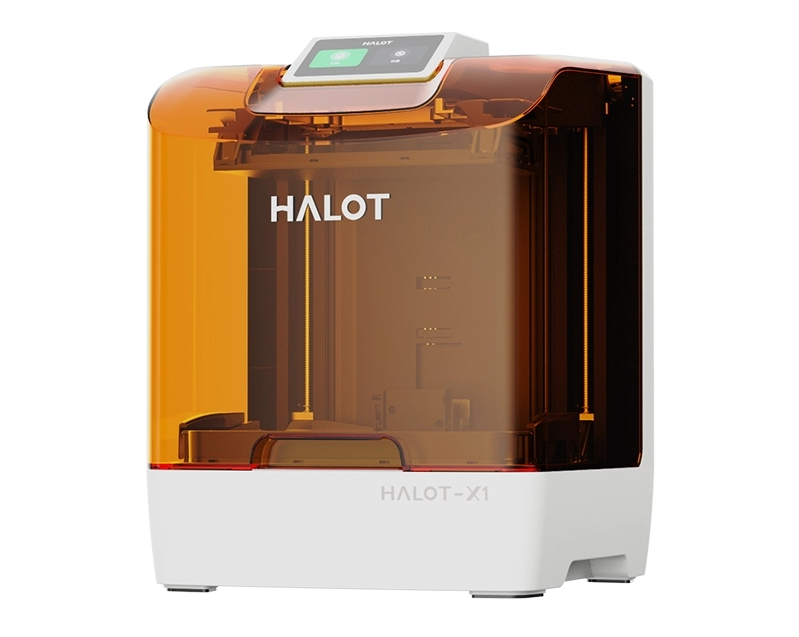
Are you setting up a 3D printer at home or in your workspace? You might wonder if your 3D printer needs ventilation.
This is an important question because the air around your printer can affect your health and the quality of your prints. If you don’t get this right, you could be exposing yourself to harmful fumes without even realizing it. Keep reading to discover why ventilation matters and how you can keep your space safe and comfortable while enjoying your 3D printing projects.
Why Ventilation Matters
Understanding why ventilation matters when using a 3D printer is key to keeping your workspace safe and comfortable. Without proper airflow, harmful substances can accumulate quickly. This section breaks down the reasons you should pay attention to ventilation during 3D printing.
Emissions From 3d Printing
3D printers release tiny particles and gases while printing, especially when melting plastics. These emissions include ultrafine particles and volatile organic compounds (VOCs) that you can’t see but can inhale. The amount and type of emissions vary depending on the material used, with ABS and nylon producing more fumes than PLA.
Have you noticed a strange smell while your printer runs? That odor often signals these emissions are filling your room. Without ventilation, these substances linger in the air, increasing your exposure.
Health Risks Of Fumes
Breathing in 3D printer fumes regularly can cause headaches, dizziness, and irritation in your eyes, nose, and throat. Some chemicals released during printing have been linked to long-term health issues, such as respiratory problems and even effects on the nervous system.
Think about how often you use your printer and the size of your room. Even short exposure in a small, unventilated space can affect your well-being. Protecting yourself means reducing your inhalation of these harmful fumes.
Impact On Indoor Air Quality
Poor ventilation allows pollutants from 3D printing to build up, degrading the air you breathe indoors. This can affect everyone in the space, not just the person operating the printer. Over time, indoor air quality drops, causing discomfort and health risks.
Simple steps like opening a window, using a fan, or running an air purifier can greatly improve air quality. Have you checked how fresh your room’s air feels during printing? Improving ventilation is an easy way to keep your environment safe and pleasant.

Credit: www.reddit.com
Types Of 3d Printers And Ventilation Needs
Different types of 3D printers release various fumes and particles during printing. Understanding the ventilation needs of each printer type helps maintain a safe and healthy environment. Some printers produce more odors and emissions than others. Proper ventilation reduces exposure to harmful substances and improves air quality.
Fdm Printers
Fused Deposition Modeling (FDM) printers use heated nozzles to melt plastic filaments. Common materials include PLA, ABS, and PETG. ABS and PETG can release strong odors and ultrafine particles. PLA is less harmful but still emits some particles. Ventilation is important for FDM printers, especially when printing with ABS or other strong-smelling filaments.
Use exhaust fans or open windows to vent fumes. Enclosed printers with filters can reduce emissions. Keep the room well-ventilated to avoid health risks.
Sla Printers
Stereolithography (SLA) printers use liquid resin cured by UV light. Resin fumes can irritate eyes, skin, and lungs. Uncured resin is toxic and requires careful handling. Ventilation is essential when using SLA printers to avoid breathing harmful fumes.
Place SLA printers in well-ventilated areas or use fume extractors. Wear protective gear like gloves and masks. Proper ventilation helps protect your health during resin printing.
Other Printer Technologies
Other 3D printer types include SLS, DLP, and PolyJet. Selective Laser Sintering (SLS) uses powdered materials heated by lasers. This process can release fine particles into the air. Digital Light Processing (DLP) is similar to SLA with resin fumes. PolyJet printers use liquid photopolymers and may emit odors.
Each technology has unique ventilation needs. Using air purifiers and ventilation systems helps reduce risks. Always follow safety guidelines specific to your printer type.
Safe Ventilation Practices
Safe ventilation is crucial for any 3D printing setup. It helps remove harmful fumes and particles from the air. Proper airflow keeps the environment healthy and protects your lungs. This section covers key practices to ensure effective ventilation.
Choosing The Right Location
Select a well-ventilated area for your 3D printer. Avoid small, closed rooms without windows. Place the printer near a window or door if possible. This setup allows fresh air to enter and fumes to exit easily. Keep the printer away from bedrooms or living spaces for safety.
Using Exhaust Fans And Filters
Exhaust fans help pull harmful fumes away from your workspace. Install a fan that vents air outside your home. Use filters to capture tiny particles before air leaves the room. HEPA and carbon filters are effective options. Regularly clean or replace filters to maintain performance.
Natural Vs Mechanical Ventilation
Natural ventilation uses open windows and doors to move air. It is simple and cost-free but depends on weather conditions. Mechanical ventilation uses fans and ducts to control airflow. It works well in rooms without windows or poor air circulation. Combining both types offers the best air quality.

Credit: www.reddit.com
Materials And Their Emission Levels
Different 3D printing materials release varying levels of fumes and particles. Understanding these emissions helps decide if ventilation is necessary. Some materials are safer with low odor and fewer emissions. Others produce strong smells and harmful particles that require good airflow. Knowing the emission levels of your chosen material keeps your workspace healthier and safer.
Pla And Petg
PLA is a popular, plant-based filament with low emissions. It produces a mild, sweet smell while printing. PETG emits slightly more fumes but still remains relatively safe. Both materials create minimal harmful particles. Ventilation is recommended but not critical for small prints. These filaments suit beginners and home printing without strong ventilation systems.
Abs And Nylon
ABS releases noticeable fumes with a sharp, plastic smell. It emits volatile organic compounds (VOCs) and ultrafine particles. Nylon also produces strong odors and particles during printing. Both materials can irritate the eyes, nose, and throat. Proper ventilation is important to reduce exposure. Use fans or open windows when printing ABS or Nylon.
Resins And Specialized Filaments
Resin printing involves liquid materials that emit toxic fumes. These fumes can cause skin and respiratory irritation. Specialized filaments like carbon fiber or metal composites also release fine dust and particles. Ventilation is essential with these materials. A fume extractor or air purifier helps maintain safe air quality during printing.
Additional Safety Tips
Ensure your 3D printer is placed in a well-ventilated area to reduce harmful fumes. Use fans or open windows to improve airflow during printing. Always keep a fire extinguisher nearby for extra safety.
Ensuring safe 3D printing involves more than just ventilation. There are additional safety tips to consider. These measures help reduce risks, ensuring a secure environment. Below are some essential safety practices.Personal Protective Equipment
Wear personal protective equipment during 3D printing. This includes gloves and safety goggles. These protect you from harmful particles. Always ensure a safe distance from the printer. Avoid direct contact with hot surfaces. Proper gear reduces injury risks.Regular Maintenance And Cleaning
Maintain and clean your 3D printer regularly. Check for dust and debris build-up. This affects performance and safety. Clean parts ensure efficient operation. Follow the manufacturer’s guidelines for maintenance. Schedule regular inspections for wear and tear.Monitoring Air Quality
Monitor air quality around your 3D printer. Use air quality sensors to detect harmful particles. These sensors help maintain a healthy environment. Ensure proper airflow and ventilation. Replace air filters as needed. Good air quality protects your health.
Credit: www.reddit.com
Legal And Regulatory Considerations
Understanding the legal and regulatory landscape around 3D printer ventilation is crucial for safe and compliant operation. Different settings demand distinct considerations, whether you’re running a professional workshop or printing at home. Being aware of these rules helps you avoid penalties and keeps your environment healthy.
Workplace Safety Standards
Workplaces using 3D printers must follow safety guidelines set by organizations like OSHA (Occupational Safety and Health Administration). These rules often require proper ventilation systems to control fumes and particles released during printing.
Employers need to conduct risk assessments and install ventilation or filtration systems as needed. Regular monitoring of air quality and employee training on printer safety are also common requirements.
Have you checked if your workspace meets these standards? Ignoring them can lead to fines and health issues for everyone involved.
Home Use Recommendations
Home users face fewer strict regulations, but safety advice still suggests using ventilation. Printing materials like ABS emit volatile organic compounds (VOCs) that can irritate your lungs and eyes.
Simple steps such as placing your printer near a window or using an air purifier make a big difference. Some users even create DIY enclosures with built-in fans to direct fumes outside.
Think about your daily exposure—could better ventilation improve your comfort and health while printing?
Disposal Of Waste Materials
Waste from 3D printing, including failed prints and leftover filament, often contains chemicals that require careful disposal. Regulations may vary, but improper dumping can harm the environment.
Check local rules for disposing of plastic waste and hazardous materials. Many communities offer special recycling programs or hazardous waste collection days.
Do you have a plan for dealing with your 3D printing waste responsibly? It’s a small step that supports sustainability and compliance.
Frequently Asked Questions
Does A 3d Printer Release Harmful Fumes?
Yes, many 3D printers emit ultrafine particles and volatile organic compounds (VOCs). Proper ventilation reduces health risks and improves air quality during printing.
How Important Is Ventilation For 3d Printing Safety?
Ventilation is crucial to remove fumes and particles. It prevents respiratory issues and keeps the workspace safe for prolonged printing sessions.
Can I Use A 3d Printer Indoors Without Ventilation?
Using a 3D printer indoors without ventilation is not recommended. It can cause poor air quality and potential health hazards over time.
What Ventilation Methods Work Best For 3d Printers?
Using exhaust fans, air purifiers with HEPA filters, or printing in well-ventilated rooms are effective. These methods reduce airborne contaminants significantly.
Conclusion
3D printers can release fumes that may harm your health. Proper ventilation helps keep the air clean and safe. A well-ventilated space reduces risks from harmful particles. Small rooms especially need fresh air during printing. Use fans or open windows to improve airflow.
Keeping your 3D printing area ventilated protects you and your family. Safe printing means better results and peace of mind. Don’t ignore the importance of good ventilation. It’s a simple step that makes a big difference.



