
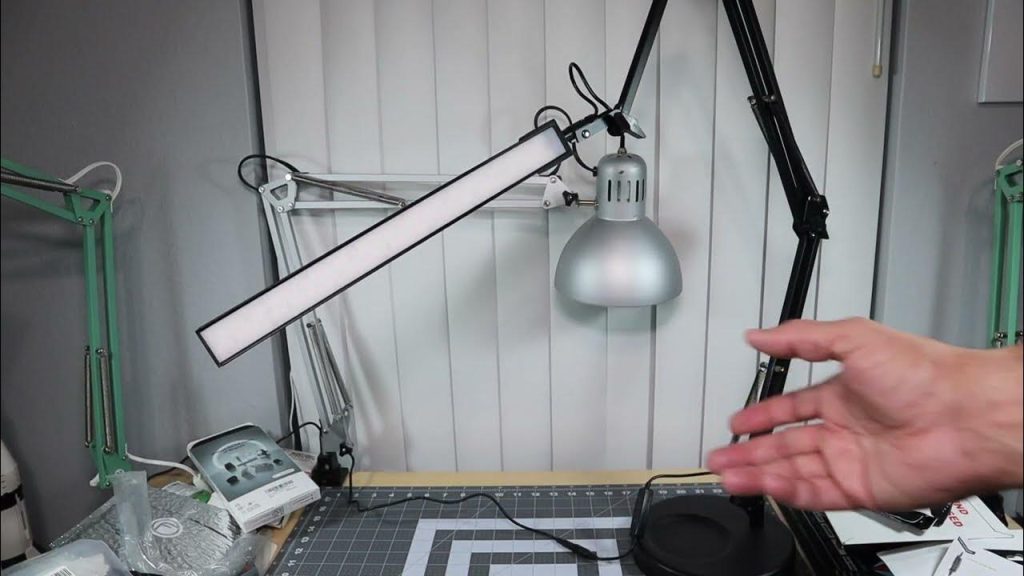
Are you looking to brighten your workspace with a Tertial work lamp but aren’t sure how to set it up? You’re in the right place.
This guide will walk you through the simple steps to assemble your Tertial lamp directly onto your desk. By the end, you’ll have a sturdy, well-lit spot perfect for all your tasks. Keep reading to transform your desk into a productivity powerhouse with just a few easy moves.
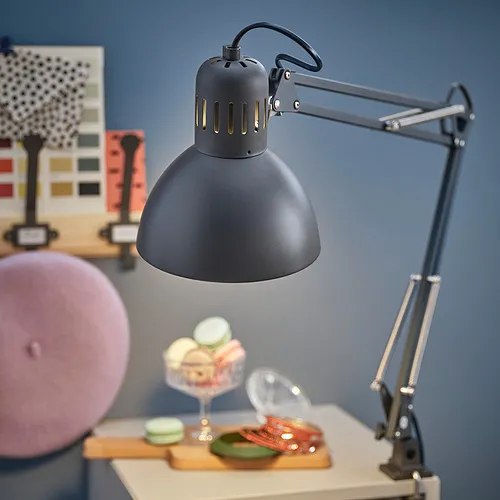
Credit: www.ikea.com.do
Tools Needed
Gathering the right tools is essential for a smooth assembly of the Tertial work lamp to your desk. Using proper tools saves time and prevents damage to the lamp or desk. Keep all tools within reach before starting the process.
Most tools needed are simple and common in a basic toolkit. Having them ready ensures you stay focused and finish quickly. The tools help you secure the lamp firmly and adjust it safely.
Phillips Head Screwdriver
This screwdriver is key for tightening the screws that hold the lamp parts together. It fits the cross-shaped screw heads used in the Tertial lamp assembly. Choose a medium-sized screwdriver for the best grip and control.
Adjustable Wrench
An adjustable wrench helps tighten the clamp that attaches the lamp to the desk. It fits different sizes of nuts and bolts without needing multiple tools. This tool ensures the lamp stays stable and does not wobble.
Measuring Tape
A measuring tape helps position the lamp correctly on your desk. It ensures even placement and enough space for movement. Measuring before tightening avoids shifting and readjusting later.
Soft Cloth
Use a soft cloth to protect your desk surface while attaching the lamp. It prevents scratches from the clamp and tools. Keep the cloth handy to clean the lamp and desk after assembly.
Unboxing The Lamp
Unboxing the Tertial work lamp is the first step in setting up your new desk light. The packaging keeps all parts safe and organized. Handle the box carefully to avoid damage to the lamp components.
Open the box on a clean surface to prevent losing any small parts. Inside, you will find the lamp head, arm, base, and mounting clamp. Each piece is usually wrapped in protective foam or plastic.
Check the contents against the included parts list. This ensures you have everything needed for assembly. If any part is missing, contact the seller before proceeding.
Inspecting The Lamp Components
Look closely at each part for any damage or defects. The lamp arm should move smoothly without resistance. The base or clamp must be sturdy and free from cracks.
Organizing Parts For Easy Assembly
Arrange all pieces in order of assembly. Group screws, washers, and tools separately. This reduces confusion and speeds up the building process.
Reading The Instruction Manual
Review the manual carefully before starting assembly. It provides important safety tips and step-by-step guidance. Keep it nearby for reference during the process.
Identifying Lamp Parts
Before you start assembling your Tertial Work Lamp to your desk, it’s important to recognize each part clearly. Knowing what each component looks like helps you avoid confusion and speeds up the assembly process. Plus, it reduces the chances of missing a crucial step or losing small pieces.
Understanding The Lamp Arm
The lamp arm is the long, adjustable piece that holds the light head. It usually has joints allowing you to move the lamp in different directions. Pay attention to any screws or knobs on the arm—they control the flexibility and stability of the lamp.
Recognizing The Lamp Head
The lamp head contains the bulb and the reflector. This is the part that directs light onto your workspace. Notice if your lamp head has a switch or dial; this often controls brightness or on/off functions.
Identifying The Clamp Or Base
The clamp or base attaches the lamp securely to your desk. It may come with screws or a lever to tighten it in place. Knowing how this part fits onto your desk is key to a firm and safe setup.
Locating The Power Cord And Plug
The power cord supplies electricity to your lamp. Check its length to ensure it reaches your power outlet comfortably. Some cords include inline switches, so identify these before final assembly.
Spotting The Assembly Screws And Tools
Small screws, washers, and sometimes a hex key or screwdriver come with the lamp. Gather these parts before you begin to avoid interruptions. Missing or mixing up screws can lead to instability, so keep them organized.

Credit: www.ikea.com.do
Preparing The Desk
Clear your desk surface and remove any clutter to create enough space for assembly. Ensure the desk edge is sturdy and clean for a secure clamp attachment. Gather all lamp parts and tools before starting to save time.
Preparing the desk is the first step in assembling your Tertial Work Lamp. A well-prepared desk ensures efficient setup and functionality. It also enhances your workspace’s overall appearance. Let’s dive into the essential steps to get your desk ready for assembly.Clear The Workspace
Remove unnecessary items from your desk. A clutter-free surface is crucial. It provides ample space for assembly. It also helps prevent accidents.Choose The Right Spot
Select a spot on your desk for the lamp. Ensure it’s close to a power outlet. This placement ensures easy plug-in and use.Clean The Surface
Wipe your desk with a soft cloth. A clean surface ensures the lamp’s clamp attaches securely. It also keeps your workspace tidy.Gather Necessary Tools
Gather tools needed for assembly. Usually, an Allen key is required. Check the lamp package for any specific tools. Having them ready speeds up the process.Ensure Desk Stability
Ensure your desk is stable and level. A wobbly desk can affect the lamp’s stability. Adjust desk legs or position for optimal balance.Attaching The Clamp
Attaching the clamp of the Tertial work lamp to your desk is a simple process. This step is important because it holds the lamp securely in place. A firm attachment ensures the lamp does not wobble or fall during use.
Before starting, clear the area on your desk where you want to place the lamp. Choose a spot near the edge for easy access and maximum lighting coverage.
Prepare The Clamp For Attachment
First, check the clamp parts. Make sure the screw and padding are in good condition. The padding protects your desk from scratches. Open the clamp by turning the screw counterclockwise. This creates space to fit the desk edge.
Position The Clamp On The Desk
Place the clamp on the edge of your desk. Align the padded part against the underside of the desk. The screw should be on top. Ensure the clamp fits snugly without forcing it.
Tighten The Clamp Securely
Turn the screw clockwise to tighten the clamp. Do this slowly to avoid damaging the desk surface. Tighten until the clamp feels stable and does not move. Avoid over-tightening, which can cause damage.
Check Stability Before Use
After tightening, gently shake the lamp base. It should stay firm and steady. If it moves, adjust the clamp by loosening and retightening. Confirm the lamp holds its position before turning it on.
Securing The Lamp Arm
Securing the lamp arm is a critical step in assembling your Tertial work lamp to your desk. If the arm isn’t firmly attached, the lamp won’t hold the position you want, making it frustrating to work under inconsistent lighting. Ensuring a tight and stable connection allows you to adjust the lamp smoothly and keep your workspace well-lit exactly where you need it.
Choosing The Right Clamp Position
First, identify the best spot on your desk to attach the lamp clamp. Look for an edge that is sturdy and wide enough to support the clamp securely. If the clamp isn’t positioned properly, the lamp arm will wobble or even fall off during use.
Think about how you move around your desk. Does the chosen spot allow easy adjustment of the lamp without getting in your way? Finding the perfect position now will save you time and hassle later.
Tightening The Clamp Properly
Once you’ve placed the clamp, tighten it firmly but avoid over-tightening to prevent damage to your desk. Use your hand to twist the screw until the clamp feels solid and doesn’t shift when you wiggle it.
Try moving the lamp arm after tightening. If there’s any movement at the base, adjust the clamp or tighten it a bit more. A secure clamp keeps the lamp steady and ensures the arm’s joints don’t have to compensate for instability.
Adjusting The Lamp Arm Joints
The Tertial lamp arm has several joints that allow you to position the light exactly where you want it. These joints need to be tightened just enough to hold their position without making movement difficult.
Test each joint by moving the arm slowly. If a joint is too loose, the lamp will droop; if it’s too tight, you risk stripping the screws or limiting flexibility. Finding the right balance helps maintain smooth adjustments and steady lighting.
Checking Stability And Safety
After securing the lamp arm and adjusting the joints, give the entire setup a gentle shake to test its stability. The lamp should hold its position firmly without wobbling or slipping.
Consider the safety of your workspace too. Make sure the lamp’s cord isn’t stretched tight or tangled, which could cause accidents or damage the lamp. A well-secured lamp arm gives you confidence to focus on your work without distractions.
Adjusting The Lamp Position
Adjusting the position of your Tertial work lamp is key to creating a comfortable and well-lit workspace. Proper positioning reduces glare and shadows, helping you focus better on your tasks. It also allows you to customize the light direction to suit different activities, whether you’re reading, drawing, or working on your computer.
Understanding The Lamp’s Joints And Movements
The Tertial lamp features multiple joints that let you move the arm up, down, and sideways. Knowing how each joint works makes adjusting easier and more precise.
Try moving the main arm first. It usually pivots around the base, so you can raise or lower the entire lamp height. Then, adjust the smaller arm near the lamp head to bring the light closer or push it further away.
Have you noticed how subtle shifts in angle can change the light spread? Experiment with slight tweaks until the illumination feels just right for your eyes.
Positioning The Lamp For Different Tasks
Think about what you do most at your desk. If you spend a lot of time writing or reading, angle the lamp so light falls directly over your work area without casting shadows from your hand.
For computer work, position the lamp to the side to avoid screen glare. This prevents eye strain and keeps your display clear.
Adjust the lamp height and arm length to keep the light focused but not harsh. You want bright, even lighting without a glare hotspot.
Securing The Lamp After Adjustment
Once you find your perfect lamp position, tighten the joints to keep it steady. Loose joints can cause the lamp to droop or shift unexpectedly.
Check all screws and knobs, making sure they’re snug but not over-tightened. This balance keeps your lamp flexible for future adjustments while holding firm during use.
Have you ever had a lamp that slowly slides down? Avoid that by giving each joint a final twist after positioning.

Credit: manuals.plus
Installing The Bulb
Begin by gently screwing the bulb into the lamp socket until it fits snugly. Ensure the bulb is secure but avoid overtightening to prevent damage. This simple step readies your Tertial work lamp for safe use.
Installing the bulb in your Tertial work lamp is simple. It brings your lamp to life, providing the light you need. Follow these steps to install the bulb safely and efficiently.Choose The Right Bulb
Select a bulb that fits the lamp socket. The lamp often supports E26 bulbs. Check the lamp’s manual for specific recommendations.Turn Off And Unplug The Lamp
Ensure the lamp is off and unplugged. This prevents any electrical hazards during installation.Remove The Lamp Shade
Detach the lamp shade to access the socket. This makes installing the bulb easier.Install The Bulb
Gently screw the bulb into the socket. Turn it clockwise until snug. Avoid over-tightening to prevent damage.Replace The Lamp Shade
Attach the lamp shade back in place. Ensure it is secure before using the lamp.Plug In And Test
Plug the lamp back into the outlet. Turn it on to ensure the bulb works properly. Enjoy the bright and focused light from your Tertial work lamp.Testing The Lamp
Testing the Tertial work lamp after assembly is crucial to ensure it functions safely and efficiently. This step helps you catch any loose connections or faulty parts before regular use. Let’s focus on how to verify that your lamp is ready to brighten your workspace.
Checking The Electrical Connection
First, plug the lamp into a power outlet that you know works. Make sure your hands are dry to avoid any risk of electric shock. Turn on the switch and observe if the lamp lights up immediately.
If the lamp doesn’t turn on, double-check the bulb and wiring. Sometimes, the bulb might not be screwed in tightly, or the cord could be loose at the base. Fix these issues before trying again.
Once the lamp is powered on, test its flexibility. Move the arm and head of the lamp through its full range of motion. Does it hold the position you want without drooping?
Stability here means your work won’t be interrupted by constant readjustments. If the lamp feels too loose or stiff, consider tightening the joints or loosening screws slightly for smoother movement.
Evaluating The Light Quality
Look closely at the brightness and color of the light. Is it comfortable for your eyes during long work sessions? The Tertial lamp is designed to reduce eye strain, but your environment might need adjustments.
- Try the lamp at different angles to see how shadows fall on your desk.
- Check if the light spreads evenly without harsh spots.
- Consider swapping the bulb if the current one feels too dim or too harsh.
Have you noticed how the right lighting changes your focus and productivity? Testing your lamp thoughtfully ensures your workspace supports your best work.
Maintenance Tips
Keeping your Tertial work lamp in top shape ensures it stays reliable and bright for years. Regular maintenance prevents small issues from turning into bigger problems, saving you time and effort. Here are some practical tips to help you care for your lamp effectively.
Cleaning The Lamp And Shade
Dust and dirt can dim your lamp’s light and cause wear over time. Use a soft cloth or a microfiber duster to wipe the lamp and shade weekly. Avoid harsh chemicals; a damp cloth with mild soap works best for stubborn spots.
Checking And Tightening Joints
Loose joints can make your lamp unstable and harder to adjust. Periodically check all screws and bolts to ensure they’re snug. If you notice any wobbling, tighten the joints carefully—don’t overtighten, or you risk damaging the parts.
Replacing The Bulb Safely
Choosing the right bulb wattage is key to avoid overheating and damage. Always turn off and unplug your lamp before changing the bulb. Handle the new bulb with a cloth or gloves to prevent oils from your skin shortening its lifespan.
Managing The Cord And Switch
Frayed cords or faulty switches can be safety hazards. Inspect the power cord regularly for any signs of wear or damage. If you find problems, replace the cord or switch promptly to keep your workspace safe.
Adjusting The Arm For Smooth Movement
If your lamp arm feels stiff or loose, it might need some adjustment or lubrication. A tiny drop of machine oil on the joints can restore smooth movement. Have you noticed your lamp getting harder to position? Try this simple fix before considering replacement parts.
Frequently Asked Questions
How Do I Attach The Tertial Lamp Clamp To The Desk?
First, open the clamp by turning the screw counterclockwise. Position the clamp on the desk edge. Tighten the screw clockwise until secure. Ensure the clamp is stable and doesn’t wobble before proceeding with the lamp assembly.
What Tools Are Needed To Assemble The Tertial Work Lamp?
No additional tools are required to assemble the Tertial Tertial work lamp. The lamp comes with a clamp and adjustable arm that you can install by hand. Just follow the step-by-step guide for easy assembly.
Can I Adjust The Lamp After Mounting It On The Desk?
Yes, the Tertial lamp features adjustable joints. You can tilt, swivel, and rotate the lamp head and arm. This flexibility allows you to direct light where you need it most. Adjust gently to avoid damage.
How To Ensure The Tertial Lamp Is Stable On My Desk?
Make sure the clamp is tightly secured to a desk edge at least 1 inch thick. Avoid desks with rounded or very thin edges. Tighten the clamp screw firmly and test stability before full use.
Conclusion
Assembling your Tertial work lamp to your desk takes just a few simple steps. Follow the instructions carefully and take your time. Make sure all parts are tight and secure before use. This lamp will provide good light for your work or study space.
Enjoy the bright and focused light it gives. Now, you have a well-lit desk ready for any task. Keep your workspace safe and comfortable. Simple tools and clear steps make this easy for everyone.



