
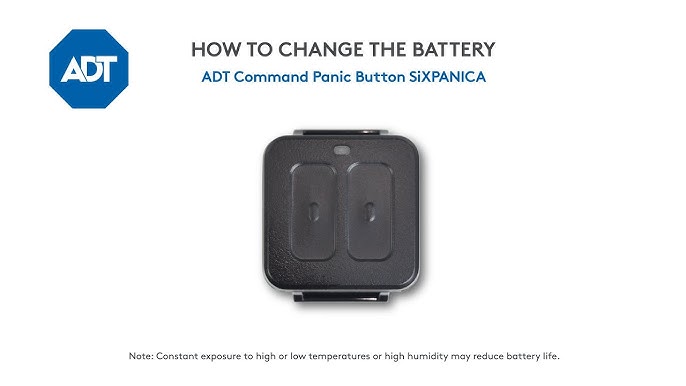
Is your ADT motion sensor acting up or showing a low battery warning? Changing the battery might be the simple fix you need to keep your home secure without any interruptions.
You don’t have to wait for a technician or struggle with complicated steps. In this guide, you’ll learn exactly how to change the battery on your ADT motion sensor quickly and easily. Keep reading to make sure your security system stays reliable and your home stays safe.

Credit: www.youtube.com
Tools Needed
Changing the battery in your ADT motion sensor requires a few simple tools. Having the right tools ready makes the job faster and easier. This section lists all the tools you need for a smooth battery replacement process.
Small Flathead Screwdriver
A small flathead screwdriver helps open the sensor’s battery compartment. It fits into the slots to gently pry open the cover.
Replacement Battery
Use the correct replacement battery type for your ADT motion sensor. Check the model number to find the right size and voltage.
Soft Cloth Or Gloves
A soft cloth or gloves keep the sensor clean and protect it from fingerprints. They also prevent static damage to the sensor’s components.
Flashlight
A flashlight helps you see inside the sensor clearly. It is useful in dimly lit areas or tight spaces.
Locate The Motion Sensor
Locating the ADT motion sensor is the first step to changing its battery. The sensor is a small device that detects movement to keep your home safe. It is usually placed in strategic areas to monitor entrances and common spaces.
Finding the sensor quickly saves time and helps maintain your security system efficiently. Knowing its exact location ensures you can replace the battery without trouble.
Check Common Installation Spots
ADT motion sensors are often installed near doorways and windows. These spots allow them to detect any movement as soon as someone enters. Look high on walls, corners, or near ceilings.
Use Your Adt Control Panel
Your ADT control panel may list sensor locations. This helps identify which sensor needs a battery change. Check the panel’s menu for device status and location details.
Look For The Sensor’s Shape And Size
The motion sensor is small and usually rectangular or square. It often has a clear or white casing with a small lens. Spotting this shape helps find the sensor fast.
Inspect Around Entry Points
Doors and windows are common places for motion sensors. Scan the areas around these points carefully. Sensors are installed to detect movement through these access points.
Ask For Help If Needed
If you cannot find the sensor, contact ADT support. They can guide you to the exact location. This saves effort and avoids damage to your system.
Open The Sensor Cover
Open the sensor cover by gently pressing the release tabs. This allows easy access to the battery compartment.
Opening the sensor cover of your ADT motion sensor is a simple task. This step is crucial for accessing the battery compartment. Ensure you have the right tools and a clear workspace. Before you start, remember to handle the sensor gently. This will prevent any damage to the device.Gather Necessary Tools
You’ll need a small screwdriver. This tool helps in unscrewing the cover. A flathead screwdriver works best. Keep it within reach. This ensures a smooth process without interruptions.Locate The Sensor
Find the ADT motion sensor. It is often mounted on a wall. Look for a small seam or line. This indicates where the cover opens.Unscrew The Cover
Use your screwdriver. Insert it into the seam. Gently twist to unscrew. Be patient during this step. Forcing it might damage the sensor.Remove The Cover
Once unscrewed, gently lift the cover. Do this slowly to avoid dropping any parts. Place the cover aside safely. Now, you can see the battery compartment.Check For Dirt Or Dust
Inspect the inside for dirt. Dust can affect performance. Clean it with a soft cloth if needed. This ensures optimal sensor function.Prepare For Battery Replacement
With the cover open, you can now replace the battery. Ensure the battery is correctly positioned. Proper placement is key for the sensor to work effectively.Remove The Old Battery
Removing the old battery from your ADT motion sensor is a simple task. It helps keep your security system working well. Knowing how to do this safely saves time and avoids damage. This section explains how to remove the old battery carefully and correctly.
Locate The Battery Compartment
Find the battery compartment on the back of the motion sensor. Most models have a small cover you can slide or lift. Look for a notch or tab to open it easily. Use your fingers or a small tool to avoid scratches.
Open The Battery Cover
Gently press or slide the cover to open the compartment. Avoid using too much force to prevent breaking the cover. Set the cover aside in a safe place to avoid losing it. Check if the battery is visible and ready to be removed.
- Note the battery type before removal.
- Use your fingers to lift the battery carefully.
- If stuck, use a non-metal tool to pry it gently.
- Dispose of the old battery properly according to local rules.
Insert The New Battery
Inserting the new battery into your ADT motion sensor is a simple but crucial task. It ensures your security system stays active and reliable. Follow these clear steps to place the battery correctly and keep your sensor working smoothly.
Check The Battery Type
Use the same type of battery as recommended in your sensor’s manual. Most ADT motion sensors use CR123A or AA batteries. Using the wrong battery can damage the device or cause it to malfunction.
Align The Battery Properly
Match the battery’s positive (+) and negative (-) ends with the markings inside the battery compartment. Incorrect alignment stops the sensor from working and may drain the battery quickly.
Place The Battery Securely
Gently insert the battery into the compartment. Push it in until it fits snugly. A loose battery might cause interruptions or false alerts in your security system.
Close The Battery Cover
After inserting the battery, close the cover firmly. Ensure it clicks or locks in place. This keeps the battery safe and protects the sensor from dust and moisture.

Credit: help.adt.com
Close The Sensor Cover
Closing the sensor cover is a crucial step after replacing the battery in your ADT motion sensor. It ensures the device remains protected from dust, moisture, and accidental damage. A properly closed cover also guarantees the sensor functions correctly without false alarms or interruptions.
Align The Cover Properly
Before snapping the cover shut, make sure it is aligned with the sensor body. The edges should match perfectly without forcing the cover. Misalignment can cause the cover to sit loosely, compromising the sensor’s protection.
Listen For The Click
Gently press the cover until you hear a distinct click sound. This click confirms the cover is securely locked in place. If you don’t hear it, double-check the alignment and try again to avoid the cover popping open unexpectedly.
Test The Sensor After Closing
Once the cover is closed, test your motion sensor to ensure it works as expected. Walk in front of the sensor and observe if it triggers correctly. This quick test helps confirm that the battery installation and cover closure were successful.
Test The Sensor
Testing the ADT motion sensor after changing the battery ensures it works correctly. This step confirms the sensor detects motion and sends alerts properly. A well-tested sensor keeps your home safe and secure.
Power On And Reset The Sensor
First, turn on the sensor by closing its cover. This action powers the device with the new battery. Next, reset the sensor to clear old signals. Press the reset button or follow the manual’s reset instructions. This step prepares the sensor for accurate detection.
Walk Test To Check Motion Detection
Perform a walk test by moving in front of the sensor. Walk slowly across its field of view. Watch for a light or sound signal from the sensor. This reaction shows it detects motion correctly. Repeat this test a few times for consistency.
Verify Signal Transmission To Control Panel
Check if the sensor sends alerts to the main control panel. Trigger the sensor and watch the panel for notifications. A successful alert means the sensor communicates well. If no alert appears, check sensor placement and battery again.
Adjust Sensor Settings If Needed
Sometimes, sensitivity settings need tweaking after battery change. Use the control panel or app to adjust detection range. Lower or raise sensitivity based on test results. Proper settings avoid false alarms and missed detections.
Troubleshooting Tips
Changing the battery on your ADT motion sensor can sometimes lead to issues. These troubleshooting tips help solve common problems quickly. Follow these simple steps to ensure your sensor works perfectly after battery replacement.
Check Battery Orientation
Make sure the battery is placed correctly. The positive and negative ends must match the sensor’s markings. Incorrect placement stops the sensor from working.
Use The Correct Battery Type
Only use the battery type recommended by ADT. Using the wrong battery can cause poor performance or damage the sensor. Check the manual for the right model.
Clean Battery Contacts
Remove dirt or corrosion from battery contacts. Use a dry cloth or a small brush to clean the contacts. Clean contacts improve connection and sensor function.
Reset The Sensor
After replacing the battery, reset the sensor. This step helps the sensor recognize the new battery. Press the reset button or follow the manual’s instructions.
Check Sensor Signal
Test the sensor signal after battery change. Walk near the sensor to see if it detects motion. Weak signals may need sensor repositioning or battery replacement.
Replace Battery Regularly
Replace the battery before it runs out. A weak battery causes false alarms or sensor failure. Keep track of battery life to avoid sudden issues.
Battery Maintenance Advice
Proper battery care keeps your ADT motion sensor working well longer. Good battery maintenance prevents unexpected failures and alerts. It ensures the sensor always detects motion accurately. Follow simple tips for safe and effective battery use.
Choose The Right Battery Type
Use batteries recommended by ADT for best results. Check the sensor manual for the exact battery model. Avoid cheap or incompatible batteries that may damage the device. Correct batteries maintain sensor performance and extend lifespan.
Store Spare Batteries Properly
Keep extra batteries in a cool, dry place away from sunlight. High heat or moisture can reduce battery life. Store batteries in original packaging or a sealed container. This prevents corrosion and keeps them ready for use.
Clean Battery Contacts Regularly
Remove dirt or corrosion from battery contacts gently. Use a dry cloth or a cotton swab with rubbing alcohol. Clean contacts improve connection and prevent power loss. Regular cleaning keeps your sensor reliable and responsive.
Replace Batteries Before They Die
Change batteries as soon as the low-battery alert appears. Do not wait for the sensor to stop working. Timely replacement avoids security gaps and false alarms. Keep spare batteries handy for quick swaps.
Dispose Of Old Batteries Safely
Recycle used batteries at designated collection points. Do not throw batteries in the trash. Proper disposal protects the environment and prevents hazards. Follow local regulations for battery recycling and disposal.

Credit: www.amazon.ca
Frequently Asked Questions
How Do I Open An Adt Motion Sensor Battery Compartment?
To open, gently press the release tab on the sensor’s back. Slide the cover downward to access the battery compartment. Avoid using sharp tools to prevent damage.
What Type Of Battery Does An Adt Motion Sensor Use?
ADT motion sensors typically use a CR123A lithium battery. Always check your sensor model for exact battery requirements. Using the correct battery ensures optimal performance.
How Often Should I Replace My Adt Motion Sensor Battery?
Replace the battery every 1 to 2 years, depending on usage. Low battery alerts will notify you when replacement is necessary. Regular checks help maintain sensor reliability.
Can I Replace The Battery Without Removing The Sensor From The Wall?
Yes, some models allow battery replacement without detaching the sensor. However, removing the sensor can make the process easier and safer. Follow your sensor’s manual for specific instructions.
Conclusion
Changing the battery in your ADT motion sensor keeps your home safe. Follow the steps carefully to avoid any damage. Use the right battery type for best results. Check the sensor regularly to ensure it works well. A fresh battery helps the sensor detect movement quickly.
Keep your security system reliable and easy to use. Small efforts like this improve your safety every day. Simple steps, big peace of mind.



