
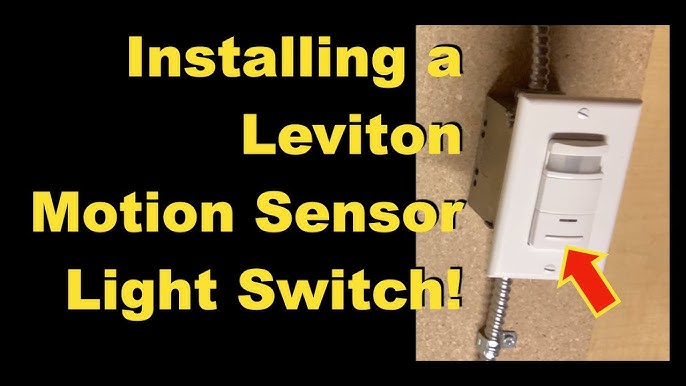
Are you tired of fumbling in the dark or worrying about your home’s safety at night? Connecting a motion sensor light can change that instantly.
Imagine a light that turns on exactly when you need it—no switches, no delays. In this guide, you’ll learn simple, step-by-step instructions to install your motion sensor light quickly and safely. By the end, you’ll have a smart lighting setup that saves energy and gives you peace of mind.
Ready to make your home brighter and safer? Let’s get started.

Credit: www.amazon.ca
Choosing The Right Motion Sensor Light
Choosing the right motion sensor light is crucial to ensure your space is safe and well-lit without wasting energy. The perfect light doesn’t just turn on when it senses movement; it fits your specific needs and environment. Understanding the options and features helps you pick a sensor light that works smoothly and lasts long.
Types Of Motion Sensor Lights
There are several types of motion sensor lights designed for different purposes and locations. LED motion sensor lightsare energy-efficient and last longer than traditional bulbs.
Solar-powered sensor lightsare great for outdoor use where wiring is difficult, but they depend on sunlight to recharge. Hardwired sensor lightsconnect directly to your electrical system for constant power and reliability.
Choosing the right type depends on where you want to install the light and how much maintenance you’re willing to do.
Key Features To Consider
Look for features that match your lifestyle and security needs. A wide detection range lets the light cover more area, which is ideal for large yards or driveways.
The sensitivity setting is important too—it should detect movement without triggering from small animals or passing cars. Also, check if the light has an adjustable timer so you control how long it stays on after activation.
Some models offer dusk-to-dawn sensors, ensuring the light only operates at night, saving energy during the day.
Selecting The Ideal Location
Where you place your motion sensor light makes all the difference in performance. Position it so the sensor can “see” the area you want to monitor without obstructions like bushes or walls.
Avoid pointing the sensor toward busy streets or sidewalks where constant movement could cause unnecessary triggering. Think about the height as well—mount the sensor around 6 to 10 feet high for optimal detection.
Have you noticed how some lights turn on too often while others barely respond? The right location helps prevent both problems and gives you peace of mind.
Tools And Materials Needed
Gathering the right tools and materials is key to connecting a motion sensor light safely and efficiently. Using proper equipment makes the installation smoother and prevents damage or injury.
Below are the main categories of items you need. Each plays an important role in the process.
Essential Tools
- Screwdriver set (flathead and Phillips)
- Wire stripper and cutter
- Voltage tester or multimeter
- Drill with bits
- Electrical tape
- Measuring tape
- Wire nuts
Safety Gear
- Insulated gloves
- Safety goggles
- Dust mask
- Non-slip shoes
Additional Supplies
- Motion sensor light fixture
- Electrical cables (if extension is needed)
- Mounting brackets or screws
- Outdoor-rated sealant (for weatherproofing)
Preparing For Installation
Check the power source and turn off the electricity before starting. Gather all tools and read the motion sensor light instructions carefully. Ensure the mounting area is clean and accessible for easy installation.
Preparing for the installation of a motion sensor light is crucial. It ensures safety and efficiency. Follow these steps to make the process smooth and hassle-free. Being prepared will save time and prevent potential mishaps. Let’s dive into the essential steps.Turning Off Power
Safety first. Always turn off the power at the circuit breaker. This prevents electrical shock. Test the switch to ensure the power is off. Use a voltage tester for confirmation. This step is vital for your safety.Checking Wiring Compatibility
Check the existing wiring for compatibility. Match the wires with the sensor light requirements. Most systems use standard wiring. Compare the wire colors. Make sure they align with the instructions. If unsure, consult a professional.Marking Mounting Spots
Choose the right spot for your motion sensor light. It should cover the desired area. Mark the mounting spots using a pencil. Ensure the surface is stable and secure. Drill holes as needed. Follow the light’s installation guide for best results.
Credit: www.youtube.com
Step-by-step Installation Guide
Installing a motion sensor light yourself can save money and increase your home’s security instantly. The process isn’t as complicated as it might seem. With clear guidance, you’ll be able to mount, wire, and secure the light efficiently.
Mounting The Sensor Light
Start by choosing the ideal spot for your sensor light. It should cover the area you want to monitor without obstructions like trees or walls blocking its view.
Use a drill to make holes for the mounting screws, and attach the mounting bracket securely. Make sure the bracket is level; a crooked sensor can cause false triggers or miss movement entirely.
Connecting The Wires
Turn off the power at your circuit breaker to stay safe while handling electrical connections.
Identify the wires: typically, black is live, white is neutral, and green or copper is ground. Match the corresponding wires from the sensor light to your home’s wiring.
Use wire nuts to twist the wires together tightly. If you’re unsure about wire colors or connections, double-check your device’s manual or consult an electrician to avoid hazards.
Securing The Fixture
After wiring, tuck the wires neatly into the electrical box or wall cavity to prevent pinching or exposure.
Attach the fixture to the mounting bracket using the screws provided. Tighten them firmly but avoid over-tightening, which might crack the fixture or strip the screws.
Test the motion sensor by turning the power back on and walking through its range. Adjust the sensor’s angle or sensitivity settings as needed to get the perfect coverage.
Testing And Adjusting The Sensor
Testing and adjusting your motion sensor light ensures it works correctly. This step helps avoid false triggers and keeps your area well-lit. Proper testing also extends the sensor’s life and saves energy. Follow these simple checks to set your sensor right.
Powering On And Initial Test
Turn on the power to the motion sensor light. Wait a few seconds for the sensor to activate. Walk slowly in front of the sensor’s detection area. The light should turn on immediately when motion is detected. If the light does not turn on, check the power connection and switch again. Repeat the test to confirm the sensor reacts consistently.
Adjusting Sensitivity And Timer
Locate the sensitivity dial or switch on the sensor unit. Turn it to increase or decrease the detection range. Set it so the light triggers only for real movement nearby. Find the timer control to set how long the light stays on. Adjust the timer from a few seconds to several minutes based on your needs. Test the sensor after each adjustment to find the best setting.
Troubleshooting Common Issues
- Light stays on too long: Lower the timer setting.
- Light does not turn on: Check the power and wiring.
- False triggers from small animals: Reduce sensitivity.
- Sensor misses motion: Increase sensitivity or adjust sensor angle.
- Light flickers: Ensure the bulb and sensor are compatible.
Check these points carefully to fix common problems. Adjustments help the sensor work smoothly and save energy.
Maintaining Your Motion Sensor Light
Maintaining your motion sensor light keeps it working well and extends its life. Regular upkeep prevents common problems and ensures reliable performance. Small efforts make a big difference over time.
Regular Cleaning
Clean the sensor and light cover often. Dirt and dust block the sensor’s view and reduce light output. Use a soft cloth with mild soap and water. Avoid harsh chemicals that can damage the surface. Gently wipe the sensor lens to keep it clear.
Seasonal Adjustments
Adjust the sensor settings as seasons change. Winter and summer affect light levels differently. Change the sensitivity and timer to match the environment. Point the sensor away from heat sources or bright lights. This prevents false triggers and saves energy.
Replacing Bulbs And Batteries
Check bulbs and batteries regularly. Replace bulbs that flicker or burn out quickly. Use the type recommended by the manufacturer. For battery-powered lights, swap batteries before they run low. This keeps the light bright and responsive.
Enhancing Security With Additional Features
Adding extra features to your motion sensor light can boost your home’s security significantly. These enhancements not only make your system smarter but also give you more control and peace of mind. Let’s look at some practical ways to make your setup more effective and responsive to potential threats.
Integrating With Smart Home Systems
Connecting your motion sensor light to a smart home system lets you control it remotely through your phone or voice commands. You can set schedules, adjust sensitivity, or even link it to other smart devices in your home. Have you ever thought about how convenient it is to get instant alerts when motion is detected, no matter where you are?
This integration also means you can automate actions, like turning on lights when you unlock your door or when your security system is armed. It makes your home feel more alive and responsive to your presence.
Adding Cameras Or Alarms
Pairing your motion sensor light with cameras or alarms creates a stronger deterrent against intruders. Cameras give you visual proof of any activity, while alarms can scare off unwanted visitors immediately. Imagine catching a delivery person dropping off a package or spotting unexpected movement late at night—all from your phone.
Choosing devices that work together seamlessly is key. Many modern cameras and alarms are designed to sync easily with motion sensor lights, creating a layered defense system that reacts instantly and records events for later review.
Using Multiple Sensors
Installing more than one motion sensor light can cover blind spots around your property. You can position sensors to monitor different angles, such as side doors, backyards, or driveways. Have you noticed how a single light sometimes misses movement outside its range?
Multiple sensors ensure no area goes unmonitored, reducing the chance of an intruder slipping by unnoticed. It’s a simple way to create a comprehensive security perimeter without complex wiring.

Credit: www.hardwareresources.com
Frequently Asked Questions
How Do I Install A Motion Sensor Light?
First, turn off the power at the breaker. Mount the sensor at the desired location. Connect the wires following the manufacturer’s guide. Secure the fixture and restore power to test the sensor’s operation.
What Tools Are Needed To Connect Motion Sensor Lights?
You typically need a screwdriver, wire stripper, voltage tester, electrical tape, and wire connectors. These tools ensure safe and proper installation of the motion sensor light.
Can I Install A Motion Sensor Light Outdoors?
Yes, but ensure the light is rated for outdoor use. It should be weatherproof and suitable for your climate to function properly and last longer.
How Do I Adjust Motion Sensor Light Sensitivity?
Most sensors have adjustable dials or switches. Refer to the manual to set sensitivity, timer, and detection range for optimal performance and energy savings.
Conclusion
Connecting a motion sensor light is simple with the right steps. Safety matters most, so always turn off power first. Follow the instructions carefully and check your wiring twice. Test the light to make sure it works well. A motion sensor light helps save energy and adds security.
Enjoy the convenience of automatic lighting around your home. This small project can make a big difference in your space. Keep your outdoor areas bright and safe with ease.



