
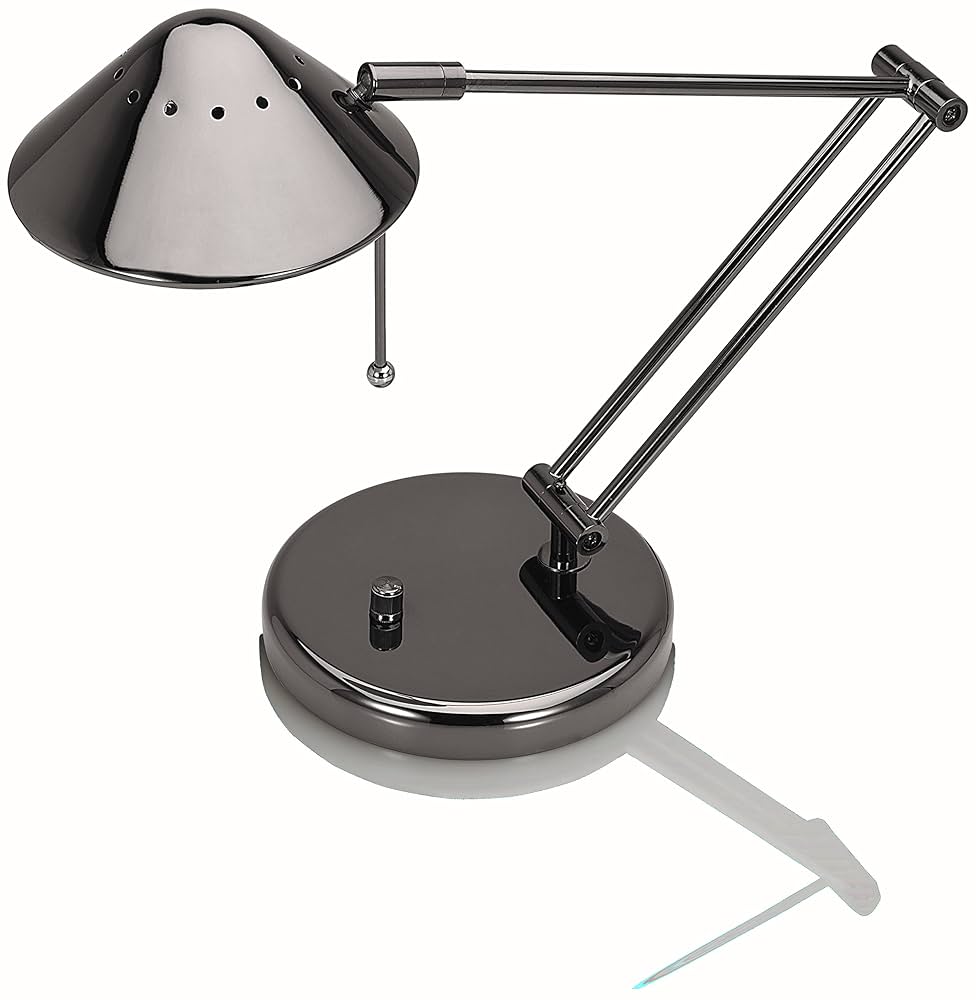
Is your halogen desk lamp flickering or not turning on at all? You rely on that bright, focused light to get your work done or create the perfect mood.
When it stops working, it can be frustrating and slow you down. But don’t worry—you don’t need to buy a new lamp or call a technician just yet. In this guide, you’ll discover simple, step-by-step ways to fix your halogen desk lamp quickly and safely.
Keep reading, and you’ll have your lamp shining brightly again in no time.
Credit: dengarden.com
Common Issues With Halogen Desk Lamps
Halogen desk lamps often face common issues that stop them from working well. Understanding these problems helps in fixing them quickly. Most problems are easy to spot and repair. Fixing these issues saves money and extends lamp life.
Burnt Out Bulb
The most frequent problem is a burnt out bulb. Halogen bulbs have a shorter lifespan than LED bulbs. If the light stops working, check the bulb first. Replace it with the exact type for safety and proper function. Always let the bulb cool before handling it.
Faulty Power Cord
A damaged power cord can cause the lamp to stop working. Look for cuts, frays, or exposed wires. A faulty cord is unsafe and must be replaced immediately. Use the correct replacement cord to avoid electrical hazards. Never use a lamp with a damaged cord.
Loose Connections
Loose connections inside the lamp can cause flickering or no light. Check the socket and wiring for any loose parts. Tighten connections carefully without damaging wires. Poor connections reduce lamp performance and can cause sparks. Regular checks keep the lamp working well.
Damaged Switch
A broken switch prevents the lamp from turning on or off. Switches wear out over time with frequent use. Test the switch by turning it on and off several times. If it feels loose or does not click, replacement is needed. Use the right switch type for your lamp model.

Credit: www.ebay.com
Tools Needed For Repair
Repairing a halogen desk lamp needs specific tools. Having the right tools makes the process easier and safer. Each tool plays a key role in fixing the lamp properly. Prepare these tools before starting your repair work.
Screwdrivers
Screwdrivers are essential for opening the lamp casing. Use both flathead and Phillips types. They help remove screws without damage. Choose screwdrivers that fit the screws well to avoid slipping.
Multimeter
A multimeter tests electrical parts of the lamp. It checks for voltage and continuity. This tool helps find broken wires or faulty connections. Using a multimeter ensures the lamp’s electrical safety.
Replacement Bulbs
Halogen bulbs have specific sizes and wattages. Keep the correct replacement bulbs ready. Using the right bulb prevents damage and ensures good light. Check the lamp’s label for bulb details.
Electrical Tape
Electrical tape insulates wires and repairs minor damage. It protects exposed wiring from short circuits. Use quality tape to secure connections safely. Proper use of tape prevents electrical hazards.
Replacing The Bulb
Replacing the bulb in your halogen desk lamp is often the quickest fix to restore its bright, focused light. Knowing how to handle this simple task safely and correctly can save you time and prevent damage to your lamp or injury to yourself. Let’s go through the key steps to get your lamp shining again.
Selecting The Right Bulb
Choosing the correct replacement bulb is crucial. Halogen bulbs come in various shapes, sizes, and wattages, so check your lamp’s label or manual for the exact specifications.
Using the wrong bulb can cause overheating or poor performance. If you’re unsure, bring the old bulb to the store or look up your lamp model online to find a compatible replacement.
Removing The Old Bulb Safely
First, make sure the lamp is unplugged and completely cool before touching the bulb. Halogen bulbs get extremely hot and can cause burns.
Use a clean cloth or gloves to avoid oil from your skin transferring to the bulb, which can shorten its lifespan. Gently twist or pull the bulb out, depending on the lamp’s design—don’t force it.
Installing The New Bulb
Handle the new bulb with the same care, using gloves or a cloth. Align it properly with the socket and insert it gently but firmly.
Once the bulb is in place, plug the lamp back in and test it. If it doesn’t light up, double-check the bulb’s fit and your lamp’s power source before assuming the bulb is faulty.
Fixing Electrical Connections
Fixing electrical connections in your halogen desk lamp often solves the most common issues like flickering or complete failure to turn on. These connections can wear out or loosen over time, especially if the lamp is moved frequently or the cord is bent sharply. Understanding how to check and repair these parts can save you a trip to the store or an expensive replacement.
Checking The Power Cord
Start by visually inspecting the power cord for any obvious damage such as cuts, frays, or exposed wires. Look closely where the cord meets the plug and the lamp base, as these points are prone to wear.
Unplug the lamp before handling the cord to avoid electric shock. If you spot any damage, you might need to replace the cord or repair the affected section.
Testing With A Multimeter
A multimeter is a handy tool to check if electricity flows properly through your lamp’s wiring. Set it to measure continuity or resistance, then touch the probes to each end of the power cord and the lamp connections.
If the meter shows no reading, it indicates a break in the circuit. This test pinpoints the exact location of a fault, saving you from replacing parts unnecessarily.
Repairing Loose Wires
Loose wires inside the lamp can cause intermittent lighting problems. Open the lamp’s casing carefully and check the wire connections at the socket and switch.
If you find any wires disconnected or loosely attached, tighten the screws or re-secure the wire ends firmly. Make sure to use electrical tape or wire nuts to cover exposed wires before closing the lamp.
Have you ever fixed a lamp only to find the problem was a tiny loose wire? It’s a simple fix that often makes a big difference.
Repairing Or Replacing The Switch
Repairing or replacing the switch on a halogen desk lamp can restore its function quickly. The switch controls the power flow, so a faulty switch often causes the lamp to stop working. Fixing this part is simple with basic tools and a little care. Understanding the problem and following clear steps helps avoid damage and keeps you safe.
Identifying Switch Problems
Check if the lamp does not turn on or flickers. Feel the switch for unusual resistance or looseness. Listen for a clicking sound when toggling the switch. Use a multimeter to test for electrical continuity. A lack of continuity usually means the switch is broken. Clear signs include visible damage or corrosion on the switch.
Removing The Old Switch
Unplug the lamp before starting any work. Open the lamp base or housing to access the switch. Note how wires are connected to the switch. Take a photo or draw a simple diagram for reference. Use a screwdriver to remove screws holding the switch. Carefully disconnect wires by loosening terminal screws or pulling off connectors. Avoid pulling wires forcefully to prevent damage.
Installing A New Switch
Match the new switch type and rating with the old one. Connect wires to the new switch terminals as shown in your diagram or photo. Tighten terminal screws firmly but gently. Place the switch back into the housing. Secure it with screws removed earlier. Close the lamp base and plug it in to test the switch. The lamp should turn on and off smoothly without flickering.
Safety Tips During Repairs
Always unplug the lamp before starting any repairs to avoid electric shock. Use a dry cloth and avoid touching the bulb with bare hands. Work in a well-lit area to clearly see all parts and connections.
When fixing a halogen desk lamp, safety is the top priority. Understanding and following essential safety tips can prevent accidents and damage. This section will guide you through important precautions to keep in mind.Unplugging The Lamp
Always unplug the lamp before starting any repairs. This simple step prevents electric shocks. Never work on a lamp that is plugged in. Ensure the plug is completely removed from the socket.Handling Bulbs Carefully
Halogen bulbs get extremely hot. Let them cool before touching. Use a cloth or gloves to remove the bulb. This prevents oil from your skin affecting the bulb’s lifespan. Handle with care to avoid breakage and injury.Avoiding Electrical Hazards
Check for frayed wires or damaged cords. Replace them immediately to prevent electrical fires. Avoid using the lamp in damp areas. Water and electricity are a dangerous combination. Keep the work area dry and safe.Preventive Maintenance For Longevity
Keeping your halogen desk lamp in top condition doesn’t have to be a chore. Preventive maintenance is the key to making sure your lamp lasts longer and works better. Small, regular actions can save you time and money by avoiding bigger repairs down the line.
Regular Cleaning
Dust and dirt can build up on your lamp, especially around the bulb and the reflector. This buildup reduces brightness and causes the lamp to overheat, shortening its life. Use a soft, dry cloth or a gentle brush to clean these parts every few weeks.
Be careful not to use water or harsh chemicals, as halogen bulbs are sensitive. I once skipped cleaning my lamp for months, and the bulb dimmed noticeably. After a quick wipe, it shone like new again, proving how much cleaning matters.
Proper Usage Practices
How you use your lamp affects how long it lasts. Avoid turning it on and off repeatedly in short periods, as this stresses the bulb. Instead, switch it on only when needed and give it time to cool down before moving or adjusting it.
Make sure your lamp is placed on a stable surface to prevent accidental knocks. Also, check if your bulb wattage matches the lamp’s recommended rating. Using a higher watt bulb can cause overheating and damage.
Periodic Inspection
Check your lamp regularly for signs of wear or damage. Look for loose connections, frayed cords, or discoloration around the bulb holder. Catching these issues early can prevent electrical hazards and extend your lamp’s life.
Ask yourself: Have you noticed flickering or unusual smells from your lamp? These are warning signs that require immediate attention. Setting a reminder to inspect your lamp every couple of months can make a big difference.

Credit: www.ebay.com
Frequently Asked Questions
How Do I Replace A Halogen Bulb Safely?
Turn off and unplug the lamp first. Let the bulb cool completely. Use a cloth or gloves to avoid oils on the new bulb. Carefully remove the old bulb and insert the new one securely.
Why Is My Halogen Desk Lamp Flickering?
Flickering usually indicates a loose bulb, faulty wiring, or a defective switch. Check if the bulb is screwed in tightly. Inspect the lamp’s cord for damage. Replace any faulty parts to fix flickering.
Can I Use Led Bulbs In A Halogen Lamp?
Not all LED bulbs fit halogen lamps due to voltage differences. Use LED bulbs labeled as halogen replacements. They save energy and reduce heat but ensure compatibility with your lamp’s fixture.
What Causes A Halogen Lamp To Overheat?
Overheating happens when bulbs exceed wattage limits or lack ventilation. Use bulbs recommended by the manufacturer. Avoid covering the lamp and ensure proper airflow to prevent heat buildup.
Conclusion
Fixing a halogen desk lamp is easier than it seems. Start by checking the bulb and power source. Replace any broken parts carefully. Always unplug the lamp before working on it. Small steps can save you money and time. A working lamp brightens your workspace and mood.
Try these tips next time your lamp acts up. Keep your desk well-lit and ready for work. Simple fixes often bring great results.



