
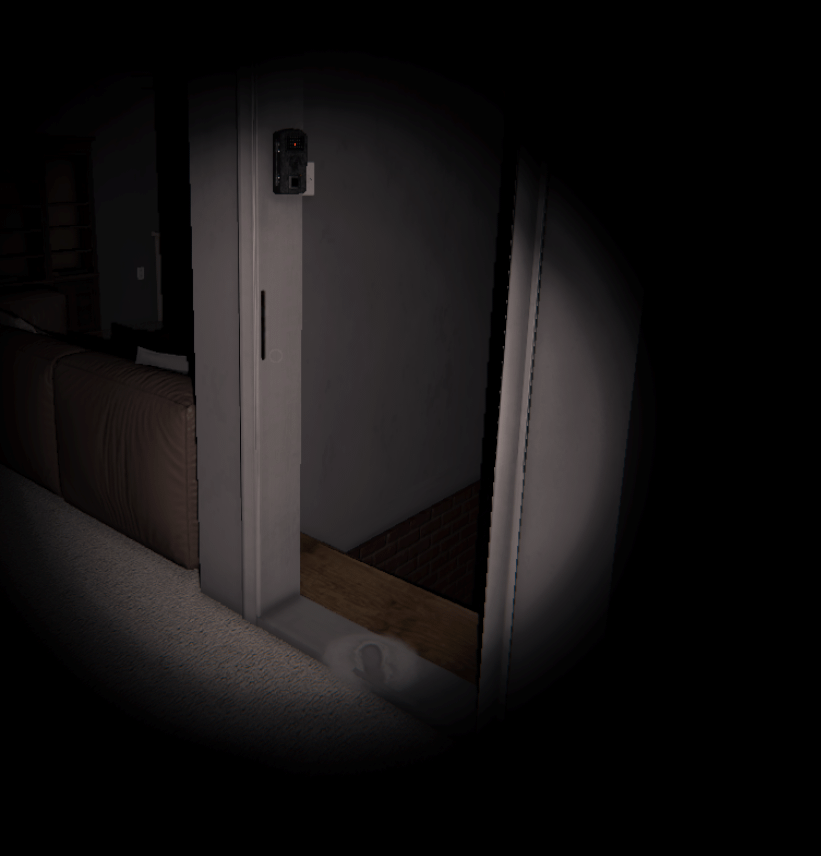
If you want to catch ghosts faster in Phasmophobia, knowing how to place motion sensors is key. You might have the gear, but without the right setup, those sensors won’t work their magic.
In this guide, you’ll learn simple tips that make your motion sensors spot any ghost movement quickly and accurately. By the end, you’ll feel more confident and ready to outsmart even the trickiest spirits. Keep reading to discover exactly where and how to place your motion sensors for the best results.

Credit: www.youtube.com
Choosing The Right Location
Choosing the right location for your motion sensor in Phasmophobia can make a huge difference in catching ghost activity early. Placing it in the wrong spot might leave you blind to important movements, wasting both your time and equipment. Think of your sensor as your eyes in dark corners—you want to position it where it can see the most action without being blocked or ignored.
High Traffic Areas
Focus on spots where the ghost frequently moves or passes through. Hallways and doorways are prime locations because ghosts often travel through these narrow paths.
Setting up your sensor in a hallway can alert you quickly when a ghost approaches, giving you time to prepare. If you’ve played enough, you’ll notice some ghosts prefer certain routes—watch for patterns and place sensors accordingly.
Common Haunting Spots
Ghosts tend to linger in specific rooms like bedrooms, living rooms, or near the objective items. Putting a sensor in these areas increases the chance of detecting movement close to where the ghost interacts with the environment.
Have you ever noticed the ghost spending more time in the basement or by the fireplace? Use that knowledge to your advantage by placing sensors there. It’s about being where the action is likely to happen, not just where you think it might be.
Avoiding Obstructions
Make sure nothing blocks the sensor’s line of sight. Objects like furniture, walls, or even open doors can stop it from detecting motion properly.
Try to place your sensor high up or in clear spaces to maximize its coverage. I once placed a sensor behind a couch, and it missed all the ghost activity in the room—learn from my mistake and double-check your placement!

Credit: www.reddit.com
Setting Up The Sensor
Setting up a motion sensor in Phasmophobia is more than just placing it randomly. The right setup can make the difference between catching ghost activity and missing critical evidence. Let’s break down how you can position your sensor effectively to gain the upper hand in your ghost hunts.
Optimal Height Placement
The best height for placing a motion sensor is usually around waist to chest level, roughly 3 to 4 feet off the ground. This range captures most ghost movements without being triggered by minor floor vibrations or small pets, if any.
Think about where ghosts tend to roam in the game. They often move through hallways or rooms at a human height, so placing the sensor too low might miss crucial activity. Have you noticed sensors placed too high often failing to detect movement quickly? That’s why sticking to this height range makes your sensor more reliable.
Adjusting Sensor Angles
Angle the sensor slightly downward to cover a wider area. A flat, straight-on placement might miss movement near the floor or edges of rooms. Tilting it about 10 to 15 degrees downward helps catch more subtle ghost activity.
Also, avoid pointing the sensor directly at light sources or reflective surfaces. These can cause false triggers and waste your sanity. You want to ensure the sensor’s field of view maximizes coverage without interference.
Power Source Considerations
Motion sensors in Phasmophobia require batteries, so always check your power supply before heading into a hunt. Carry extra batteries to avoid downtime, especially on longer missions.
Think about placing the sensor near walls or corners where you can easily swap batteries without exposing yourself to ghost activity. Have you ever had a sensor die just when you needed it most? Planning your power source access can save you from that frustration.
Maximizing Detection Range
Place motion sensors in corners or near doorways to cover wide areas. Avoid obstacles that block the sensor’s view for better detection range. Position sensors at chest height to catch ghost movement efficiently.
Maximizing the detection range of motion sensors in Phasmophobia is crucial. It enhances your ability to track paranormal activity efficiently. With strategic placement, you can cover more area and gather valuable evidence. Let’s explore some effective strategies to optimize your motion sensor usage.Using Multiple Sensors
Place multiple sensors in key locations. This increases the chances of detecting ghost movement. Spread them across high-traffic areas like hallways and doorways. This strategy ensures that the ghost triggers at least one sensor. It’s a simple yet effective way to maximize detection.Covering Blind Spots
Identify and cover blind spots in your setup. Blind spots are areas where sensors might miss ghost activity. Use additional sensors to fill these gaps. Think about placing them in corners or behind furniture. This approach helps in capturing elusive ghost movements.Combining With Other Tools
Combine motion sensors with other investigative tools. Use EMF readers and cameras alongside sensors. This combination provides a more comprehensive detection system. It also helps in cross-verifying ghost activity. By integrating different tools, you increase the chances of identifying ghosts effectively.Interpreting Sensor Alerts
Understanding the alerts from your motion sensors is crucial to making the most out of your Phasmophobia investigation. These sensors don’t just beep randomly; they provide key information about ghost activity. Knowing how to read these signals can help you avoid wasted time and increase your chances of identifying the ghost correctly.
Recognizing False Positives
Not every sensor alert means the ghost is nearby. Objects like doors swinging open, players moving quickly, or even falling debris can trigger false positives.
Pay attention to your surroundings when an alert sounds. Ask yourself: Is there a clear cause, like a teammate moving past the sensor, or is it truly unexplained? Over time, you’ll train your instincts to spot false alarms and focus on genuine ghost activity.
Timing Your Investigation
Motion sensors work best when placed in areas where ghost activity is expected but not constant. Set your sensors in hallways or rooms where the ghost is likely to pass through.
Wait patiently after an alert before rushing in. Sometimes, the ghost will linger in the area, giving you a chance to catch it on camera or get a reading with other equipment. Think about how long you should wait before moving—does the alert come with a pattern or delay?
Tracking Ghost Movement
Use multiple sensors to create a trail of alerts. This helps you track the ghost’s path through the map instead of guessing its location.
Mark the spots where sensors activate in quick succession. This can reveal the ghost’s preferred routes or hiding places. Have you tried lining sensors along corridors or near doorways? This strategy often reveals movement patterns that are easy to miss otherwise.
Advanced Tips For Expert Players
Mastering motion sensor placement in Phasmophobia demands more than just dropping devices randomly. As an expert player, you must think several moves ahead, using every piece of data your sensors collect to outsmart the ghost. These advanced tips will sharpen your approach and help you make smarter decisions that boost your team’s chances of success.
Coordinating With Team Members
Effective communication is key to making the most of your motion sensors. Share sensor locations before the hunt starts so your team knows where to watch for activity. Assign one or two players to monitor sensor feeds constantly, freeing others to gather clues.
Try setting up a callout system. For example, if a sensor triggers, a teammate can immediately check the nearest room or hallway. This way, your team reacts faster and covers more ground without wasting time.
Using Sensor Data Strategically
Don’t just place sensors in random spots. Focus on choke points and hallways where the ghost is likely to pass. Sensors near doors or narrow corridors give you the best chance to catch movement early.
Combine sensor data with other tools like the EMF reader or spirit box. If a sensor triggers near an EMF hotspot, it might indicate the ghost’s preferred area. Have you ever missed a ghost’s movement because you ignored a sensor beep? Start trusting those alerts—they’re clues, not noise.
Adapting To Different Ghost Types
Every ghost has unique behavior patterns that impact sensor placement. For example, aggressive ghosts often move quickly and unpredictably, so place sensors in multiple spots to track their movement better. Slow or shy ghosts might trigger sensors less frequently, so position devices near known activity zones instead.
Consider the ghost’s hunting style. If it tends to hunt in specific rooms, concentrate sensors there to catch early movement and warn your team. How often do you adjust your sensor setup based on the ghost type? Tailoring your approach can mean the difference between a smooth investigation and a sudden hunt.

Credit: www.reddit.com
Frequently Asked Questions
How Do I Place A Motion Sensor In Phasmophobia?
To place a motion sensor, open your inventory, select the sensor, and click on the desired location. Ensure it covers high-traffic areas for optimal ghost movement detection.
Where Is The Best Spot For Motion Sensors?
Place motion sensors near doors, hallways, and staircases. These spots increase chances of detecting ghost movement quickly and efficiently during investigations.
Can Motion Sensors Detect All Ghost Types?
Yes, motion sensors detect movement from all ghost types. However, some ghosts may trigger sensors more frequently based on their behavior patterns.
How Many Motion Sensors Should I Use In A Game?
Using two to three motion sensors is ideal. This provides good coverage without overcrowding the area or wasting equipment slots.
Conclusion
Placing motion sensors in Phasmophobia helps you catch ghost movements early. Choose spots with clear views and less clutter. Keep sensors away from common player paths to avoid false alarms. Check sensor batteries often to stay prepared. Using sensors smartly gives you more time to react.
Practice placement in different rooms to learn what works best. Stay calm and watch your sensors closely during hunts. This simple tool can improve your chances of success.



