
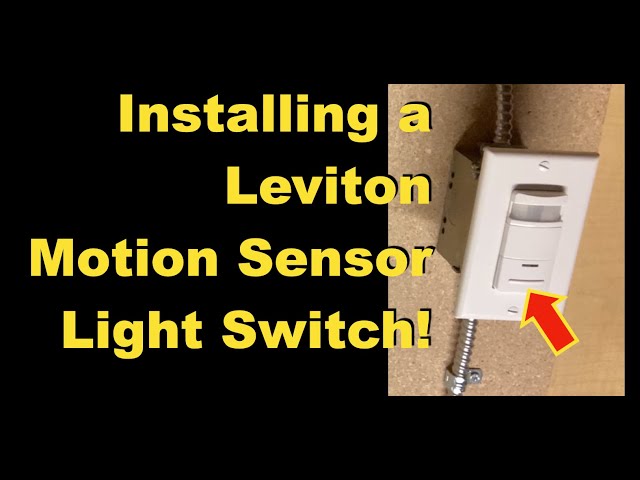
Are you tired of fumbling for the light switch in the dark? Installing a motion sensor light can make your home safer and more convenient.
But if the idea of wiring it yourself feels overwhelming, don’t worry—you’re in the right place. This guide will walk you through each step, using simple language and clear instructions. By the end, you’ll have the confidence to set up your own motion sensor light, saving money and adding smart security to your space.
Keep reading, and let’s get your lights turning on exactly when you need them.
Tools And Materials Needed
Before wiring a motion sensor light, gather all necessary tools and materials. Having everything ready makes the job safer and faster. This list includes common tools and specific items needed for this task.
Essential Tools
- Voltage tester – checks if wires are live
- Wire stripper – removes insulation from wires
- Screwdriver set – Phillips and flathead types
- Drill with bits – for mounting the sensor
- Needle-nose pliers – for bending and holding wires
- Electrical tape – secures wire connections
- Wire nuts – protects and connects wires
- Flashlight – helps when working in dark areas
Materials Needed
- Motion sensor light fixture
- Electrical cables (appropriate gauge)
- Mounting bracket or plate
- Outdoor-rated electrical box (for exterior setups)
- Circuit breaker (if adding a new circuit)
- Conduit (if required by local code)
Safety Gear
- Insulated gloves – protect from electric shock
- Safety goggles – shield eyes from debris
- Dust mask – for protection during drilling
- Non-slip shoes – improve stability on ladders

Credit: www.hardwareresources.com
Choosing The Right Motion Sensor Light
Choosing the right motion sensor light sets the foundation for an effective lighting setup. The right choice depends on the type of sensor, power source, and where you plan to install it. Understanding these factors helps ensure safety, convenience, and energy savings.
Types Of Motion Sensors
Different sensors detect motion in various ways. Passive infrared (PIR) sensors sense body heat and movement. Ultrasonic sensors emit sound waves and detect changes in the echo. Microwave sensors send microwave signals and notice reflections from moving objects. Each type has strengths and weaknesses for different environments.
Power Source Options
Motion sensor lights come with several power options. Hardwired models connect directly to your home’s electrical system. Battery-powered lights offer easy installation without wiring but require battery changes. Solar-powered lights charge during the day and turn on automatically at night. Choose a power source based on your location and maintenance preferences.
Placement Considerations
Proper placement affects the sensor’s performance. Install sensors where they cover main walkways or entry points. Avoid locations facing direct sunlight or heat sources to reduce false triggers. Place the sensor at a height that captures movement clearly but stays out of reach for tampering. Good placement maximizes security and efficiency.
Safety Precautions
Turn off the power at the circuit breaker before starting any wiring work. Use a voltage tester to confirm no electricity flows through the wires. Wear insulated gloves and follow local electrical codes for safe installation.
Safety is crucial when wiring a motion sensor light. Understanding and following safety precautions can prevent accidents. It ensures the process goes smoothly and efficiently. Below are essential safety measures to consider.Turning Off Power
Always turn off the power at the circuit breaker. This prevents electric shock. Double-check the switch is off with a voltage tester. This step is vital for personal safety. Never skip this precaution.Using Protective Gear
Wear safety goggles and insulated gloves. They protect against electrical hazards. Ensure your clothing is suitable for electrical work. Loose clothing can be dangerous. Safety gear provides necessary protection.Checking Local Codes
Research local electrical codes before starting. Some areas have specific regulations. Ensuring compliance avoids legal issues. It also promotes safe installation. Proper adherence is crucial for safety standards.
Credit: circuitdigest.com
Preparing The Installation Area
Preparing the installation area is a key part of wiring a motion sensor light. This step ensures safety and a smooth setup process. A clean workspace helps avoid errors and saves time. Start by removing any old fixtures carefully. Then inspect the wiring to check for damage or wear. Finally, set up the mounting bracket securely for the new light. Each task must be done with care for a successful installation.
Removing Old Fixtures
Turn off the power at the circuit breaker before starting. Use a screwdriver to remove screws holding the old fixture. Gently pull the fixture away from the wall or ceiling. Disconnect wires by loosening wire nuts or screws. Keep the wires separated and avoid touching them together. Set the old fixture aside for proper disposal or reuse.
Inspecting Wiring
Look closely at the exposed wires for cracks or frays. Check that the wiring insulation is intact and not brittle. Ensure wires are not loose or corroded. Use a voltage tester to confirm power is off. If wires look damaged, replace them or call an electrician. Proper wiring prevents electrical hazards and ensures the light works well.
Setting Up Mounting Bracket
Match the mounting bracket to your motion sensor light model. Align the bracket holes with the electrical box in the wall or ceiling. Use screws to secure the bracket tightly. Make sure the bracket is level and stable. A well-fixed bracket holds the sensor light safely and prevents shaking or falling.
Wiring The Motion Sensor Light
Wiring a motion sensor light requires careful attention to detail. Proper wiring ensures the light works safely and effectively. This section guides you through the wiring process with clear steps.
Identifying Wires
First, identify each wire coming from the motion sensor and power source. Most systems use three wires:
- Black wire:Usually the live or hot wire.
- White wire:Typically the neutral wire.
- Green or bare wire:The ground wire for safety.
Check the motion sensor manual for any color differences. Label wires if needed to avoid confusion.
Connecting Wires Correctly
Match wires from the sensor to the house wiring by color and function. Connect black to black, white to white, and green to ground.
- Use wire nuts to join wires securely.
- Twist wires together before applying wire nuts.
- Ensure no bare wire is exposed outside the connector.
Proper matching prevents short circuits and ensures the sensor activates the light.
Securing Connections
After connecting wires, secure all connections tightly. Tug gently on each wire to confirm firmness.
Wrap connections with electrical tape for extra safety. Place wires neatly inside the junction box.
Close the box cover firmly to protect wiring from moisture and damage.
Mounting The Sensor Light
Mounting the sensor light correctly is essential for optimal performance. Proper placement ensures the sensor detects movement effectively. It also helps the light illuminate the desired area clearly. Follow the steps below to mount your motion sensor light with care.
Attaching The Fixture
Secure the fixture to a sturdy surface like a wall or ceiling. Use screws and anchors suited for the material. Align the base plate with the mounting holes. Tighten screws evenly to hold the fixture firmly in place. Avoid over-tightening to prevent damage.
Adjusting Sensor Angle
Position the sensor to cover the target area. Tilt or rotate the sensor for maximum coverage. The sensor should face the most active zone. Avoid pointing it at heat sources or moving branches. Small angle changes can improve detection accuracy.
Testing Sensor Range
Walk through the detection zone to check sensor response. Note the areas where the light activates and areas it misses. Adjust sensor sensitivity if possible. Repeat testing until the light triggers reliably. Proper testing ensures safety and energy efficiency.
Testing And Troubleshooting
Testing and troubleshooting are essential steps after wiring your motion sensor light. Without proper checks, you might face issues that can lead to frustration or even unsafe conditions. Let’s focus on practical ways to ensure your sensor light works perfectly and how to fix common problems.
Turning Power Back On
Before you test your motion sensor light, make sure the power is safely restored. Head back to your circuit breaker or fuse box and switch the power on for the specific circuit you worked on.
Double-check that the switch controlling the light is in the ON position. If you don’t see the light come on, don’t panic—sometimes the sensor needs a moment to calibrate after power-up.
Checking Sensor Activation
To verify if the sensor is working, move slowly within its detection range. Most sensors activate the light when they detect motion within about 20-30 feet and a 90-degree angle.
If the light doesn’t activate, try adjusting the sensor’s sensitivity and time delay settings. Often, these controls are small dials or switches on the sensor itself.
- Test at different distances and angles to confirm sensor coverage.
- Ensure the sensor is not pointed at heat sources or moving branches, which can cause false triggers or no activation.
Common Issues And Fixes
Sometimes the light flickers, stays on constantly, or never turns on. These issues usually boil down to wiring errors, sensor settings, or environmental factors.
| Issue | Possible Cause | Quick Fix |
|---|---|---|
| Light doesn’t turn on | Incorrect wiring or power off | Recheck wiring connections; confirm power is on |
| Light stays on constantly | Sensor stuck or sensitivity too high | Reset sensor; lower sensitivity setting |
| Light flickers | Loose wiring or incompatible bulb | Tighten connections; use recommended bulb type |
| Sensor triggers too often | Environmental triggers like pets or moving trees | Adjust sensor angle; reduce sensitivity |
Have you noticed odd behavior from your sensor light after wiring? Sometimes the culprit is something simple like a loose wire or a need to adjust the sensor’s angle. Take your time and test thoroughly—you’ll save headaches down the road.

Credit: www.youtube.com
Maintenance Tips
Proper maintenance keeps your motion sensor light working well. Small efforts help avoid problems and extend the light’s life. Regular checks and care improve sensor accuracy and brightness. Follow simple tips for cleaning, bulb replacement, and seasonal settings.
Cleaning The Sensor
Dust and dirt block the sensor’s view. Wipe the sensor gently with a soft cloth. Avoid harsh chemicals that can damage the lens. Clean the sensor every few months or after bad weather. Clear sensors detect motion faster and more accurately.
Replacing Bulbs
Check bulbs regularly to ensure they are bright. Replace burnt-out or flickering bulbs quickly. Use bulbs that match the light’s specifications. Turn off power before changing bulbs to stay safe. Proper bulbs help the sensor light work efficiently.
Seasonal Adjustments
Change sensor settings as seasons change. Adjust the light timer to fit longer or shorter nights. Modify the sensor’s sensitivity to avoid false triggers from leaves or snow. Seasonal tuning keeps your motion sensor light reliable year-round.
Frequently Asked Questions
How Do I Wire A Motion Sensor Light Safely?
Turn off the power at the circuit breaker first. Connect the black wire to the live wire, white to neutral, and green or bare to ground. Use wire nuts to secure connections and follow the manufacturer’s instructions carefully for a safe installation.
What Tools Are Needed To Wire A Motion Sensor Light?
You need a screwdriver, wire stripper, voltage tester, wire nuts, and electrical tape. These tools help ensure proper connections and safety during installation. Having them ready makes wiring faster and reduces mistakes.
Can I Install A Motion Sensor Light Outdoors?
Yes, but choose a motion sensor light rated for outdoor use. It should be weatherproof and suitable for your climate. Proper sealing and placement prevent damage and ensure reliable operation in outdoor conditions.
How Do I Test A Motion Sensor Light After Wiring?
Restore power at the breaker and walk in front of the sensor. The light should turn on immediately. Adjust sensor sensitivity or angle if it doesn’t respond correctly to motion.
Conclusion
Wiring a motion sensor light can make your home safer and more energy-efficient. Follow each step carefully to avoid mistakes. Double-check your connections before turning on the power. Test the sensor to ensure it works as expected. A well-installed motion sensor light offers convenience and security.
Take your time, and don’t rush the process. Enjoy the added comfort and peace of mind at night. Simple tools and clear instructions make this a doable project. You now have the basics to wire your own motion sensor light.



