
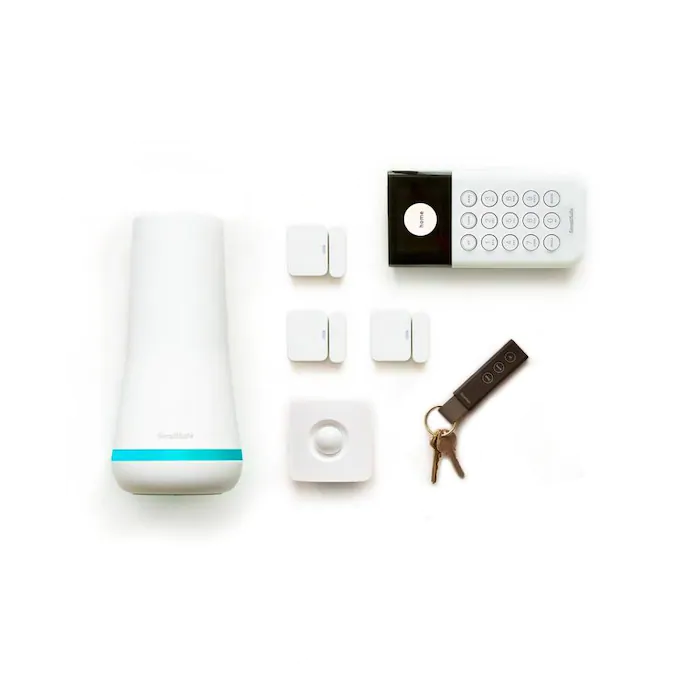
Is your SimpliSafe motion sensor acting up or showing a low battery warning? Changing the battery might be the simple fix you need.
But if you’re unsure how to do it without damaging your device, you’re in the right place. In this guide, you’ll learn exactly how to change the battery in your SimpliSafe motion sensor quickly and safely. Keep reading to avoid common mistakes and keep your home security running smoothly.
Tools Needed
Changing the battery in your SimpliSafe motion sensor is straightforward when you have the right tools at hand. Having these tools ready saves time and prevents frustration during the process. Let’s look at what you need to make this quick and hassle-free.
Small Flathead Screwdriver
A small flathead screwdriver is essential for opening the motion sensor’s battery compartment. The screws securing the cover are often tiny, so a precision screwdriver set works best. Avoid using large screwdrivers, as they can damage the screws or the sensor casing.
Replacement Battery
Make sure you have the correct replacement battery before you start. SimpliSafe motion sensors typically use CR123A batteries. Double-check your sensor’s manual or the battery itself to confirm the exact type. Using the wrong battery can cause malfunction or damage.
Soft Cloth Or Gloves
Handling the sensor carefully helps avoid fingerprints and dirt on sensitive parts. Wearing gloves or using a soft cloth protects the internal components during the battery swap. It’s a small step that can extend the life of your device.
Optional: Small Tweezers
Sometimes, batteries fit snugly, making them hard to remove with fingers alone. Tweezers can help you gently lift out the old battery without damaging the sensor’s interior. This tool isn’t mandatory but can make the process smoother.
Do you already have these tools ready at home? If not, gathering them before you start will make your battery change quick and stress-free.
Locate The Motion Sensor
Locating the motion sensor is the first step in changing its battery. You need to find the exact spot where the sensor is installed so you can access it easily. Knowing its location saves you time and avoids unnecessary frustration during the battery replacement process.
Check Common Installation Spots
Most Simplisafe motion sensors are placed high on walls or in corners where they can cover a wide area. Look near doorways, hallways, or main living spaces. If you have pets, the sensor might be positioned to avoid triggering false alarms.
Use Your Simplisafe App For Guidance
Your Simplisafe app often shows the location of each device connected to your system. Open the app and navigate to the motion sensor section. This can help you pinpoint where the sensor is installed without guessing.
Look For The Sensor’s Physical Characteristics
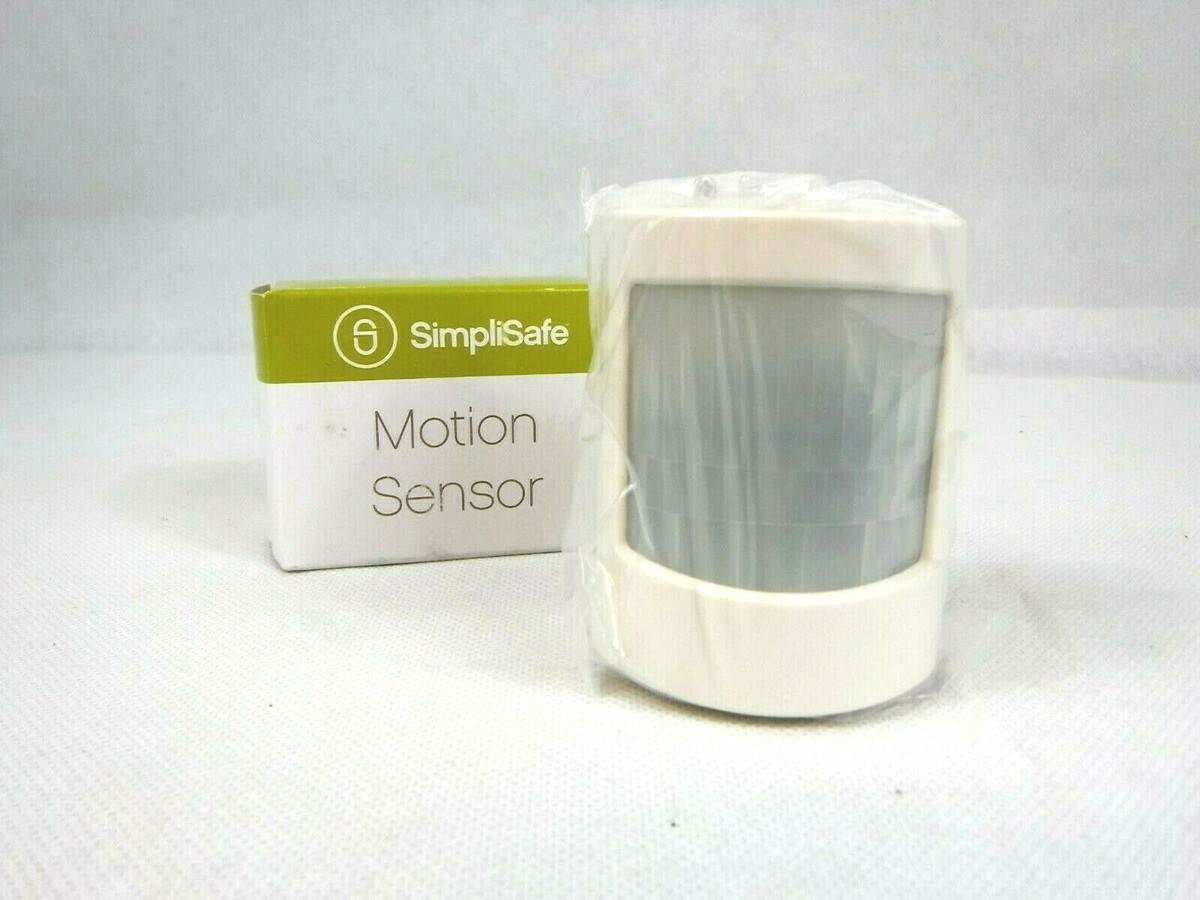
The motion sensor is usually a small, white device with a rounded front and a clear lens. It blends into the walls but stands out once you know what to look for. Spotting this can make the locating process quicker and more straightforward.
Open The Sensor Cover
Opening the SimpliSafe motion sensor cover is the first step to change its battery. The sensor cover protects the internal components from dust and damage. Handle the sensor carefully to avoid breaking it.
The cover fits snugly to keep the sensor safe. You need to find the right spot to pry it open gently. This step requires no tools, only a bit of patience and care.
Locate The Sensor’s Back Panel
Turn the sensor around to see its back side. The back panel is usually smooth and has a small notch or indentation. This notch helps you open the cover easily.
Use Your Fingernail Or A Flat Object
Insert your fingernail or a thin flat object into the notch. Avoid using sharp tools that can damage the sensor. Apply gentle pressure to lift the cover.
Gently Pry Open The Cover
Slowly work your way around the edges of the sensor. The cover will begin to pop open as you apply light pressure. Do not force it to avoid cracks or breaks.
Remove The Cover And Set It Aside
Once the cover is loose, lift it off carefully. Place the cover on a clean surface to prevent scratches. Now you can access the battery inside the sensor.
Credit: www.ebay.com
Remove The Old Battery
Removing the old battery from your SimpliSafe motion sensor is a simple task. It keeps your security system working smoothly. This process ensures your sensor stays reliable and responsive.
Taking out the old battery safely protects the device from damage. It also prevents power issues. Follow these steps carefully for a successful battery removal.
Locate The Battery Compartment
Find the battery compartment on the back of the motion sensor. It usually has a small cover that snaps off. Look for a latch or a sliding panel to open it.
Open The Battery Cover
Use your fingernail or a small tool to gently pry open the cover. Avoid using too much force to prevent breaking the plastic. Set the cover aside once removed.
Take out the old battery carefully from its slot. Note the battery’s orientation to install the new one correctly. Dispose of the old battery properly according to local rules.
Insert The New Battery
Gently place the new battery into the motion sensor’s battery slot. Ensure it fits snugly and the terminals align correctly. Close the sensor cover securely to complete the battery replacement.
Inserting the new battery into your SimpliSafe motion sensor is a straightforward task. This process ensures your security system runs smoothly. Follow these steps to keep your device powered and functional.Battery Type
Use the correct battery type for your SimpliSafe motion sensor. Typically, it requires a CR-123A 3V lithium battery. Check the packaging or manual for exact details. Using the right type ensures optimal performance and longevity. Avoid using incompatible batteries to prevent damage.Correct Orientation
Insert the battery with the correct orientation. Look for the plus (+) and minus (-) symbols. These symbols guide you on how to position the battery. Align the battery with these symbols in the compartment. Incorrect placement can prevent the sensor from working. Double-check the alignment before closing the cover.Close The Sensor Cover
Closing the sensor cover properly is a crucial step after changing the battery in your SimpliSafe motion sensor. This ensures the device remains sealed and functional, protecting the internal components from dust and moisture. A secure cover also helps maintain the sensor’s sensitivity and accuracy.
Align The Cover Correctly
Before snapping the cover back on, make sure it lines up perfectly with the sensor base. The cover usually has small tabs or grooves that fit into matching slots on the sensor. Misalignment can cause the cover to sit loosely, risking damage or false alarms.
Press Firmly But Gently
Once aligned, press the cover firmly to snap it into place. Avoid using excessive force, which could crack the plastic or damage the sensor’s internal parts. You should hear or feel a soft click indicating the cover is securely closed.
Check For Gaps Or Loose Edges
After closing, inspect the edges to ensure there are no gaps. A loose cover can let in dirt or moisture, affecting your sensor’s performance. If you notice any uneven edges, open and realign the cover again.
Test The Sensor’s Response
After sealing the cover, test the motion sensor to confirm it’s working properly. Walk in front of it and watch for activation alerts on your SimpliSafe system. This quick check saves you from surprises later and confirms the cover is properly secured.
Test The Sensor
After replacing the battery in your SimpliSafe motion sensor, testing it ensures the device works correctly. This step confirms your sensor will detect motion and send alerts, keeping your home secure. Skipping this check might leave you unaware of a faulty sensor until it’s too late.
How To Trigger The Motion Sensor
Walk slowly across the sensor’s field of view to activate it. Make sure you are within the sensor’s detection range, usually about 30 feet. Try different angles and distances to see how well the sensor picks up your movement.
Using The Simplisafe App To Check Sensor Status
Open your SimpliSafe app and navigate to the sensors section. The app will show if the motion sensor is online and responding. If it shows offline or inactive, double-check the battery installation or try resetting the sensor.
Listen For Sensor Sounds And Watch For Lights
Many SimpliSafe motion sensors emit a beep or flash an LED when they detect motion. Pay attention to these signals to confirm the sensor is working. If you don’t see or hear anything, it could mean the battery is not installed correctly or the sensor needs further troubleshooting.
What To Do If The Sensor Doesn’t Respond
- Reopen the sensor and check battery orientation.
- Ensure the battery contacts are clean and free from debris.
- Try replacing the battery again with a fresh one.
- Restart your base station and re-sync the sensor.
If none of these steps work, contacting SimpliSafe support might save you time and frustration.

Credit: support.simplisafe.com
Troubleshooting Tips
Troubleshooting your SimpliSafe motion sensor can save you time and frustration. Problems often seem complicated but usually have simple fixes. Here are some practical tips to help you quickly identify and solve common issues related to battery changes and sensor performance.
Sensor Not Responding
If your motion sensor isn’t responding, the first thing to check is the battery installation. Ensure the battery is seated correctly with the right polarity. A loose battery connection can easily cause the sensor to stop working.
Another common cause is the sensor being out of range from the base station. Try moving closer or checking for obstacles like thick walls or metal objects that might block the signal.
Have you checked if the sensor is dirty or obstructed? Dust or debris on the lens can prevent it from detecting motion properly. Wipe it gently with a soft cloth to keep it clear.
Battery Life Issues
If your battery drains faster than expected, think about the sensor’s placement. Sensors near busy areas may trigger more often, using more power. Consider relocating it to a spot with less frequent motion.
Also, avoid using low-quality batteries. High-quality lithium batteries usually last longer and provide more consistent power. I once switched to a premium brand and saw my sensor’s battery life double.
Check for software updates on your SimpliSafe system. Sometimes, firmware updates improve battery management and sensor efficiency. Are you keeping your system updated regularly?
Credit: www.walmart.com
Frequently Asked Questions
How Do I Open The Simplisafe Motion Sensor Battery Compartment?
To open the battery compartment, gently slide the back cover downward. Use minimal force to avoid damage. Once open, you can access the batteries easily.
What Type Of Battery Does Simplisafe Motion Sensor Use?
SimpliSafe motion sensors typically use CR123A lithium batteries. These batteries ensure long-lasting power and reliable sensor performance.
How Often Should I Replace Simplisafe Motion Sensor Batteries?
Replace batteries every 1 to 2 years or when the system alerts you. Regular replacement ensures optimal sensor function and security.
Can I Use Rechargeable Batteries In Simplisafe Sensors?
No, SimpliSafe sensors require non-rechargeable lithium batteries. Rechargeable batteries may cause malfunctions or reduced sensor performance.
Conclusion
Changing the battery in your SimpliSafe motion sensor is quick and simple. Keep spare batteries on hand to avoid downtime. Always check the sensor after replacing the battery to ensure it works well. Regular battery changes help maintain your home’s security.
Follow the steps carefully for a smooth process. This small task keeps your system reliable and your home safe.



