
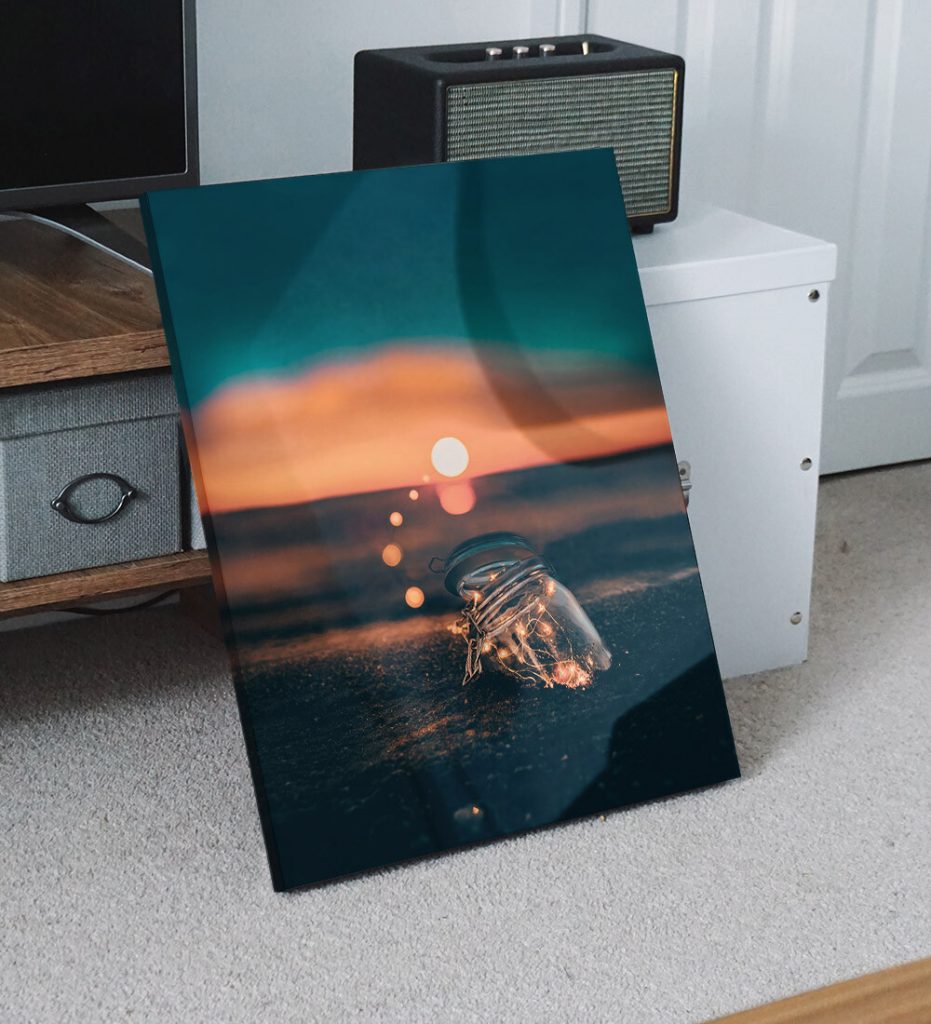
Have you ever wanted to turn your favorite photo or artwork into a stunning canvas print? Printing on canvas is a fantastic way to bring your memories and creativity to life.
But how do you make sure it looks professional and lasts for years? In this guide, you’ll discover simple steps and insider tips to print on canvas like a pro. Whether you’re decorating your home or creating a personalized gift, you’ll learn exactly what you need to do.
Ready to transform your images into beautiful canvas art? Keep reading to find out how!
Choosing The Right Canvas
Choosing the right canvas is crucial for high-quality prints. The canvas material impacts the final image. It affects the texture and color. Selecting the perfect canvas ensures your art stands out.
Types Of Canvas Materials
There are several canvas materials to consider. Cotton canvas is popular. It offers a classic feel and good absorption. Polyester canvas is durable. It resists water and fading. Blended canvas combines both materials. It balances texture and longevity. Each type has its unique qualities. Choose based on your needs and desired finish.
Size And Texture Options
Canvas comes in various sizes. Small canvases are great for personal art. Larger ones suit gallery displays. Consider the texture of the canvas. Smooth textures highlight fine details. Coarser textures add depth to the art. Think about the intended viewing distance. This will guide your size and texture choice.
Preparing Canvas For Printing
Proper preparation is key for flawless prints. Start by stretching the canvas tightly. Ensure it’s even and free of wrinkles. Next, prime the canvas with gesso. This helps the ink adhere better. Allow the gesso to dry completely. Once dry, your canvas is ready for printing. Proper preparation enhances the print’s vibrancy and longevity.

Credit: thestackhouse.com
Selecting Your Image
Choosing the right image is the first and most important step in printing on canvas. Your final artwork’s clarity and vibrancy depend heavily on this choice. Think about the story or emotion you want your canvas to convey and find an image that speaks to that feeling.
High-resolution Images
Always pick images with high resolution—ideally 300 dpi or higher. Low-resolution pictures look blurry and pixelated when enlarged on canvas. If you have a photo from your phone, check the file size and clarity before printing.
Have you ever printed a photo only to see it look fuzzy up close? That’s the result of low resolution. Make sure your image is sharp enough to maintain detail at the size you want.
Image Formats To Use
Choose file formats that preserve image quality. PNG and TIFF files keep colors vibrant and edges crisp better than JPEGs, which compress images and can lose detail. If you only have a JPEG, select one with the least compression possible.
Many printing services also accept PDF files, which can embed high-quality images without losing quality. Always ask your printer what formats they prefer to avoid surprises.
Editing For Best Quality
Before printing, adjust brightness, contrast, and sharpness to enhance the image. Simple tweaks can make your photo pop on canvas. Avoid over-editing, which can create unnatural colors or harsh edges.
Crop the image to fit your canvas size without stretching or squishing. Use editing software like Photoshop or free tools like GIMP to preview how your image will look. Sometimes, a small adjustment in composition makes all the difference.
Printing Methods
Choosing the right printing method can make a huge difference in how your canvas artwork looks and lasts. Each technique offers unique benefits, depending on the detail, color range, and texture you want to achieve. Understanding these options helps you pick the best approach for your project.
Inkjet Printing
Inkjet printing is popular for its ability to produce sharp images with vibrant colors. It works by spraying tiny droplets of ink onto the canvas, allowing fine details to come through clearly. This method is great if you want to print photographs or digital art with smooth gradients.
One thing to keep in mind is that inkjet prints may require a protective coating to prevent fading over time. If you’ve ever printed photos at home, you know how the quality can vary depending on the paper and ink used. Canvas printing with inkjet technology benefits from specialized inks designed for durability.
Screen Printing
Screen printing uses a mesh screen to apply layers of ink directly onto the canvas. This technique is excellent for bold, solid colors and simple designs with limited color palettes. It’s often used for printing posters or artwork where strong color blocks are needed.
While it might not capture fine details as well as inkjet, screen printing excels in producing vibrant, long-lasting prints. If you want to create multiple copies of the same design, this method can be cost-effective and consistent. Have you considered how the texture of the ink adds a tactile quality to the canvas?
Giclée Printing
Giclée printing is a high-end inkjet process that delivers exceptional detail and color accuracy. It uses archival-quality inks and papers or canvases, ensuring your artwork stays vivid for decades. This method is favored by professional artists and galleries for reproducing fine art.
If you value the longevity and fine texture of your prints, giclée might be the best choice. It captures subtle color variations that other methods often miss. Think about how important it is for your print to reflect every brushstroke or shade—giclée printing can make that possible.
Setting Up Your Printer
Setting up your printer correctly is the foundation of a successful canvas print. Every detail, from choosing the right printer to loading the canvas, influences the final quality. A small mistake here can lead to wasted materials and frustration, so it’s worth investing time to get it right.
Printer Compatibility
Not all printers handle canvas printing well. You need a printer that supports thick media or specialty papers. Inkjet printers are usually the best choice because they provide vibrant colors and fine detail.
Check your printer’s manual or manufacturer website to confirm if it can handle canvas sheets. Some printers even have a “thick paper” or “art paper” setting designed for heavier materials. Using a printer not designed for canvas can cause jams or poor image quality—have you ever tried printing on a material that just wouldn’t feed properly? Avoid that hassle by ensuring compatibility first.
Ink And Color Settings
Ink choice impacts how your print will look and last. Pigment-based inks generally offer better durability and colorfastness than dye-based inks. If your printer allows, select pigment ink cartridges for canvas printing.
Adjust your printer’s color settings to match the canvas texture and absorbency. Many printers offer options like “matte paper” or “canvas” profiles—these optimize ink distribution and saturation. Don’t forget to set the highest print quality available; it slows printing but sharpens details and color depth.
Loading The Canvas Properly
How you load the canvas affects print alignment and ink absorption. Always use canvas sheets designed for printers, which usually have a printable surface and a backing that prevents jamming. Place the canvas on the feed tray so the coated side faces the print head.
Feed the canvas straight and avoid bending or curling the edges. Some printers require manual feed trays for thicker materials—use them if available. Have you noticed how a slight misfeed can cause smudges or uneven prints? Taking care here saves a lot of reprints.
Step-by-step Printing Process
Printing on canvas is a rewarding process that transforms your digital images into stunning, tactile art pieces. The key to success lies in following a clear, practical printing routine. This guide breaks down the essential steps you need to take, ensuring your canvas print looks sharp and professional.
Preparing The Workspace
Start by setting up a clean, dust-free workspace. Dust particles can ruin the texture of your canvas and cause imperfections in the print. Make sure your printer is on a stable surface with enough room to handle the canvas without bending or smudging.
Gather all the materials before you begin: canvas sheets, ink cartridges, painter’s tape, and gloves. Wearing gloves helps avoid fingerprints on the canvas. Also, check your printer settings and update drivers if necessary to prevent any last-minute hiccups.
Printing The Image
Choose the right canvas type compatible with your printer. Matte canvases work well with most inkjet printers, but glossy finishes can add extra vibrancy if your printer supports it. Adjust your printer settings to the highest quality mode for sharp details and rich colors.
Before printing on the actual canvas, test print on regular paper to check color accuracy and positioning. Use painter’s tape to secure the canvas in place, preventing movement during printing. Watch closely as the printer works—any misfeed or smudge can ruin the entire print.
Drying And Curing
After printing, let the canvas dry flat in a dust-free area. Drying time depends on the type of ink and canvas but usually takes several hours. Avoid touching the print surface until it’s completely dry to prevent smudging.
For long-lasting results, consider applying a protective coating once the ink has cured. This seals the print, protects it from UV rays, and enhances durability. Have you checked how your canvas reacts to different coatings? Testing small sections can save you from surprises later.

Credit: thestackhouse.com
Finishing Touches
Adding the finishing touches to your canvas print is just as important as the printing process itself. These final steps protect your artwork, enhance its appearance, and help you display it in a way that truly stands out. Paying attention to these details can transform a simple print into a cherished piece of art.
Applying Protective Coatings
Applying a protective coating shields your canvas from dust, moisture, and UV light. You can use varnishes available in matte, satin, or glossy finishes depending on the look you want. I once skipped this step, and my print faded quickly after hanging it near a sunny window—don’t make the same mistake.
Use a soft brush or spray applicator for even coverage. Let the coating dry completely before handling your canvas to avoid smudges or streaks. Would you prefer a shiny finish that pops or a subtle matte look that softens your image?
Framing And Stretching Canvas
Stretching your canvas over a wooden frame gives it structure and a professional appearance. You can do this yourself with a canvas stretcher kit or have it done at a local art shop. Make sure the fabric is taut and wrinkle-free to avoid distractions from your artwork.
Framing adds another layer of protection and style. Choose frames that complement your art without overpowering it. Think about where you’ll hang your canvas—does the frame color and style match the room’s decor? These choices can enhance your artwork’s impact.
Displaying Your Artwork
Where and how you display your canvas affects how it’s perceived. Good lighting highlights colors and details, so place your canvas near natural light or use adjustable spotlights. Avoid harsh direct sunlight to prevent fading over time.
Consider the height and wall space; eye level is usually best for viewing. Don’t be afraid to experiment—try grouping several canvases for a gallery effect or rotate your artwork seasonally to keep your space fresh. How do you want your canvas to make people feel when they see it?
Troubleshooting Common Issues
Printing on canvas can sometimes bring unexpected issues. Recognizing common problems helps fix them fast. Here are solutions for frequent printing troubles on canvas.
Color Fading
Colors may fade due to sunlight or poor ink quality. Use inks designed for canvas printing. Keep the canvas out of direct sunlight. Applying a protective spray can preserve colors longer.
Ink Smudging
Ink smudges when the canvas is touched before drying. Allow enough drying time after printing. Handle the canvas gently during and after printing. Use quick-dry ink to reduce smudging risks.
Canvas Warping
Warping happens if the canvas absorbs too much moisture. Store the canvas in a dry place before printing. Use a flat surface during printing to keep it even. Stretch the canvas tightly on a frame after printing to prevent warping.

Credit: thestackhouse.com
Frequently Asked Questions
What Materials Are Needed To Print On Canvas?
You need a high-quality canvas, a printer compatible with canvas printing, specialized ink, and design software. Proper materials ensure vibrant, durable prints.
Can I Use A Regular Printer For Canvas Printing?
Regular printers may not handle thick canvas properly. Use a printer designed for canvas or photo paper for best results.
How Do I Prepare An Image For Canvas Printing?
Resize your image to match canvas dimensions. Use high resolution (300 DPI) and adjust colors for accurate printing.
What Printing Methods Work Best On Canvas?
Inkjet printing and giclée printing are popular for canvas. They produce sharp, vibrant, and long-lasting prints.
Conclusion
Printing on canvas brings your photos and art to life. Choose the right printer and materials for the best results. Take time to prepare your image and set your printer correctly. Practice on small pieces before the final print. Enjoy the process and create something unique.
Canvas prints add beauty and personality to any space. Keep experimenting and improving your skills. Your creativity can shine with every print. Simple steps lead to great artwork. Try it today and see the difference.



