
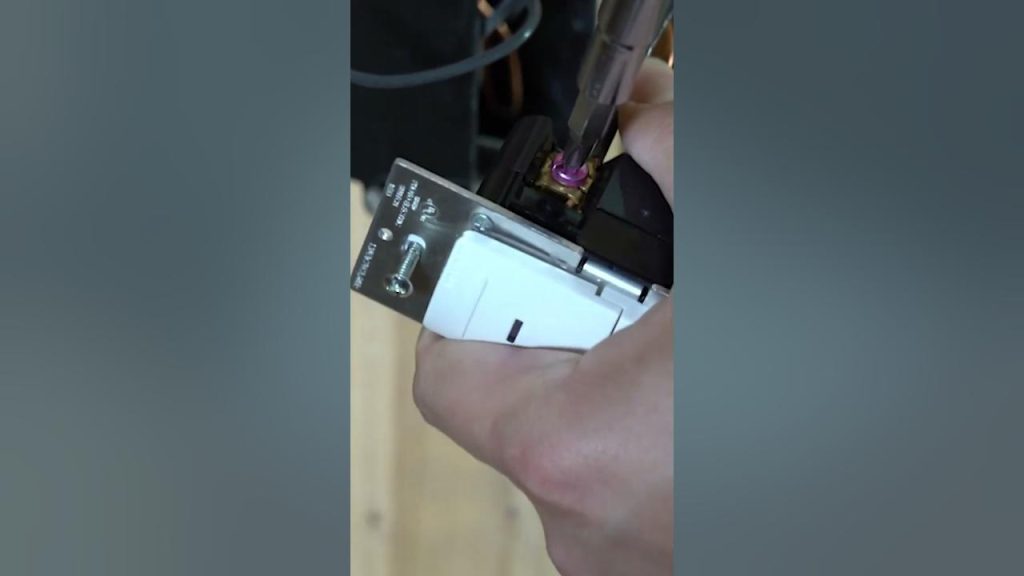
Imagine never having to fumble for a light switch in the dark again. With a motion sensor light switch, your lights turn on automatically the moment you enter a room.
It’s not just convenient—it can save energy and add a layer of safety to your home. If you’re wondering how to set one up yourself, you’re in the right place. This guide will walk you through every step clearly and simply, so you can enjoy hands-free lighting in no time.
Ready to make your home smarter and more efficient? Let’s get started.
Choosing The Right Motion Sensor Switch
Choosing the right motion sensor switch is key to getting the most out of your lighting upgrade. The perfect switch matches your needs, your space, and your home’s wiring setup. Picking the wrong one can lead to frustration, wasted money, and poor performance.
Types Of Motion Sensor Switches
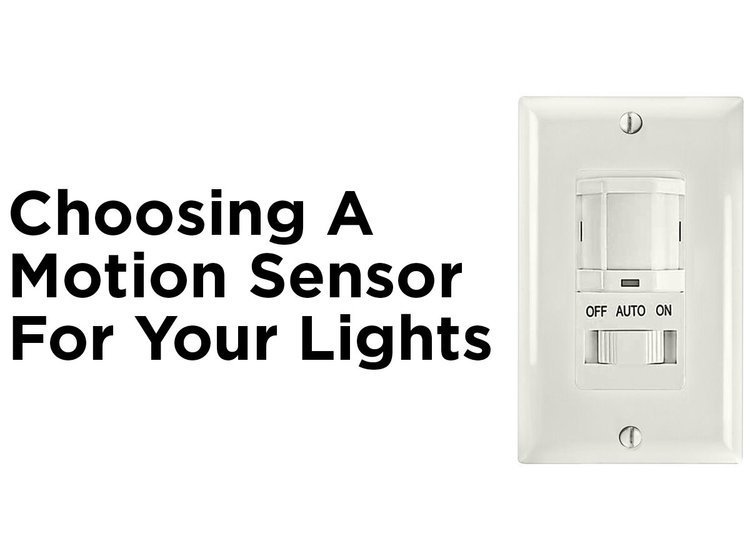
There are several motion sensor switches available, each designed for specific uses. Passive Infrared (PIR) sensors detect heat and movement, making them great for indoor spaces like hallways and bathrooms. Ultrasonic sensors send out sound waves to detect motion, which works well in rooms with obstacles or where you want coverage around corners.
Some switches combine both PIR and ultrasonic technologies for better accuracy. You can also find switches with adjustable sensitivity and timer settings, letting you control how long the light stays on after motion stops. Think about where you want to install the switch and how sensitive you need it to be.
Factors To Consider
- Coverage area:How large is the space you want to light? Larger rooms may need sensors with wider detection zones.
- Installation location:Is the switch indoors or outdoors? Outdoor models need to be weatherproof.
- Power source:Some switches require a neutral wire, which not all homes have.
- Adjustability:Look for switches where you can adjust sensitivity, light level thresholds, and timer duration.
- Energy efficiency:Some models offer features like daylight sensors to avoid turning on lights when there’s enough natural light.
Ask yourself: How often will this light be triggered? How long do you want it to stay on? Your answers will guide you to the right features.
Compatibility With Existing Wiring
Before buying, check your current wiring setup. Many motion sensor switches need a neutral wire to function properly. Older homes might lack this, which limits your options or requires rewiring.
If you’re unsure about your wiring, take a photo or consult an electrician. Some switches are designed for “no-neutral” installations, but these can be less reliable or more expensive. Matching the switch to your wiring prevents installation headaches and ensures safety.

Credit: www.youtube.com
Gathering Necessary Tools And Materials
Before you start installing a motion sensor light switch, it’s crucial to gather all the necessary tools and materials. Having everything ready makes the process smoother and helps you avoid frustrating interruptions. Missing even one small item can stall your progress or create safety risks.
Basic Tools Required
- Screwdriver set:Both flathead and Phillips screwdrivers are essential for removing and securing switch plates.
- Wire stripper:This tool helps you remove insulation from wires cleanly without damaging the copper inside.
- Voltage tester:Always test wires before handling to ensure the power is off and avoid shocks.
- Needle-nose pliers:Useful for bending wires and making precise connections inside the switch box.
Having these tools ready keeps you confident and efficient. I once started without a wire stripper and had to pause multiple times, which was frustrating.
Safety Equipment
- Insulated gloves:Protect your hands from accidental electrical contact.
- Safety goggles:Prevent debris or sparks from injuring your eyes.
- Non-contact voltage detector:A quick way to double-check that wires aren’t live before touching them.
Safety isn’t optional when working with electricity. Have you ever skipped safety gear and regretted it? Don’t risk it here.
Additional Materials
- Motion sensor light switch:Choose one compatible with your home’s wiring and the type of lighting you use.
- Wire nuts:For securely connecting wires inside the switch box.
- Electrical tape:Adds extra insulation and keeps wire nuts in place.
- Wall plate cover:May be included with your switch or bought separately to finish the installation neatly.
Double-check your switch’s instructions to see if any special parts are needed. What kind of motion sensor suits your space best? Selecting the right one impacts your setup and satisfaction.
Turning Off Power Safely
Always switch off power at the circuit breaker before working on electrical wiring. This prevents shocks and keeps you safe during installation. Double-check with a voltage tester to confirm the power is off before touching wires.
Turning off power safely is crucial when setting up a motion sensor light switch. It not only ensures your safety but also protects the electrical components from damage. Before you dive into the installation process, take a moment to understand the importance of cutting off the power supply correctly. Have you ever experienced a mild shock while handling electrical tasks? It’s a reminder of why these steps are non-negotiable.Locating The Circuit Breaker
Begin your journey by identifying the circuit breaker box in your home. Typically, it’s located in the basement, garage, or a utility room. Familiarize yourself with its location to make future tasks easier. Each breaker in the box controls a specific area or device in your home. Look for labels indicating which breaker corresponds to the room where you’ll install the switch. If labels are missing, this might be a good time to organize and label them for future reference.Confirming Power Is Off
After flipping the breaker switch, you need to verify the power is indeed off. Use a voltage tester to check the wires at the light switch location. This simple tool can be your best friend in ensuring your safety. If the tester shows no current, you’re ready to proceed. However, if the tester lights up, double-check that you’ve turned off the correct breaker. Always prioritize your safety by taking this extra step. Remember, patience and thoroughness can save you from unnecessary risks. Do you feel confident about your safety skills now?Removing The Old Switch
Removing the old switch is the first task before installing a motion sensor light switch. Safety is important. Turn off the power at the breaker box. Use a voltage tester to confirm no electricity flows to the switch. This step prevents shocks and accidents.
Careful removal of the old switch makes the new installation easier. Keep track of wires and parts. Take photos if needed. It helps during reinstallation.
Unscrewing The Switch Plate
Start by removing the switch plate cover. Use a flathead or Phillips screwdriver. Unscrew the two screws holding the plate in place. Place screws somewhere safe for reuse.
Gently pull the switch plate away from the wall. Avoid forcing it to prevent damage to the wall or plate. Set the plate aside once removed.
Disconnecting Wires
Next, unscrew the switch mounting screws. These screws hold the switch to the electrical box. Pull the switch out carefully to expose the wires.
Note the wire connections or take a photo. This helps match wires on the new switch. Loosen the terminal screws or remove wire nuts to free wires.
Handle wires gently to avoid damage. Once disconnected, remove the old switch completely. Your wall is now ready for the new motion sensor switch installation.
Wiring The Motion Sensor Switch
Wiring a motion sensor light switch correctly is essential for its reliable operation and your safety. It’s not just about connecting wires but understanding which wire does what and ensuring everything is secure. Let’s break down the wiring process to make it clear and manageable, even if this is your first time handling electrical work.
Identifying Wire Types
Before touching any wires, take a close look at each one. Typically, you’ll encounter:
- Line (Live) Wire:Usually black or red, this wire carries electricity from your power source.
- Load Wire:Also often black or red, it leads to the light fixture you want to control.
- Neutral Wire:Commonly white, this completes the electrical circuit.
- Ground Wire:Green or bare copper, it’s there for safety to prevent shocks.
Do you notice any color differences in your wires? Sometimes colors vary, so using a voltage tester can help confirm which wire serves which purpose.
Connecting Wires Correctly
Matching wires correctly matters as much as identifying them. Connect the line wire from your wall to the switch’s line terminal. Then, attach the load wire from the switch to the light fixture’s wire.
Don’t forget to link the neutral wires together, including the neutral from the switch if it has one. Finally, connect the ground wire securely to the switch’s ground screw or grounding wire.
Have you checked the manufacturer’s instructions? Some switches have specific terminal markings that simplify this process, so don’t skip that step.
Securing The Connections
Loose connections lead to flickering lights or worse, electrical hazards. After twisting wires together, use wire nuts to cap them firmly. Give each wire nut a gentle tug to ensure it’s tight.
Wrap electrical tape around wire nuts for extra security, especially if the wires are in a cramped box. Push the wires neatly into the electrical box, avoiding sharp bends or pinches.
Have you tested the switch before closing the box? Temporarily restore power and check if the sensor activates the light as expected.
Credit: blog.1000bulbs.com
Installing The New Switch
Installing the new motion sensor light switch is a crucial step that brings your project to life. This part requires careful handling to ensure the switch fits securely and functions correctly. Pay close attention to how the switch aligns within the electrical box to avoid any issues later on.
Mounting The Switch In The Box
Before you start mounting, double-check that all wires are connected firmly to the new switch. Loose connections can cause flickering or failure to trigger the sensor.
Push the switch gently into the electrical box, making sure the wires are neatly tucked inside to prevent pinching. You should feel the switch sit flush against the wall without forcing it.
Use the screws provided with your switch to fasten it securely. Tighten them evenly to avoid tilting, which can affect both the look and operation of the switch.
Attaching The Faceplate
The faceplate is more than just decoration—it protects the switch and gives your installation a clean finish. Align the faceplate with the screw holes on the switch carefully.
Screw the faceplate into place without overtightening; this prevents cracking the plastic or damaging the wall surface. If you notice any gaps, adjust the mounting screws slightly to achieve a snug fit.
After securing the faceplate, test the switch by moving in front of the sensor. Does it activate the light smoothly? If not, revisit your mounting to check for any misalignment or wiring issues.
Testing And Adjusting The Sensor
Testing and adjusting the motion sensor light switch is crucial to ensure proper functioning. This step guarantees the sensor detects movement accurately and the light operates as desired. Careful testing helps avoid false triggers or failures to activate.
Adjustments let you customize sensitivity and timing. These settings control how far the sensor detects motion and how long the light stays on after activation. Fine-tuning these features improves convenience and energy savings.
Restoring Power
After installing the motion sensor switch, restore power at the circuit breaker. Turn the breaker back on carefully to avoid any electrical issues. Once power is restored, the sensor will begin its initial startup sequence. Wait a few moments for the sensor to calibrate before testing.
Setting Sensitivity And Timer
Adjust the sensitivity to control the sensor’s detection range. Higher sensitivity detects motion further away. Lower sensitivity limits detection to close movement only.
Set the timer to choose how long the light stays on after motion stops. Typical timer settings range from 10 seconds to 15 minutes.
- Use the small adjustment dials or buttons on the switch.
- Test different settings to find what fits your needs best.
- Remember, too high sensitivity may cause false activations.
Troubleshooting Common Issues
If the light does not turn on, confirm power is restored and wiring is correct. Check the sensor lens for dirt or obstructions that block detection.
False triggers can occur from pets or moving branches. Lower the sensitivity or reposition the sensor to avoid this.
For lights that stay on too long, shorten the timer setting. If the light turns off too quickly, increase the timer duration.

Credit: howlandhammer.com
Maintaining Your Motion Sensor Switch
Maintaining your motion sensor switch ensures it works smoothly and lasts longer. Dirt and dust can block the sensor, reducing its accuracy. Regular checks help spot issues early, preventing unexpected failures.
Cleaning The Sensor
Gently wipe the sensor with a soft, dry cloth to remove dust. Avoid using water or cleaning chemicals that may damage the sensor. Clean the sensor every few months or more often in dusty areas.
Regular Function Checks
Test the motion sensor switch monthly to confirm it detects movement correctly. Walk past the sensor and check if the light turns on promptly. Adjust the settings if the sensor misses motion or stays on too long.
Frequently Asked Questions
How Do I Install A Motion Sensor Light Switch?
Turn off power at the breaker. Remove the old switch and connect wires to the sensor switch. Secure it, then restore power and test the sensor for proper operation.
What Tools Are Needed To Set A Motion Sensor Light Switch?
You need a screwdriver, wire stripper, voltage tester, and electrical tape. These tools help safely remove the old switch and install the new motion sensor switch.
Can I Install A Motion Sensor Switch Myself?
Yes, if you understand basic electrical wiring and safety. Always turn off power before starting. Otherwise, hire a licensed electrician to ensure safety and proper installation.
How Do I Adjust Motion Sensor Sensitivity?
Most motion sensor switches have an adjustment dial or knob. Turn it to increase or decrease sensitivity based on your room size and lighting needs.
Conclusion
Setting a motion sensor light switch is simple and practical. It saves energy by turning lights off automatically. The steps are easy to follow with basic tools. You can improve home safety and convenience at the same time. Take your time and double-check each connection.
Soon, your lights will react to movement without effort. Enjoy the benefits of smart lighting in your space.



